GPT Image 2.6: Flare vs Sunburst, what's new, pricing and API
OpenAI released ChatGPT Images 2.6 on 4 November 2026, together with two new API models: GPT-Image-2.6 Flare and GPT-Image-2.6 Sunburst. This guide covers what changed, how the two models differ, what they cost per image, how 2.6 compares with GPT Image 2.5, and how to prompt it, with every claim linked to its source.
GPT Image 2.6 is OpenAI's image generation and editing model family, released on 4 November 2026. In the API it comes as two models with the same price: gpt-image-2.6-flare for fast everyday work (OpenAI says as little as six seconds an image) and gpt-image-2.6-sunburst for detailed compositions and edits that must stay consistent. New in 2.6 are animated GIF output, SVG output, a complexity setting and markup-guided edits in the API; OpenAI says generation is 50% faster. Output is billed at $30 per million image tokens, the same rate as GPT Image 2.5, but low and medium quality use 3–4 times more tokens, so 2.6 costs more there and the same from high quality upward. On GPT Image Hub both models are available now as GPT Image 2.6 Flare Saver and GPT Image 2.6 Sunburst Saver, at a flat 10 credits per image for any size and quality.
GPT Image 2.6 at a glance
| Released | 4 November 2026 (ChatGPT, Codex and the API) |
|---|---|
| Made by | OpenAI |
| Name in ChatGPT | ChatGPT Images 2.6, on every ChatGPT tier, on web, desktop and mobile |
| API models | gpt-image-2.6-flare (fast iteration) and gpt-image-2.6-sunburst (detailed visual work) |
| Endpoints | v1/images/generations and v1/images/edits; no Batch, Responses or Chat Completions |
| Input and output | Text and images in, images out |
| Quality settings | low, medium, high, xhigh, max, auto |
| Complexity setting | low, medium, high (default high); no extra fee |
| Output formats | PNG (default), JPEG, WebP, animated GIF, SVG; transparent background with PNG or WebP |
| Sizes | 1024x1024, 1536x1024, 1024x1536 recommended; custom WIDTHxHEIGHT in multiples of 16, 1:3 to 3:1, up to 3840 px per edge (above 2560x1440 is experimental) |
| API price per 1M tokens | Text input $5 (cached $1.25), image input $8 (cached $2), image output $30 |
| Access | OpenAI organization verification is required for GPT Image models; rate limits depend on usage tier |
| On GPT Image Hub | GPT Image 2.6 Flare Saver and GPT Image 2.6 Sunburst Saver: 10 credits per image at every size (1K to 4K) and quality (low to max); 2 free images with the 25 sign-up credits |
What's new in GPT Image 2.6
OpenAI's announcement and developer documentation list these changes compared with Images 2.5:
50% faster generation
OpenAI says Images 2.6 generates images 50% faster, and that Flare can return an image in as little as six seconds at low quality. OpenAI did not say which workloads the 50% figure covers; in independent tests the gain is real for Flare but not for Sunburst (see the comparison below).
Animated GIFs
ChatGPT can turn characters, mascots, product shots, sketches and storyboards into short looping GIFs. In the API, set output_format to gif on the generations endpoint, with frame_count (2–64, default 9) and frame_duration_ms (20–2,000 ms, default 200).
SVG output
Set output_format to svg (with n = 1) to get vector artwork for websites, apps and print. The API first renders a reference image at the quality you choose, then writes static SVG markup: no scripts, external resources or embedded bitmaps.
Markup-guided edits
With 2.6, OpenAI brought ChatGPT's image markup tool to the API: send a transparent PNG with your annotations, the same size as the photo, as markup on the edits endpoint, and the model changes only what you marked. It works with the 2.5 models too.
A complexity setting
complexity (low, medium or high) controls how much planning the model does. Low suits focused edits such as changing a background or a sign; high helps dense text, complex layouts and scenes with many related objects. It is separate from quality and costs nothing extra.
Saved reference images in ChatGPT
ChatGPT users can keep reference images of themselves, pets and characters and reuse them without uploading them again, and OpenAI says characters, products and brand details now stay more consistent across rounds of edits.
OpenAI also said its products now generate 4 billion images a week, up from 3 billion two months earlier.
GPT Image 2.6 Flare vs Sunburst
Both models take the same inputs, support the same settings and formats, and cost the same per token. They differ in what OpenAI tuned them for, and in speed:
| Flare | Sunburst | |
|---|---|---|
| API model ID | gpt-image-2.6-flare | gpt-image-2.6-sunburst |
| OpenAI's description | Image generation and editing for fast iteration | Image generation and editing for detailed visual work |
| Built for | Fast, high-quality everyday generation: posters, product imagery, social graphics, quick edits | Detailed compositions and editing where precision matters most, with more consistent results across rounds of edits |
| Measured time (CellCog) | 5.6–8.0 s per image on four prompts (1024x1024 at low and medium, 1536x1024 and 1024x1536 at high) | 14.5–25.4 s on the same four prompts, about 2.6–3.5 times slower |
| Price | Same token rates; $0.053 for a 1024x1024 image at high quality | Same token rates and token counts as Flare |
| GIF, SVG, markup, complexity | Supported | Supported |
Same prompts and edits run on both models: GPT Image 2.6 Flare vs Sunburst, with side-by-side tests.
Which one should you use?
- Start with Flare for almost everything: drafts, posters, product shots, thumbnails, stickers and quick edits. It was about three times faster than Sunburst in tests, at the same price.
- Switch to Sunburst for packaging, labels, infographics, dense typography, intricate illustration and multi-step edits where small details must not drift.
- Use Sunburst for animated GIFs of a character or product when identity has to hold frame to frame; OpenAI's own GIF example uses Sunburst.
- Draft on Flare, approve the composition, then re-render the final once on Sunburst at xhigh or max.
GPT Image 2.6 examples from GPT Image Hub
We made these on GPT Image Hub on 5 November 2026 with GPT Image 2.6 Flare Saver and GPT Image 2.6 Sunburst Saver, at 10 credits each. Times run from request to finished image through the Hub's Saver route and were slower than the launch-night API test above: 19–21 seconds for Flare and 17–38 seconds for Sunburst. Images requested at 1024×1024 came back at 1254×1254.
Posters and infographics
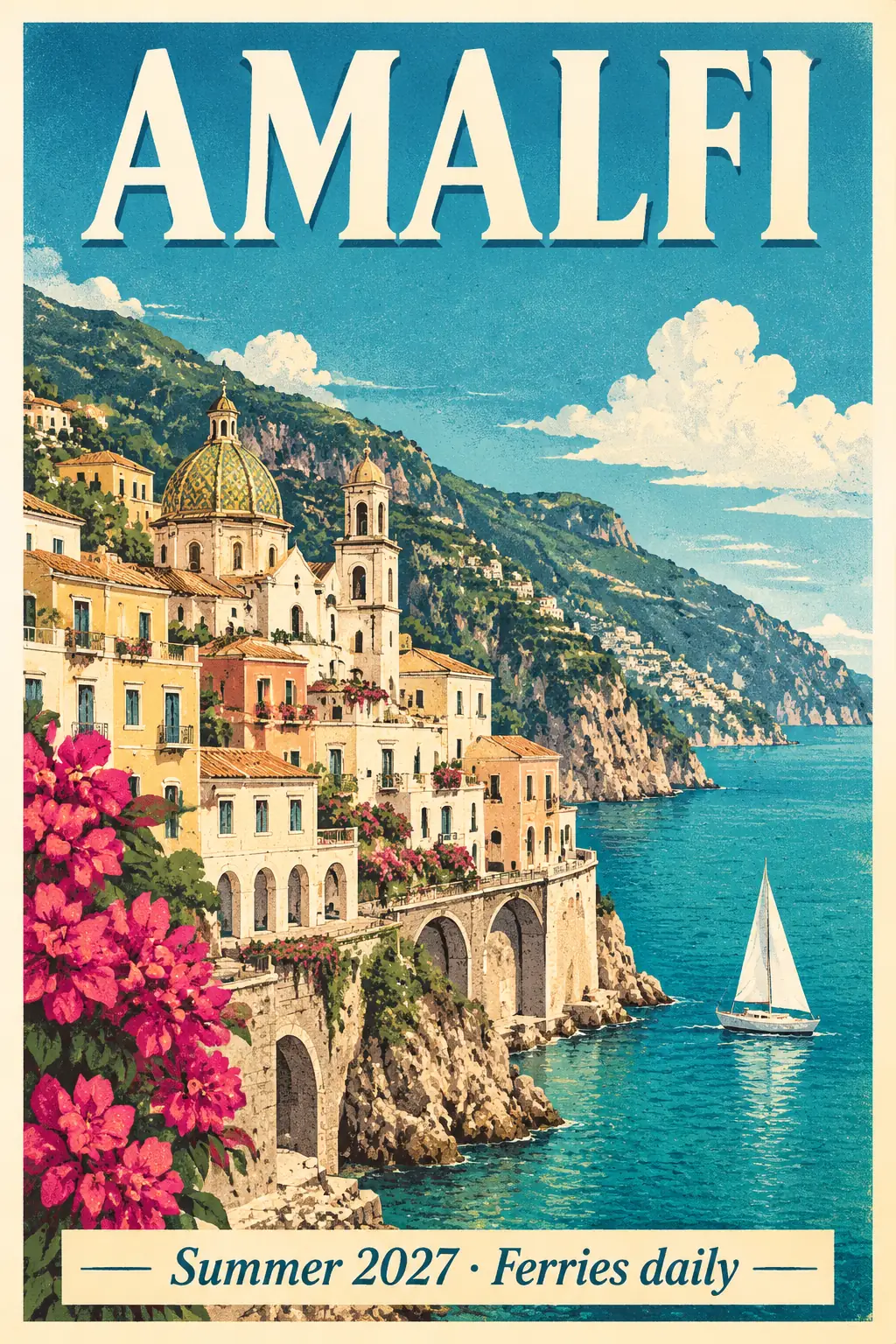
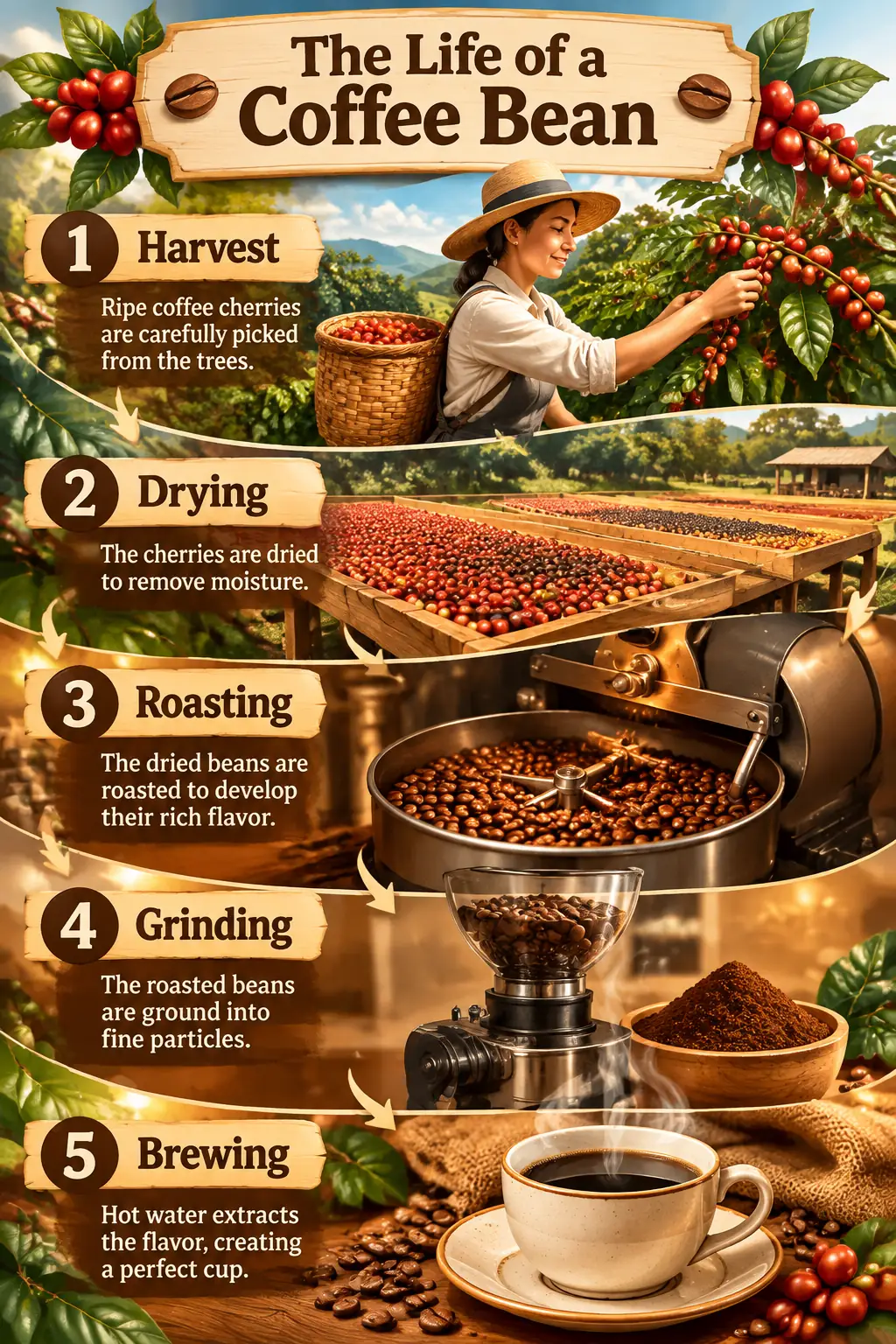
Product shots and illustrated maps
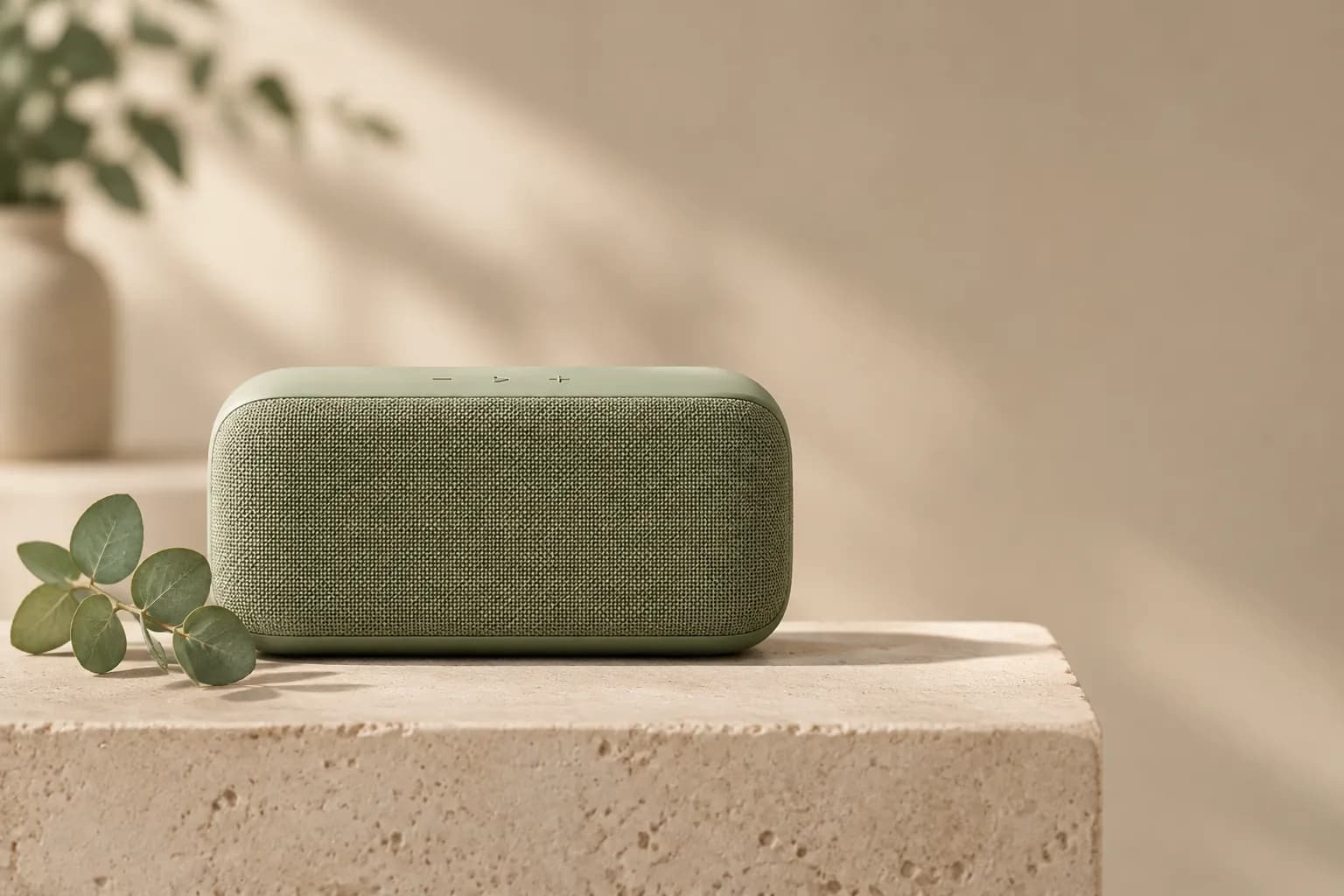
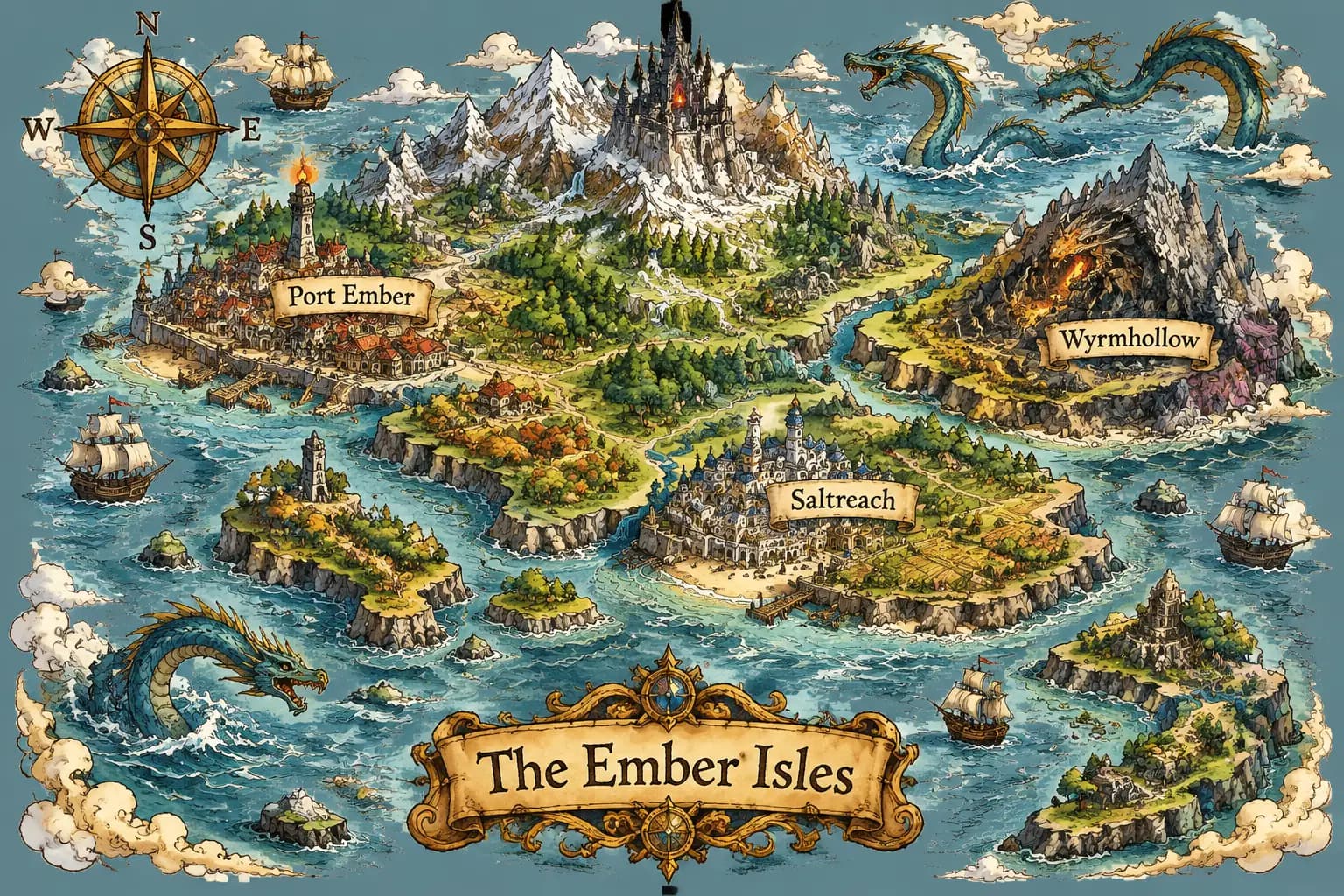
Edits that keep the rest of the image
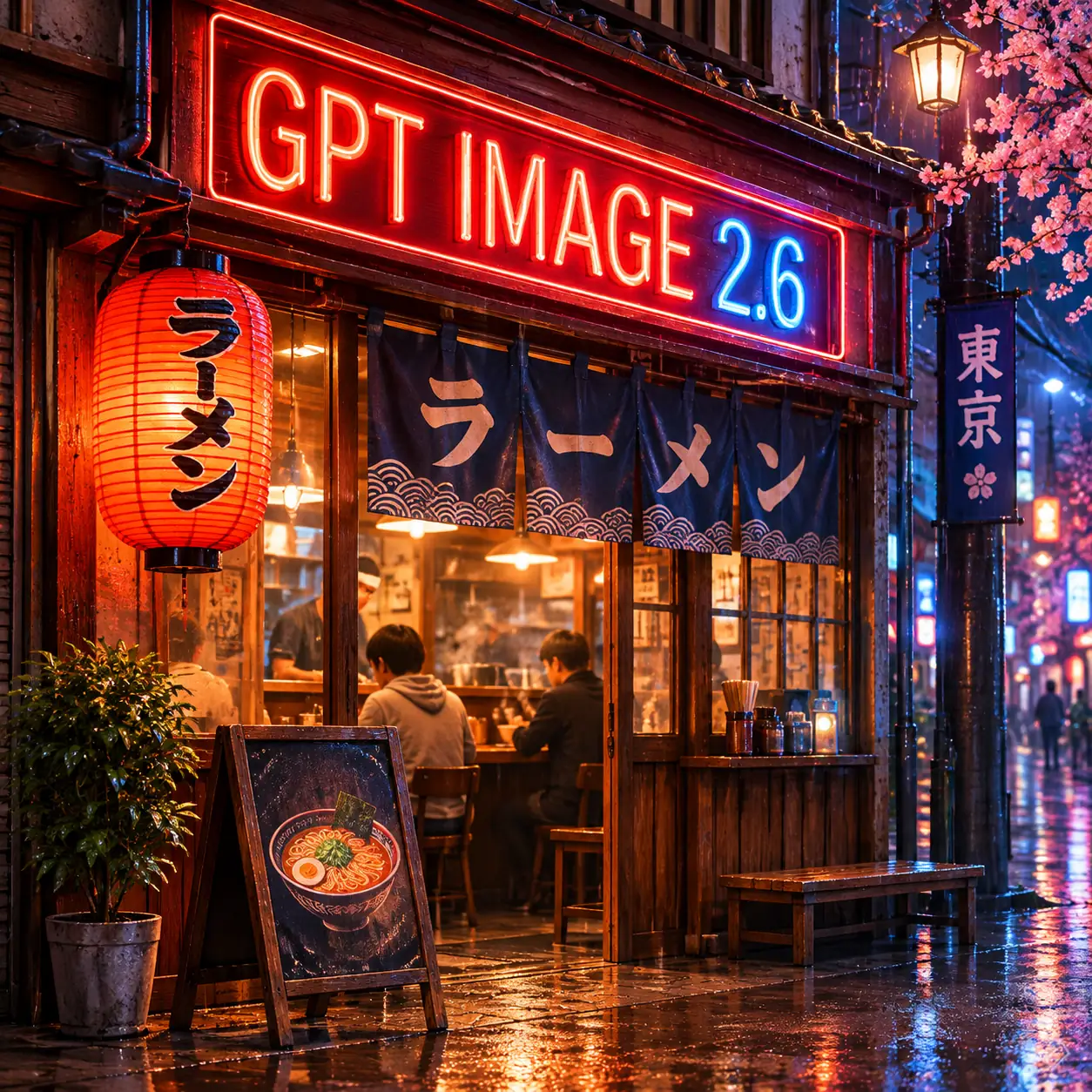
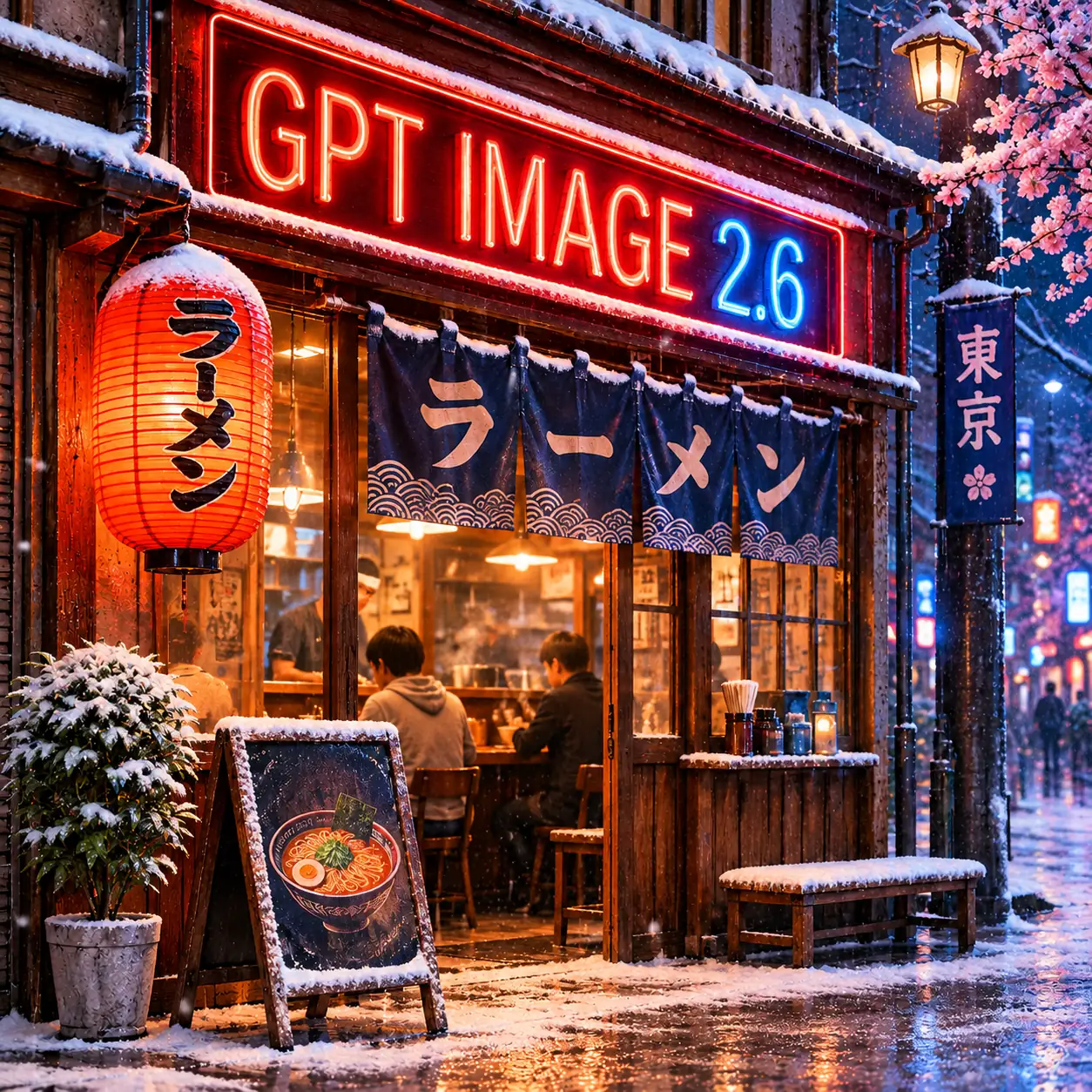
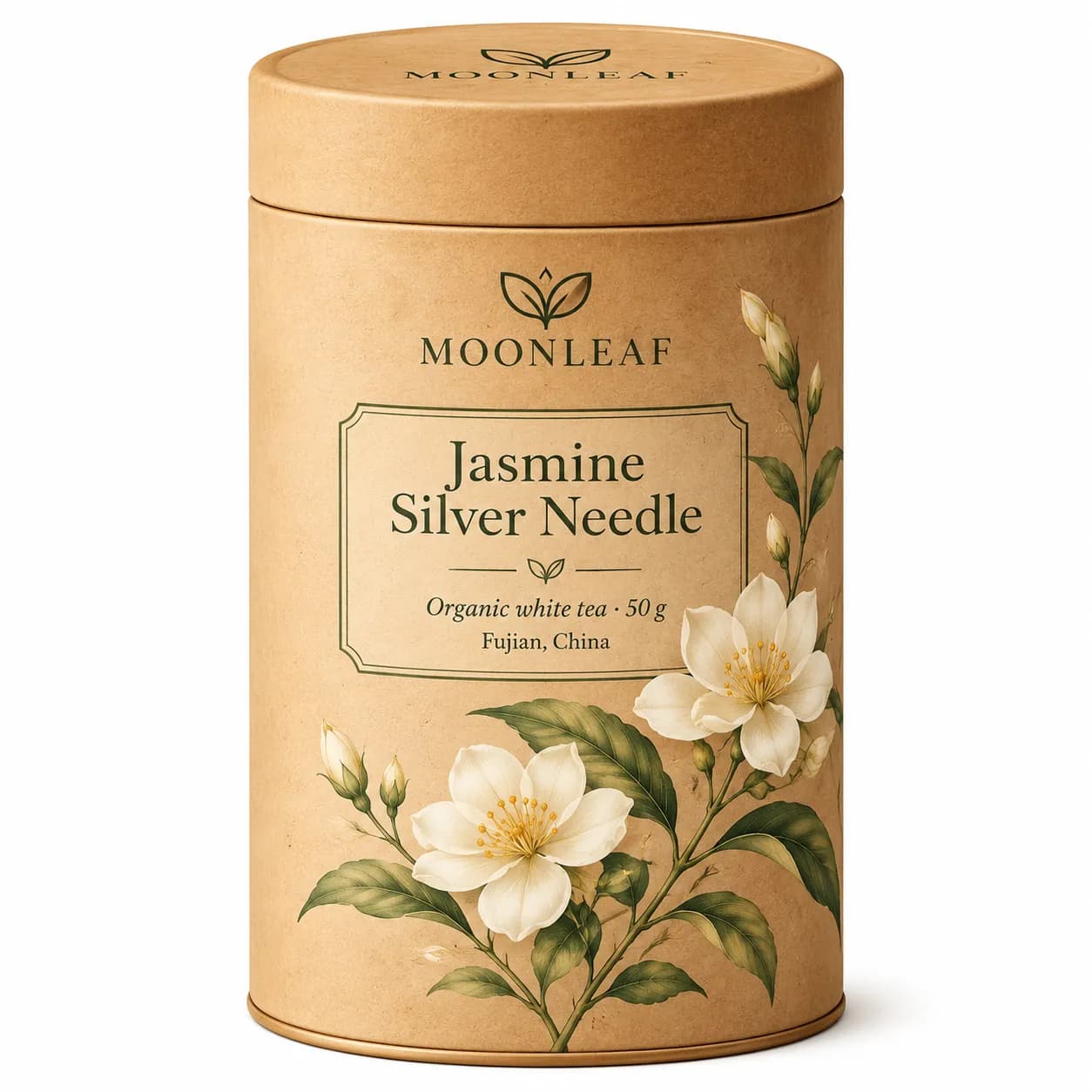
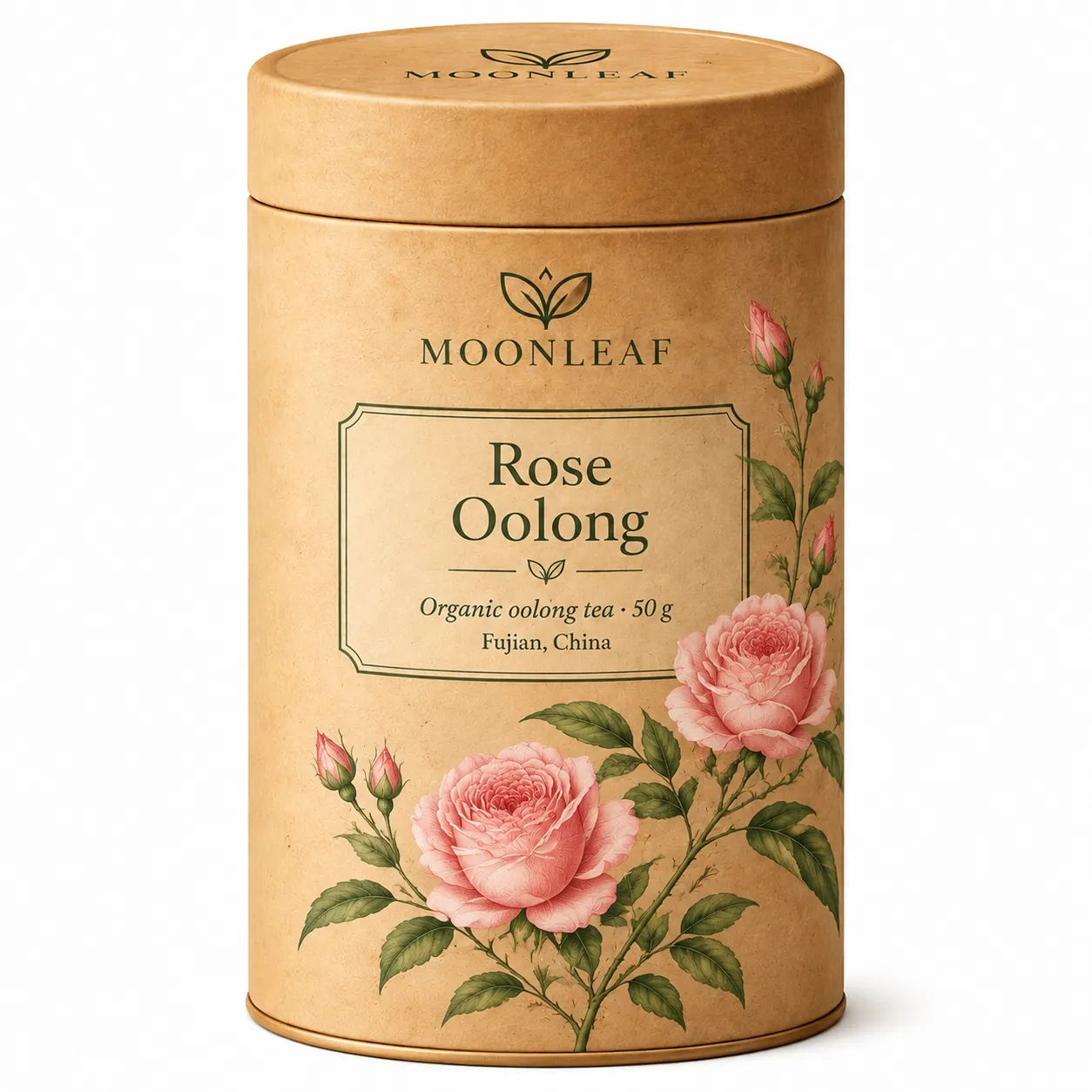
More outputs, prompts and timings are in our GPT Image 2.6 Flare Saver guide and GPT Image 2.6 Sunburst Saver guide.
GPT Image 2.6 vs GPT Image 2.5
GPT Image 2.5 (8 September 2026) also came as Flare and Sunburst. The figures below are from CellCog's launch-night test (80 generations on 5 November 2026, one machine, wall time from request to bytes), using the same prompt, size and quality on both versions; token counts repeated exactly across reruns, so they are the most reliable numbers.
| GPT Image 2.5 | GPT Image 2.6 | |
|---|---|---|
| Released | 8 September 2026 | 4 November 2026 |
| Image output price | $30 per 1M tokens | $30 per 1M tokens |
| Batch API | Yes, half-price output | Not available |
| Output tokens, 1024x1024, low / medium | 196 / 439 | 824 / 1,449 |
| Output tokens, 1024x1024, high / xhigh / max | 1,758 / 3,122 / 7,024 | 1,758 / 3,122 / 7,024 (identical) |
| Cost per 1024x1024 image, low / medium / high | $0.006 / $0.013 / $0.053 | $0.025 / $0.044 / $0.053 |
| Flare time, 1024x1024, high / max | 17.2 s / 45.1 s | 7.9 s / 18.0 s |
| Sunburst time, same four prompts | 9.5–25.3 s | 14.5–25.4 s (not faster) |
| Animated GIF and SVG output | No | Yes |
| Markup edits, transparency, custom sizes, xhigh and max | Yes | Yes |
- From high quality upward, 2.6 Flare costs exactly the same as 2.5 Flare and was 2.1–2.5 times faster in the test, so it is a free upgrade for final-quality work.
- At low and medium quality, 2.6 bills 3.3–4.2 times more tokens than 2.5. For high-volume drafts or thumbnails, 2.5 is still much cheaper, and the test found the quality difference hard to see on small assets.
- 2.6 has no Batch pricing, so overnight bulk jobs on 2.5 Batch cost about a quarter of the same work on 2.6.
- 2.6 Sunburst was no faster than 2.5 Sunburst; it preserved a detail slightly better in a three-step edit chain, at higher cost.
Read our measured guides to GPT Image 2.5 Flare and GPT Image 2.5 Sunburst, or the full GPT Image 2.6 vs 2.5 comparison with the same prompts on both versions.
How much does GPT Image 2.6 cost?
OpenAI bills GPT Image 2.6 by token, not by image, and Flare and Sunburst share one price list. What you pay for an image depends on how many image output tokens it produces, which grows with quality and size:
| Text input | $5.00 per 1M tokens ($1.25 cached) |
|---|---|
| Image input (reference images, edits) | $8.00 per 1M tokens ($2.00 cached) |
| Image output | $30.00 per 1M tokens |
- 1024x1024 at low quality: 824 output tokens, about $0.025.
- 1024x1024 at medium quality: 1,449 output tokens, about $0.044.
- 1024x1024 at high quality: 1,758 output tokens, about $0.053.
- 1024x1024 at max quality: 7,024 output tokens, about $0.21.
- A 12-frame animated GIF at medium quality cost $0.056 in the test; a 16-frame GIF at high quality cost $0.108.
Token counts are from CellCog's test; larger sizes use more tokens. SVG requests are billed twice: the reference image at the image model's rate, plus the SVG authoring tokens. The complexity setting has no separate fee.
On GPT Image Hub, GPT Image 2.6 Flare Saver and GPT Image 2.6 Sunburst Saver cost a flat 10 credits per image (about $0.010–$0.013, depending on the credit pack) whatever the size and quality, so a 4K image at max quality costs the same as a low-quality draft.
The new features in detail
Animated GIF output: parameters and limits
Request a GIF from POST /v1/images/generations with output_format set to gif. frame_count sets the number of frames (2–64, default 9) and frame_duration_ms the time each frame is shown (20–2,000 ms, default 200, rounded to 10 ms). The default 9 frames at 200 ms make a 1.8-second loop. Frame count, frame size and n must fit inside the model's pixel budget, so lower one of them if a request is rejected.
GIFs cannot be made on the edits endpoint, and streaming, partial images, output_compression and prompt_rewriter do not apply. On launch night CellCog found the API accepted only 2 to 16 frames, although the documentation lists up to 64; the character kept its identity across frames, but motion stepped and the loop jumped, so describe a small, repeating movement that ends where it starts.
SVG output: how it works
Set output_format to svg and n to 1 on the generations endpoint, then decode data[0].b64_json and save the UTF-8 XML with a .svg extension. The result is a static vector file with no scripts, external resources or embedded raster images, ready for logos, icons, illustrations and print. In CellCog's test, output_format svg on its own was rejected with an error asking for svg.model, the text model that writes the vector code; the parameter is listed in the API reference but not in the image generation guide.
SVG works best for flat artwork: a few solid colors, clear shapes, no photographic texture. It is not available on the edits endpoint and an SVG cannot be used as an input image. Expect teething problems at first: 14 of CellCog's 15 SVG requests on launch night returned server errors, and in a later comparison with Recraft V4.1 it failed on almost every prompt with lettering. The one SVG that came back was clean, editable code with real circle and path elements.
Markup-guided edits: how to send them
Send the original photo as the first input image to POST /v1/images/edits, and a transparent PNG of the same width and height with your circles, arrows or scribbles as markup. The model edits what you marked and leaves the rest alone. Markup applies only to the first image; any other images act as references.
Each image and the annotation layer can be up to 16,777,216 pixels, and the annotation file up to 50 MB. Markup cannot be combined with mask or prompt_rewriter. In CellCog's test both 2.5 and 2.6 changed only the marked area; the same edit cost $0.022 on 2.5 and $0.052 on 2.6.
The complexity setting: when to change it
complexity takes low, medium or high, and both 2.6 models default to high. OpenAI recommends low for most quick edits, such as swapping a background or the text on a sign, and medium or high for scenes with many elements, constraints, dense text or complex layouts. Higher complexity can add latency and unwanted changes.
It is independent of quality, which controls rendering quality and output tokens, and there is no separate fee. In CellCog's test, low, medium and high all produced the same 1,132 output tokens at medium quality.
Using GPT Image 2.6 in the API
Both models use the Image API you already use for GPT Image 2 and 2.5; switching is a one-line model change. A standard generation, with complexity lowered for a simple scene:
curl https://api.openai.com/v1/images/generations \
  -H "Authorization: Bearer $OPENAI_API_KEY" \
  -H "Content-Type: application/json" \
  -d '{
    "model": "gpt-image-2.6-flare",
    "prompt": "A matte black wireless speaker on a pale concrete plinth, soft window light, blank space on the right for a headline",
    "size": "1536x1024",
    "quality": "high",
    "complexity": "low"
  }'
An animated GIF with Sunburst: 9 frames at 200 ms, a 1.8-second loop.
{
  "model": "gpt-image-2.6-sunburst",
  "prompt": "A paper lantern swaying gently in the wind at night, warm glow, the lantern returns to its starting position at the end",
  "output_format": "gif",
  "frame_count": 9,
  "frame_duration_ms": 200,
  "size": "1024x1024",
  "quality": "medium"
}- Organization verification is required before you can call GPT Image models.
- partial_images (0–3) streams previews of PNG, JPEG and WebP results, but not of GIFs or SVGs.
- Prefer jpeg output when latency matters; use png or webp with background set to transparent for cutouts.
- For end-user apps, pass a hashed safety_identifier (128 characters or fewer) instead of the deprecated user field.
How to prompt GPT Image 2.6
- Keep the prompt structure that worked on GPT Image 2 and 2.5: subject, setting, composition, lighting, style, then any on-image text in quotes.
- Put exact text in quotation marks and keep it short. In CellCog's poster test both 2.5 and 2.6 spelled every line correctly.
- Set complexity to low for one-change edits and leave it at high for infographics, menus and scenes with many objects.
- For edits, say what to keep and what to change; for local changes, mark the area with markup instead of describing its position.
- For GIFs, describe one small, repeating motion that ends where it starts, and keep the frame count low.
- For SVG, ask for flat shapes, a limited palette and no gradients, photos or texture.
Six prompts written for the new features. The poster, product and infographic prompts work as written in ChatGPT, the API or the GPT Image Hub generator; the GIF, SVG and markup prompts need the API's output_format and markup fields (ChatGPT also makes GIFs).
For the full method, with tested prompts next to their results, see how to prompt GPT Image 2.6.
1. Event poster with exact text
Create a 1024x1536 poster for a night market. Title in bold condensed letters: "NIGHT MARKET". Below it: "FRIDAY 22 NOV · 6PM–MIDNIGHT · PIER 9". Neon signs and food stalls in a rainy street, teal and orange palette, poster grain, clean margins.
2. Product hero for an online store
A 1536x1024 product photo of a ceramic pour-over coffee set on a walnut counter, morning side light, steam rising, shallow depth of field, empty space on the left for a headline, realistic e-commerce style.
3. Looping GIF of a mascot
A round orange cat mascot with a green scarf waves its paw once and blinks, then returns to its starting pose. Flat cartoon style, white background, the same character in every frame.
4. SVG logo
A flat vector logo for a bakery called "Hearth": a simple loaf shape inside a circle, three solid colors (cream, brown, deep red), no gradients, no texture, bold rounded wordmark below.
5. Markup edit
Replace only the mug I circled with a clear glass teapot full of green tea. Keep the table, lighting, shadows and everything outside the marked area unchanged.
6. Dense infographic
A 1024x1536 infographic titled "How Coffee Is Made" with six numbered steps from cherry to cup, a small icon and a one-line caption for each step, a timeline down the middle, flat illustration, beige and dark brown.
Where to use GPT Image 2.6
ChatGPT and Codex
Images 2.6 is on every ChatGPT tier and in Codex, on web, desktop and mobile; GIFs and saved reference images are part of the ChatGPT update.
OpenAI API
gpt-image-2.6-flare and gpt-image-2.6-sunburst on the generations and edits endpoints, after organization verification.
GPT Image Hub
Both 2.6 models are in the generator as GPT Image 2.6 Flare Saver and GPT Image 2.6 Sunburst Saver, next to GPT Image 2.5, GPT Image 2, Nano Banana and Seedream, with no API key or organization verification. Each image costs 10 credits at any size and quality, and the 25 credits on a new account make 2 free images. The generator makes still images; GIF and SVG output and markup edits need the OpenAI API.
Limitations to know
- Low and medium quality cost 3–4 times more than on GPT Image 2.5, and there is no Batch discount.
- Sunburst is not faster than 2.5 Sunburst; the 50% speed-up applies to Flare in independent tests.
- Launch-night tests saw GIFs capped at 16 frames and frequent server errors on SVG requests; both may settle as capacity grows.
- GIF and SVG are generation-only: neither works on the edits endpoint.
- Higher complexity can add latency and unwanted changes; keep it low for small edits.
- OpenAI publishes no fixed per-image price or rate-limit numbers; both depend on settings and your usage tier.
- On GPT Image Hub the 2.6 models make still images only (no GIF, SVG, markup edits or complexity setting yet), and an image requested at 1024×1024 can come back at 1254×1254.
GPT Image 2.6 FAQ
What is GPT Image 2.6?
GPT Image 2.6 is OpenAI's image generation and editing model, released on 4 November 2026 as ChatGPT Images 2.6. In the API it is available as two models, gpt-image-2.6-flare and gpt-image-2.6-sunburst, which add animated GIF and SVG output, markup-guided edits and a complexity setting.
What is the difference between GPT Image 2.6 Flare and Sunburst?
Flare is tuned for fast, high-quality everyday generation and was about three times faster in tests; Sunburst is tuned for detailed compositions and precise, consistent edits. They cost the same per token and support the same settings and formats.
Is GPT Image 2.6 free?
In ChatGPT, OpenAI says Images 2.6 is available on every tier, including free accounts, within each plan's usage limits. In the API it is paid: $30 per million image output tokens, about $0.025 to $0.21 for a 1024x1024 image depending on quality. On GPT Image Hub, the 25 credits on a new account make 2 free GPT Image 2.6 images; after that each image costs 10 credits.
How much does GPT Image 2.6 cost per image?
OpenAI bills by token. In an independent test a 1024x1024 image cost about $0.025 at low quality, $0.044 at medium, $0.053 at high and $0.21 at max. Larger sizes cost more, and there is no Batch discount.
Is GPT Image 2.6 better than GPT Image 2.5?
It is faster (Flare by 2–2.5 times at high quality and above in a launch-night test) and adds GIF and SVG output, and it costs the same from high quality upward. At low and medium quality it costs 3–4 times more, so 2.5 remains the cheaper choice for bulk drafts.
Can GPT Image 2.6 make GIFs?
Yes. Set output_format to gif on the generations endpoint with frame_count (2–64 in the documentation, default 9) and frame_duration_ms (20–2,000 ms, default 200). In ChatGPT, ask for an animated GIF.
Can GPT Image 2.6 make SVG files?
Yes. Set output_format to svg and n to 1, and name the text model that writes the vector code in svg.model (a launch-night test found requests without it were rejected). The API renders a reference image and then writes a static SVG with no scripts or embedded bitmaps, billed as the reference image plus the authoring tokens.
What does the complexity parameter do?
It controls how much planning the model does before drawing: low, medium or high, default high, with no extra fee. Use low for focused edits and high for dense text, complex layouts and scenes with many objects.
Can I use GPT Image 2.6 on GPT Image Hub?
Yes. GPT Image 2.6 Flare Saver and GPT Image 2.6 Sunburst Saver are in the GPT Image Hub generator, with no API key or organization verification. Each image costs a flat 10 credits (about $0.010–$0.013) at any size and quality, and new accounts get 25 free credits, enough for 2 images. The Hub makes still images; GIF and SVG output need the OpenAI API.
Sources
Specifications are from OpenAI's documentation as of 5 November 2026. Timings and token counts are from CellCog's independent test, not OpenAI benchmarks; your results will vary with size, quality and load.
- OpenAI: GPT-Image-2.6 Flare model page
- OpenAI: GPT-Image-2.6 Sunburst model page
- OpenAI image generation guide
- OpenAI on X: introducing ChatGPT Images 2.6 (4 Nov 2026)
- OpenAI on X: availability in ChatGPT, Codex and the API
- TestingCatalog: OpenAI launches Images 2.6 with GIFs and image reference
- CellCog: GPT Image 2.6 vs 2.5, 80 generations on launch night
Keep exploring