
GPT Image 2 vs Nano Banana
We ran 10 prompts from our library on GPT Image 2 and Nano Banana Pro at the same size. See the results side by side, with timings, prices and which model to choose.
GPT Image 2 followed long, detailed prompts more closely: it kept the requested layout, labels and props in more pairs, and its small print was more consistent. Nano Banana Pro was faster in every pair (median 27 s against 45 s at 1K) and gave photos a more natural look, but it sometimes dropped or added details. Choose GPT Image 2 for layouts, UI, infographics and exact briefs, and Nano Banana Pro for natural-looking photos and fast iteration.
How we tested
We picked 10 prompts from the GPT Image Hub library that need no reference image, covering on-image text, UI, posters, infographics, portraits, product photos, a logo and an illustration.
Each prompt ran once on each model on October 28, 2026, at 1K and the same aspect ratio. GPT Image 2 used its default medium quality. We did not retry, edit or cherry-pick any image.
"Nano Banana" here means Nano Banana Pro (Gemini 3 Pro Image), Google's most capable Nano Banana model. Times run from request to finished image through our provider and include the download.
Side-by-side results
01 UI screen with text 9:16
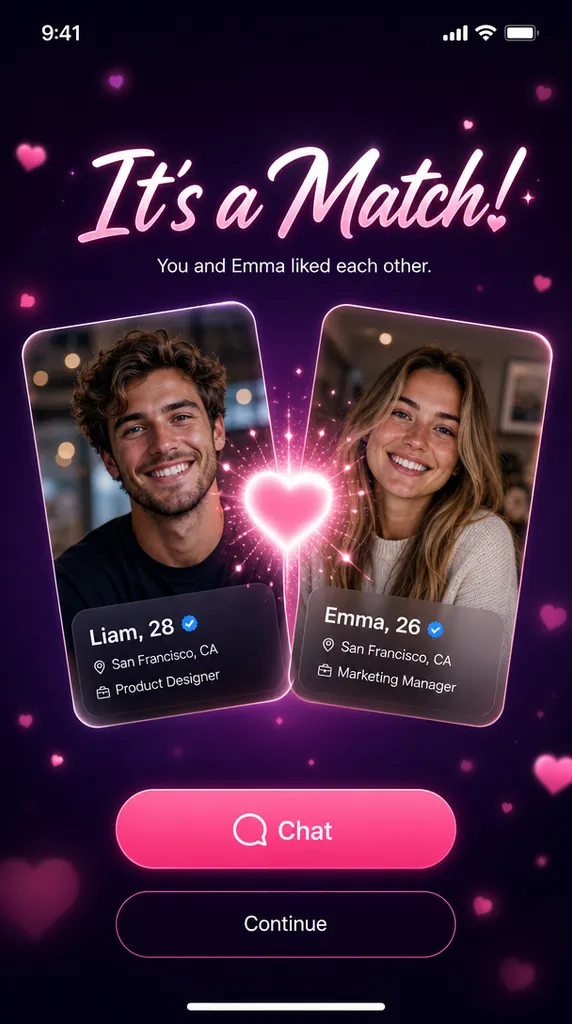
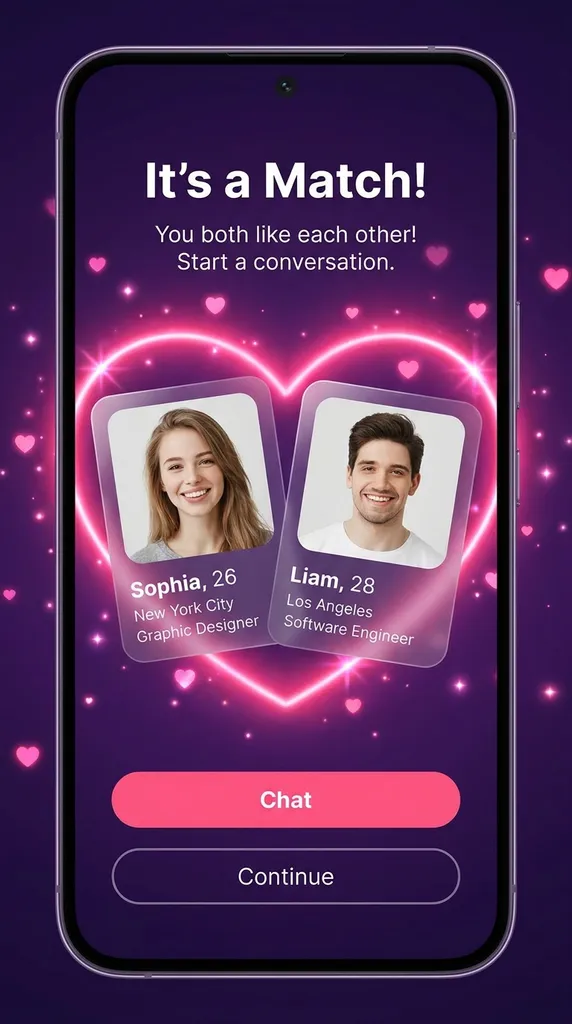
Both spelled every word correctly. GPT Image 2 drew a full-screen app capture with denser profile cards; Nano Banana Pro placed a simpler layout inside a phone frame.
Open this template02 Poster with Chinese typography 9:16
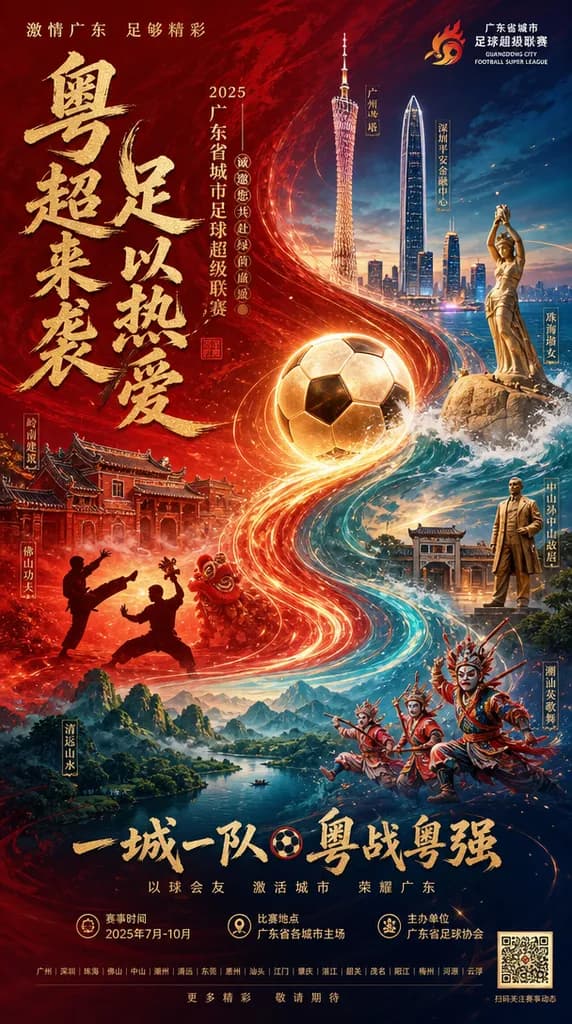
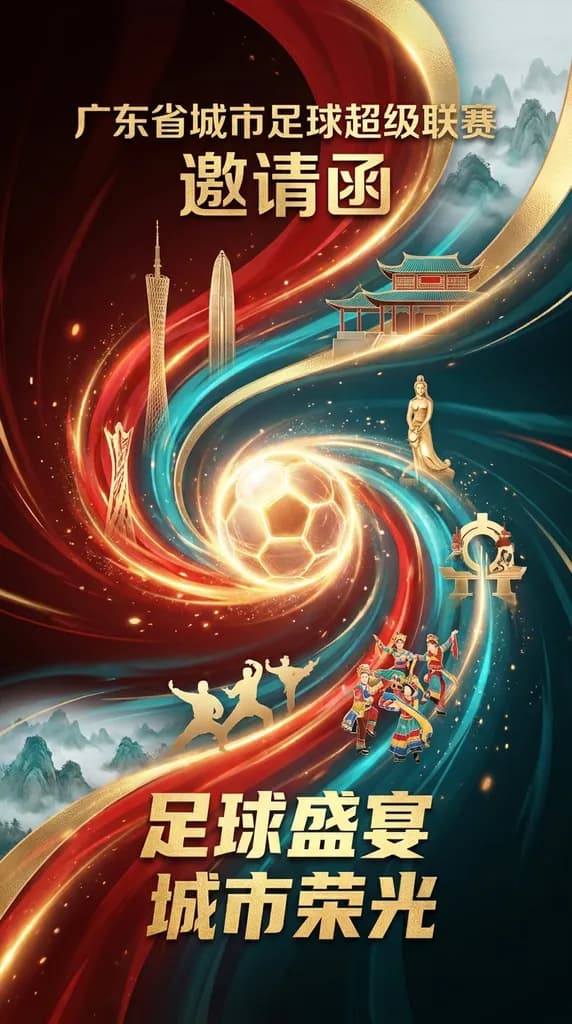
Both rendered correct Chinese titles. GPT Image 2 fit in more of the requested landmarks plus dates, venue and a full text layout; Nano Banana Pro kept fewer, larger titles and a cleaner composition.
Open this template03 Annotated infographic 4:5
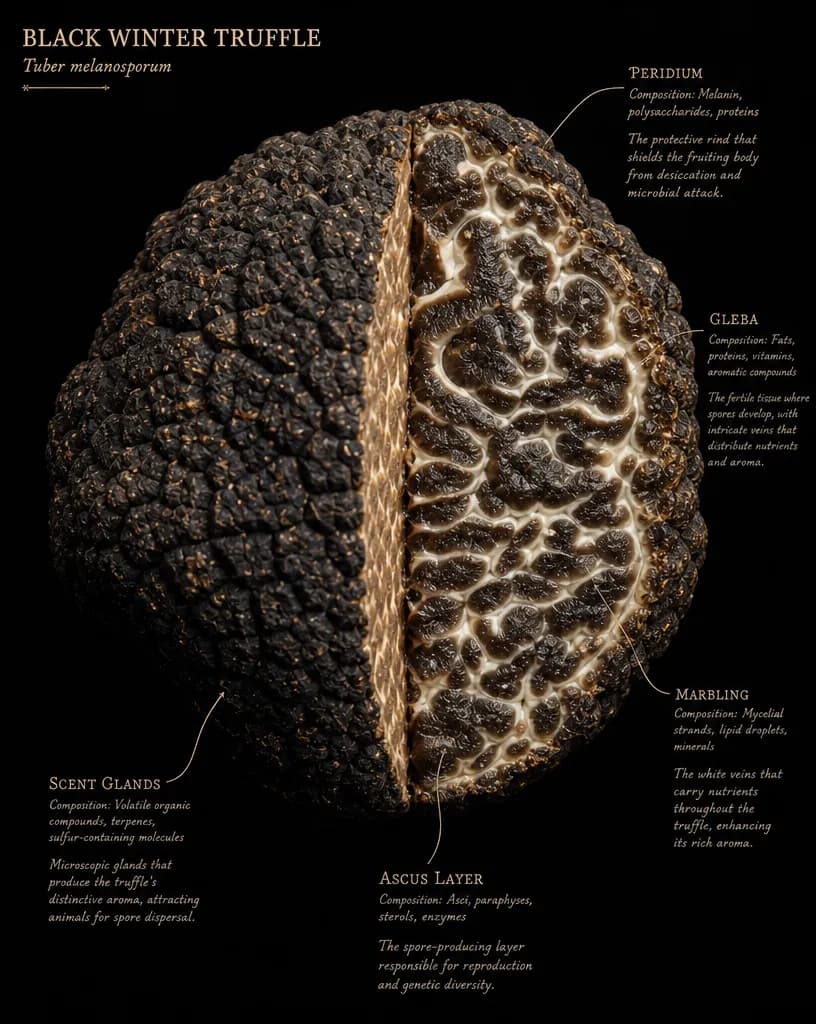
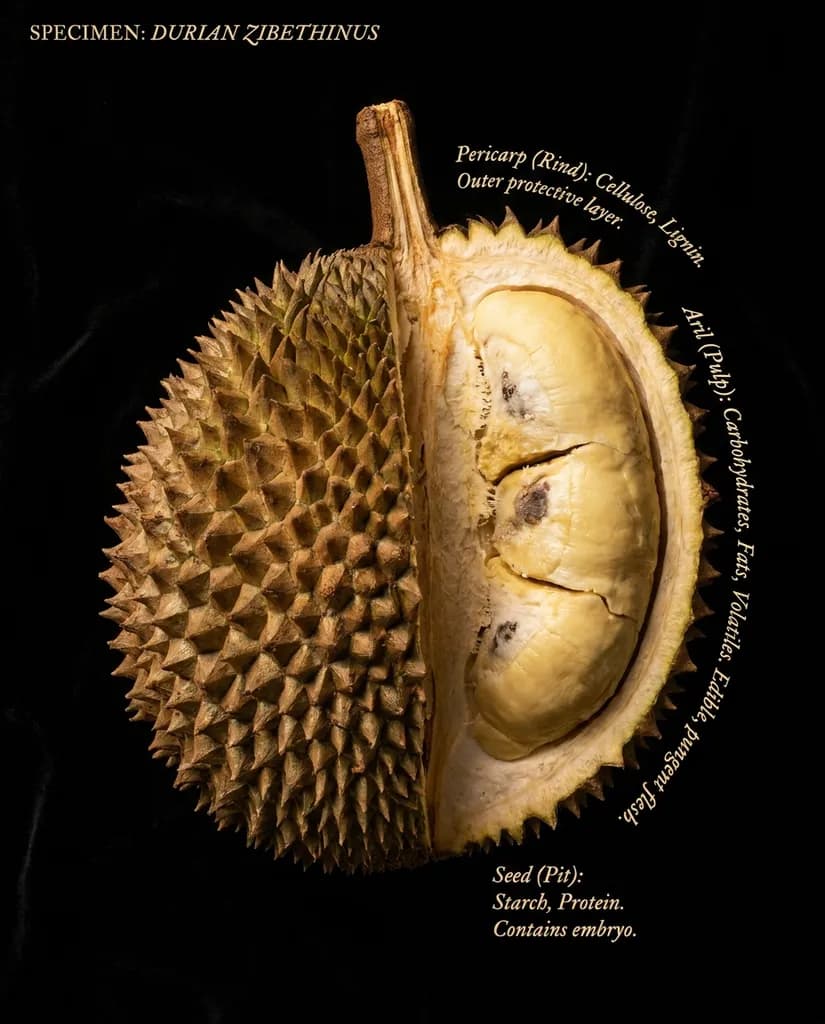
GPT Image 2 gave each label the three lines the prompt asked for (name, composition, explanation); Nano Banana Pro curved shorter labels along the edge of the fruit.
Open this template04 20-step drawing guide 4:3
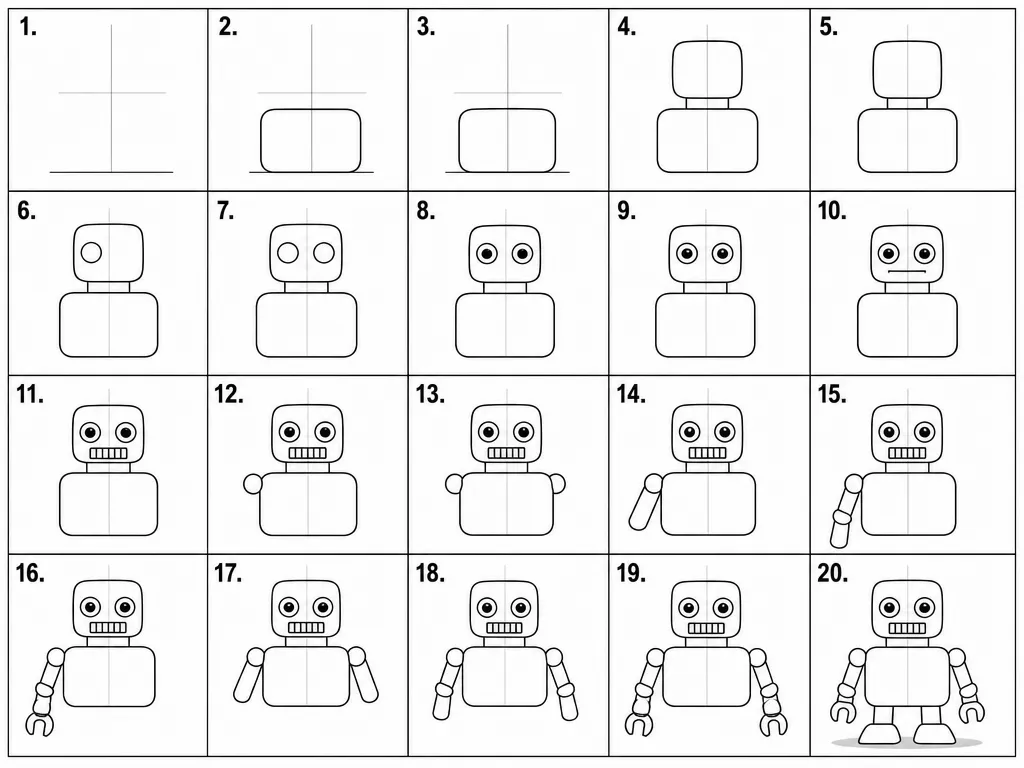
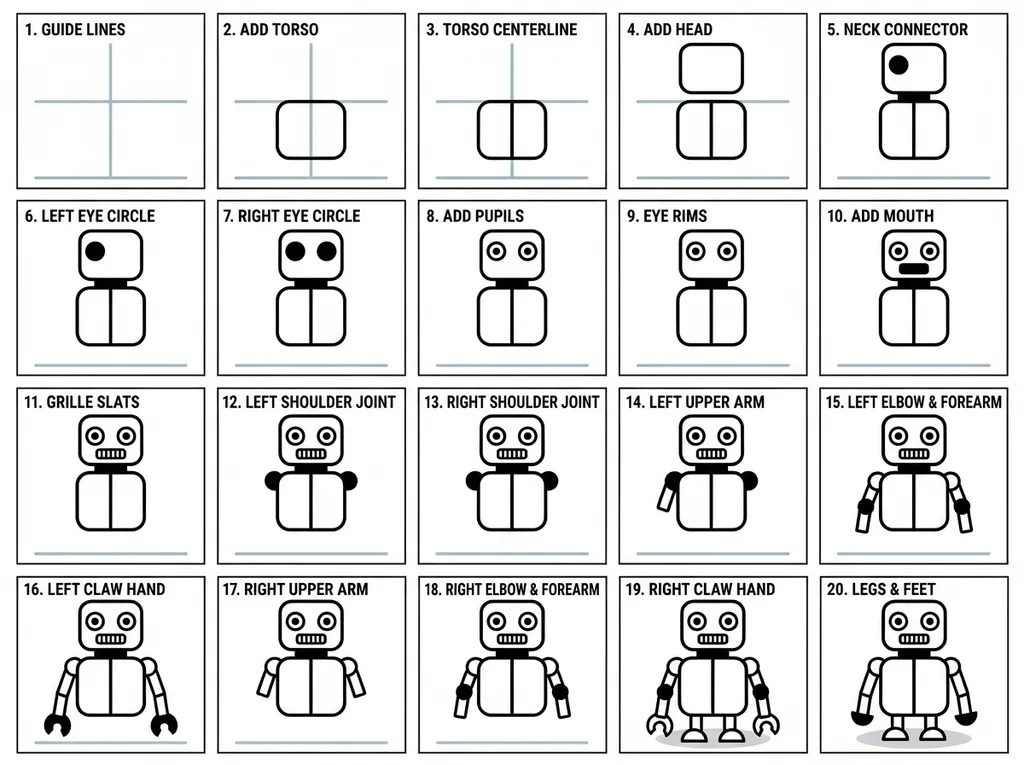
Both produced a clean 20-panel grid and both made a few continuity slips. GPT Image 2 tracked the eye and mouth steps closely; Nano Banana Pro captioned every panel but drew some parts a step early.
Open this template05 Portrait 4:5
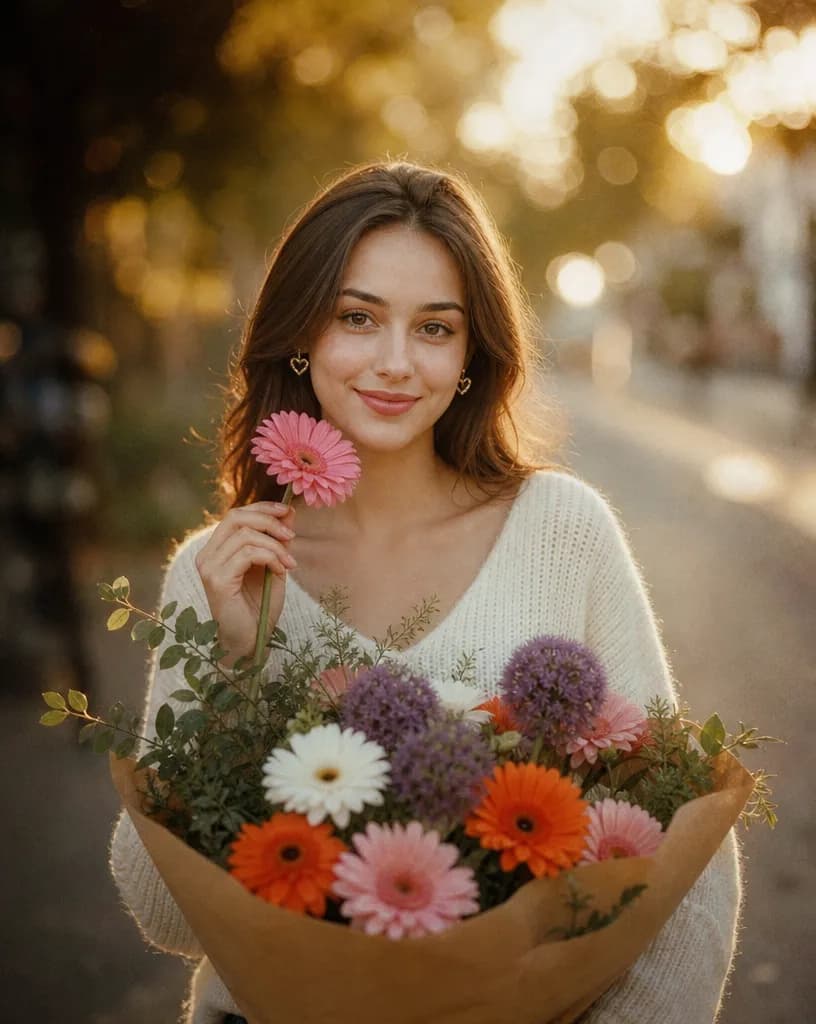
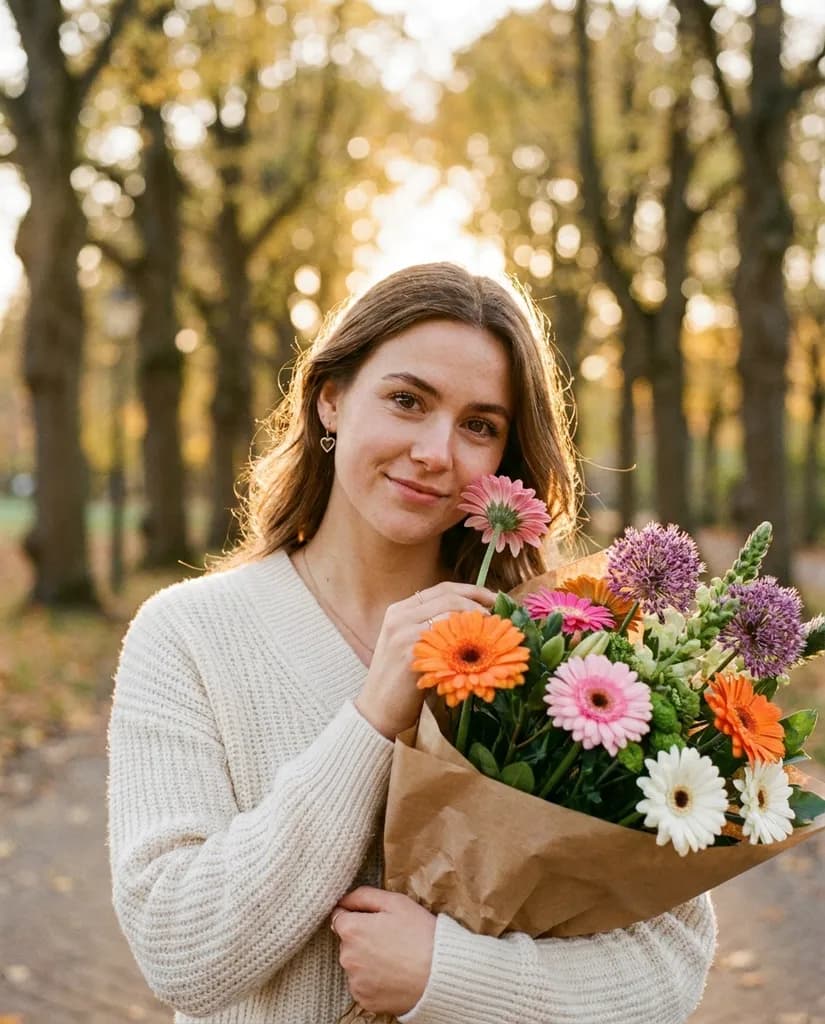
Both matched the sweater, earrings and bouquet. GPT Image 2 kept the frontal pose and centered bouquet the prompt asked for; Nano Banana Pro's skin and light look more natural, but the bouquet moved to the side.
Open this template06 Cinematic portrait 4:5
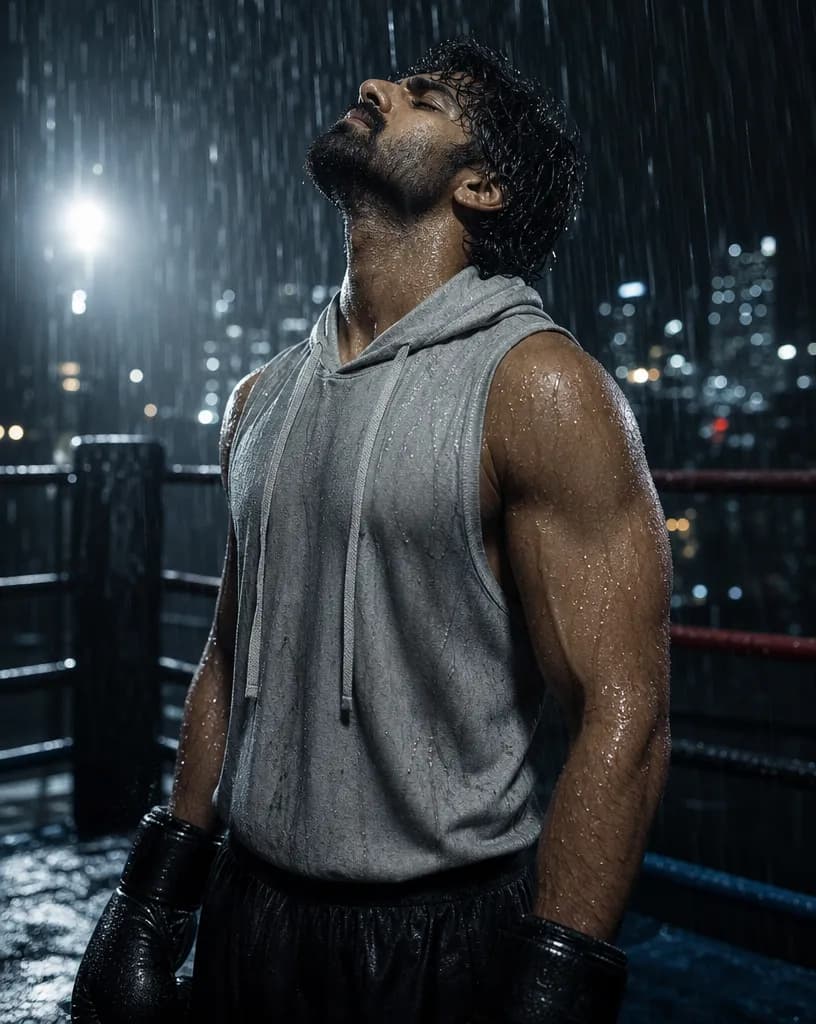
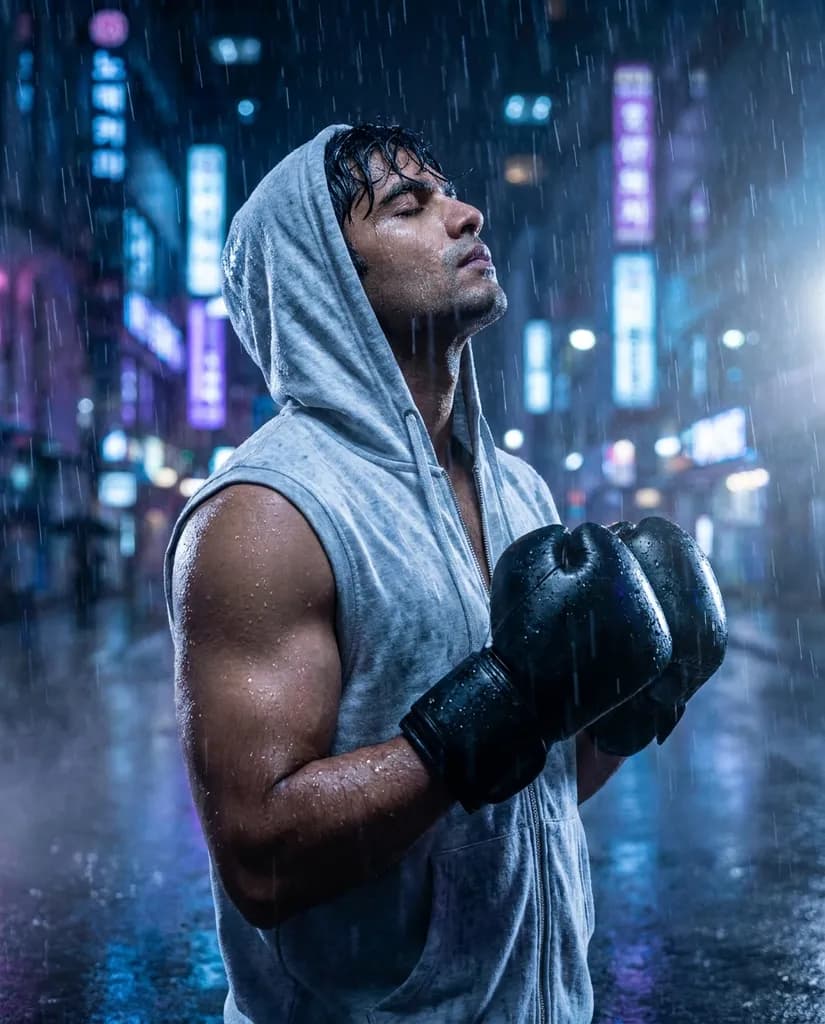
GPT Image 2 kept the rain-soaked boxing ring. Nano Banana Pro moved the boxer to a neon city street: a more dramatic image, but without the ring.
Open this template07 Product photo 1:1
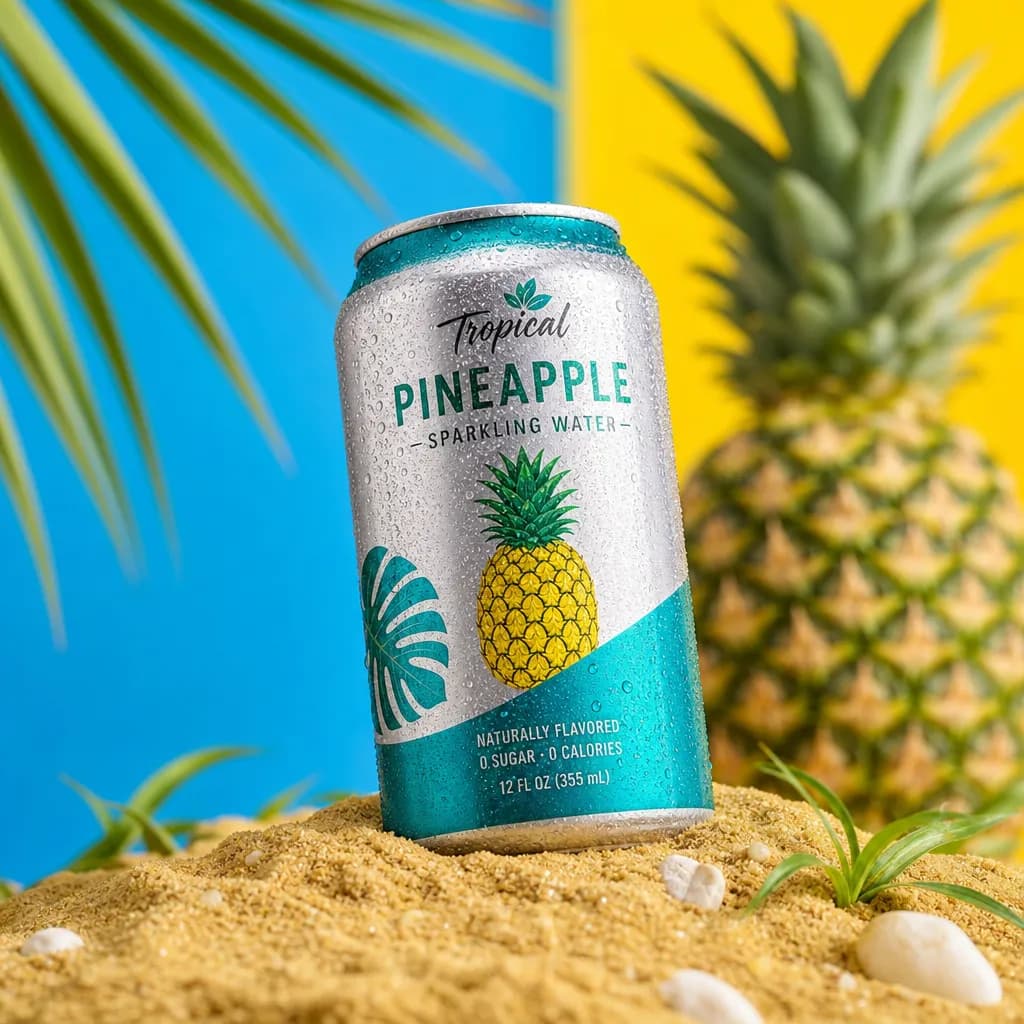
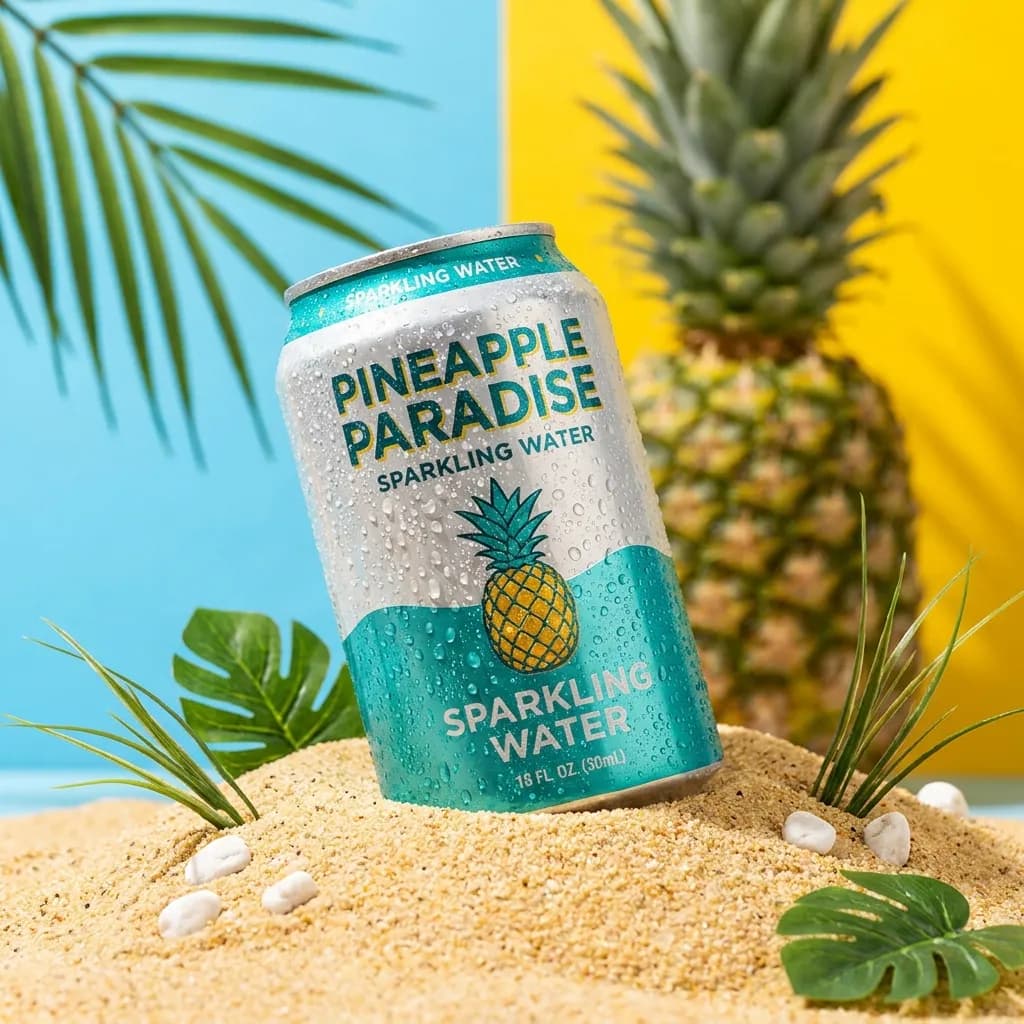
Both built the sand, split background and pineapple scene. GPT Image 2's invented label was consistent (12 fl oz / 355 mL); Nano Banana Pro's read 16 fl oz / 30 mL.
Open this template08 Logo 1:1
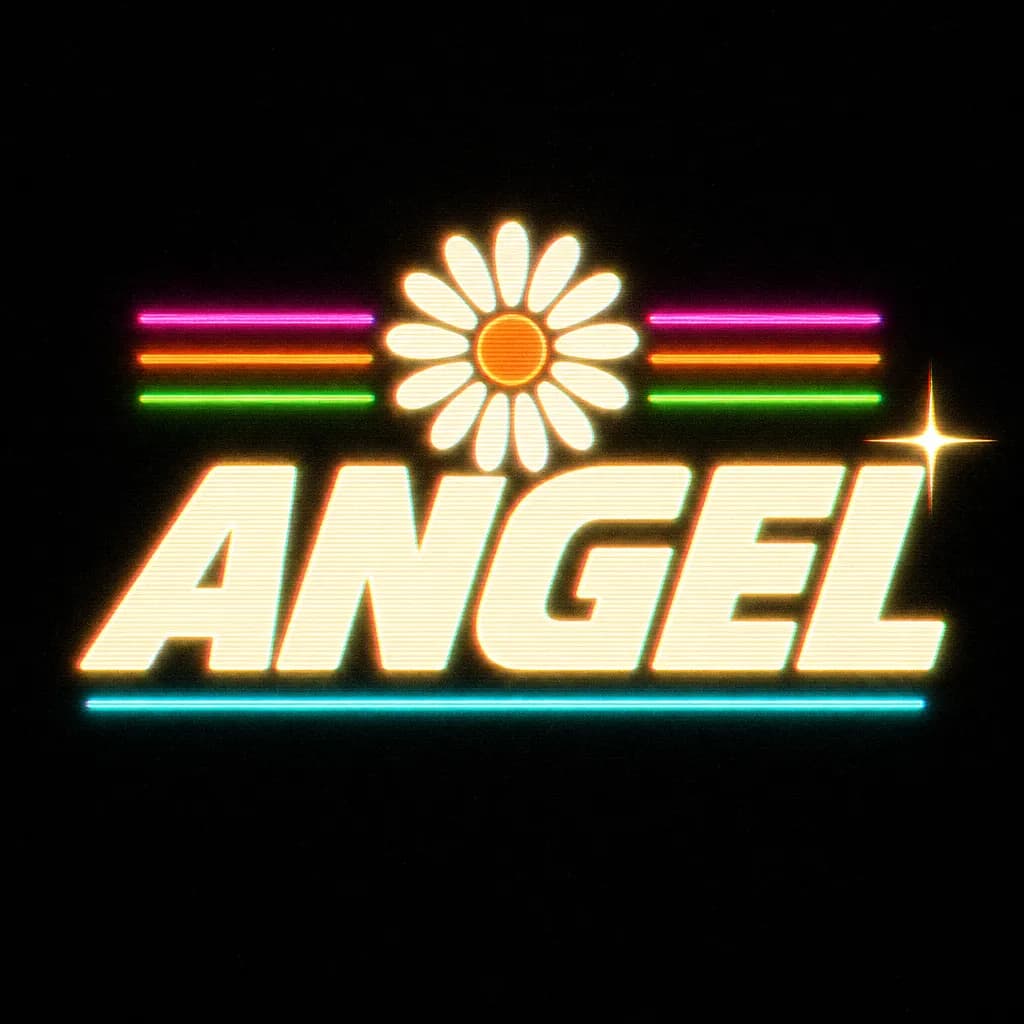
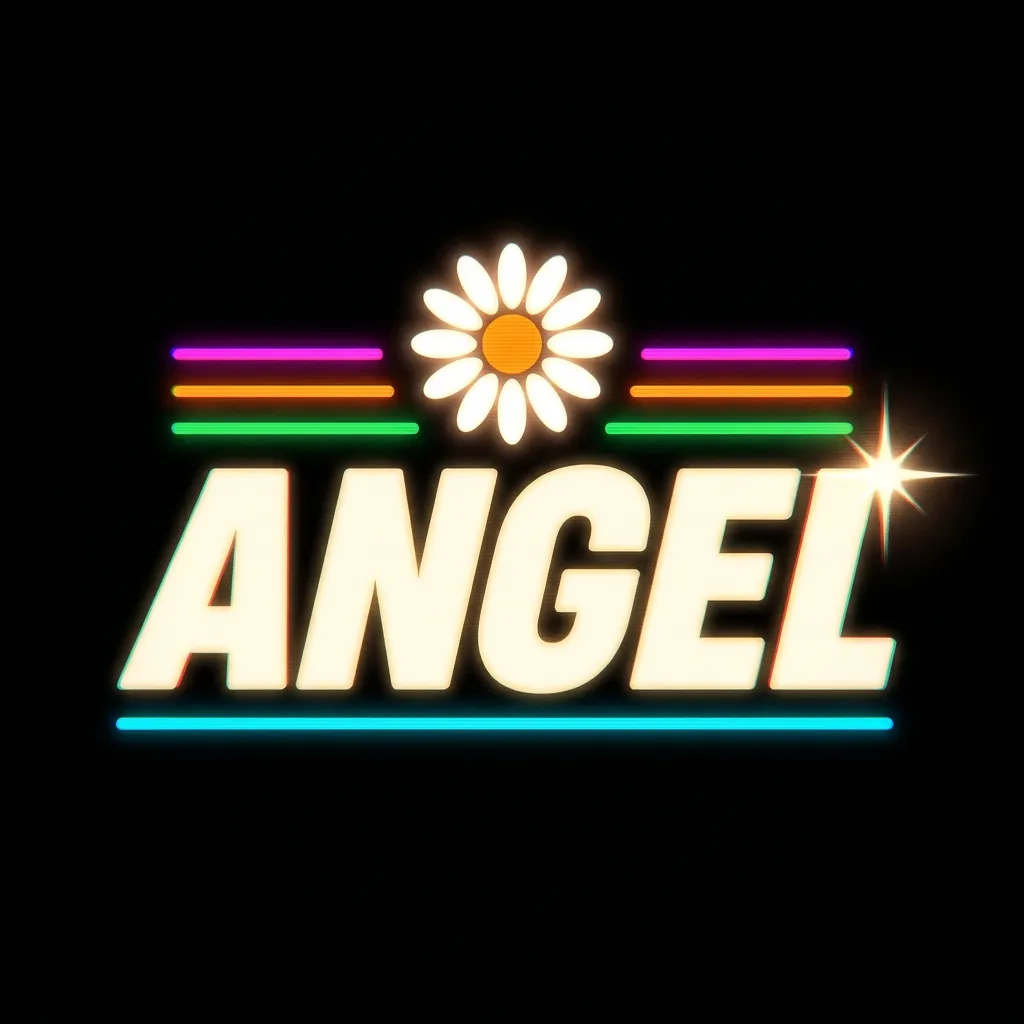
Close to a tie: both placed the daisy, stripes, underline and star as described. GPT Image 2 added more of the requested scanlines and glow; Nano Banana Pro's version is cleaner.
Open this template09 UI device mockup 16:9
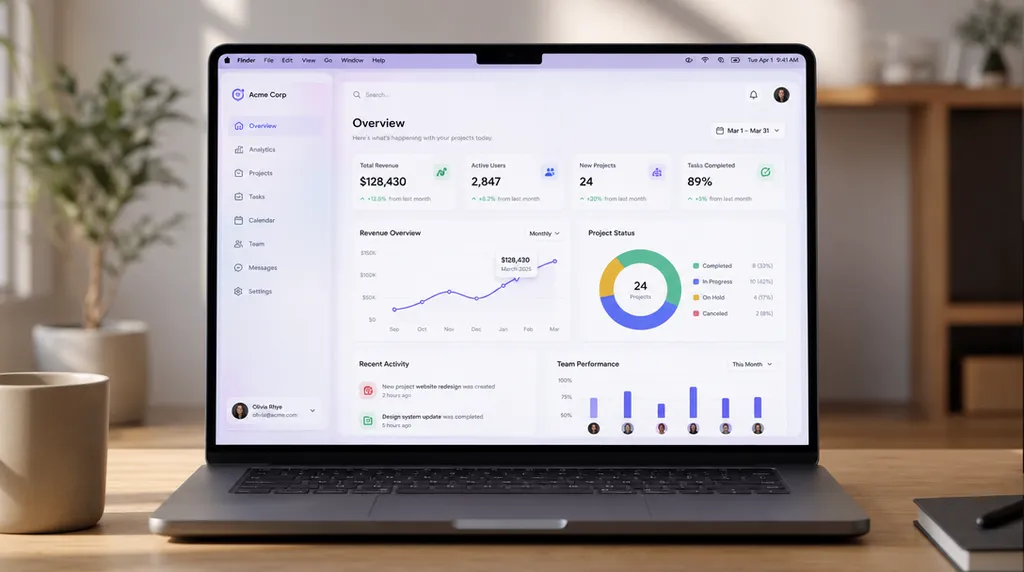
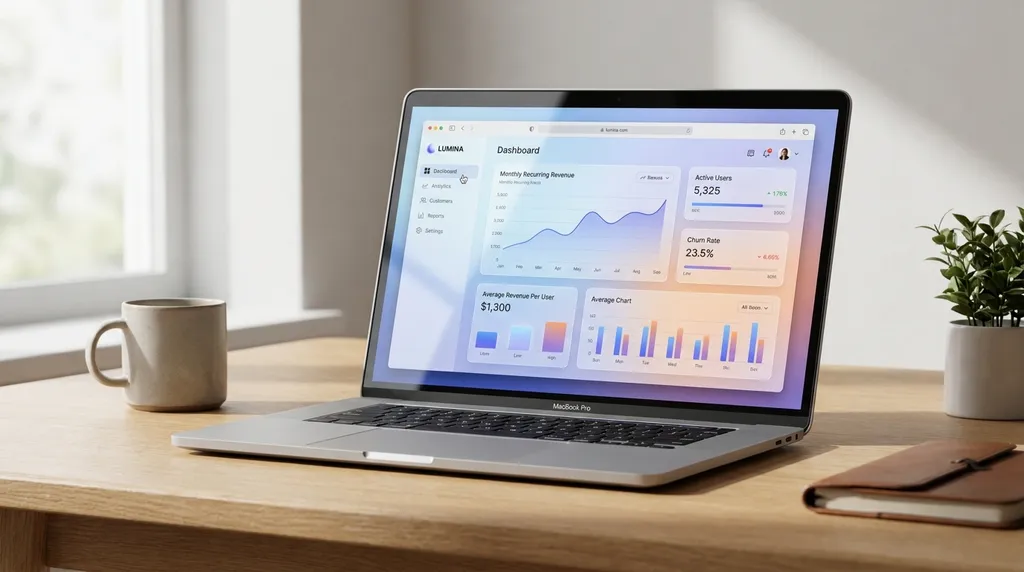
GPT Image 2 made the screen the hero, with a dashboard you can read. Nano Banana Pro shot the laptop at an angle in a cozy desk scene, so the interface is smaller.
Open this template10 Illustration 1:1
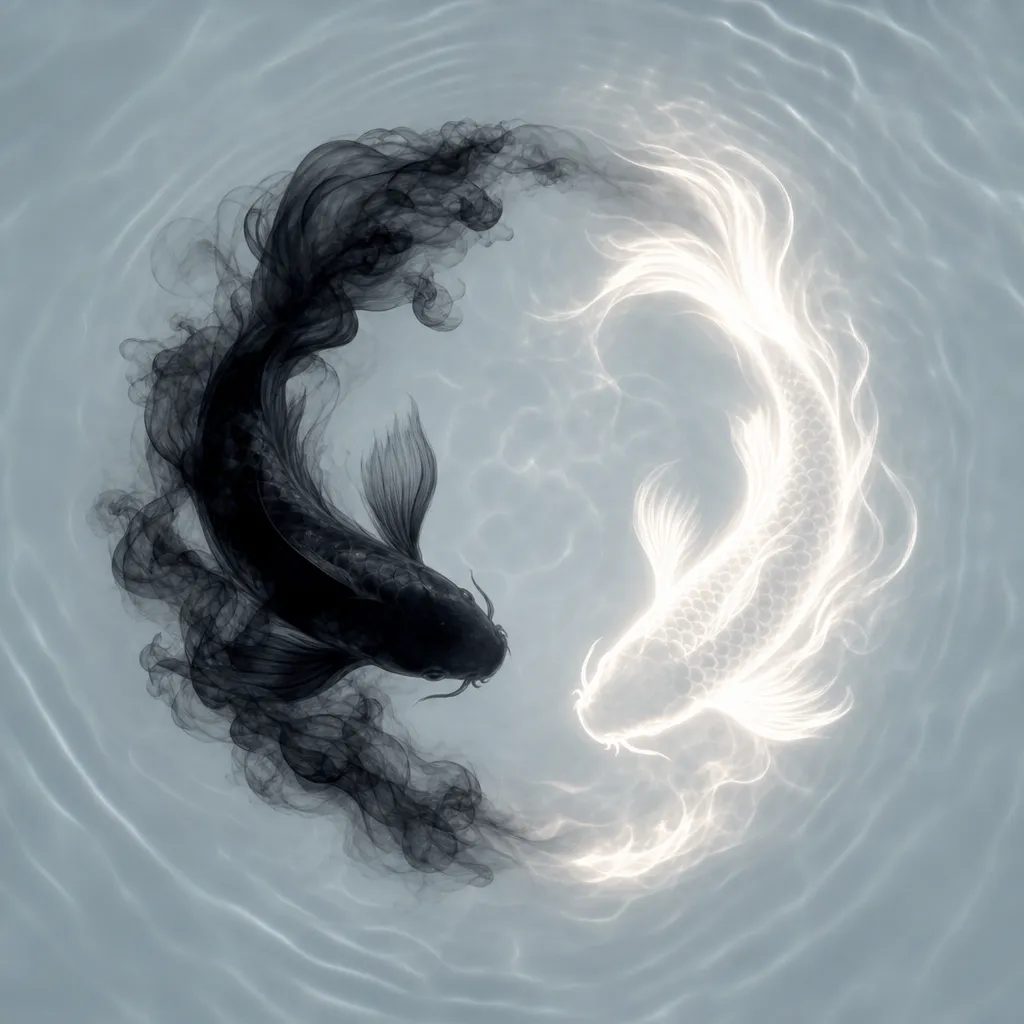
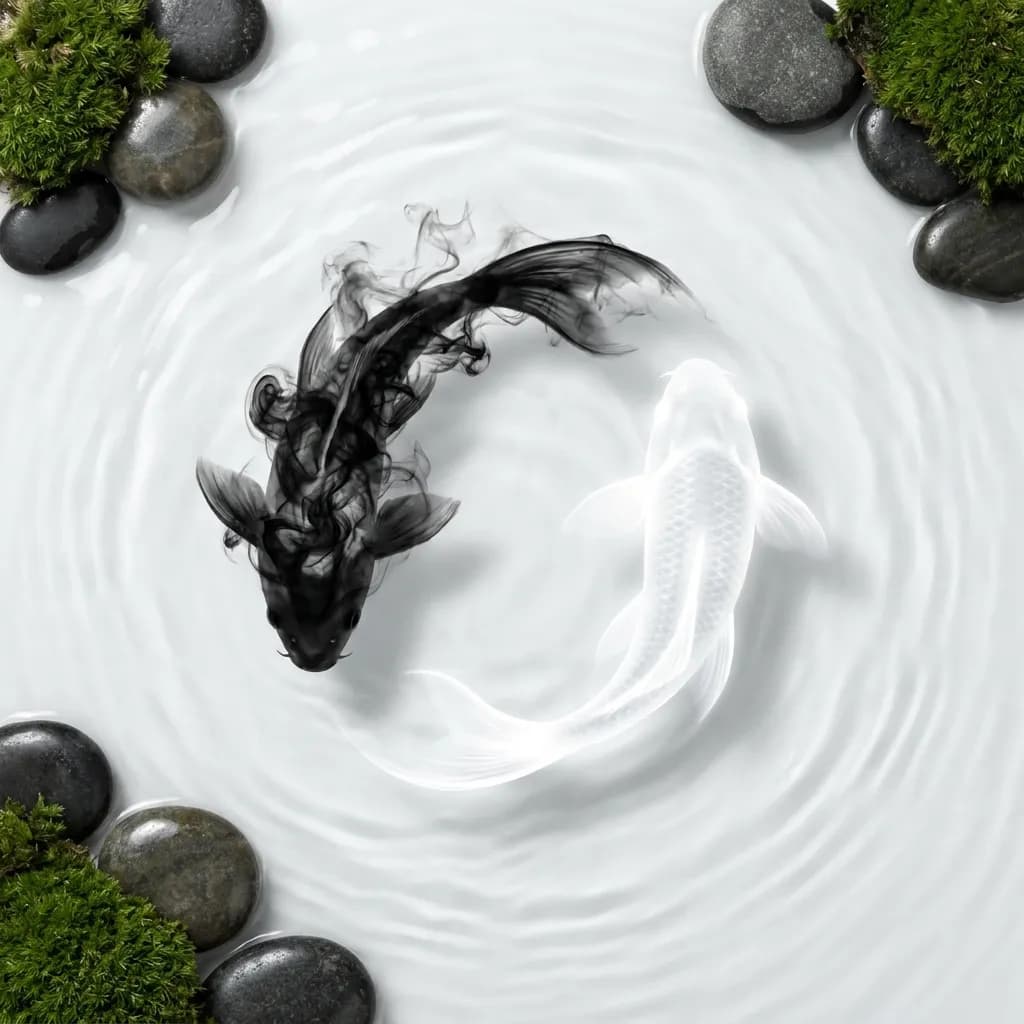
GPT Image 2 kept the minimal yin-yang circle of smoke and light. Nano Banana Pro added stones and moss the prompt did not ask for.
Open this templateComparison table
| GPT Image 2 | Nano Banana Pro | |
|---|---|---|
| Developer and model ID | OpenAI, gpt-image-2 | Google, gemini-3-pro-image-preview |
| Text in images (our test) | English and Chinese titles correct; small print consistent | English and Chinese titles correct; one can label mixed up its volume |
| Photorealism (our test) | Clean, polished commercial look | More natural skin, depth of field and film look |
| Following the prompt (our test) | Kept the requested elements in most pairs | Dropped or added details in several pairs |
| Speed, median of 10 (our test) | 45 s at 1K | 27 s at 1K |
| Price on GPT Image Hub | 43 credits at 1K, 143 at 4K; 5 with GPT Image 2 Saver | 108 credits at 1K or 2K, 193 at 4K |
| Sizes on GPT Image Hub | 1K, 2K and 4K; 16 aspect ratios | 1K, 2K and 4K; 11 aspect ratios |
| Reference images | Up to 16 | Up to 14 |
| API | OpenAI Images API; GPT Image Hub API | Google Gemini API; GPT Image Hub API |
Rows marked "our test" come from the 10 pairs above; the rest come from the models' configuration on GPT Image Hub.
Which should you choose?
- Choose GPT Image 2 for UI mockups, infographics, posters with many elements, product shots with label text, and any brief where every detail must appear.
- Choose Nano Banana Pro for portraits and lifestyle photos where a natural look matters more than exact placement, and when you want results faster.
- On a budget, GPT Image 2 Saver runs GPT Image 2 for 5 credits per image, and Nano Banana 2.1 costs 25 credits at 1K.
FAQ
Is GPT Image 2 better than Nano Banana?
In our test of 10 prompts, GPT Image 2 followed detailed instructions more closely, and Nano Banana Pro was faster with a more natural photographic look. Neither won every pair, so pick by task: layouts and exact text for GPT Image 2, natural photos and speed for Nano Banana Pro.
Which model is better at text in images?
Both rendered short English and Chinese titles correctly. GPT Image 2 was more reliable with dense labels and small print: its infographic kept three-line labels and its can label was consistent, while Nano Banana Pro's can label had a mismatched volume.
Which model is faster?
Nano Banana Pro was faster in all 10 pairs, with a median of 27 seconds against 45 seconds for GPT Image 2 at 1K. Times vary with load and prompt length.
Which model is cheaper?
On GPT Image Hub, GPT Image 2 costs 43 credits at 1K and Nano Banana Pro costs 108. GPT Image 2 Saver runs GPT Image 2 for 5 credits at any size.
Which Nano Banana model did you test?
Nano Banana Pro (Gemini 3 Pro Image), the most capable model in Google's Nano Banana family. Nano Banana 2 and 2.1 are faster and cheaper; their templates are on the Nano Banana 2 prompts page.
Can I run my own prompt on both models?
Yes. Open any template, generate it with one model, then switch the model in the generator and run it again. New accounts get 25 free credits.
How was this comparison made?
Each prompt ran once per model on October 28, 2026 at 1K and the same aspect ratio, with no retries or edits. GPT Image 2 used its default medium quality. It is a small test, not a benchmark.
Browse the prompts