
Midjourney vs ChatGPT
We ran 10 prompts from our library on Midjourney V8.2 and on GPT Image 2.5, the model family behind ChatGPT Images 2.5. See the results side by side, with prices, access and which one to choose.
ChatGPT's image model followed the prompts far more closely: GPT Image 2.5 rendered every requested label, headline and step, including Chinese poster text, while Midjourney V8.2 left most small text unreadable and skipped steps. Midjourney produced the moodier, more cinematic images, and the two were close on portraits and illustration. Choose ChatGPT for anything with text, layout or exact instructions, and Midjourney for atmosphere and art direction.
How we tested
We used the same 10 prompts as our GPT Image 2 vs Nano Banana comparison: a UI screen with text, a poster with Chinese typography, an annotated infographic, a 20-step drawing guide, two portraits, a product photo, a logo, a laptop mockup and an illustration. None of them needs a reference image.
ChatGPT side: GPT Image 2.5 Flare through the OpenAI API at 1K and medium quality. OpenAI launched ChatGPT Images 2.5 on September 8, 2026, together with Flare and Sunburst in the API; it does not say which model answers a given ChatGPT request.
Midjourney side: V8.2, Midjourney's current default model, with its default settings and the same aspect ratio set with --ar. Midjourney returns four images per prompt; we kept the first one.
Each prompt ran once, on October 28, 2026. We did not retry, edit or cherry-pick any image.
Side-by-side results
01 UI screen with text 9:16
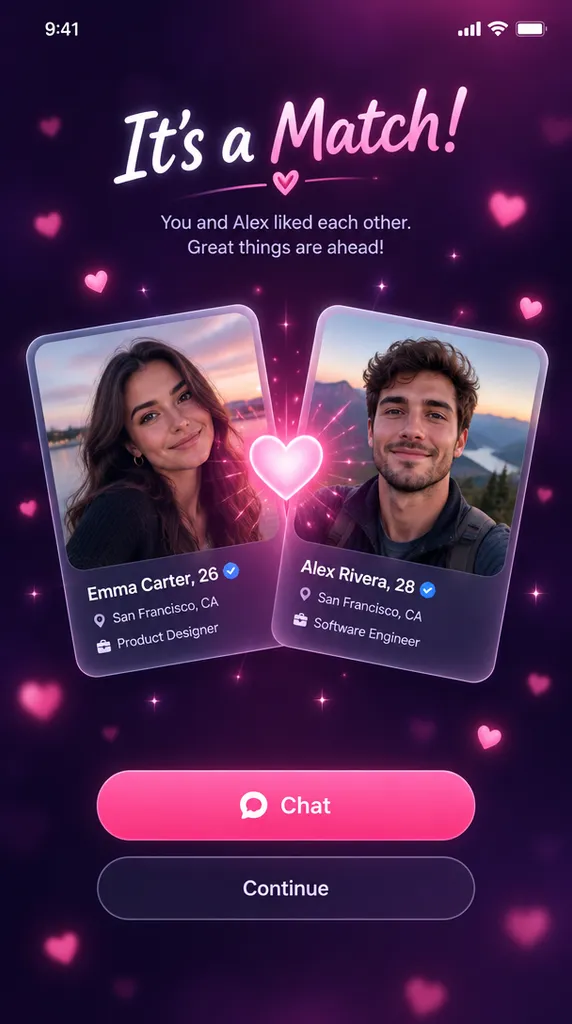
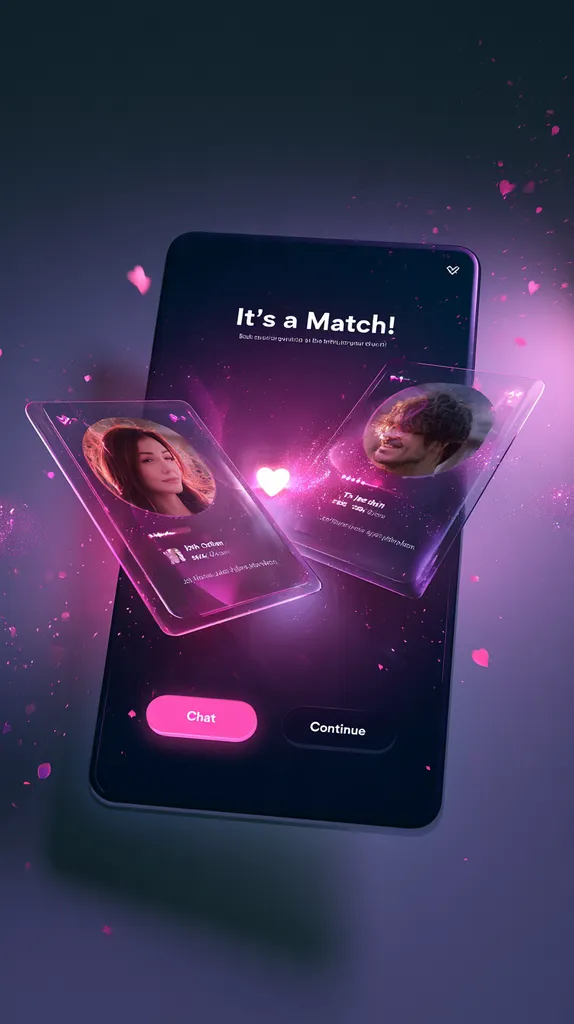
GPT Image 2.5 drew a usable app screen with every name, label and button readable. Midjourney made a dramatic 3D render of a floating phone; the headline and buttons are correct, but the profile text is unreadable.
Open this template02 Poster with Chinese typography 9:16
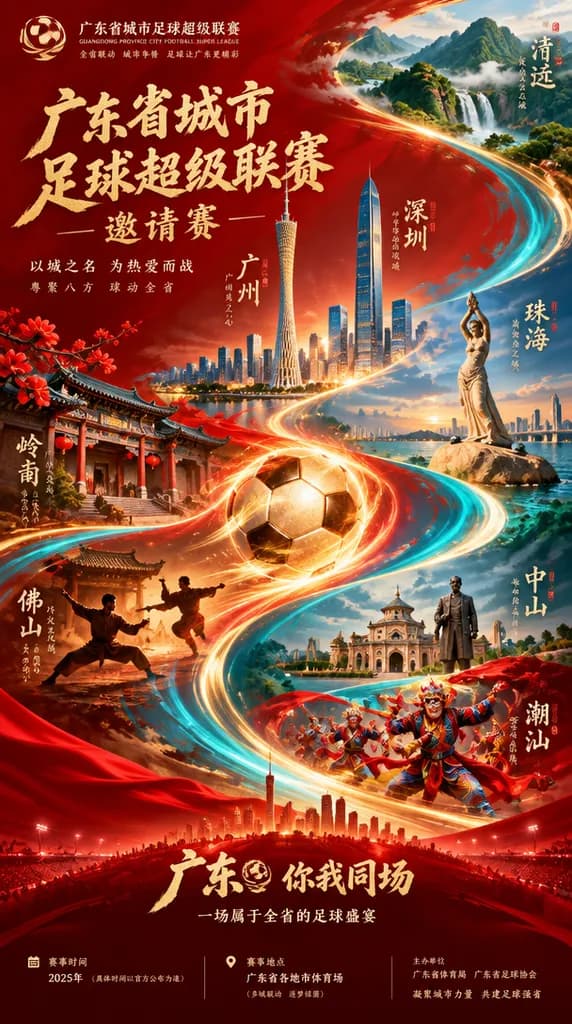
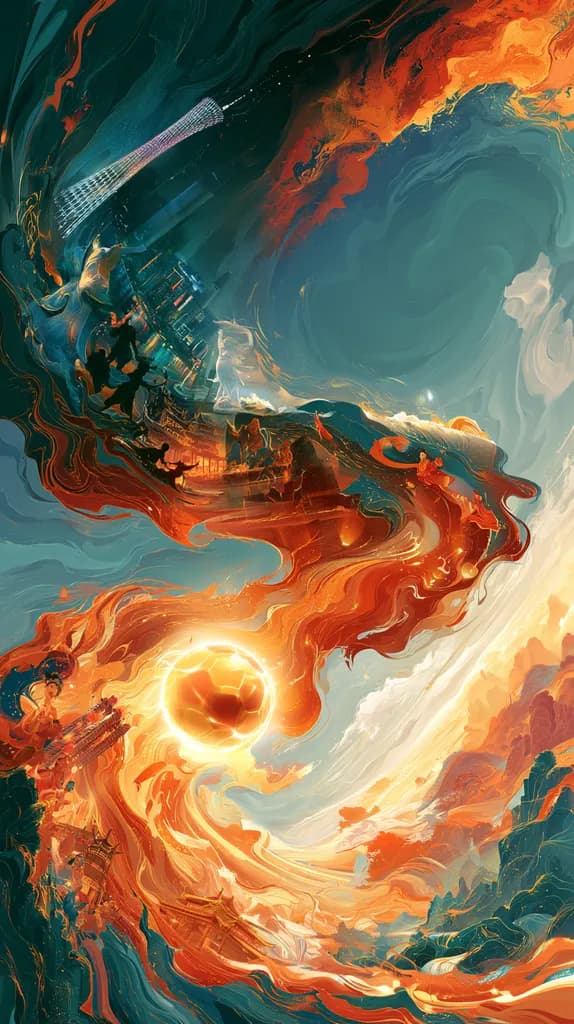
GPT Image 2.5 laid out the full Chinese poster with correct titles, city labels and event details. Midjourney painted a striking swirl of fire and water around the ball but added no text at all.
Open this template03 Annotated infographic 4:5
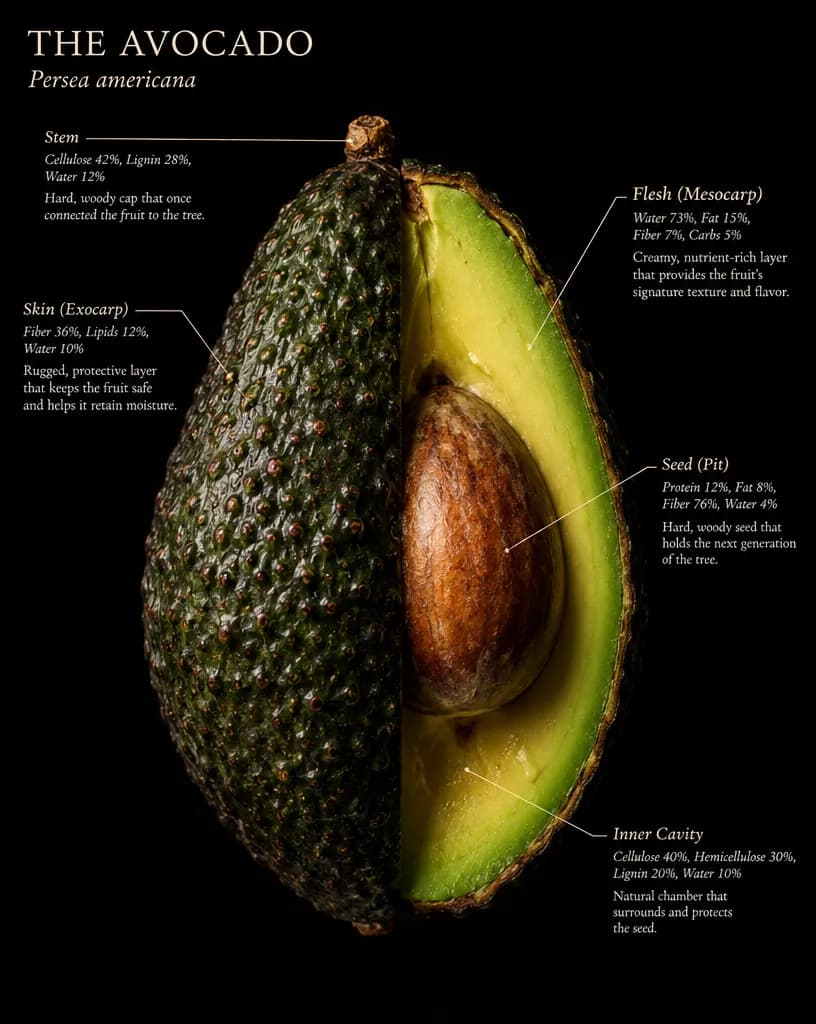
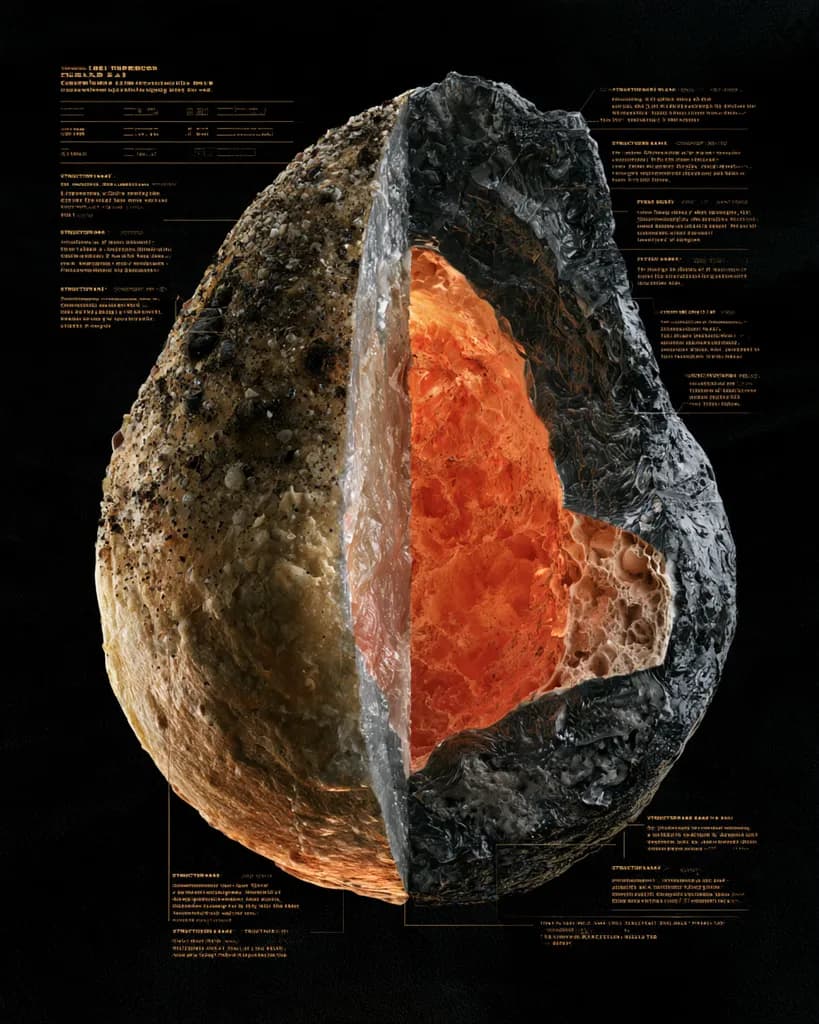
GPT Image 2.5 dissected an avocado and gave each label the three readable lines the prompt asked for. Midjourney produced a moody cutaway of an unclear fruit, with labels made of unreadable pseudo-text.
Open this template04 20-step drawing guide 4:3
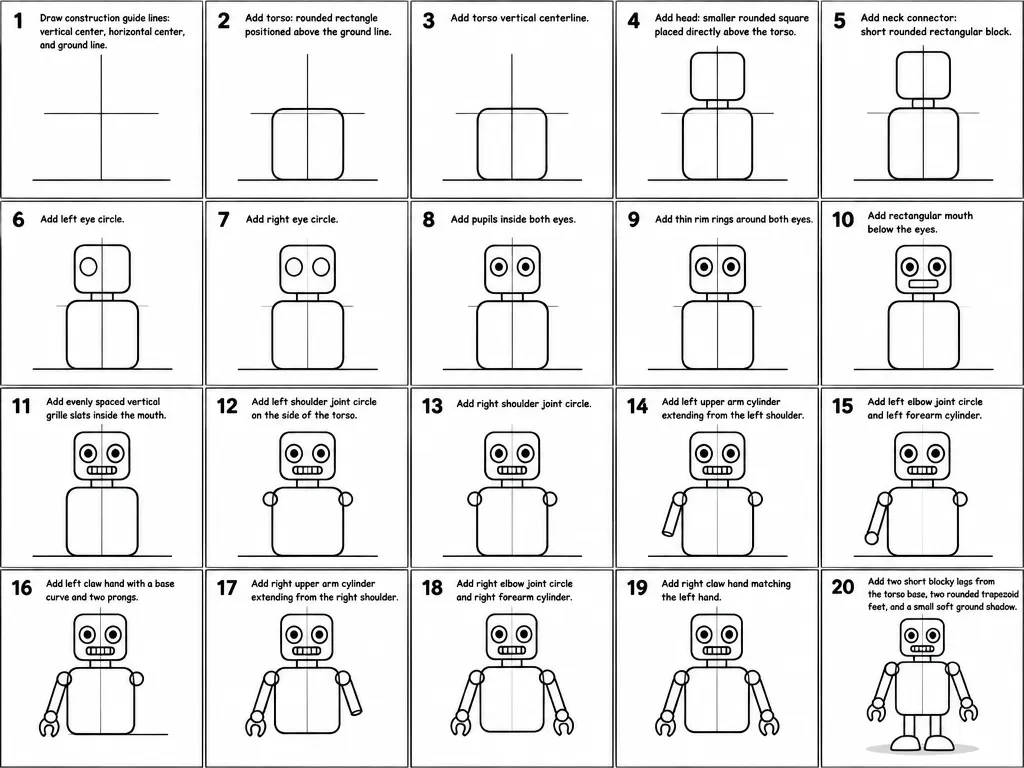
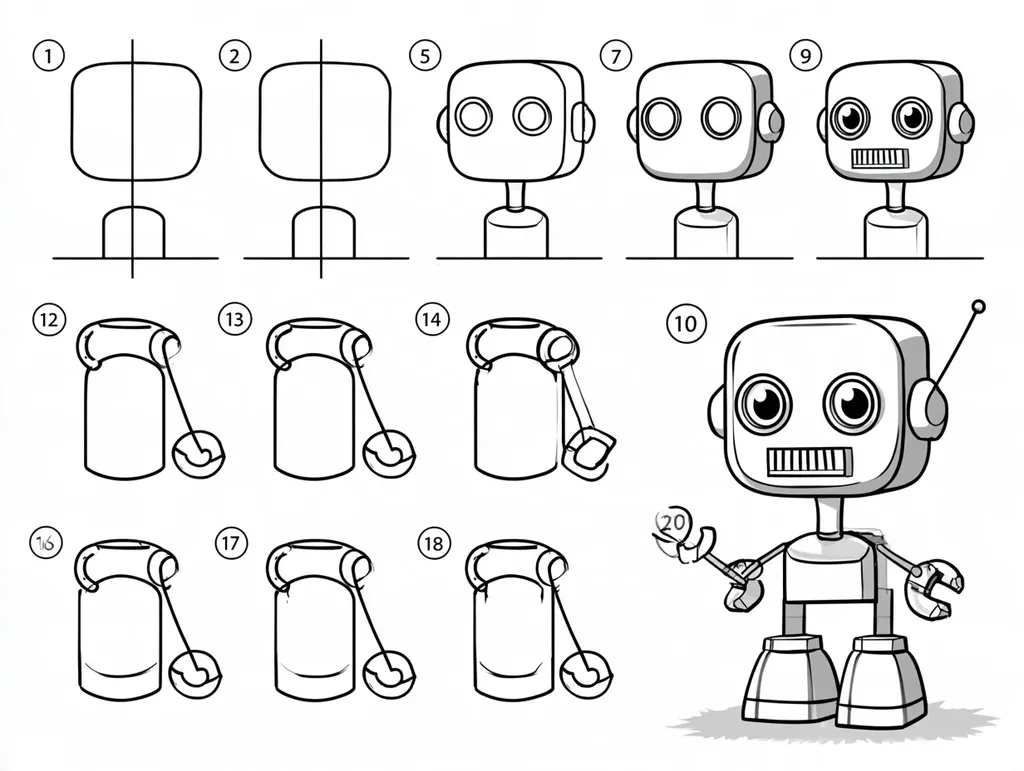
GPT Image 2.5 drew all 20 numbered panels and captioned each with its step. Midjourney made an attractive sheet but numbered only some panels, skipped steps and did not build the robot up one step at a time.
Open this template05 Portrait 4:5
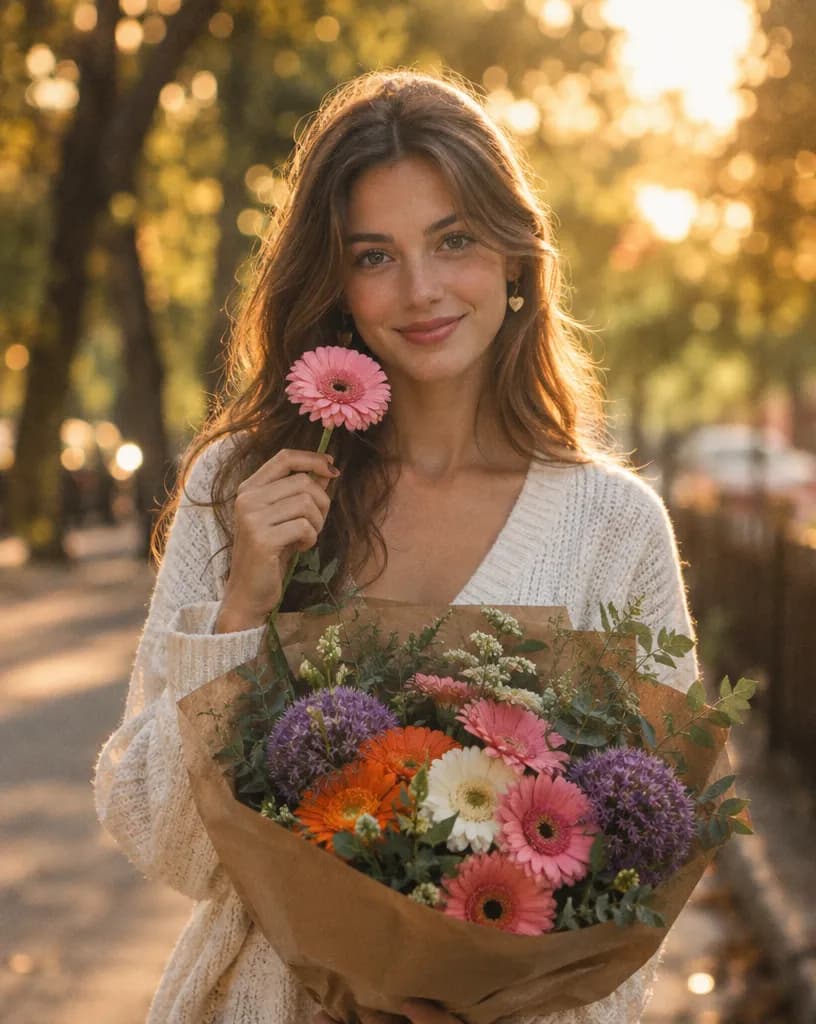
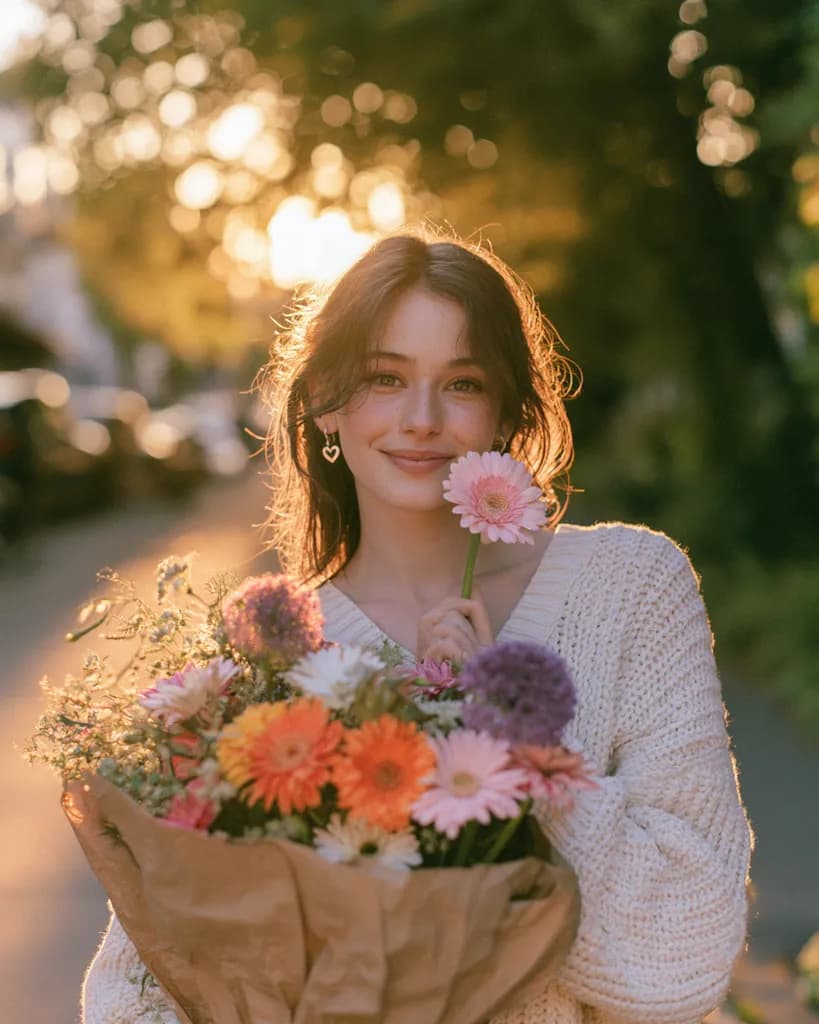
Close to a tie: both matched the sweater, heart earrings, bouquet and golden-hour street. Midjourney's version has the softer, more natural film look the prompt asked for; GPT Image 2.5's is crisper and more polished.
Open this template06 Cinematic portrait 4:5
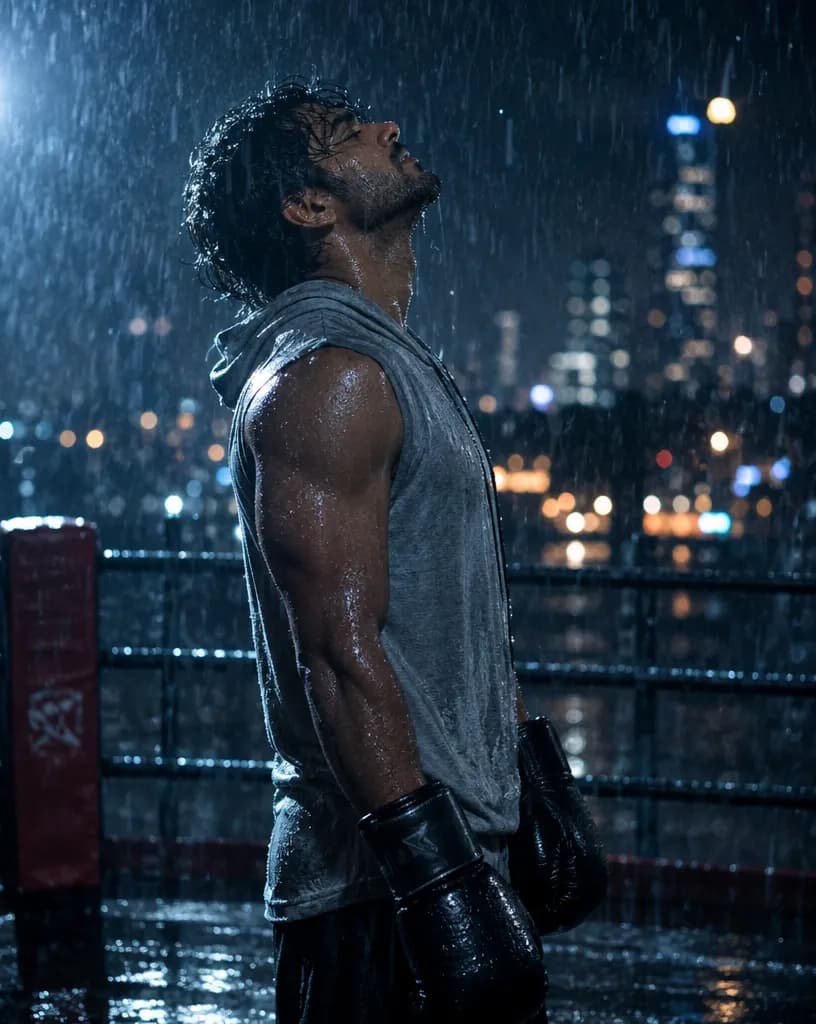
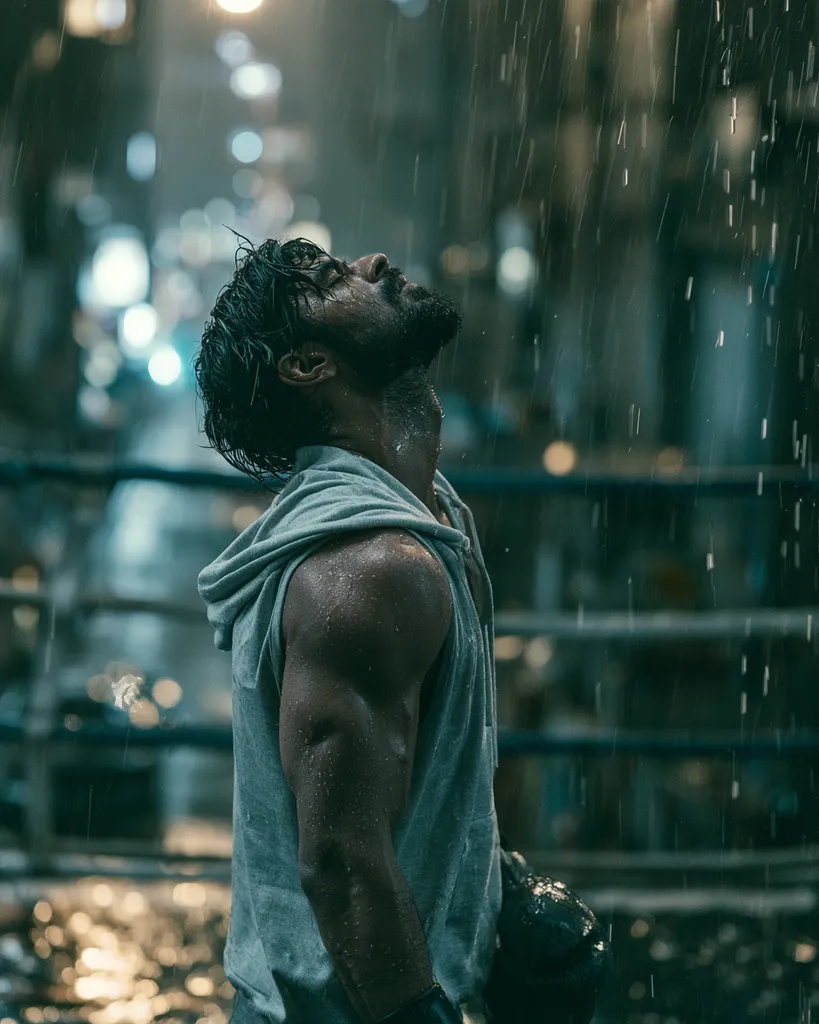
Both kept the rain-soaked ring, the head-back pose and the city bokeh. Midjourney's teal grade looks more like a film still; GPT Image 2.5's is sharper and shows the gloves clearly.
Open this template07 Product photo 1:1
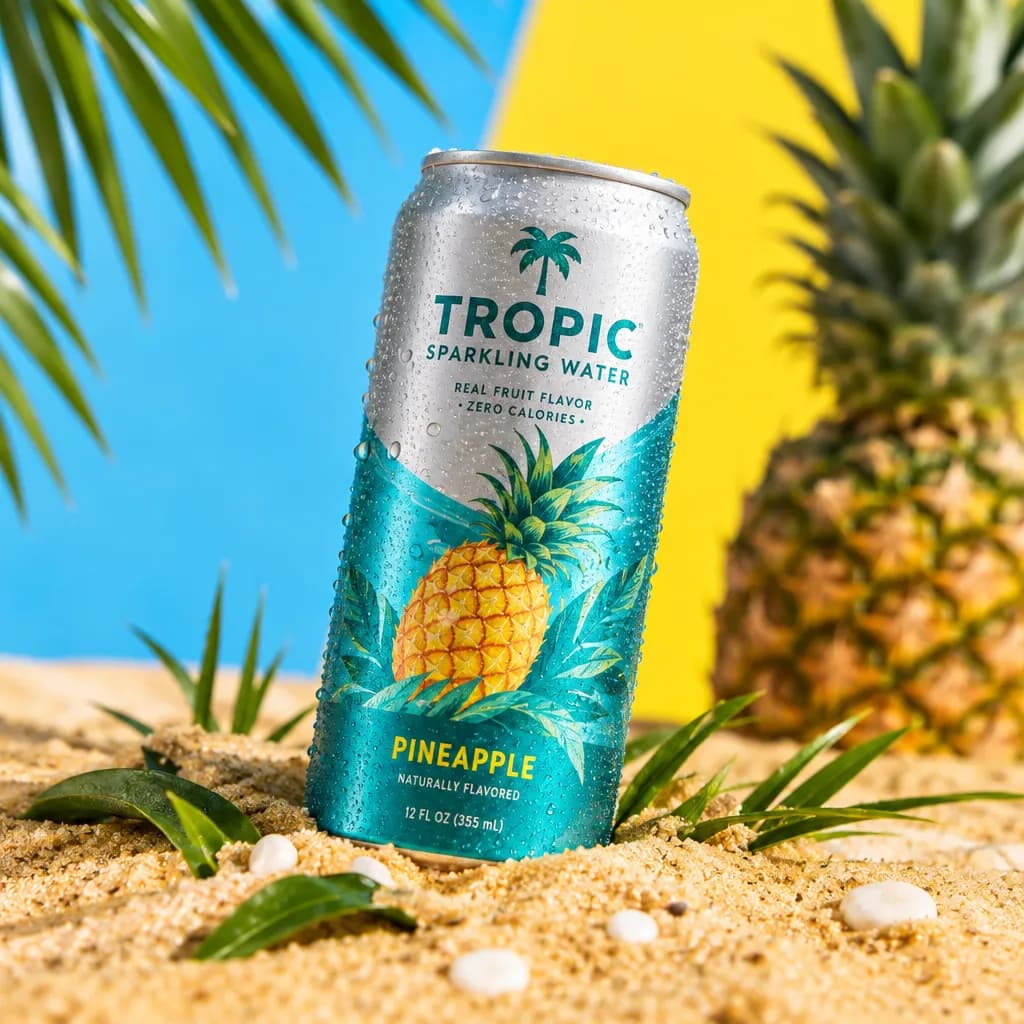
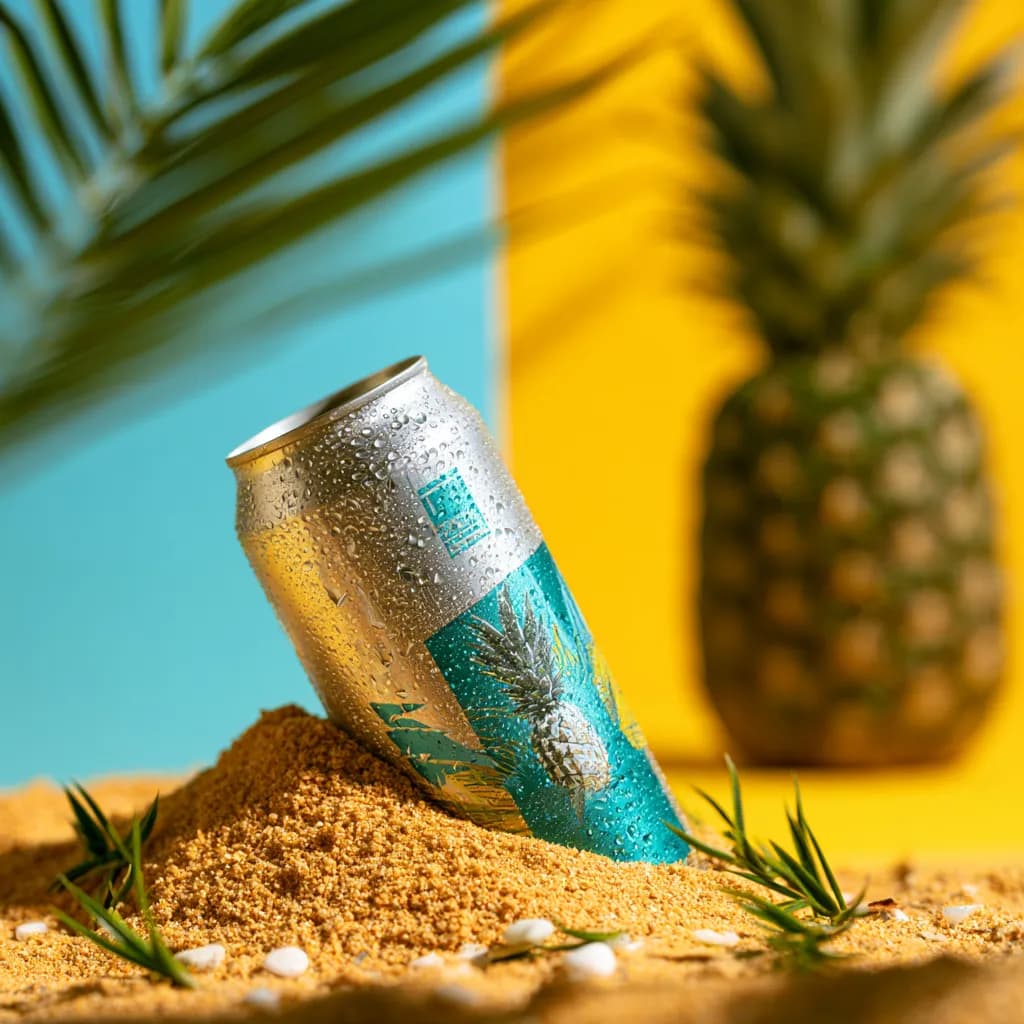
Both built the sand, split background and pineapple scene. GPT Image 2.5 designed a shelf-ready label with consistent text (12 fl oz / 355 mL); Midjourney's tilted can has no readable branding.
Open this template08 Logo 1:1
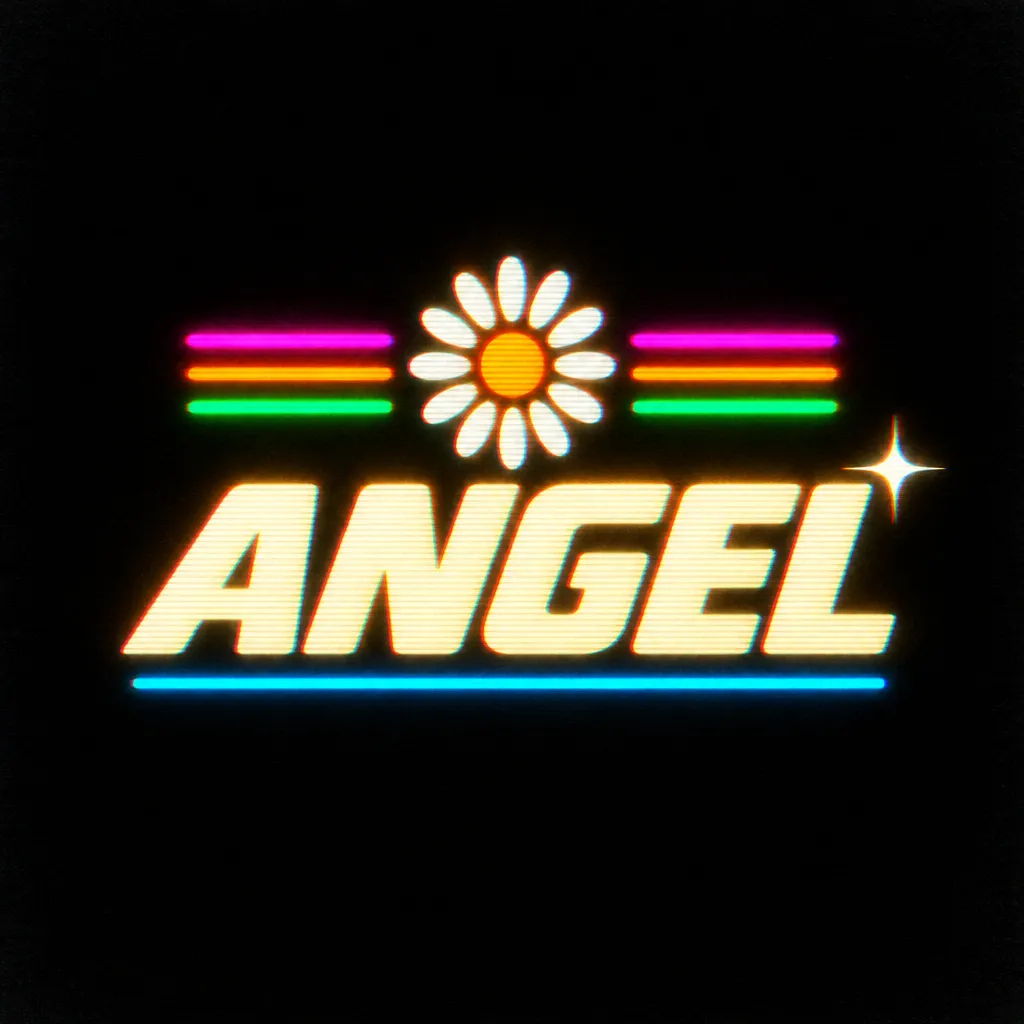
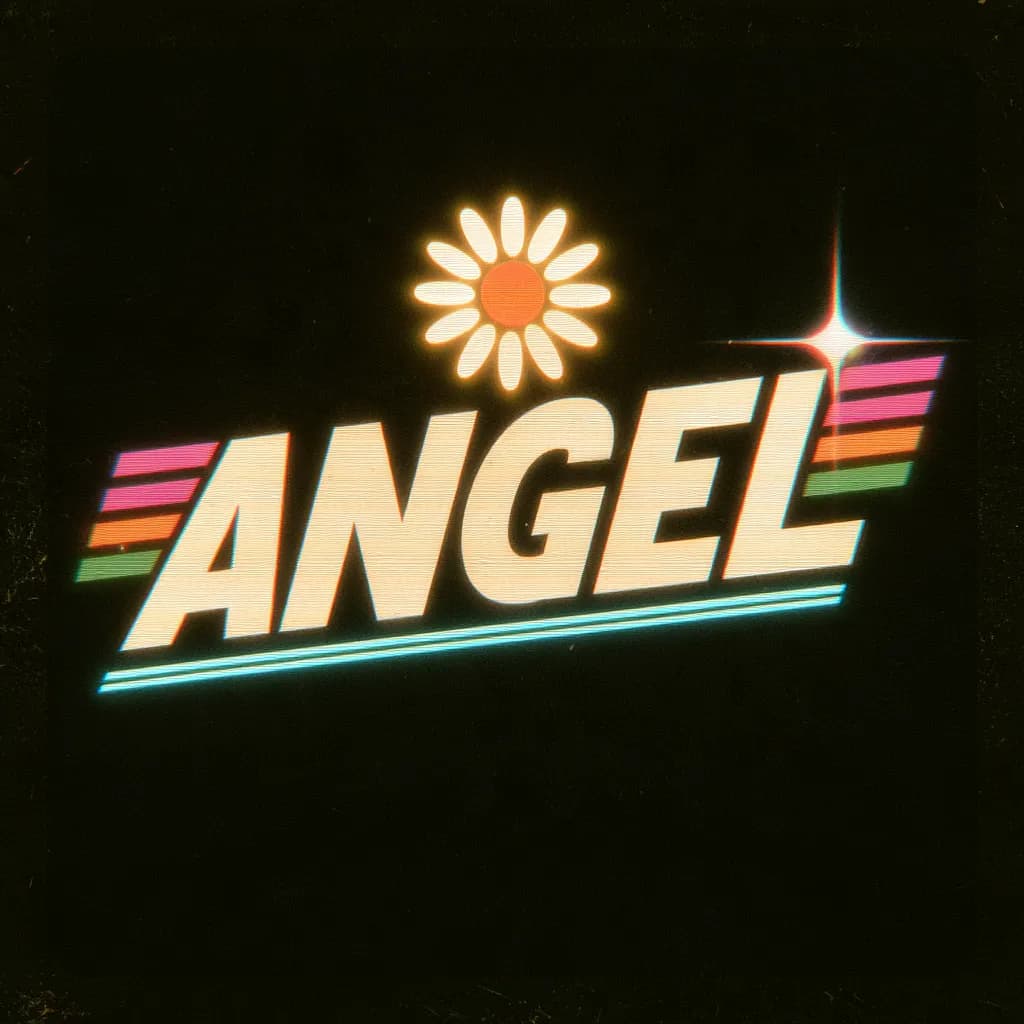
Both spelled ANGEL correctly. GPT Image 2.5 placed the daisy, the three stripes on each side, the cyan underline and the star exactly as described; Midjourney moved the stripes beside the word and gave it a worn print look.
Open this template09 UI device mockup 16:9
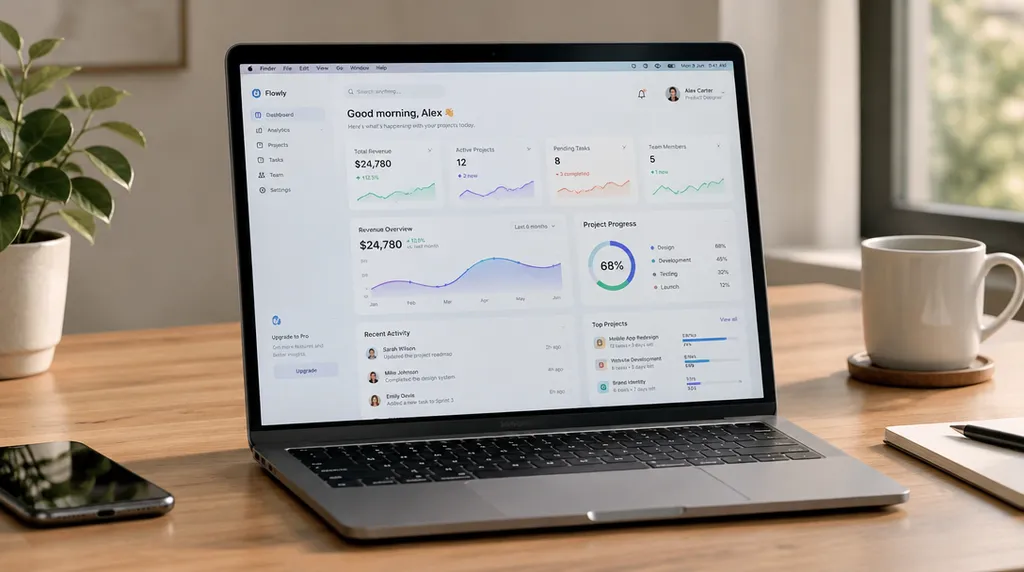
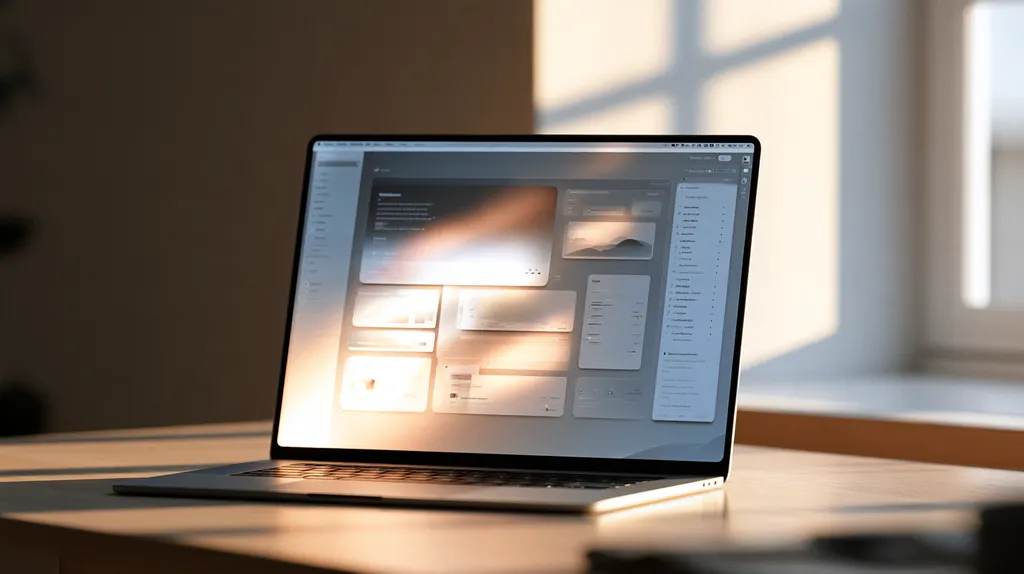
GPT Image 2.5 made the screen the hero, with a dashboard you can read. Midjourney shot a beautiful sunlit desk, but window glare washes out the screen and the interface is unreadable.
Open this template10 Illustration 1:1
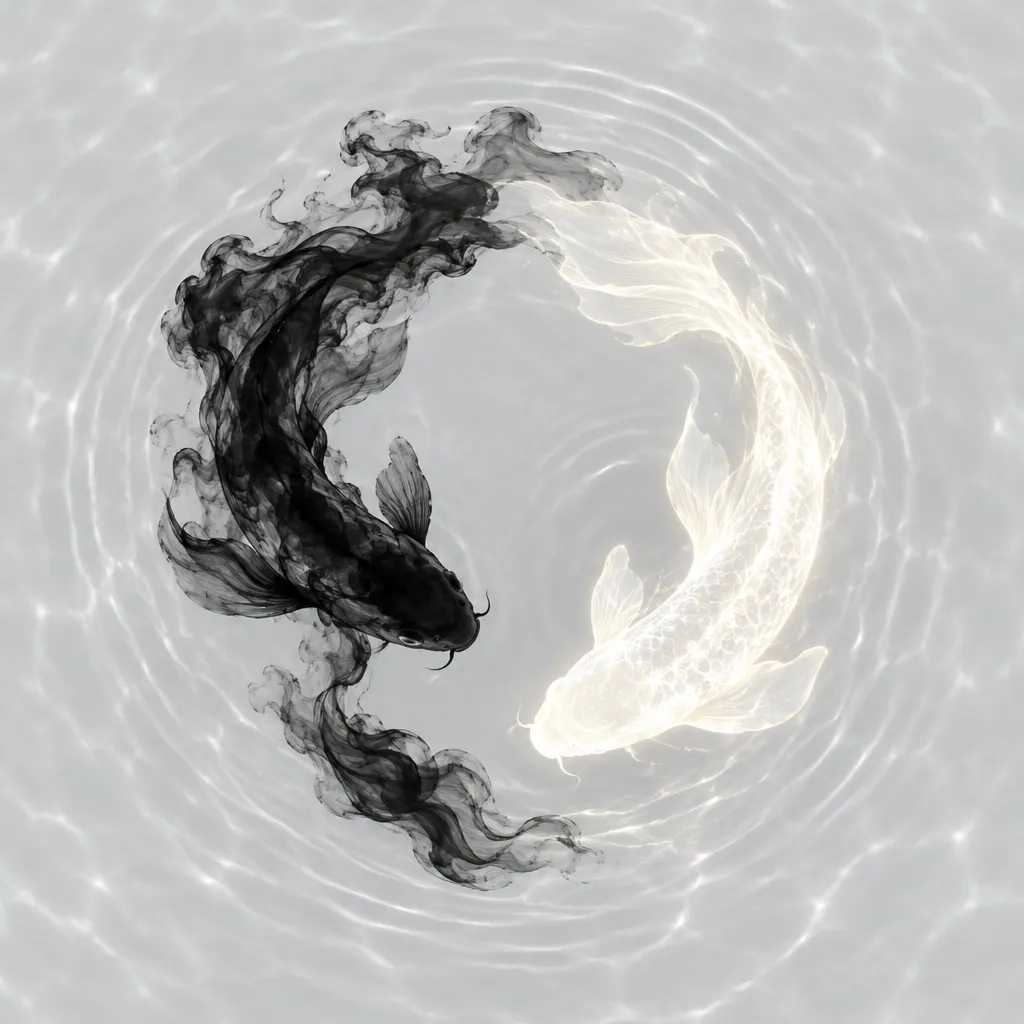
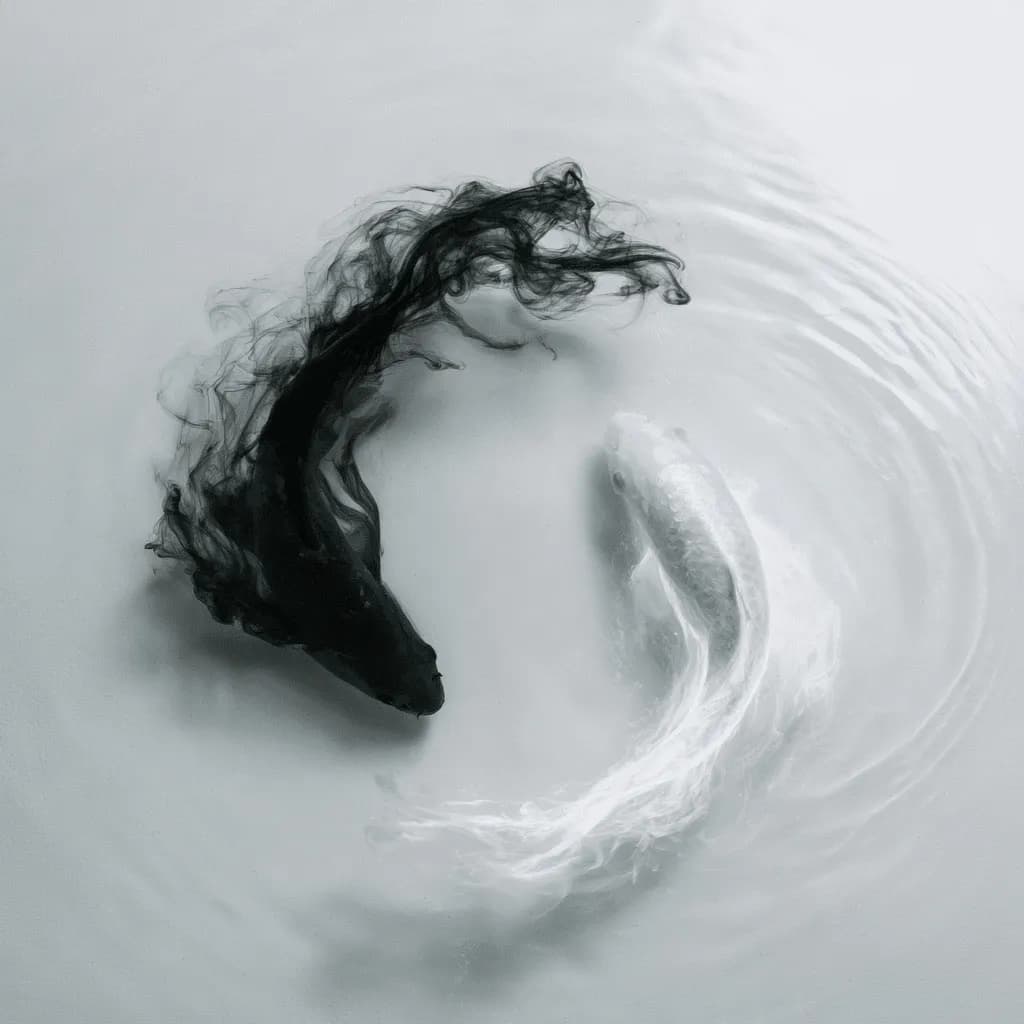
Both formed the yin-yang circle from a smoke-black and a white koi. GPT Image 2.5's white koi glows as the prompt asked; Midjourney's is quieter and more photographic.
Open this templateComparison table
| GPT Image 2.5 (ChatGPT) | Midjourney V8.2 | |
|---|---|---|
| Developer and model | OpenAI, GPT Image 2.5 (gpt-image-2.5-flare in the API) | Midjourney, V8.2 (the default since July 24, 2026) |
| Text in images (our test) | English and Chinese text correct, down to small labels | Headlines and short words correct; small text unreadable; no text on the Chinese poster |
| Following the prompt (our test) | Kept the requested layout, labels and steps in every pair | Kept the mood and main subject, but often dropped text, steps or exact placement |
| Look and style (our test) | Clean, polished and literal | Moodier, more cinematic and painterly |
| Where you use it | ChatGPT, the OpenAI API, and sites built on it such as GPT Image Hub | midjourney.com and Discord |
| API | Yes, the OpenAI Images API | No official API; Midjourney's terms forbid automated access |
| Price | Available to all ChatGPT users; on GPT Image Hub 11 credits per 1K image | Subscription from $10 a month (Basic, 200 minutes of fast GPU time) to $120 (Mega); 20% off when paid yearly |
| Largest image | 4K on GPT Image Hub | 2K with HD images |
| Editing | Edits with up to 16 reference images; transparent PNG and WebP backgrounds | V8.2 Edit Model, which replaces Omni Reference, Character Reference and Retexture |
Rows marked "our test" come from the 10 pairs above; access, prices and features come from OpenAI's and Midjourney's own documentation, checked on October 28, 2026.
Converting a Midjourney prompt for ChatGPT
Midjourney prompts are often comma-separated tags followed by parameters. ChatGPT and the GPT Image models read plain sentences and ignore the parameters, so rewrite them before you paste them in.
- Turn tags into a sentence: "portrait, rim light, 85mm" becomes "a portrait lit with a subtle rim light, shot on an 85mm lens".
- Replace --ar 16:9 with "a wide 16:9 composition", or choose 16:9 in the generator.
- Replace --no and weights with plain instructions such as "no text, no watermark".
- Put any text that must appear in quotes, and say where it goes.
Which should you choose?
- Choose ChatGPT (GPT Image 2.5) for posters with text, UI screens, infographics, product labels, logos and any prompt where every detail has to appear.
- Choose Midjourney for mood boards, concept art and photographic or cinematic images where atmosphere matters more than exact text.
- If you need both, draft the look in Midjourney and finish text-heavy versions with GPT Image 2.5; on GPT Image Hub a GPT Image 2.5 Flare image costs 11 credits at 1K.
FAQ
Is Midjourney better than ChatGPT for images?
In our test of 10 prompts, ChatGPT's GPT Image 2.5 followed detailed instructions and text far better, while Midjourney V8.2 produced the more atmospheric images. They were close on portraits and illustration, so pick by task: text and layout for ChatGPT, mood and art direction for Midjourney.
Which is better at text in images?
ChatGPT, clearly. GPT Image 2.5 rendered every label, headline and Chinese title correctly. Midjourney V8.2 got headlines and short words right, but small text came out unreadable and it left the Chinese poster without text.
Does Midjourney have an API?
No. Midjourney is used on midjourney.com and in Discord, and its terms of service forbid using automated tools to generate images. ChatGPT's image models are available through OpenAI's API, which is how sites such as GPT Image Hub offer them.
How much does Midjourney cost compared with ChatGPT?
Midjourney plans cost $10, $30, $60 or $120 a month, or 20% less paid yearly; Basic includes 200 minutes of fast GPU time. Image generation is available to all ChatGPT users. On GPT Image Hub, a GPT Image 2.5 Flare image costs 11 credits at 1K, and new accounts get 25 free credits.
Which model does ChatGPT use for images?
OpenAI launched ChatGPT Images 2.5 on September 8, 2026, together with two API models, GPT Image 2.5 Flare and Sunburst. ChatGPT Images 2.0, from April 2026, was powered by GPT Image 2. OpenAI does not say which model answers a given ChatGPT request.
Can I use Midjourney prompts in ChatGPT?
Yes, after a small rewrite. ChatGPT ignores parameters such as --ar, --stylize and --no, so describe them in words: turn tags into sentences, state the aspect ratio, and replace --no with plain instructions.
How was this comparison made?
Each prompt ran once on October 28, 2026: GPT Image 2.5 Flare through the API at 1K and medium quality, and Midjourney V8.2 with default settings, keeping the first of its four images. It is a small test, not a benchmark.
Browse the prompts