GPT Image 2.6 vs GPT Image 2.5: what changed and which to use
OpenAI released GPT Image 2.6 on 4 November 2026, eight weeks after GPT Image 2.5. Both come as a fast Flare model and a detailed Sunburst model at the same token price, so the real differences are in speed, in how many tokens each quality level uses, and in the new GIF and SVG output. This comparison puts OpenAI's specifications, an independent launch-night API test and our own same-prompt tests side by side.
Switch to GPT Image 2.6 Flare for anything at high quality or above: it costs the same per image as 2.5 Flare there and was about twice as fast through OpenAI's API in an independent launch-night test, and 2.6 adds animated GIF and SVG output. Stay on 2.5 for cheap drafts at low and medium quality, where 2.6 uses 3–4 times more tokens, for bulk jobs on the Batch API, which 2.6 does not have yet, and for Sunburst work if speed matters, because 2.6 Sunburst got slightly slower. In our side-by-side tests both versions spelled every requested word correctly.
GPT Image 2.6 vs 2.5 at a glance
| GPT Image 2.5 | GPT Image 2.6 | |
|---|---|---|
| Released | 8 September 2026 | 4 November 2026 |
| API models | gpt-image-2.5-flare, gpt-image-2.5-sunburst | gpt-image-2.6-flare, gpt-image-2.6-sunburst |
| Image output price | $30 per 1M tokens | $30 per 1M tokens |
| Batch API | Yes, half-price | Not yet |
| Output tokens, 1024×1024 low / medium | 196 / 439 | 824 / 1,449 |
| Output tokens, 1024×1024 high / xhigh / max | 1,758 / 3,122 / 7,024 | 1,758 / 3,122 / 7,024 (identical) |
| Flare time at high quality, 1024×1024 (API) | 17.2 s | 7.9 s |
| Sunburst time, text-heavy poster (API) | 25.3 s | 25.4 s |
| Animated GIF and SVG output | No | Yes (generations endpoint) |
| Markup-guided edits | Yes | Yes |
| Complexity setting | No | low, medium, high (default high) |
| Quality levels | low, medium, high, xhigh, max, auto | low, medium, high, xhigh, max, auto |
| On GPT Image Hub | 8 credits per image (Saver) | 10 credits per image (Saver) |
Token counts and API times are from CellCog's launch-night test (80 generations, one machine, 5 November 2026); token counts repeated exactly across reruns, so they are the firmest numbers. Prices and features are from OpenAI's model pages and image generation guide.
Cost: the same from high quality up, 3–4 times more below it
Both versions bill image output at $30 per million tokens, so the price of an image depends only on how many tokens it uses. From high quality upward the two versions use exactly the same number; at low and medium, 2.6 uses far more, because its cheapest tiers now do work closer to 2.5's medium-to-high range. CellCog measured a 1024×1024 image at each level:
| 2.5 tokens | 2.6 tokens | 2.5 cost | 2.6 cost | |
|---|---|---|---|---|
| low | 196 | 824 | $0.006 | $0.025 |
| medium | 439 | 1,449 | $0.013 | $0.044 |
| high | 1,758 | 1,758 | $0.053 | $0.053 |
| xhigh | 3,122 | 3,122 | $0.094 | $0.094 |
| max | 7,024 | 7,024 | $0.211 | $0.211 |
- At high, xhigh and max, 2.6 costs the same as 2.5 and is faster, so the upgrade is free.
- At low quality 2.6 costs about four times as much, and at medium about three times. CellCog found the 2.6 low-quality image cleaner, but not by enough to justify the price for drafts.
- 2.5 also has a half-price Batch API row; 2.6 does not yet. CellCog estimates bulk work on 2.5 through Batch costs about a quarter of the same work on 2.6.
- Bigger sizes use more tokens on both versions; the ratio between them is what matters when you switch.
On GPT Image Hub the token gap does not apply: both versions run on the Saver route at a flat price per image, 10 credits for 2.6 and 8 for 2.5, at every size and quality. Picking high or max costs nothing extra there, and new accounts get 25 free credits.
Speed: Flare doubled, Sunburst did not
Through OpenAI's API, 2.6 Flare was roughly twice as fast as 2.5 Flare on every prompt CellCog tried, and the gap grew with quality (45.1 seconds down to 18.0 at max). Sunburst went the other way: 2.6 Sunburst was as fast or a little slower than 2.5 Sunburst, by about 17% on a data graphic and 27% on a mascot.
| 2.5 Flare | 2.6 Flare | 2.5 Sunburst | 2.6 Sunburst | |
|---|---|---|---|---|
| Data graphic (1536×1024, high) | 13.8 s | 6.8 s | 20.4 s | 23.8 s |
| Event poster (1024×1536, high) | 15.1 s | 8.0 s | 25.3 s | 25.4 s |
| Mascot (1024×1024, medium) | 10.2 s | 6.2 s | 13.3 s | 16.9 s |
| Pictogram (1024×1024, low) | 7.5 s | 5.6 s | 9.5 s | 14.5 s |
These are launch-night numbers from one location, so treat them as a direction rather than a benchmark. Through GPT Image Hub's Saver route the difference mostly disappears, because the route's queue and image delivery add more time than the model saves. In our runs on 5 November 2026, every model took 13–27 seconds:
| 2.5 Flare | 2.6 Flare | 2.5 Sunburst | 2.6 Sunburst | |
|---|---|---|---|---|
| Text-heavy event poster (1024x1536, high) | 19.5 s | 17.7 s | 17.7 s | 24.8 s |
| Six-step infographic (1024x1536, high) | 17 s | 17.7 s | 19.2 s | 17.8 s |
| Mobile app screen (1024x1536, high) | 19.9 s | 27.1 s | 18.7 s | 22.5 s |
| Product photo (1536x1024, high) | 13.3 s | 16.9 s | — | 13.8 s |
Same prompt on both versions: side-by-side images
We sent the same prompt, size and quality to all four models on GPT Image Hub on 5 November 2026. Each caption gives the time and what we saw. The prompts are in our prompt guide.
Text-heavy poster




All four spelled the title and the full date line correctly. The differences are in finish: 2.6 Flare has the strongest contrast, 2.6 Sunburst the softest, most painterly light. For posters, 2.5 was already reliable.
Six-step infographic
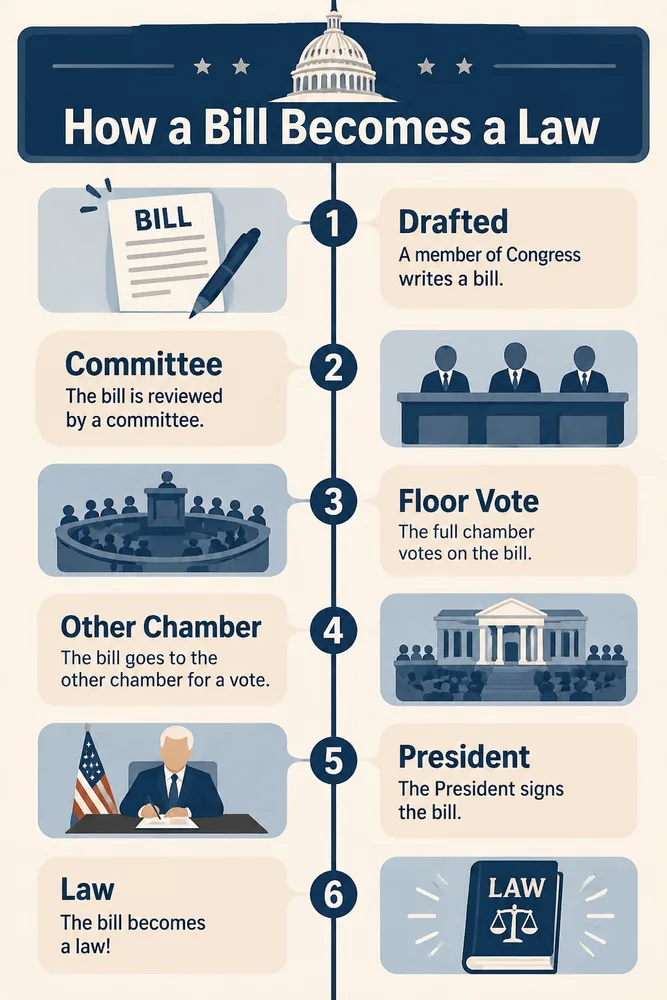
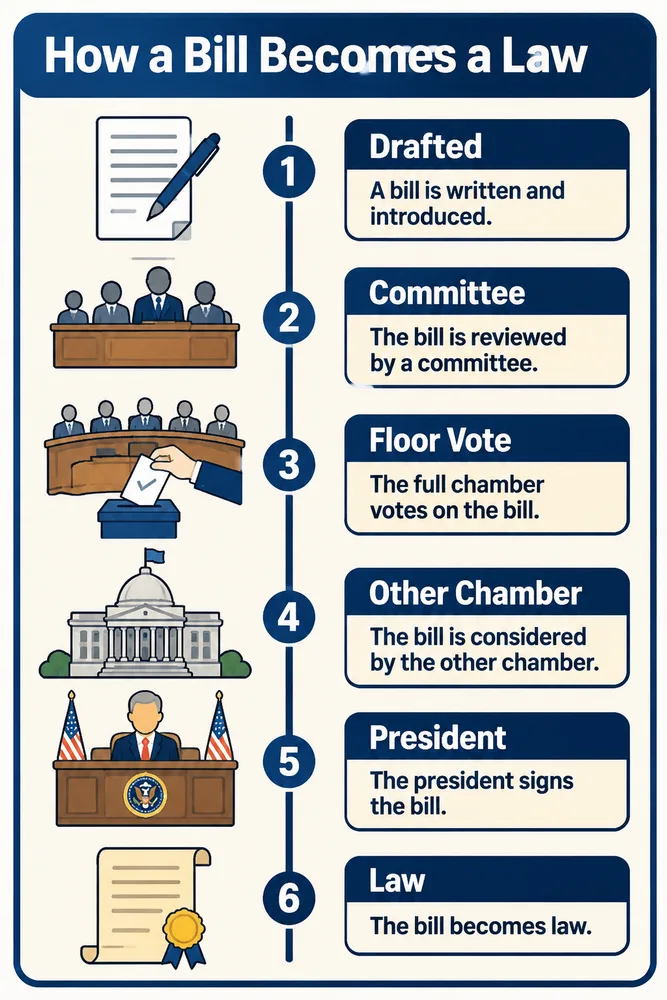
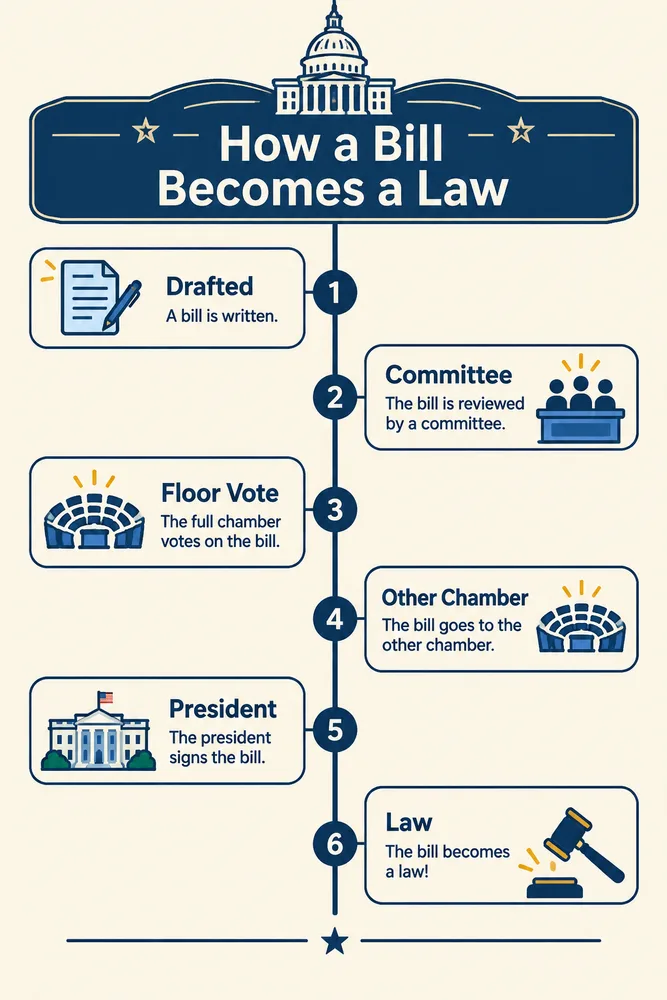
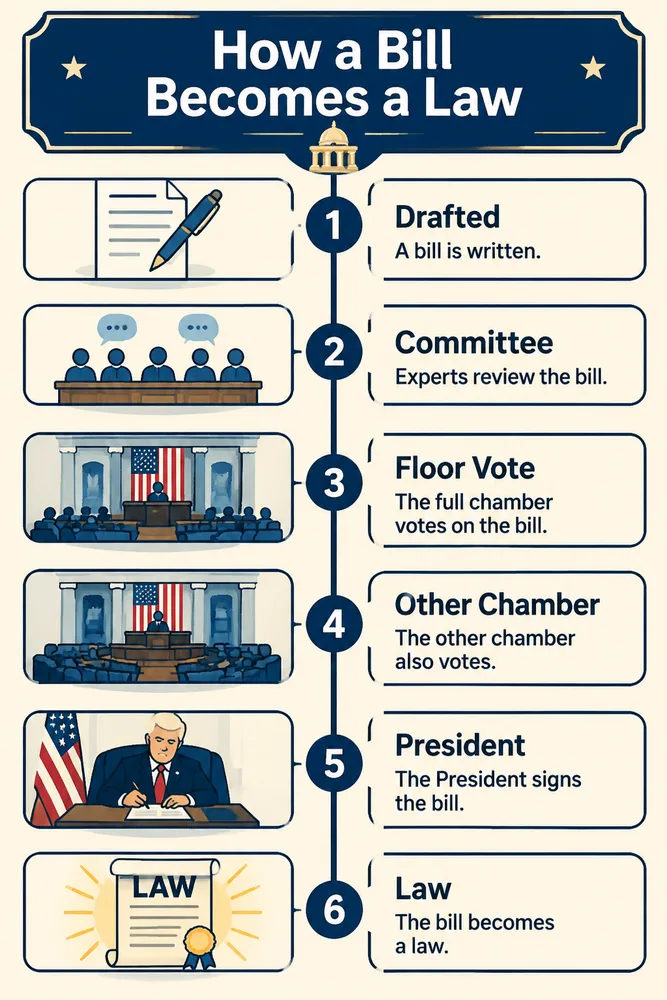
Every version got all six step labels right and wrote sensible captions. The flaws were visual: 2.6 Flare left faint smudges on the title and 2.5 Sunburst left a third of the page empty, while 2.5 Flare and 2.6 Sunburst produced clean layouts. 2.6 did not beat 2.5 here; each version had one strong and one weaker result.
Mobile app screen
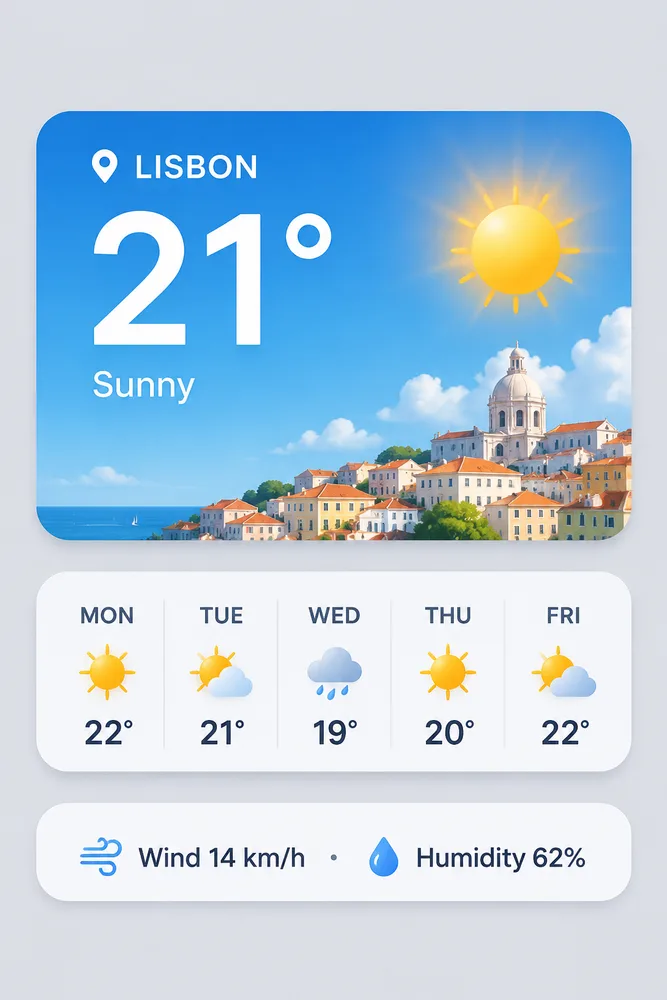
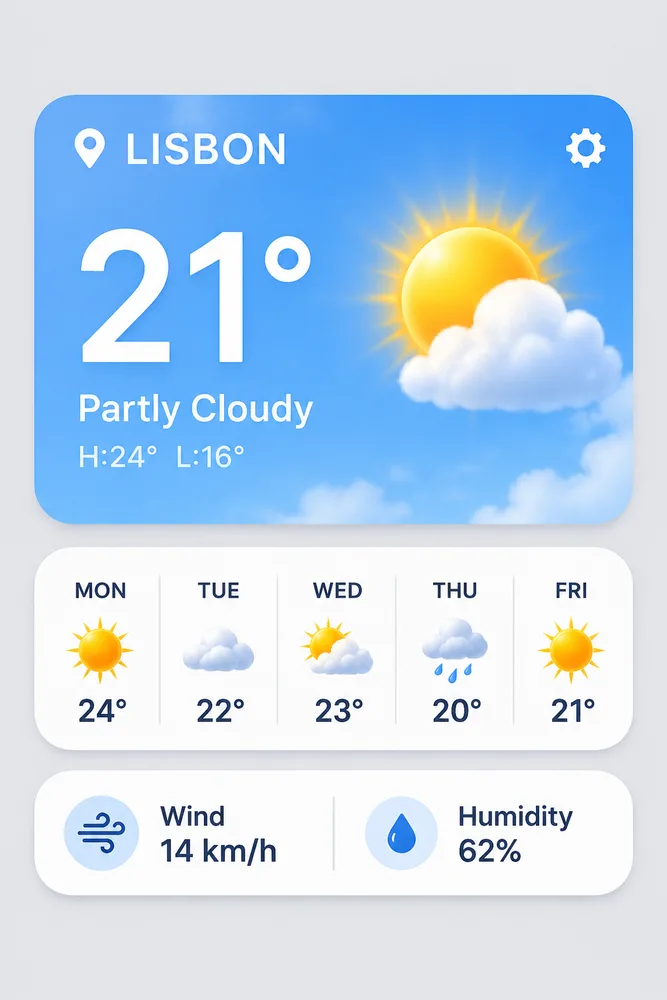
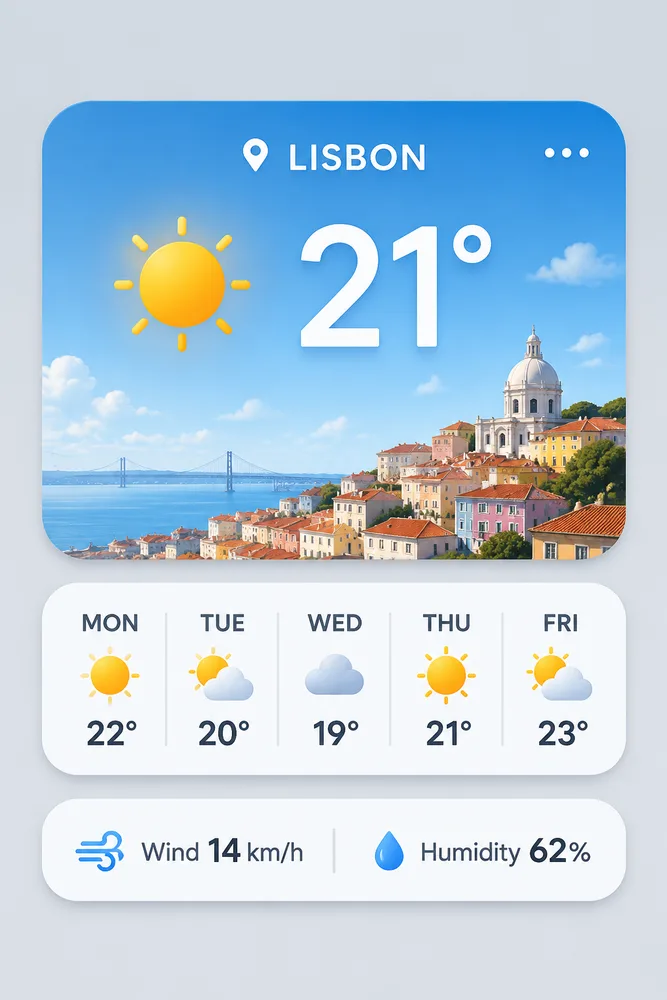
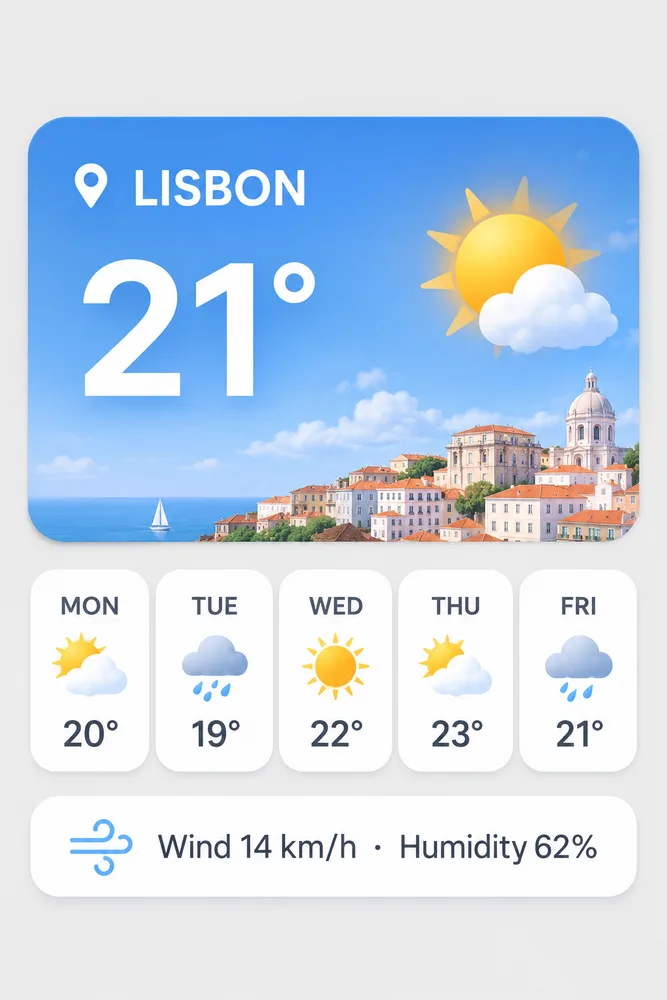
Every requested string was correct on all four. Both Flare versions added text nobody asked for ("Sunny" on 2.5, "Partly Cloudy" and a high/low line on 2.6), while both Sunburst versions kept to the brief. That difference is between Flare and Sunburst, not between 2.5 and 2.6.
Product photo
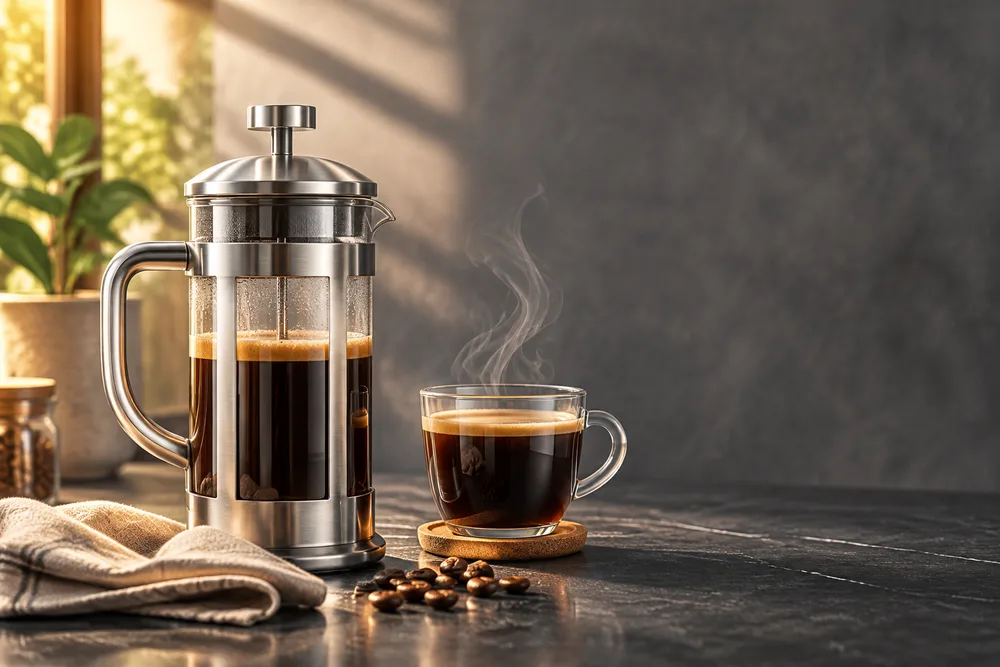
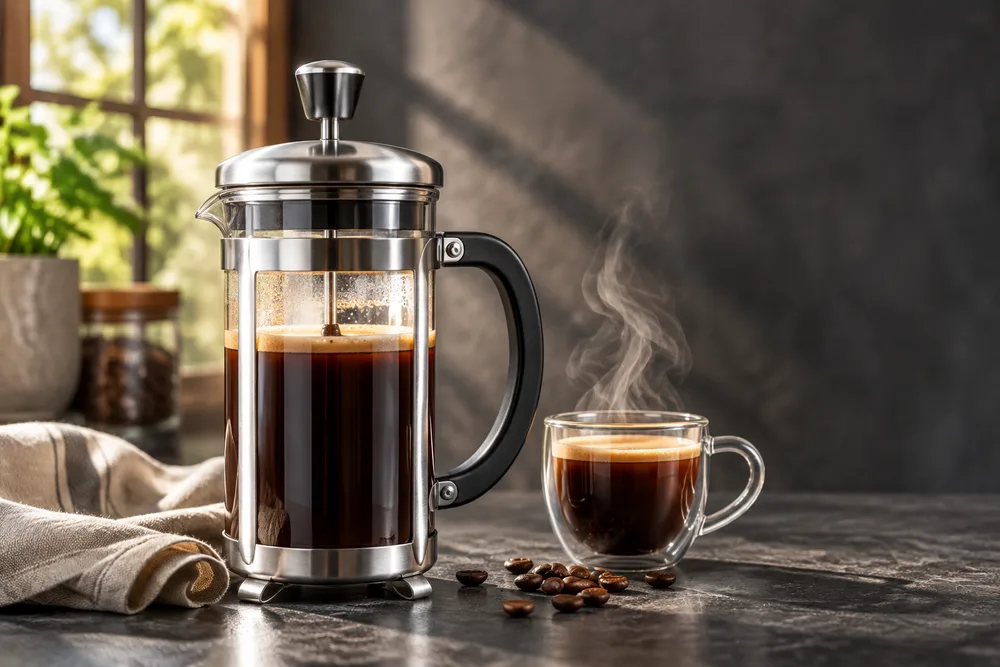
Both Flare versions made a convincing photo with the requested empty space on the right. Side by side they are hard to tell apart; for photographic work the upgrade is about speed and price, not looks.
Edits: both versions keep the rest of the image
We edited the 2.6 Flare product photo above with the same instruction on all four models: swap the background, keep everything on the counter.
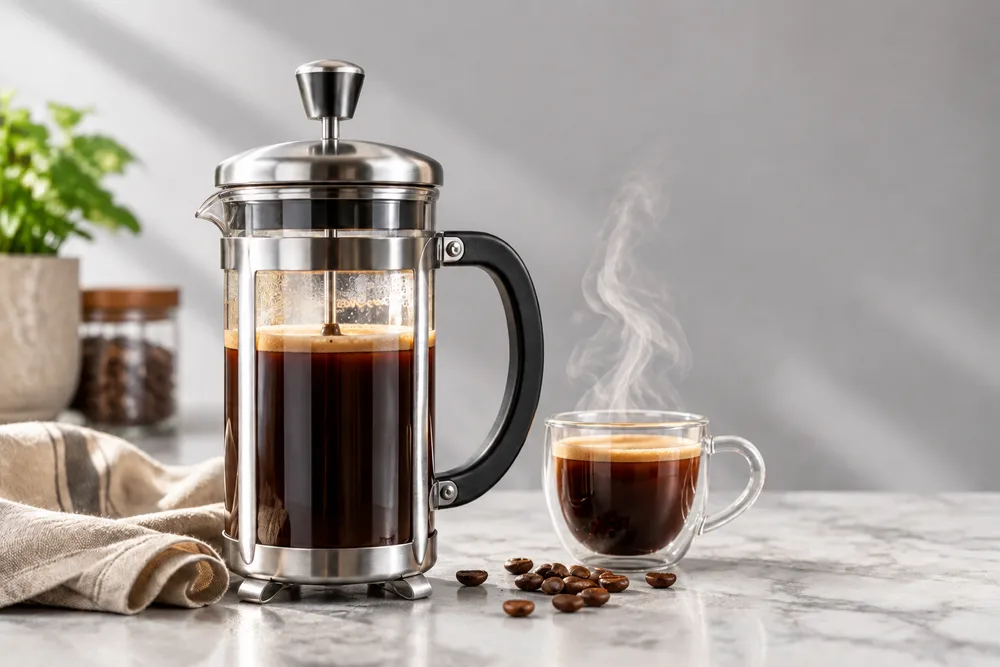
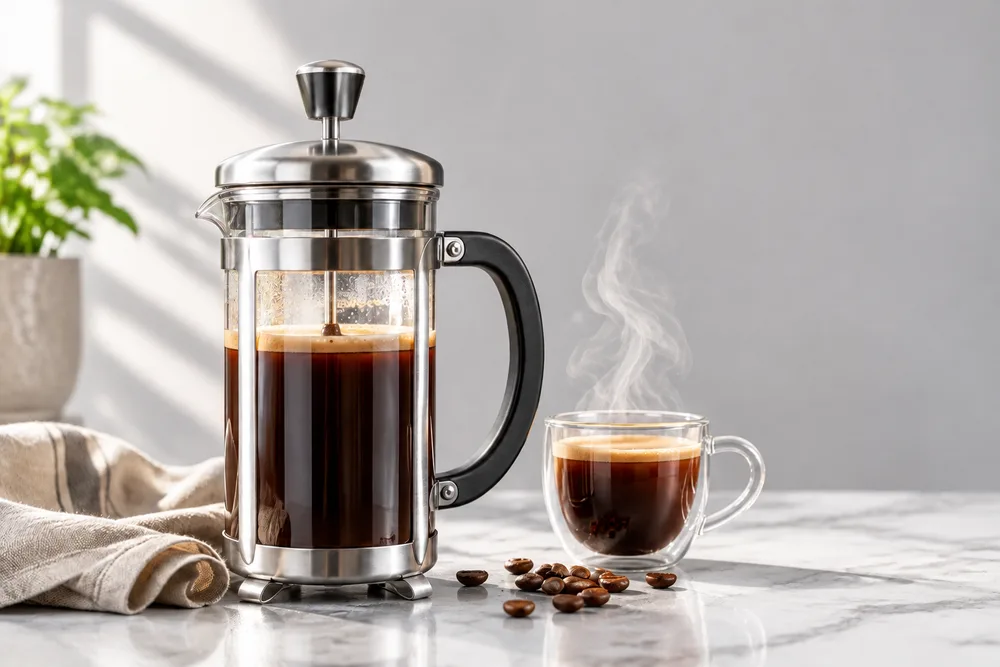
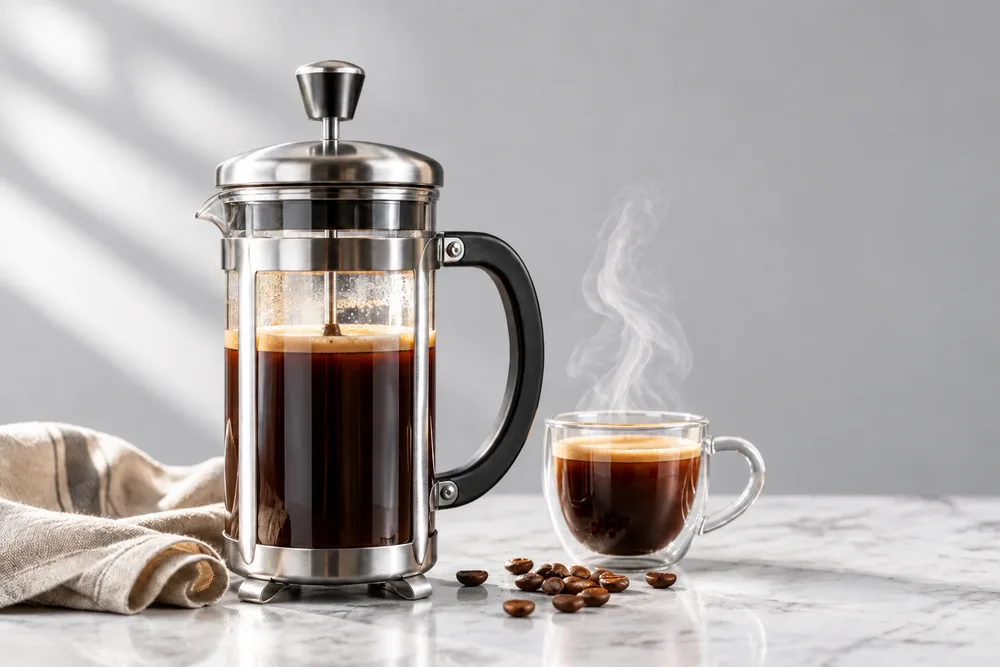
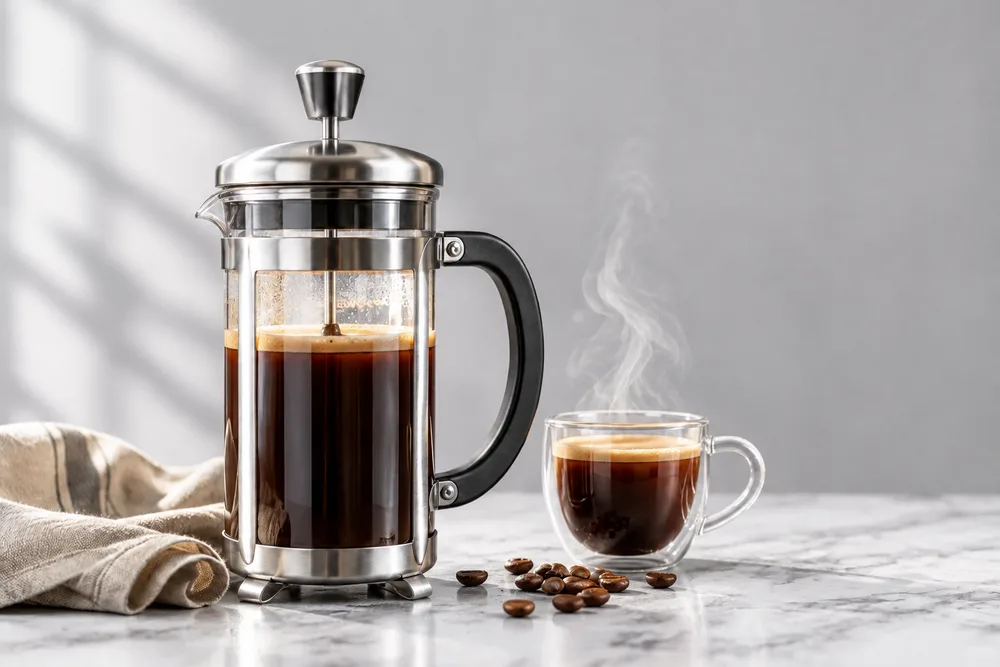
All four kept the press, cup, steam, napkin and beans in place. The split was again by model type: both Flare versions left a plant and jar from the old window, both Sunburst versions cleared them for the plain wall the prompt asked for. Times ran 16–18.7 seconds.
CellCog's API tests point the same way. In a three-step edit chain on a mascot (add a scarf, add a skateboard, raise an arm) both versions kept the character's identity; 2.6 held a small hoodie stripe slightly better, but 2.5 did it at 42% of the cost. A markup-guided edit that turned a pair of sunglasses amber changed only the lenses on both, for $0.022 on 2.5 and $0.052 on 2.6.
What only 2.6 can do
Animated GIFs
2.6 can return a looping GIF from one text prompt (output_format gif, frame_count, frame_duration_ms); 2.5 has no equivalent. CellCog's 12-frame mascot wave took 11 seconds and cost $0.056, with the character's proportions holding across frames, but motion stepped rather than flowed and the API accepted only 2–16 frames, not the documented 64. When we sent a GIF request through GPT Image Hub's Saver route, it came back as a single still frame, so animated GIFs need OpenAI's API directly for now.
SVG files
2.6 can also write a static SVG: the API renders a reference image, then a text model writes the vector code, and you pay for both. CellCog found requests needed an svg.model parameter naming that text model, and 14 of its 15 SVG requests failed with server errors on launch night. Treat SVG as promising but not yet dependable.
The complexity setting
complexity (low, medium or high, default high) controls how much planning 2.6 does before drawing, at no extra cost. OpenAI suggests low for focused edits and high for dense text and layouts; CellCog could not see a difference between the three on its prompts, and token counts were identical.
Markup-guided edits arrived in the API with 2.6 but work on the 2.5 models too, so they are not a reason to switch on their own. Details of every new feature are in our GPT Image 2.6 guide.
Should you switch? A decision table
| Use | Why | |
|---|---|---|
| Final images at high, xhigh or max quality | 2.6 Flare | Same cost as 2.5, about twice as fast through the API |
| Cheap drafts at low or medium quality | 2.5 Flare | 3–4 times fewer tokens than 2.6 at those levels |
| Large overnight batches | 2.5 (Batch API) | Half-price Batch; 2.6 has none yet |
| Detail and layout work where speed matters | 2.5 Sunburst | 2.6 Sunburst was no faster, sometimes slower |
| Animated GIFs or SVG files | 2.6 (API) | 2.5 cannot make them |
| Pointing at a region to edit (markup) | Either | Works on both; 2.5 is cheaper per edit |
Not sure which of the 2.6 models to pick? See GPT Image 2.6 Flare vs Sunburst.
Moving from 2.5 to 2.6 in the API
- Change the model ID (gpt-image-2.5-flare to gpt-image-2.6-flare, and the same for Sunburst); the endpoints, sizes, quality levels and response format stay the same.
- Check the quality you request. If your pipeline runs at low or medium, your image bill can triple or quadruple; at high and above nothing changes.
- Keep Batch jobs on 2.5 until OpenAI adds a 2.6 Batch price.
- Your prompts carry over. Test a handful on both versions before switching everything, since 2.6 renders differently even at the same token count.
- Leave complexity at its default (high) unless an edit changes more than you asked; then try low.
curl https://api.openai.com/v1/images/generations \
  -H "Authorization: Bearer $OPENAI_API_KEY" \
  -H "Content-Type: application/json" \
  -d '{
    "model": "gpt-image-2.6-flare",
    "prompt": "A concert poster for a jazz night titled \"BLUE HOUR\"",
    "size": "1024x1536",
    "quality": "high"
  }'
GPT Image 2.6 vs 2.5 FAQ
Is GPT Image 2.6 better than GPT Image 2.5?
It is faster (2.6 Flare about twice as fast through the API at high quality) and adds GIF and SVG output, at the same price from high quality upward. It is not cheaper or clearly better looking: in our same-prompt tests both versions spelled every word correctly, and at low and medium quality 2.6 costs 3–4 times more.
Is GPT Image 2.6 more expensive than 2.5?
Only at low and medium quality. Both cost $30 per million output tokens, and at high, xhigh and max they use the same tokens, so the same price. At low a 1024×1024 image is about $0.025 on 2.6 against $0.006 on 2.5, and 2.5 also has a half-price Batch API.
Is GPT Image 2.6 faster than 2.5?
Flare is: about twice as fast in a launch-night API test, from 17.2 to 7.9 seconds at high quality. Sunburst is not; 2.6 Sunburst was as fast or up to 27% slower than 2.5 Sunburst in the same test.
Do GPT Image 2.5 prompts work on 2.6?
Yes. Both versions take the same prompt style, sizes and settings, so prompts carry over unchanged; results differ in detail and finish. Our prompt guide covers what works best on 2.6.
Can GPT Image 2.5 make GIFs or SVGs?
No. Animated GIF and SVG output are new in 2.6 and only on the generations endpoint. Markup-guided edits, which arrived in the API with 2.6, do work on 2.5.
Should I use 2.5 or 2.6 for edits?
Both kept the rest of the image intact in our background-swap test and in CellCog's edit chain. 2.6 held small details slightly better in CellCog's test; 2.5 was cheaper per edit. On GPT Image Hub, both are a flat price per edit.
How much do GPT Image 2.5 and 2.6 cost on GPT Image Hub?
Both run on the Saver route at a flat price for any size and quality: 8 credits per image for 2.5 and 10 for 2.6. New accounts get 25 free credits; see GPT Image 2.6 Flare free.
Sources
Specifications are from OpenAI's documentation as of 5 November 2026. API timings and token counts are from CellCog's independent launch-night test. Images and Hub timings are our own, from GPT Image Hub's Saver route on 5 November 2026.
Keep exploring