GPT Image 2.6 Flare Saver model guide
A practical guide to GPT Image 2.6 Flare Saver on GPT Image Hub: OpenAI's fast GPT Image 2.6 model at one flat price of 10 credits per image for every quality level and resolution, with measured timings, real example outputs, and when to pick Sunburst instead.
GPT Image 2.6 Flare Saver runs OpenAI's gpt-image-2.6-flare, the GPT Image 2.6 model built for fast iteration, through a lower-cost provider route that bills per image. GPT Image Hub charges a flat 10 credits (about $0.01) whether you pick low, medium, high, xhigh or max quality at 1K, 2K or 4K. In the Hub's tests images came back in 19 to 21 seconds, with poster titles and sign text rendered exactly as prompted. Choose it for most new work; choose GPT Image 2.6 Sunburst Saver for packaging, dense typography and edits where small details must not drift.
Visual examples
Visual examples
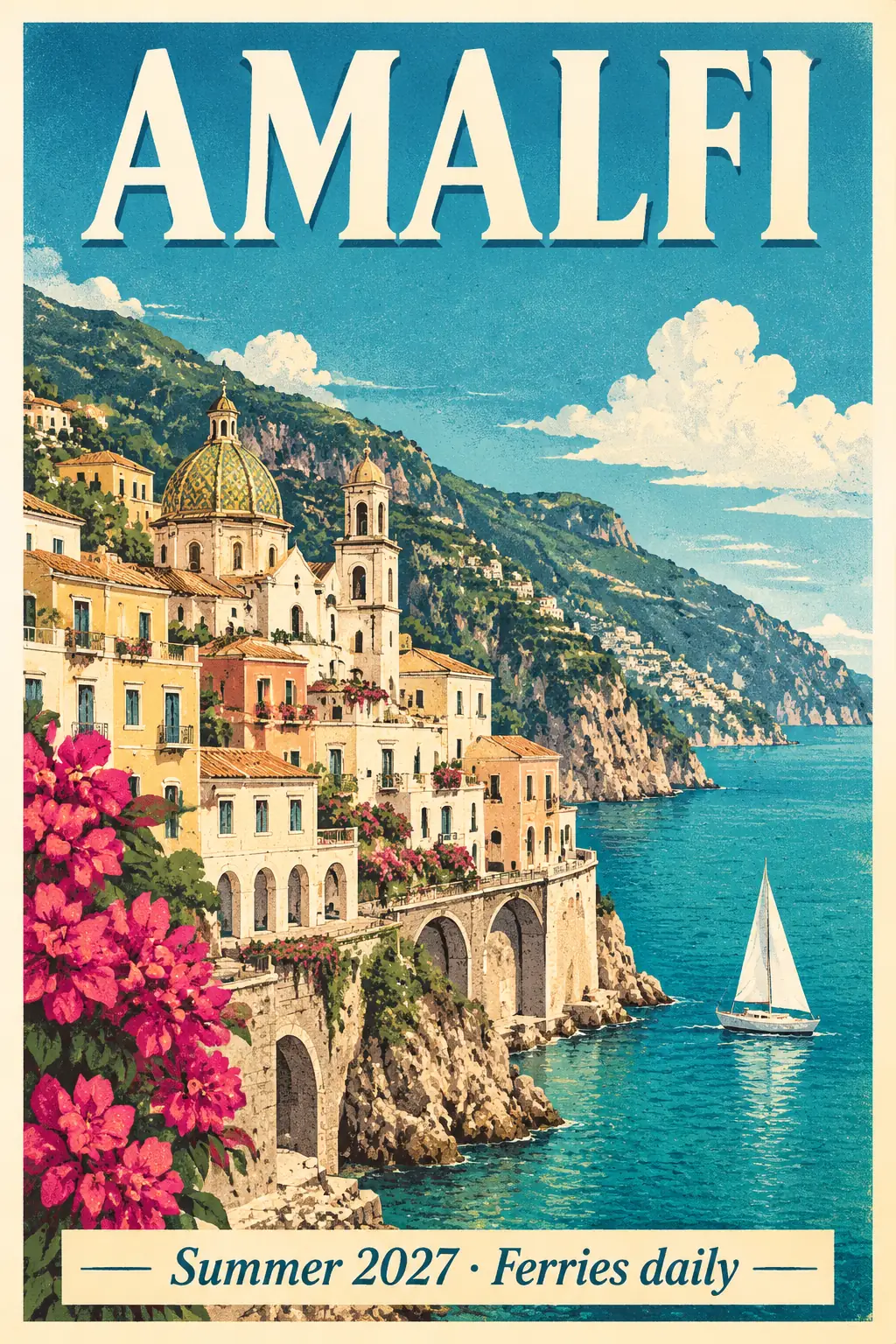
A screen-print style poster with a title and a dated tagline, at xhigh quality.
Text-perfect travel poster
A screen-print style poster with a title and a dated tagline, at xhigh quality.
Amalfi Coast travel poster, title "AMALFI", tagline "Summer 2027 · Ferries daily".Rain to snow
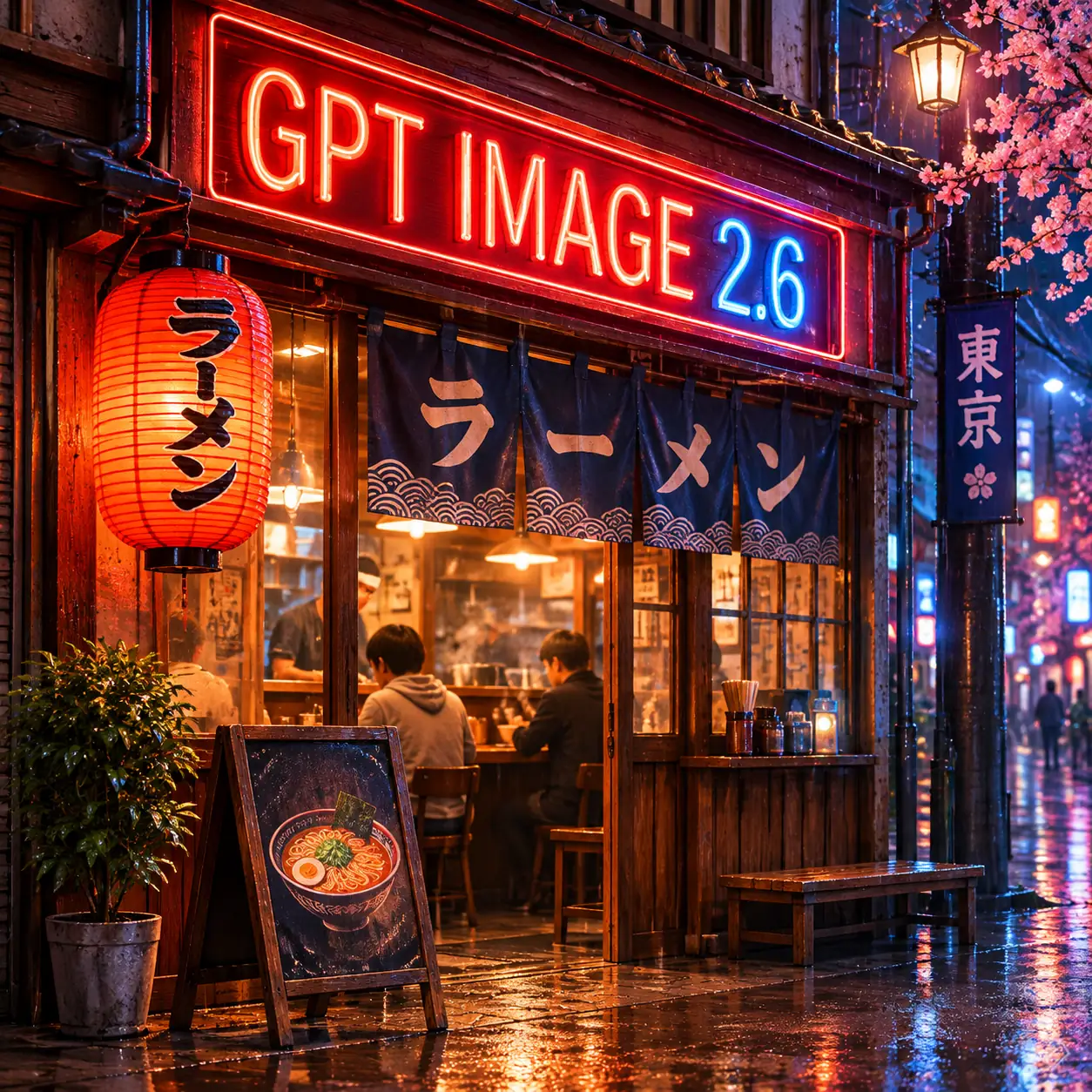
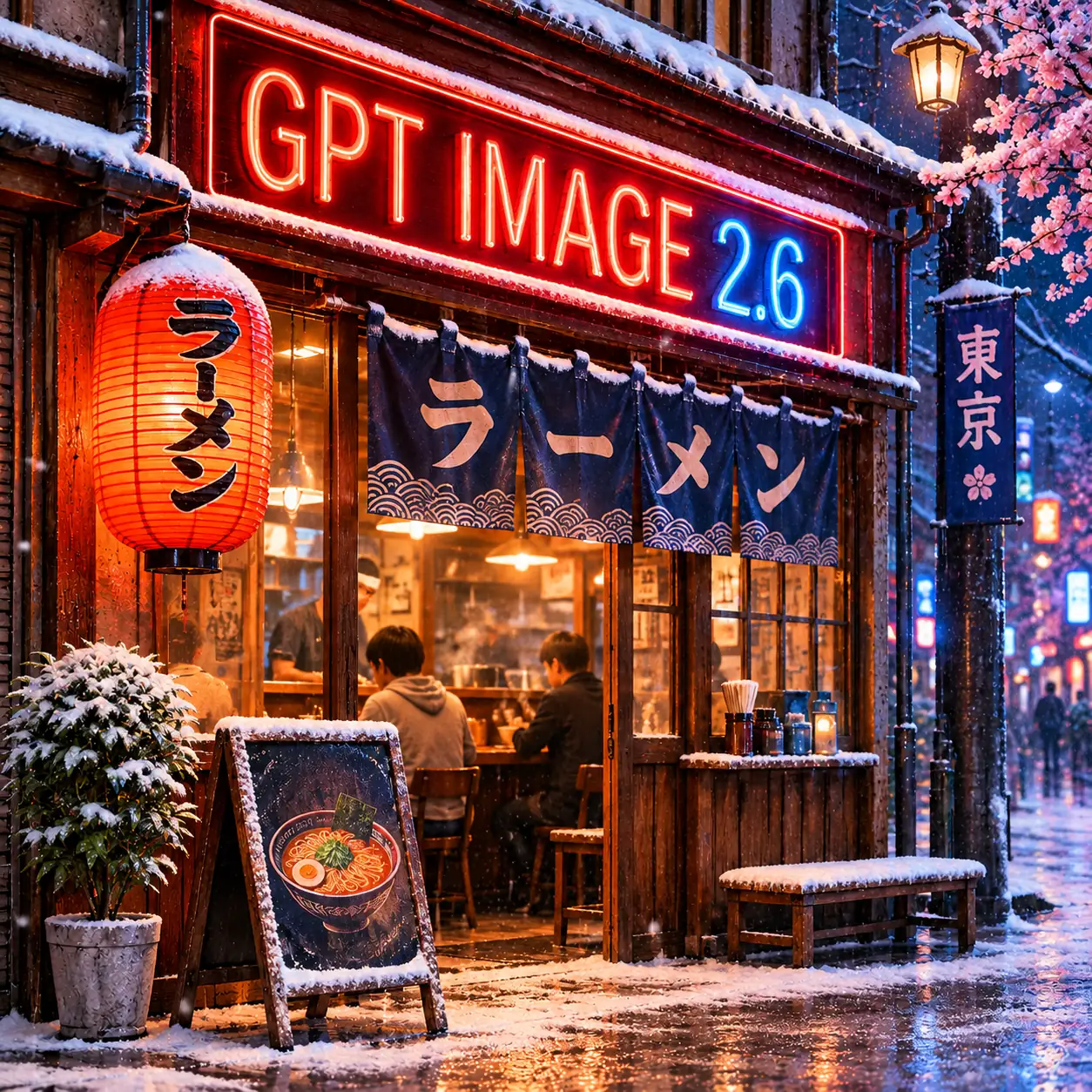
One edit turns a rainy night scene into a snowy one and keeps the neon sign intact.
Make it a snowy winter night, keep the sign text exactly the same.Same price at every setting
Low to max quality at 1K, 2K or 4K all cost 10 credits.
Render the approved draft at xhigh quality and 4K.Best use cases
- Posters, social graphics and thumbnails where on-image text has to be right the first time.
- Product hero shots and campaign drafts at high or xhigh quality without paying more per image.
- Quick edits to a finished image: change the weather, the season, a color or a background.
- New users trying GPT Image 2.6 with their free sign-up credits.
Where to be careful
- Packaging, labels, infographics and multi-step edits where precision matters most; OpenAI recommends Sunburst for detailed visual work.
- Animated GIF or SVG output: OpenAI's API supports both for 2.6, but the Hub generator returns PNG images only for now.
Strengths
OpenAI's newest everyday image model (released 4 November 2026), which OpenAI says generates 50% faster than GPT Image 2.5.
One flat price of 10 credits per image at every quality level (low, medium, high, xhigh, max) and every resolution (1K, 2K, 4K).
Accurate on-image text: titles, taglines and signs came out exactly as written in every Hub test.
Generation and reference-image editing with up to 16 reference images, in all 16 aspect ratios.
Use cases
Posters and social graphics
Event, travel and promo posters with titles and dates rendered cleanly, ready to post.
Product imagery
Studio-quality hero shots with space left for a headline, at the same price as a draft.
Fast edits
Change the season, lighting or a color of an existing image while the rest stays put.
Workflow
Pick the final settings first
Every quality level and resolution costs 10 credits, so choose xhigh or max and the size you need from the start.
Generate and compare
Run a few variations and keep the strongest composition; each one took about 20 seconds in testing.
Edit the winner
Attach the chosen image as a reference and describe only what should change.
Prompting guidance
- Every setting costs the same 10 credits, so start at the quality and resolution you actually need; xhigh is a good default for finals.
- Put on-image text in quotes and say where it goes, for example a title at the top and a smaller line at the bottom.
- For edits, say what must stay unchanged ("keep the sign text exactly the same") as well as what should change.
- Outputs can come back slightly larger than requested, such as 1254×1254 for a 1024×1024 request; crop or resize afterwards if you need an exact size.
Copy-ready prompts
Vintage-style travel poster for the Amalfi Coast: pastel cliffside village above a turquoise sea, a small sailboat, bold title text "AMALFI" at the top and smaller text "Summer 2027 · Ferries daily" at the bottom, flat screen-print look with grain.
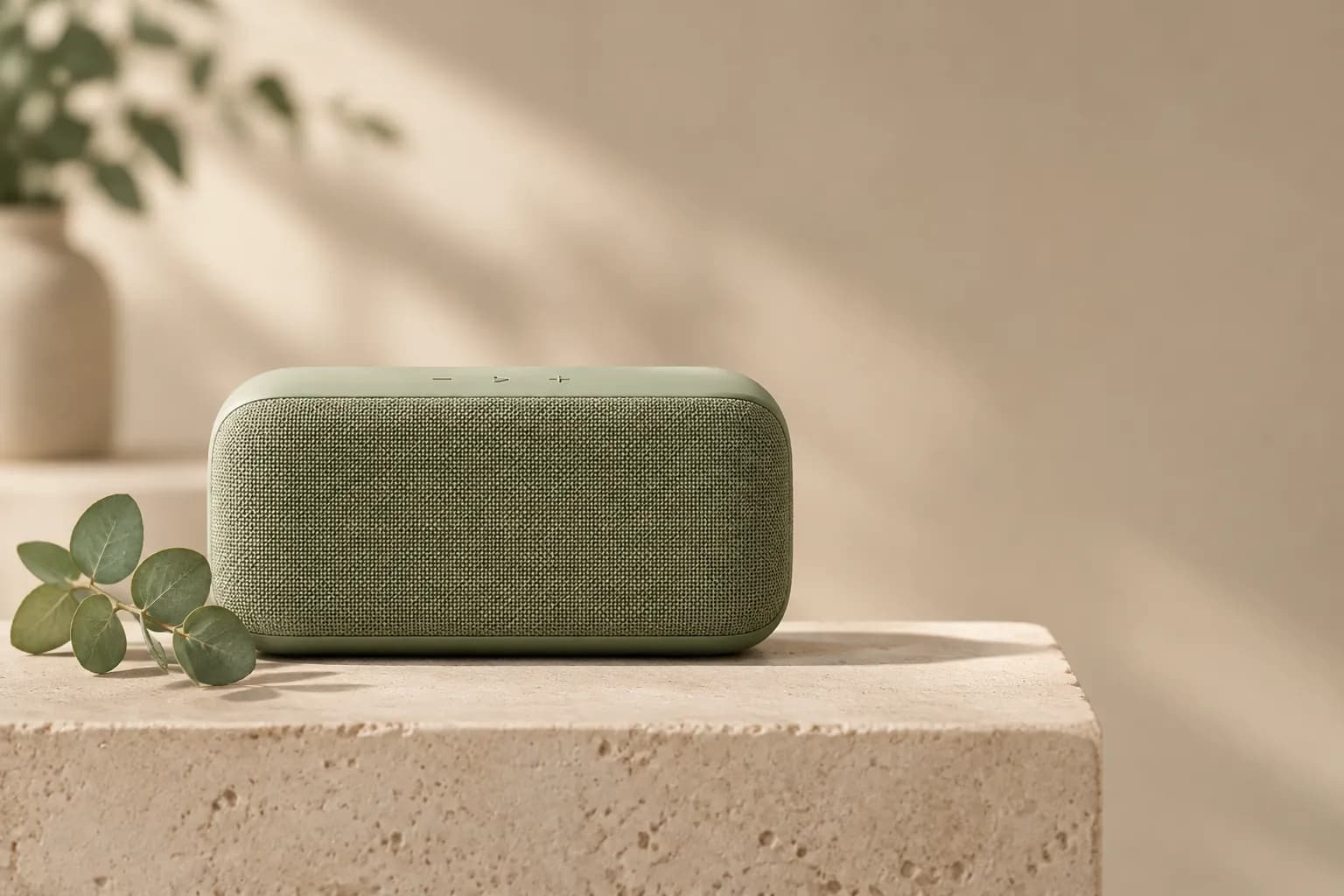
Product hero photo of a matte sage-green wireless speaker on a pale travertine plinth, soft north-window light, shallow depth of field, a sprig of eucalyptus beside it, generous empty space on the right for a headline.
Edit the reference image: make it a snowy winter night instead of rain, keep the sign text exactly the same.
Example outputs generated on GPT Image Hub
Official sources
FAQ
Is GPT Image 2.6 Flare Saver the real GPT Image 2.6 model?
Yes. It runs OpenAI's gpt-image-2.6-flare. Saver uses a lower-cost provider route that bills per image, which is why GPT Image Hub can charge a flat 10 credits for every quality level and resolution.
How much does GPT Image 2.6 Flare Saver cost?
10 credits per image, about $0.01 at the Plus pack rate, whether you choose low, medium, high, xhigh or max quality at 1K, 2K or 4K. New accounts get 25 free credits, enough for two images.
Should I use Flare or Sunburst?
Start with Flare for posters, product shots, social graphics and quick edits. Switch to GPT Image 2.6 Sunburst Saver for packaging, labels, infographics, intricate illustration and edits where small details must stay exactly the same. Both cost 10 credits per image on the Hub.
Can I make animated GIFs or SVGs with it on GPT Image Hub?
Not yet. OpenAI's API supports animated GIF and SVG output for GPT Image 2.6, but the Hub generator currently returns PNG images. The GPT Image 2.6 guide explains how those formats work.
Use this model
Start from a prompt template or compare models first
Use the generator when you already know the model, or compare all supported models when the prompt needs a different balance of speed, detail, and reference inputs.