GPT Image 2.6 Sunburst Saver model guide
A practical guide to GPT Image 2.6 Sunburst Saver on GPT Image Hub: OpenAI's GPT Image 2.6 model for detailed visual work at one flat price of 10 credits per image, with measured timings, packaging, map and infographic examples, and when to pick Flare instead.
GPT Image 2.6 Sunburst Saver runs OpenAI's gpt-image-2.6-sunburst, the GPT Image 2.6 model built for detailed visual work, through a lower-cost provider route that bills per image. GPT Image Hub charges a flat 10 credits (about $0.01) at every quality level and resolution. In the Hub's tests it rendered packaging labels, map place names and five-step infographic captions exactly as written, and a label edit changed only the text and illustration it was asked to. Images took 17 to 38 seconds. Choose it for packaging, dense typography and precise edits; choose Flare for faster everyday work.
Visual examples
Visual examples
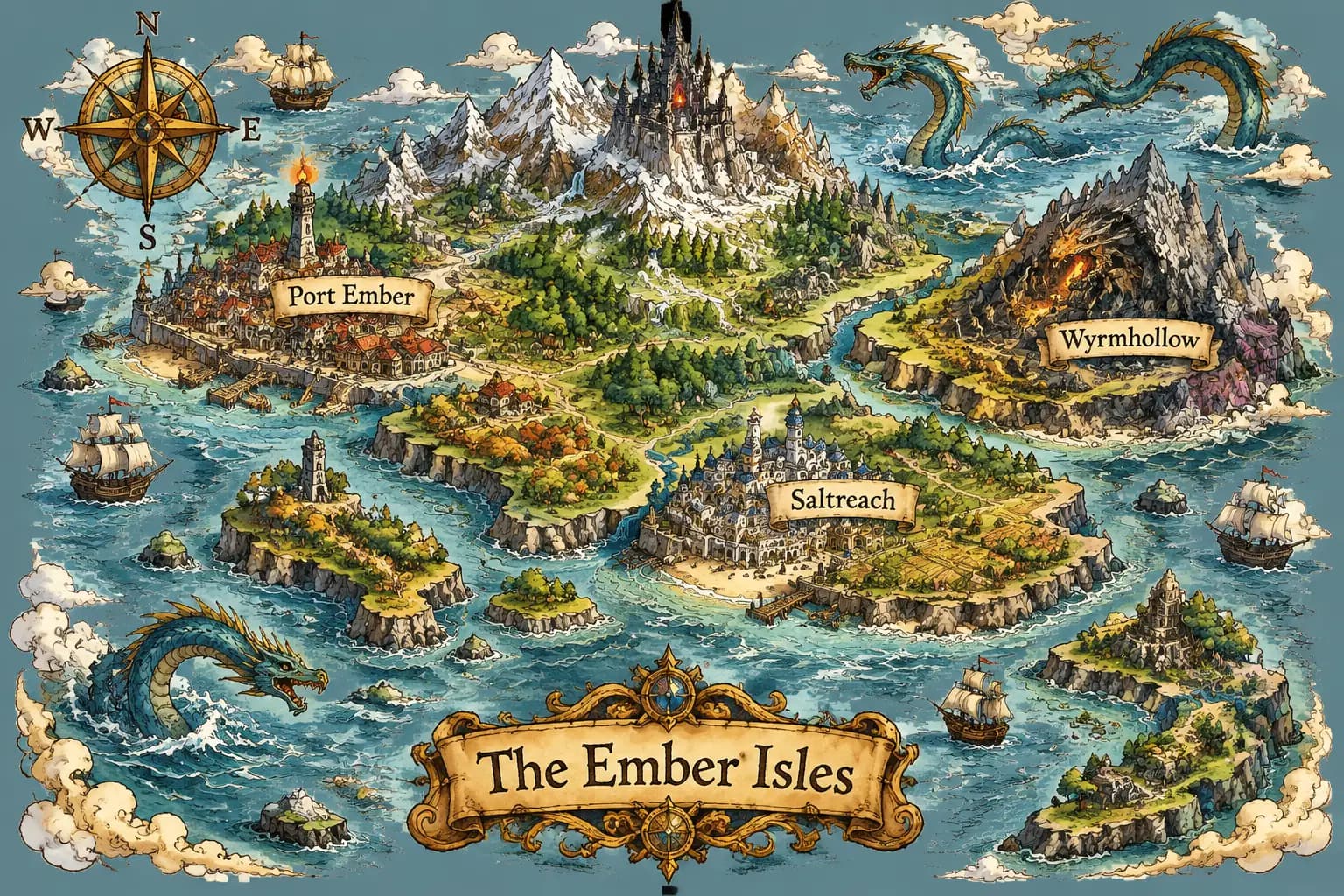
An archipelago map with three labeled towns and a title cartouche, at xhigh quality.
Illustrated map
An archipelago map with three labeled towns and a title cartouche, at xhigh quality.
Fantasy island map, towns "Port Ember", "Saltreach", "Wyrmhollow", title "The Ember Isles".One tin, two flavors
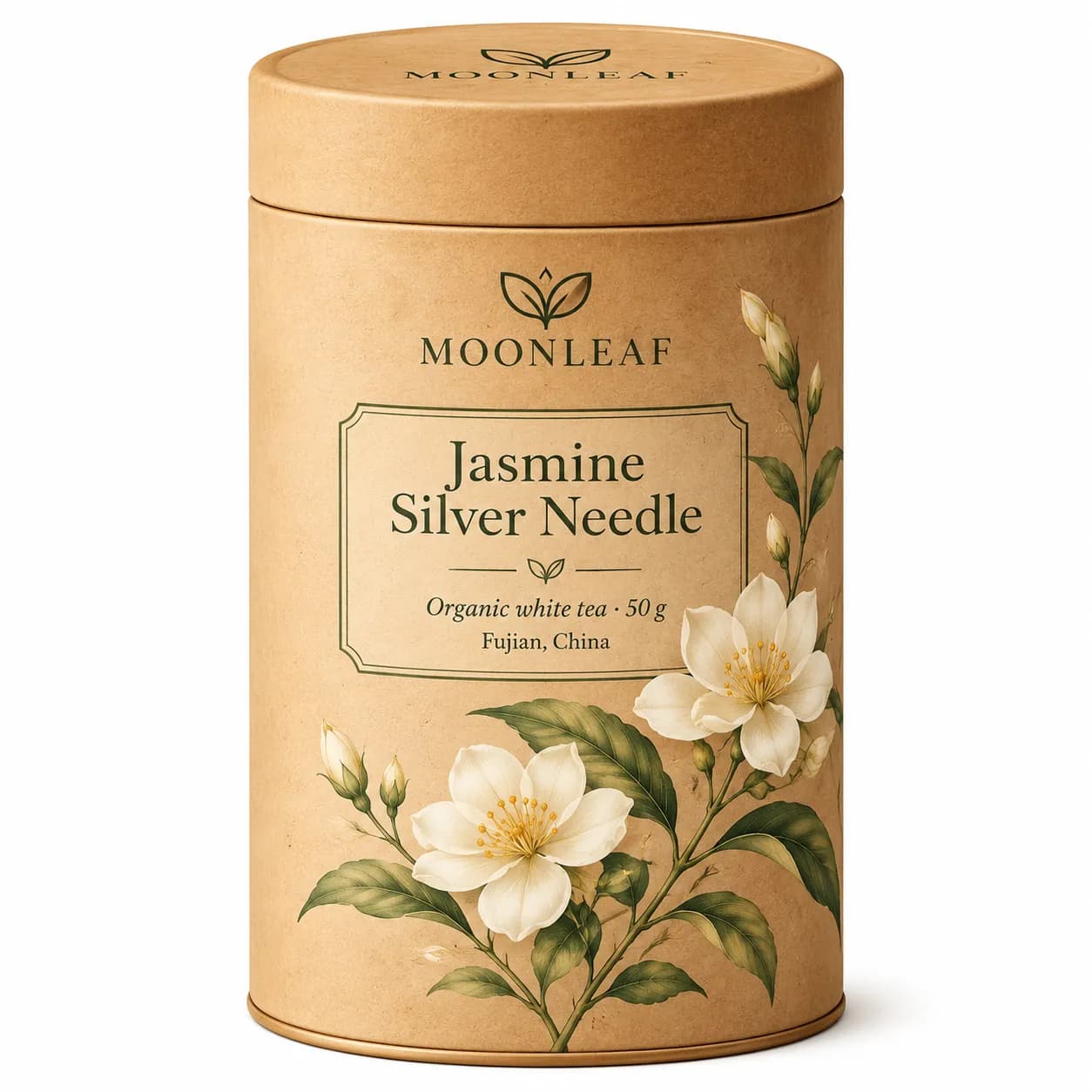
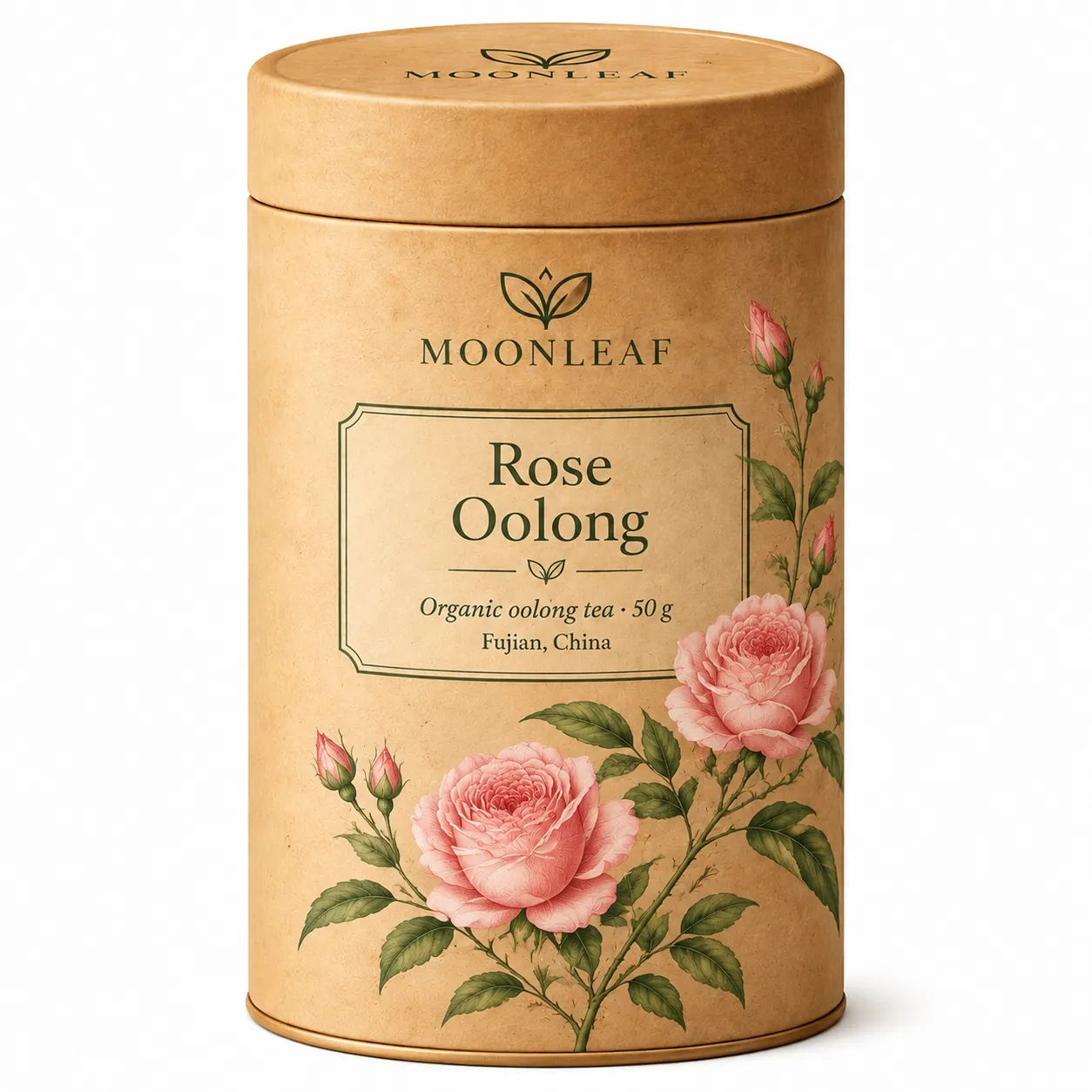
A label edit turns Jasmine Silver Needle into Rose Oolong and keeps the brand.
Change the label to "Rose Oolong" and the flowers to roses; keep the logo and layout.Five-step infographic
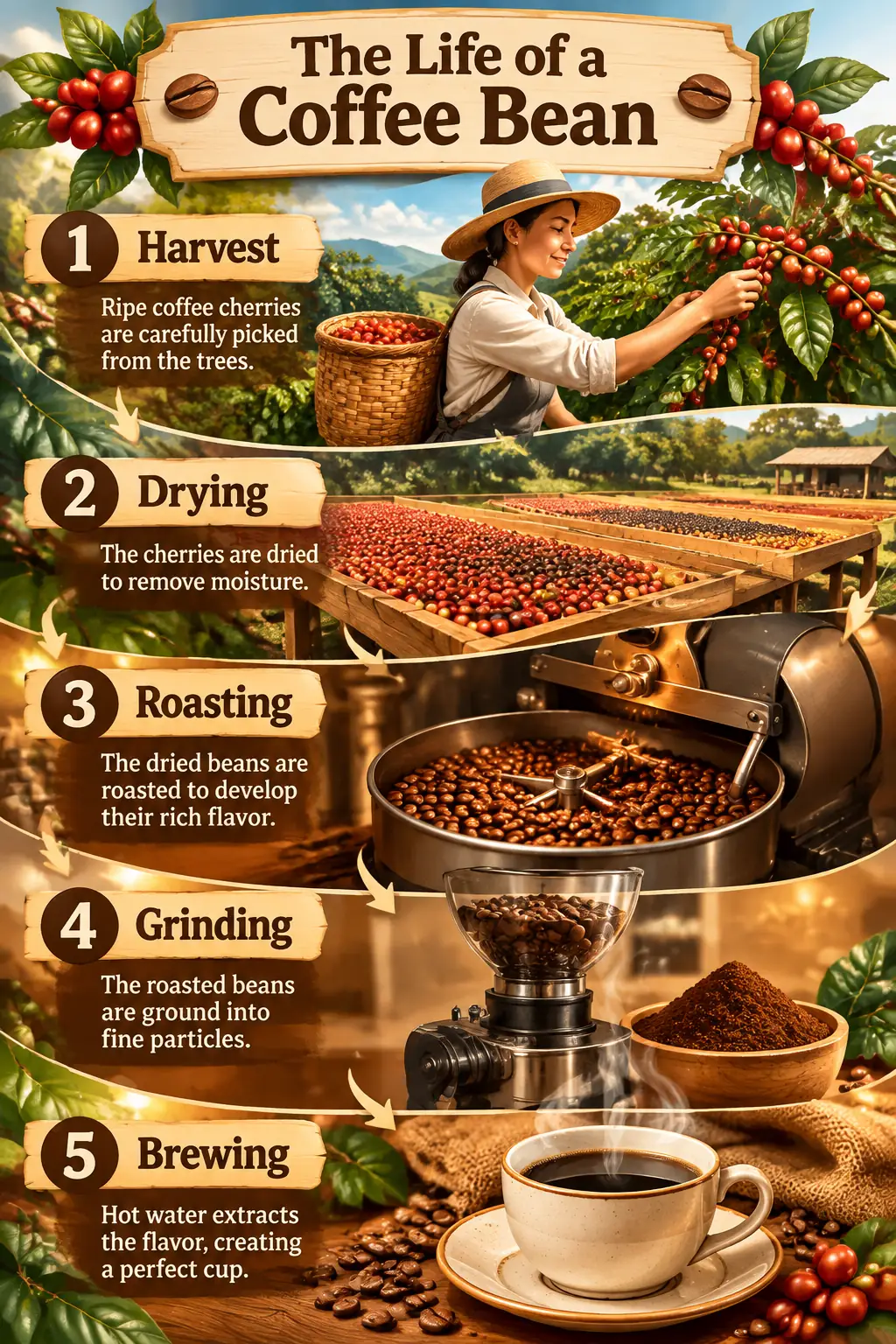
Every step title and caption rendered as written.
"The Life of a Coffee Bean": harvest, drying, roasting, grinding, brewing.Best use cases
- Packaging and label mockups, including variants of the same product line.
- Infographics, maps, menus and other layouts with many labels.
- Intricate illustration with lots of related objects in one scene.
- Multi-step edits where small details must not drift between rounds.
Where to be careful
- Quick drafts and simple scenes, where GPT Image 2.6 Flare Saver is faster at the same price.
- Animated GIF or SVG output: OpenAI's API supports both for 2.6, but the Hub generator returns PNG images only for now.
Strengths
OpenAI's GPT Image 2.6 model for detailed compositions and edits, released 4 November 2026.
Dense, accurate text: product labels, map place names and multi-step infographic captions in Hub tests.
Precise reference edits that change only what you ask, such as a label and its illustration, while the logo and layout stay put.
One flat price of 10 credits per image at every quality level (low to max) and resolution (1K to 4K), with up to 16 reference images.
Use cases
Packaging and product lines
Design one label, then edit it into flavor or color variants that keep the brand intact.
Infographics and maps
Many labels, steps and captions in one image, each spelled correctly.
Detailed illustration
Busy scenes with many related objects that still read clearly.
Workflow
Write every label
List the exact text, steps or place names in the prompt, in the order they should appear.
Render at xhigh
Every setting costs 10 credits, so use high or xhigh quality from the first try.
Make variants by editing
Attach the approved image and change only the label, color or illustration you need.
Prompting guidance
- Spell out every piece of text in quotes, including small lines such as weights, origins and dates.
- For infographics and maps, list the steps or place names in order; Sunburst follows the list closely.
- For edits, name exactly what changes and what must stay (logo, layout, lighting); it respects both.
- Use xhigh or max for final renders: the price is the same 10 credits at every setting.
Copy-ready prompts
Packaging design mockup: a matte kraft tea tin for a brand called "MOONLEAF", label reads "Jasmine Silver Needle" with smaller lines "Organic white tea · 50 g" and "Fujian, China", delicate botanical line illustration of jasmine flowers, studio photo on a soft cream background.
Highly detailed illustrated fantasy map of an island archipelago, hand-drawn ink and watercolor style, labeled towns "Port Ember", "Saltreach" and "Wyrmhollow", a compass rose, sea serpents, tiny ships, and an ornate title cartouche reading "The Ember Isles".
Editorial infographic poster titled "The Life of a Coffee Bean" with five illustrated steps: harvest, drying, roasting, grinding, brewing, each labeled, warm earthy palette, clean typography.
Example outputs generated on GPT Image Hub
Official sources
FAQ
Is GPT Image 2.6 Sunburst Saver the real GPT Image 2.6 model?
Yes. It runs OpenAI's gpt-image-2.6-sunburst. Saver uses a lower-cost provider route that bills per image, which is why GPT Image Hub can charge a flat 10 credits for every quality level and resolution.
How much does GPT Image 2.6 Sunburst Saver cost?
10 credits per image, about $0.01 at the Plus pack rate, at every quality level from low to max and every resolution from 1K to 4K. New accounts get 25 free credits, enough for two images.
When is Sunburst better than Flare?
OpenAI tunes Sunburst for detailed visual work: packaging, labels, infographics, maps, intricate illustration and edits where small details must not drift. Flare is faster for everyday posters, product shots and quick edits. Both cost 10 credits per image on the Hub.
Can I make animated GIFs or SVGs with it on GPT Image Hub?
Not yet. OpenAI's API supports animated GIF and SVG output for GPT Image 2.6, but the Hub generator currently returns PNG images. The GPT Image 2.6 guide explains how those formats work.
Use this model
Start from a prompt template or compare models first
Use the generator when you already know the model, or compare all supported models when the prompt needs a different balance of speed, detail, and reference inputs.