New: GPT Image 2.5 Flare and Sunburst. Try them free with 3 images on sign-up, then 8 credits each.
Try GPT Image 2.5

Nano Banana Pro Prompts

6,465 templates · updated Oct 2026

Nano Banana Pro is Google's Gemini 3 Pro Image model (gemini-3-pro-image-preview), the premium model in the Nano Banana family. Use it for detailed images, dense layouts with text, and edits that combine up to 14 reference images.

This page lists the 6,465 library templates set up for Nano Banana Pro, including many structured JSON prompts. Each one opens in the generator with Nano Banana Pro selected: 108 credits at 1K or 2K and 193 at 4K.

Showing 1–10 of 10 Nano Banana Pro · Game Asset prompts

Anime Mecha Battle Attack Cut-In

Anime Mecha Battle Attack Cut-In

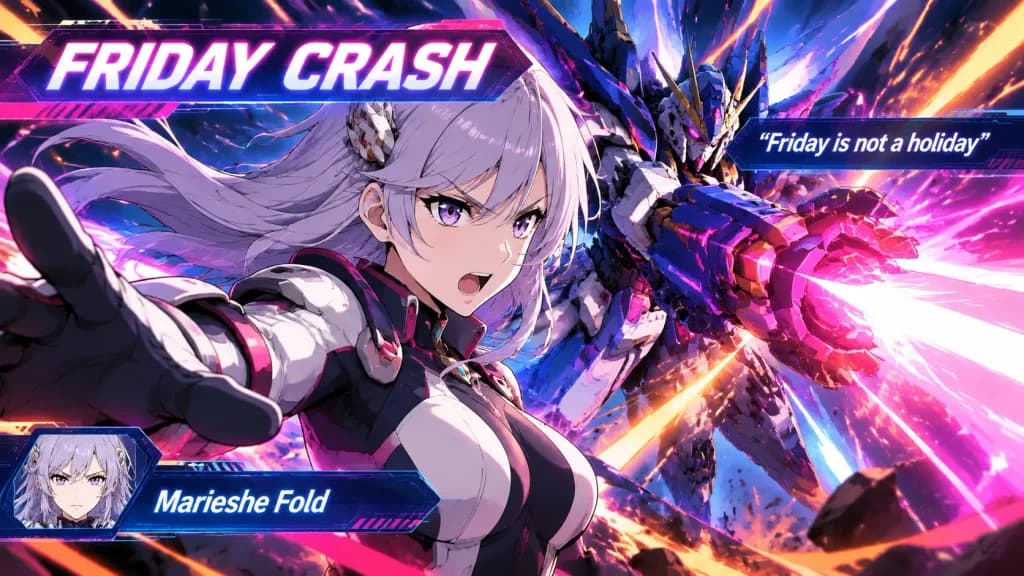
Super Robot Wars dynamic battle cut-in production scene featuring anime character [Marieshe Fold]. Dynamic mecha anime combat cutscene style, intense dynamic angle, dramatic action pose surrounded by energy aura and particle sparks. On-screen battle HUD graphics and cut-in typography: Special move title banner displaying "[Friday Crash]", quote text displaying "[Friday is not a holiday]", and character nameplate "[Marieshe Fold]". Vibrant cinematic anime lighting, bold cel-shaded outlines, dramatic perspective, and speed lines.

super robot warsbattle cut-inanime
3D Model UV Texture Map Layout

3D Model UV Texture Map Layout

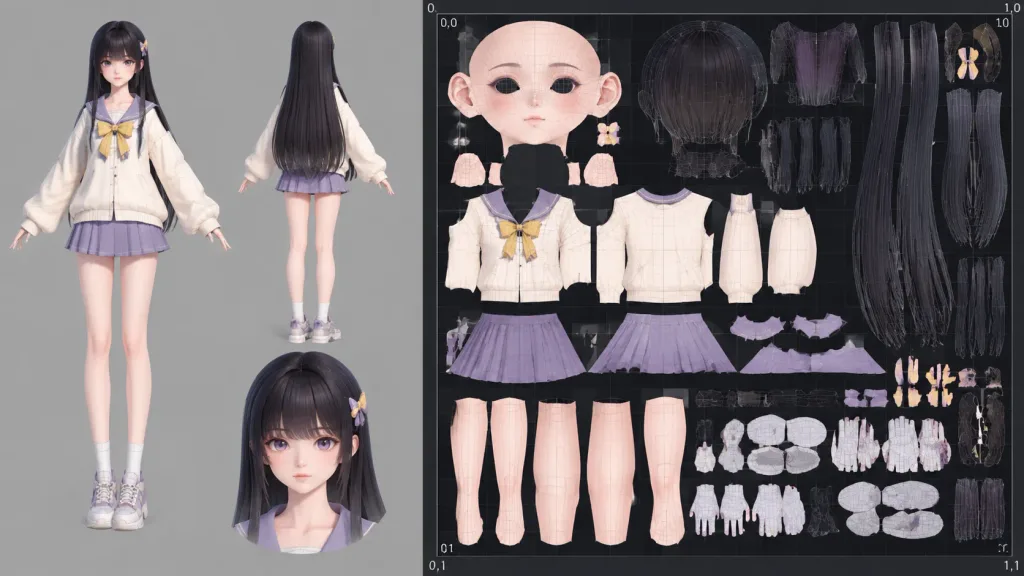
Unwrap the UV map of the 3D model shown in the reference photo. Composition: approximately one-third of the frame displays a clean 3D reference render of [the character model]. The remaining two-thirds shows the flattened texture UV layout neatly organized within a single 0–1 two-dimensional UV coordinate space, including unwrapped islands for the head, torso, and limbs.

3d modeluv unwraptexture mapping
Custom Six-Sided Dice Face Layout

Custom Six-Sided Dice Face Layout

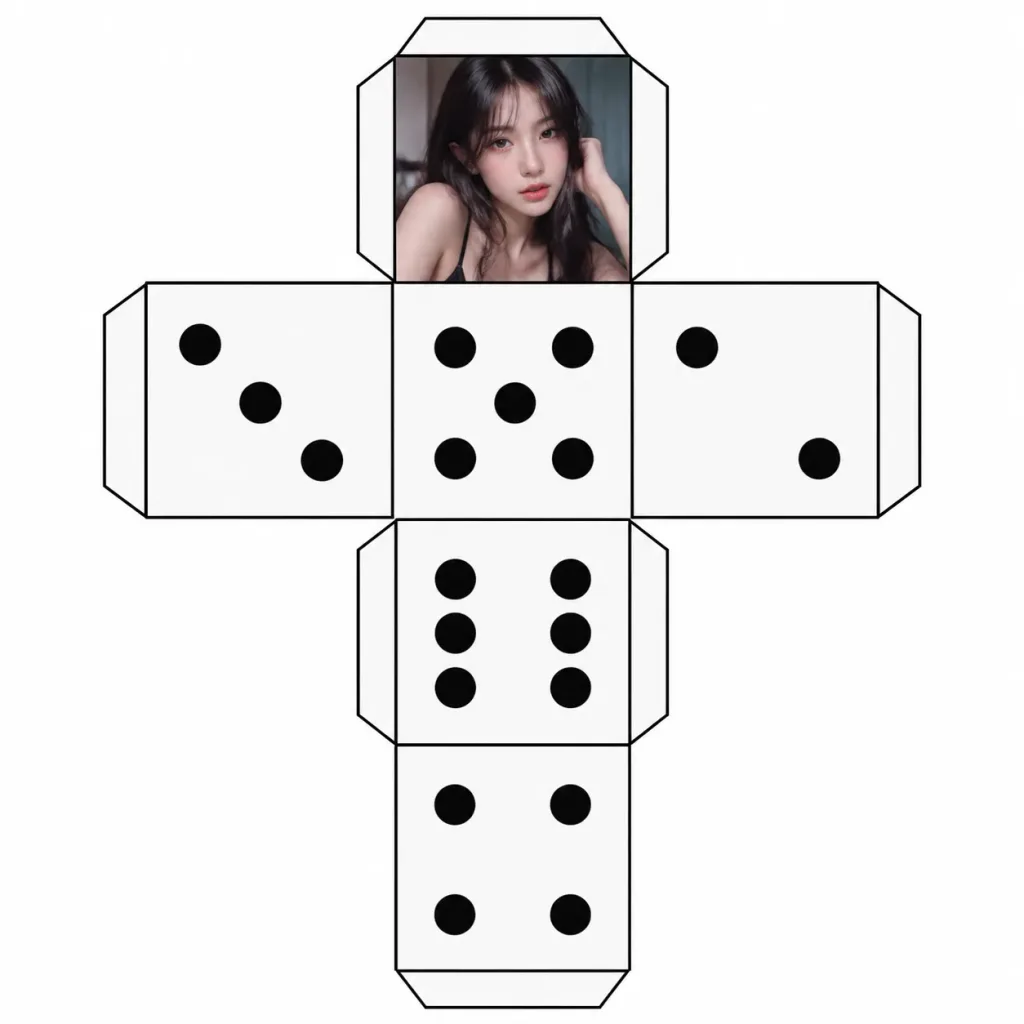
A flat texture layout displaying all six faces of a standard six-sided die, arranged according to the input template. Standard dice pips appear on faces 2 through 6. Replace only the '1' face with [a portrait from the reference photo], maintaining clean edges and accurate alignment with the template.

dicegame-assettexture-map
Retro 16-Bit Video Game Screen Conversion

Retro 16-Bit Video Game Screen Conversion

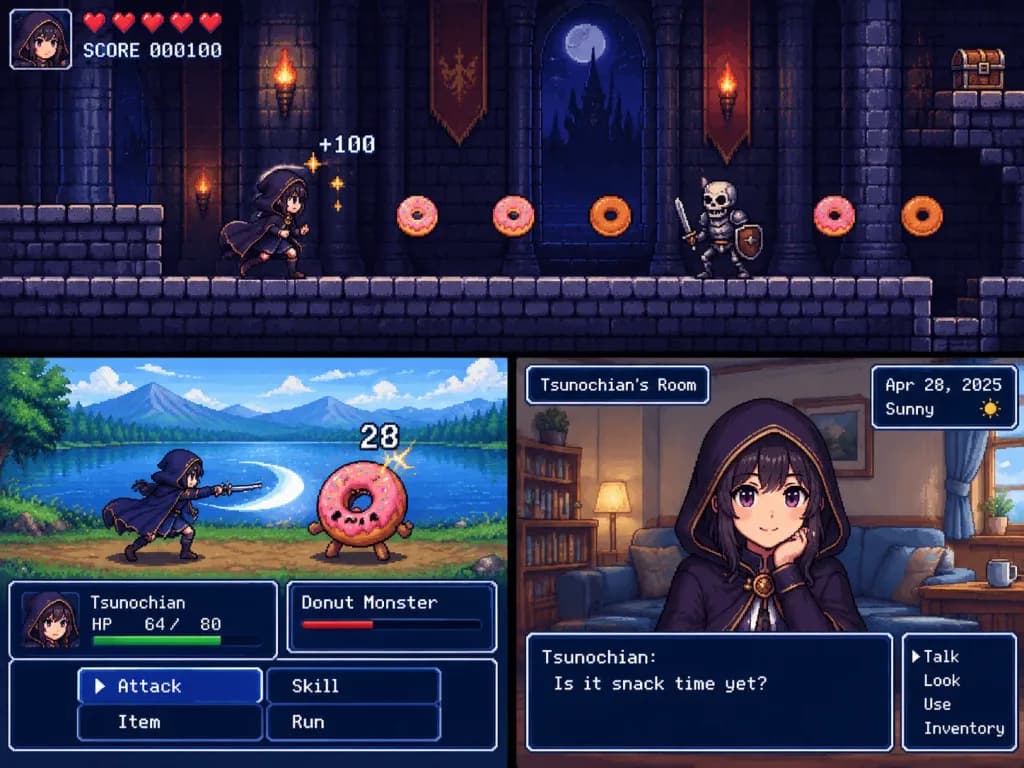
Side-Scrolling Action Style: Reproduce the character from the reference photo as [a girl wearing a cloak] in a 2D 16-bit platform video game. Game screen composition: side-scrolling action inside a dark castle, moving forward while collecting donuts, displaying a score of 100 for collecting a donut. Horizontal RPG Battle Style: Reproduce the character from the reference photo as [a girl wearing a cloak] in a 2D 16-bit RPG battle scene. Horizontal battle screen at a lakeside, attacking a donut monster with a sword. Retro HUD at the bottom displaying character name "[Tsunochian]", HP, command menu, floating damage, and plausible HP numbers. Adventure Game Style: Reproduce the character from the reference photo as [a girl wearing a cloak] in a 2D 16-bit adventure game screen. Center bust-up portrait of the character in a living room. UI displays location name in the top left, date and weather in the top right, and command menu with dialogue window at the bottom: "[Tsunochian]: [Is it snack time yet?]".

16-bitpixel artretro game
Artwork Normal and Depth Map Generation

Artwork Normal and Depth Map Generation

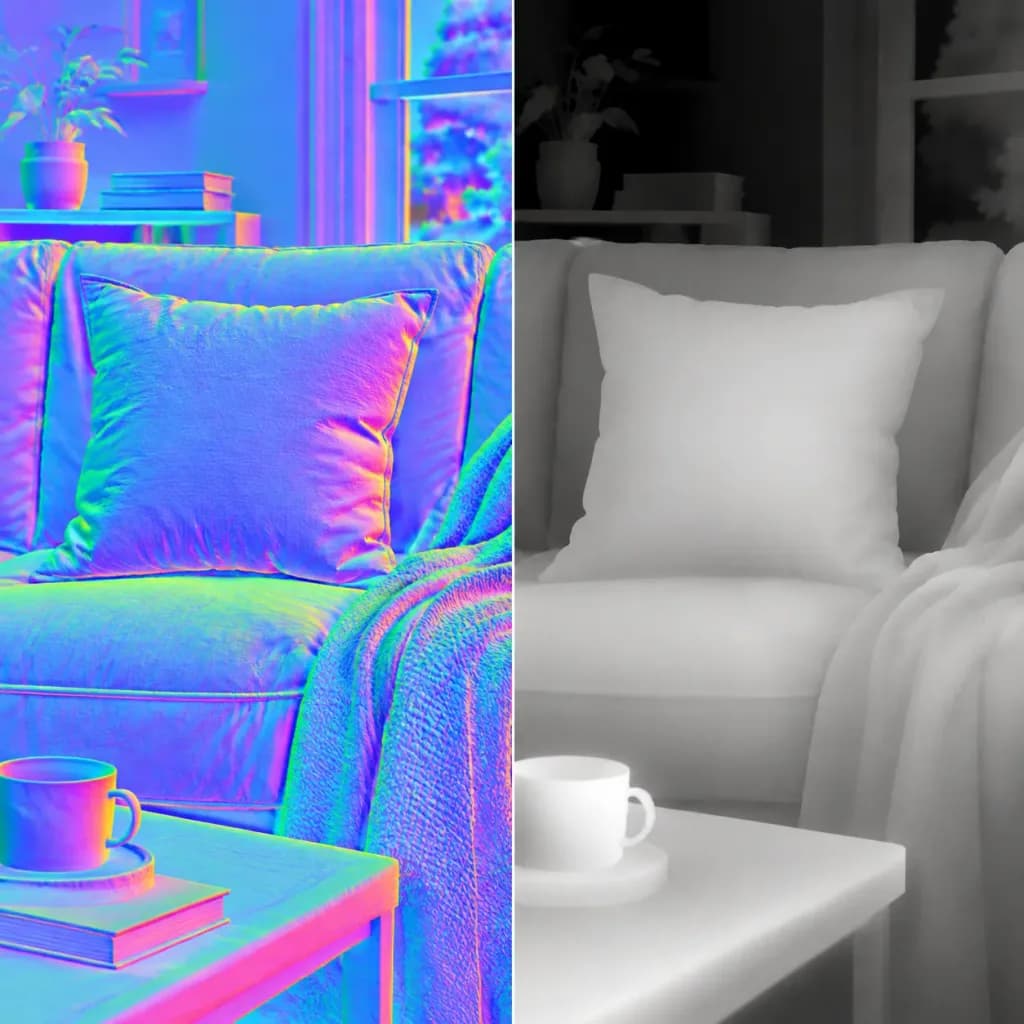
Generate a [surface normal map and depth map side-by-side] from the reference photo. - Normal map: Standard tangent-space RGB encoding where R = X direction, G = Y direction, and B = Z direction. Normal directions follow the local geometry, shading, and contours with smooth transitions. - Depth map: Continuous grayscale depth map where white is near to the viewer and black is far, with physically plausible spatial gradients. Constraints: Maintain the exact framing, resolution, and aspect ratio of the reference photo. Do not add new artistic elements, repaint, or stylize; infer only plausible micro-geometry and depth structure without noise.

normal mapdepth maptexture
Fighting Game Character Reveal Splash Screen

Fighting Game Character Reveal Splash Screen

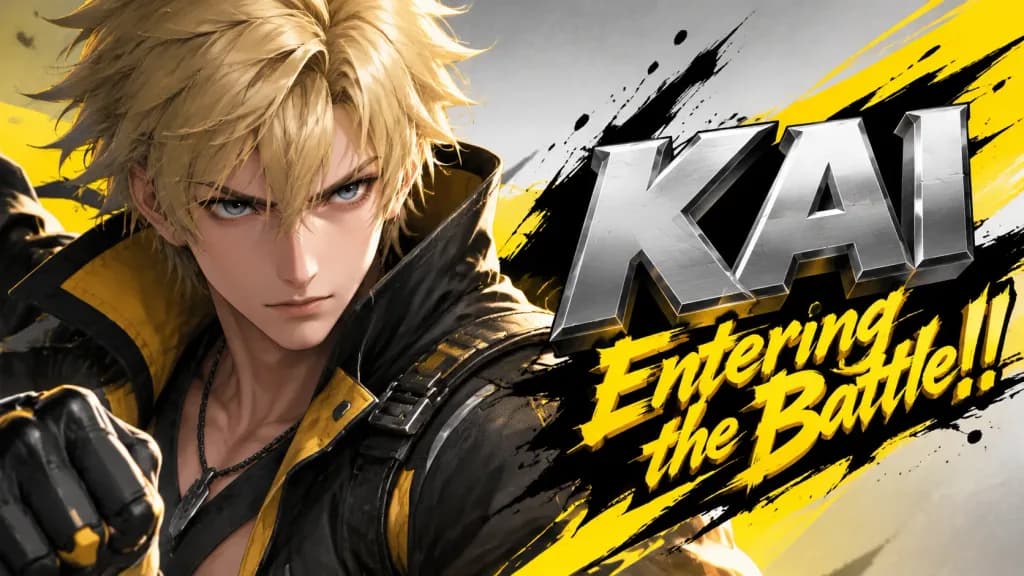
layering: order: - text_layer - character_layer - background_layer strict: true subject: description: > Preserve the subject exactly as in the reference image, keeping all facial features, colors, hairstyle, clothing, and proportions without redesign or reinterpretation. framing: Bust-up composition from head to upper torso, making the subject appear prominent. integrity: full_identity_preservation detail_level: high_definition micro_details: preserve_skin_texture_hair_edges_fabric_details composition: aspect_ratio: "16:9" layout: Subject positioned on one side with headline typography on the opposite side. emphasis: Strong presence on character upper body and expression. action: description: Maintain reference pose with subtle dynamic battle energy. location: description: > Minimalist abstract background inferred from reference image tones. Background must not contain any secondary characters, silhouettes, faces, or blurred subject forms. allowed_elements: pure_color_gradients_light_abstract_shapes_only style: visual_style: High-impact fighting game reveal splash screen with strong contrast. text_effects: Metallic high-energy lettering with deep 3D perspective extrusion, no glow. character_rendering: Crisp edge definition, sharp details, accurate texture fidelity. ink_splash_rules: Pure solid black splash accents only. camera_lighting: camera_angle: from_reference lighting: Dramatic directional key lighting with crisp rim highlights. colors: palette: Palette derived from reference image, metallic silver character name, saturated yellow announcement text. mood: dramatic, heroic, high_energy text: character_name: "[Character Name]" announcement_fixed: "[Entering the Battle!!]" placement: opposite_side_of_character perspective: Front surface larger with deep tapered 3D extrusion. character_name_style: Metallic silver bold 3D block lettering.

fighting gamecharacter revealsplash screen
Hardware Accurate NES Background Pixel Art

Hardware Accurate NES Background Pixel Art

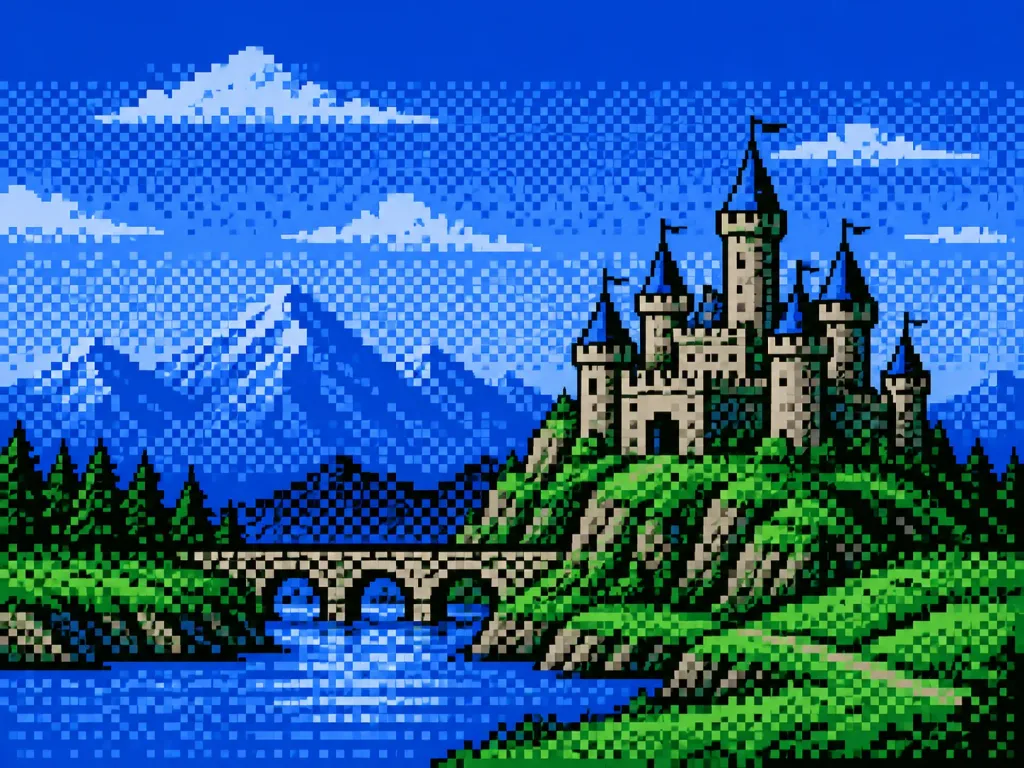
Convert the reference image into authentic 8-bit NES (Famicom) background (BG) dot art pixel graphic adhering strictly to hardware constraints: - Hardware specs: Pure NES BG layer only; sprites strictly prohibited; output canvas resolution of 256x240 pixels; 8x8 pixel tile grid; 16x16 pixel attribute blocks (2x2 tiles). - Cropping and framing: Maintain aspect ratio of the main subject [a medieval castle landscape], centered or cropped to focus on the key subject without stretching or warping. - Palette rules: Strictly limited to the standard 54-color NES NTSC palette. Exactly four 4-color sub-palettes allowed across the entire image. Index 0 is the universal background color shared across all 4 sub-palettes (derived from the most dominant background tone). Each sub-palette contains Index 0 plus 3 unique colors representing shadow, mid-tone, and highlight. - Attribute constraint: Each 16x16 attribute block can strictly use only 1 of the 4 sub-palettes (maximum 4 colors per 16x16 block). - Tile limit: CHR ROM pattern compression applied; maximum 256 unique 8x8 tiles across the entire 256x240 screen, repeating identical tile patterns for sky, terrain, and uniform textures. - Shading: Classic ordered retro video game dithering (checkerboard or line dither) to create smooth gradients using only the 4 available colors per block.

pixel artnes8-bit
Mobile Game Ultimate Cut-In Screen

Mobile Game Ultimate Cut-In Screen

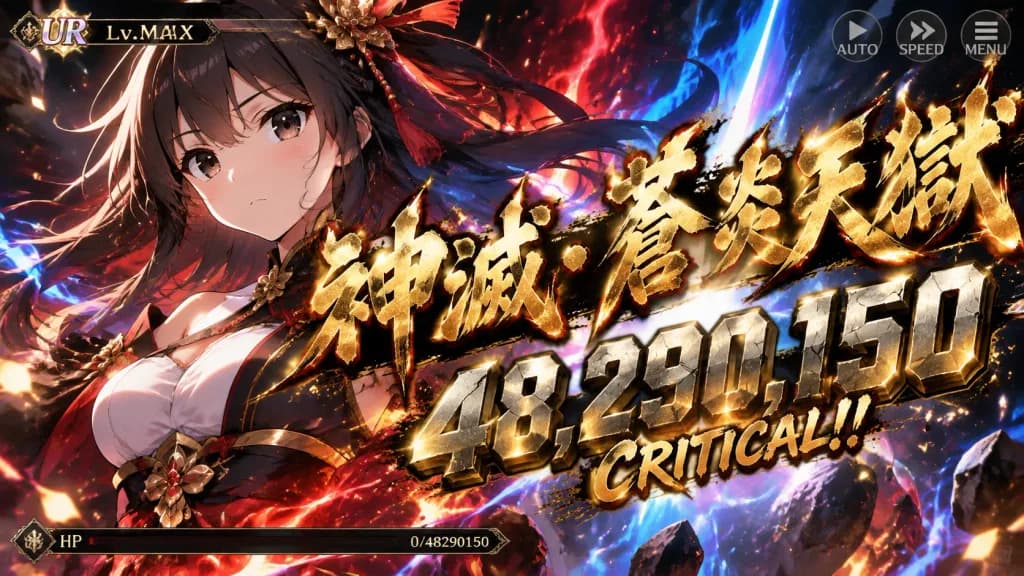
An official mobile game screenshot capturing an ultimate special move cut-in scene, featuring the character from the reference photo. The character's art style, facial features, eyes, hair, and coloring remain strictly identical to the reference photo. Composition is a bust-up to waist-up framing occupying 60–70% of the screen, with the face and eyes positioned toward the top-left, calm and entirely unobstructed by UI or effects. In the center, an extra-large Japanese calligraphy brush script displays an original special move name in bold kanji [神滅・蒼炎天獄], slightly extending off-screen, accented with a refined, thin gold border. Positioned directly with it is a massive, angular, rock-weighted metallic damage number [48,290,150] alongside bold text "CRITICAL!!". Game UI includes a subtle top bar showing rarity icon [UR] and [Lv.MAX], a thin depleted HP gauge at the bottom showing zero health, and minimal semi-transparent [AUTO], [SPEED], and [MENU] icons at the edges. High-contrast lighting with a dark background, gold particle sparks, and [crimson and azure aura] radiating from the central blast. The character's eyes remain clearly visible; no "OVERKILL" text.

mobile gamecut-ingacha ui
UV Texture Map for Garment

UV Texture Map for Garment

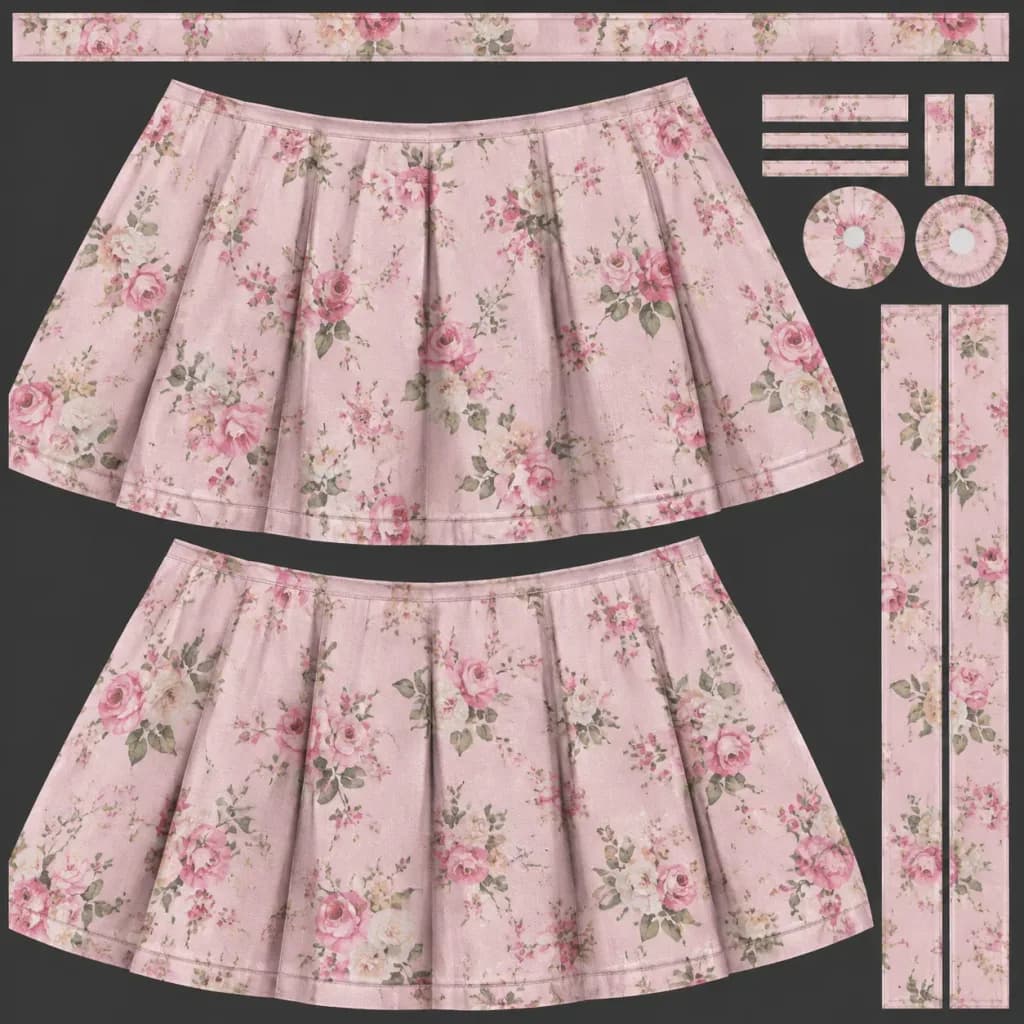
A flat UV unwrapped texture map for a 3D [skirt], designed like a Substance Painter texture export. Map the [floral pattern and color palette] from the reference photo across the UV islands, aligning seamlessly along seams, pleats, and hem borders. High-detail 2D texture layout showing clean UV islands, fabric weave, realistic diffuse color, edge seams, and subtle shading.

uv maptexturegame-asset
Arcade 3D Rhythm Dance Game Interface

Arcade 3D Rhythm Dance Game Interface

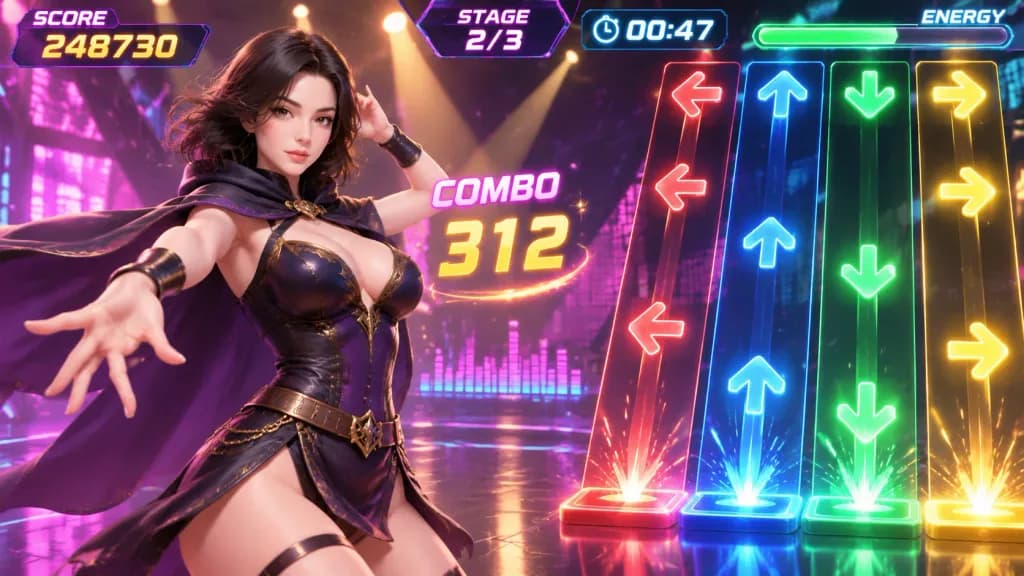
A screenshot of an arcade 3D rhythm dance game featuring the 3D anime character from the reference photo, [a girl wearing a cloak]. Subject & Composition: - The character holds a confident dance pose on the left side of the screen. - Glossy, reflective dance stage shining under overhead spotlights. Arcade Rhythm Game HUD & UI Elements: - Top score display and stage timer countdown. - Floating combo counter and energy gauge bar. - Dynamic colorful music waveform visualizer. - Four vertical scrolling note lanes on the right side with falling arrow buttons (Left: Red, Up: Blue, Down: Green, Right: Yellow). - Glowing neon particle effects. Lighting & Style: - Dynamic 3D anime style with vibrant arcade game graphics. - Cinematic neon lighting glowing in vivid yellow and pink accents.

rhythm gamearcade ui3d anime