New: GPT Image 2.5 Flare and Sunburst. Try them free with 3 images on sign-up, then 8 credits each.
Try GPT Image 2.5

AI UI Mockup Prompts

Prompts for interface concepts: dashboards, app screens, device mockups, landing pages, and information-dense page layouts. The strongest ones list screen regions in reading order, choose between a flat capture and a device mockup, and quote only the few labels that must be readable. Use the results for presentations, moodboards, and early concepts rather than production specs.

Sort by:

Showing 121–180 of 625 prompts

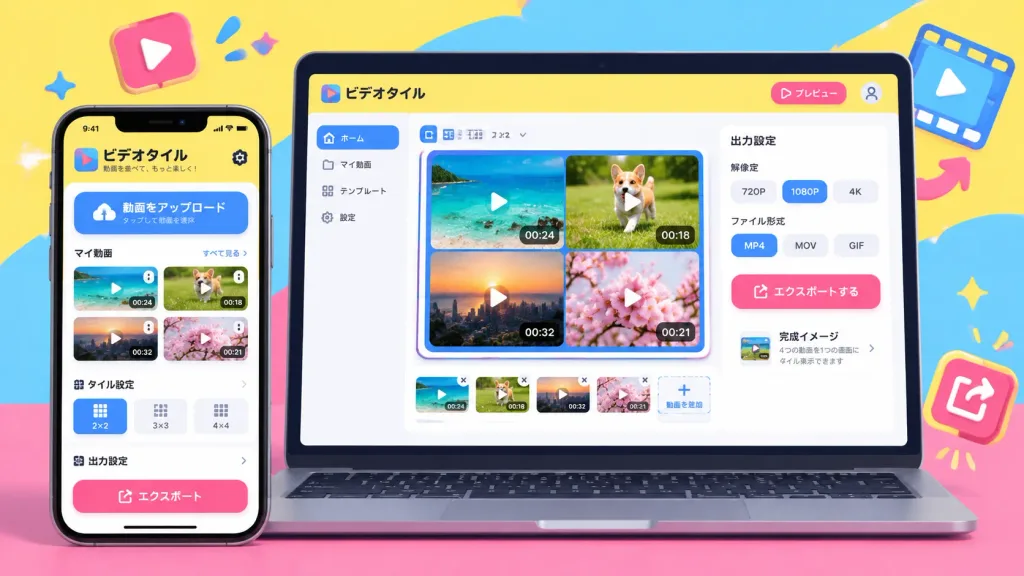
Pop Style Cross-Platform App Mockup

Pop Style Cross-Platform App Mockup

A high-resolution cross-platform UI/UX device mockup showcasing a smartphone mobile app and a desktop PC web dashboard side-by-side in an isometric front-facing studio view. Design style: fun, energetic, approachable pop aesthetic with a vibrant candy-color palette of sunny yellow, hot pink, and sky blue. The interface features soft, large rounded corners on cards, windows, and chunky tactile buttons, accompanied by bold, playful thick-line icons. Screen content based on the functional requirements: [App to tile and export uploaded videos, featuring video upload, tiling grid display, and export resolution settings]. The PC screen displays a multi-video tiling workspace and export dashboard, while the mobile screen displays an intuitive, finger-friendly vertical interface. Japanese UI microcopy and headings in friendly rounded Gothic typography. Bright studio lighting, clean device hardware, no human characters or figures.
ui-ux-designdevice-mockuppop-style
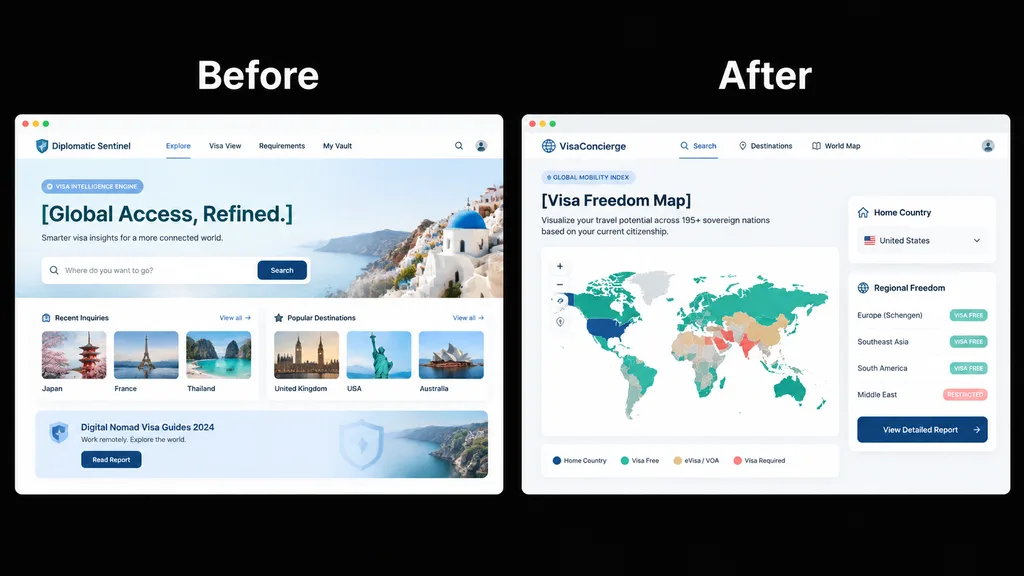
Visa Web App Redesign Comparison Slide

Visa Web App Redesign Comparison Slide

side-by-side product UI comparison mockup. clean SaaS presentation slide, crisp vector UI, high-fidelity web app screenshots. Before. A pale blue travel visa intelligence landing page inside a white browser-like frame, labeled Before in la…

ui-uxsaasredesign
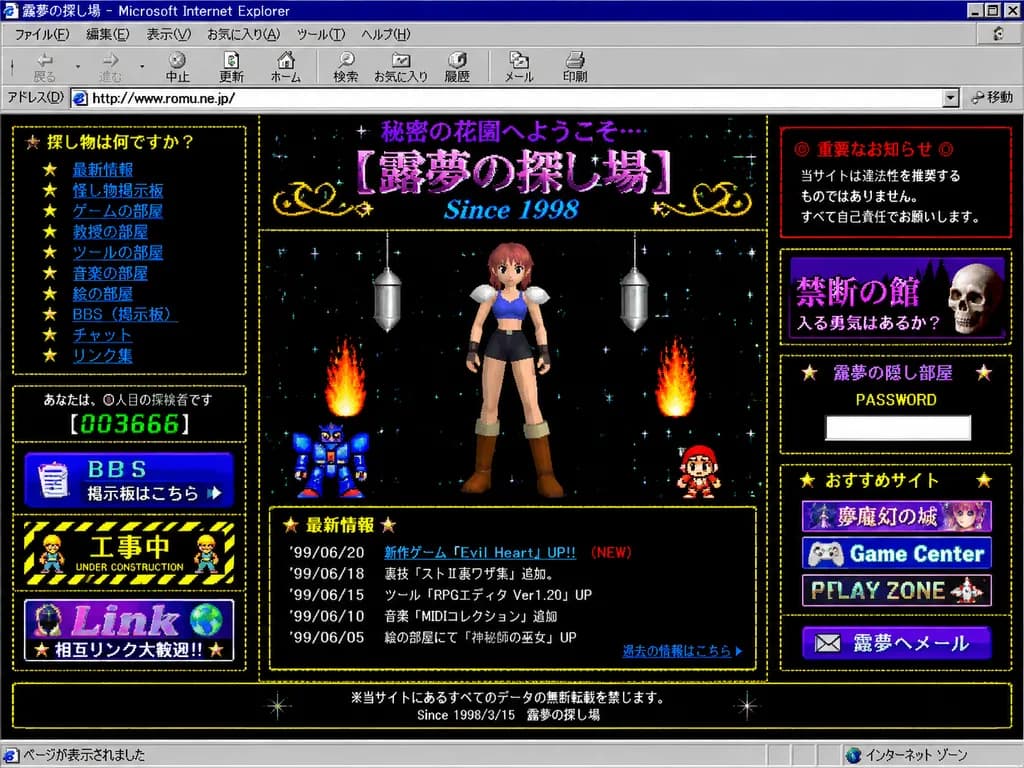
Late 90s Japanese Internet Explorer Homepage

Late 90s Japanese Internet Explorer Homepage

A full browser screenshot of a retro late-1990s Japanese personal homepage displayed inside a Windows 98-era Microsoft Internet Explorer window. The window title bar reads "露夢の探し場 - Microsoft Internet Explorer" with authentic classic browser chrome, including menu bar, navigation icons, address bar, and lower status bar. The page background is a black starfield filled with tiny colorful pixel stars, framed by dotted gold borders and glowing pixelated decorative frames. At the top header, purple Japanese text reads "秘密の花園へようこそ…" above a large ornate title "[露夢の探し場]" with the subtitle "Since 1998" in bright blue italic serif font. Layout is a dense 3-column amateur HTML design. Center column: Low-polygon 3D anime girl with pink-red hair, blue crop top, dark shorts, white shoulder armor, and brown boots in a front-facing neutral pose. Around her are two retro flame effects, a blue pixel-art robot on the lower-left, a small red-and-white sprite character on the lower-right, and two hanging silver metallic capsule ornaments. Below her sits a "最新情報" news box with a gold dotted border listing 5 dated updates ('99/06/20 新作ゲーム『Evil Heart』UP!! (NEW), '99/06/18 裏技『ストⅡ裏ワザ集』追加。, '99/06/15 ツール『RPGエディタ Ver1.20』UP, '99/06/10 音楽『MIDIコレクション』追加, '99/06/05 絵の部屋にて『神秘師の巫女』UP) and a blue link "過去の情報はこちら". Left column: 5 boxed elements: navigation box "探し物は何ですか?" with 10 star-bulleted blue links ("最新情報", "怪し物掲示板", "ゲームの部屋", "教授の部屋", "ツールの部屋", "音楽の部屋", "絵の部屋", "BBS(掲示板)", "チャット", "リンク集"); visitor counter reading "あなたは、◯人目の探検者です" with green digital LED digits "[003666]"; blue "BBS" banner button reading "掲示板はこちら"; black-and-yellow hazard-striped "工事中 UNDER CONSTRUCTION" banner with tiny pixel worker sprites; and a banner reading "Link" and "相互リンク大歓迎!!". Right column: 5 boxed elements: red warning box "◎ 重要なお知らせ ◎" with text "当サイトは違法性を推奨するものではありません。 すべて自己責任でお願いします。"; dark purple box "禁断の館" with subtitle "入る勇気はあるか?" and a realistic skull sprite; password box "露夢の隠し部屋" with "PASSWORD" and an empty white text input; recommendations box "おすすめサイト" with three 88x31-style stacked banner buttons ("夢魔幻の城", "Game Center", "PLAY ZONE"); and a mail button "✉ 露夢へメール". Footer: Centered text reading "※当サイトにあるすべてのデータの無断転載を禁じます。" and "Since 1998/3/15 露夢の探し場". Authentic 1998–1999 Japanese Geocities web aesthetic with beveled buttons, bitmap typography, amateur table borders, and slight CRT screenshot compression.

retro internetgeocities1990s web
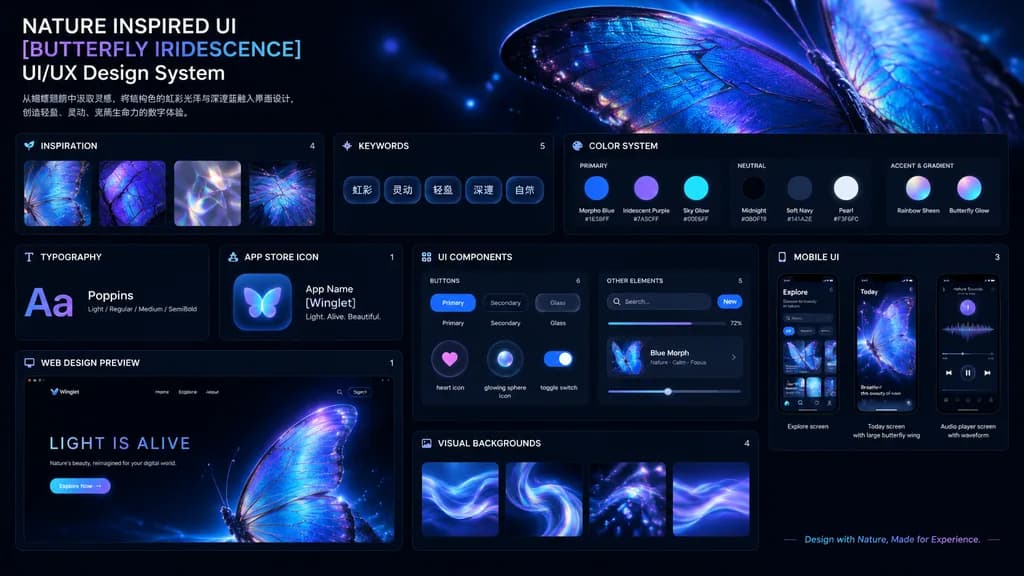
Iridescent Butterfly UI Design System Board

Iridescent Butterfly UI Design System Board

UI/UX Design System presentation board. Dark mode, nature-inspired, glowing iridescent aesthetics. NATURE INSPIRED UI [BUTTERFLY IRIDESCENCE] UI/UX Design System. [从蝴蝶翅膀中汲取灵感,将结构色的虹彩光泽与深邃蓝融入界面设计,创造轻盈、灵动、充满生命力的数字体验。]. INSPIRATION. Square th…

ui-uxdesign systemdark mode
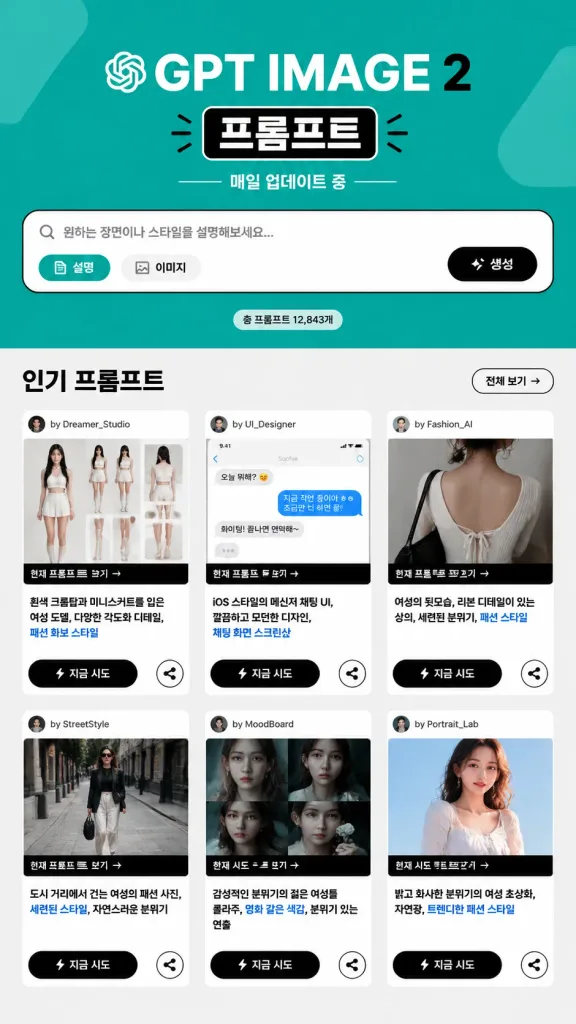
Korean Web Gallery Landing Page Mockup

Korean Web Gallery Landing Page Mockup

A full Korean web gallery landing-page mockup for [GPT IMAGE 2] prompts, presented as a clean, high-contrast promotional website screenshot with a bold teal, black, white, and light-gray editorial UI. Layout and Composition: Vertical page composition with no browser chrome. At the top, a large teal hero section displays the bold title "[GPT IMAGE 2]", a boxed Korean label "프롬프트", a tiny OpenAI swirl icon near the title, and secondary text reading "매일 업데이트 중". Centered below is a wide search and prompt input bar featuring Korean placeholder text, two pill buttons on the left labeled "설명" and "이미지", a black action button on the right labeled "생성" with a sparkle icon, and a small counter badge underneath showing a prompt total. Main Content Section: Below the hero, a light-gray section titled "인기 프롬프트" features an outlined button labeled "전체 보기 →" on the top right. Arranged in a 3-column by 2-row grid are exactly 6 prompt cards. Each card includes a top author line, an image thumbnail, a black strip reading "현재 프롬프트 보기 →", a short Korean prompt excerpt with blue highlighted keywords, a black CTA button reading "⚡ 지금 시도", and a circular share icon button. The 6 thumbnails showcase: 1) a fashion model reference sheet, 2) an iOS-style chat UI screenshot, 3) a close-up back view of clothing, 4) a street fashion walking photo, 5) a moody collage of young women, and 6) a bright cropped fashion portrait. Style: Flat editorial web UI design, crisp typography, clean black outlines, subtle drop shadows, commercial Korean digital gallery aesthetic, without watermarks.

ui-ux-designlanding-pagekorean-ui
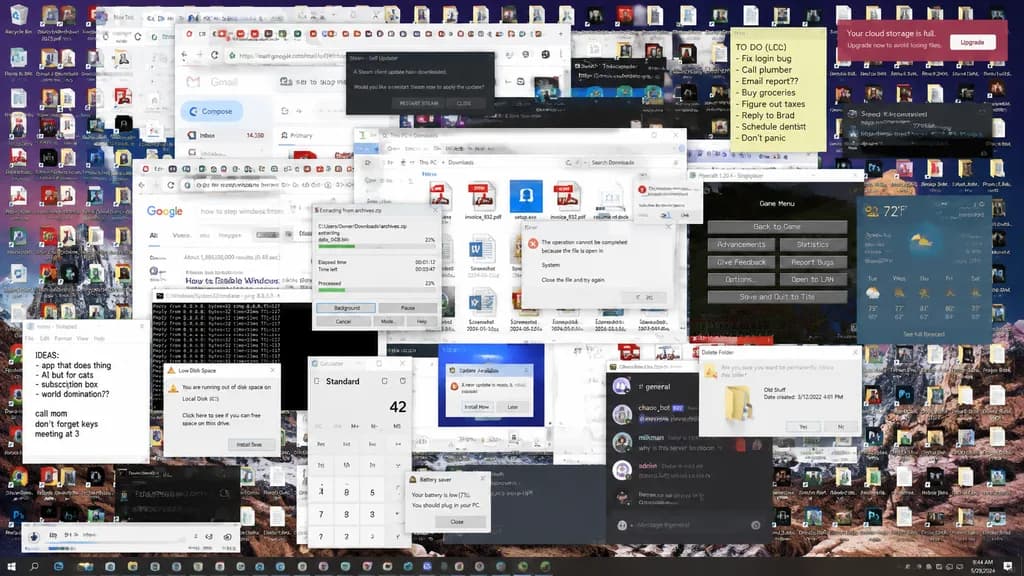
Hopelessly Cluttered Desktop Screen

Hopelessly Cluttered Desktop Screen

A detailed capture of a [desktop screen] that is [hopelessly cluttered there's nothing that can be done about it], packed with hundreds of overlapping application windows, endless disorganized file icons, notification banners, and browser tabs in complete digital chaos.

desktopdigital cluttercomputer screen
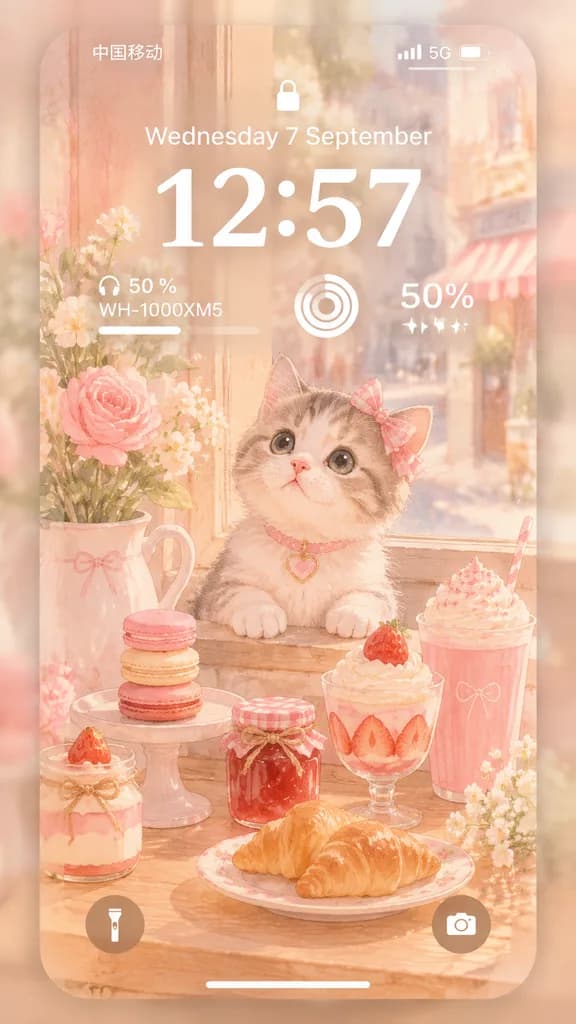
Pastel Kitten Café iPhone Lock Screen

Pastel Kitten Café iPhone Lock Screen

Vertical 9:16 ultra-soft iPhone lock screen wallpaper mockup in a dreamy pastel aesthetic. A translucent rounded-corner iPhone screen floats centered over a heavily blurred warm pink-and-cream backdrop. Inside the display is a 2D Japanese watercolor illustration set by a sunlit café windowsill in a palette of [peach blush ivory honey gold]. Subject & Setting: A [fluffy cream-and-gray kitten] with large glossy eyes, a tiny pink nose, paws resting on the wooden sill, wearing a pink bow on one ear and a pink collar with a small heart charm. Surrounding the kitten is a cozy dessert still life themed around [pink café pastries and macarons], featuring 8 items: 3 stacked pastel macarons on a small stand, 1 strawberry jam jar, 1 whipped cream dessert cup with strawberry, 1 plate with two croissants, 1 pink whipped drink cup, and 1 small dessert jar at the lower left. Floral accents include a ceramic pitcher with white flowers and pink roses on the left, and tiny white blossoms on the right edge. A softly blurred street is visible outside the window. UI Overlay: Realistic white iOS lock screen elements: top status bar with carrier text "中国移动", cellular signal bars, "5G", and battery icon; small centered lock icon; date text "[Wednesday 7 September]"; large bold time "[12:57]"; widget row featuring a headphone battery widget ("50 %", "WH-1000XM5" with a progress line), a circular activity widget, and a "50%" text widget with sparkle icons; bottom round flashlight and camera buttons; and a thin white home indicator bar. Frosted glass translucency, soft bloom, gentle morning haze, and clean minimal design.

lock screeniphone mockuppastel aesthetic
Skincare Landing Page Hero Section

Skincare Landing Page Hero Section

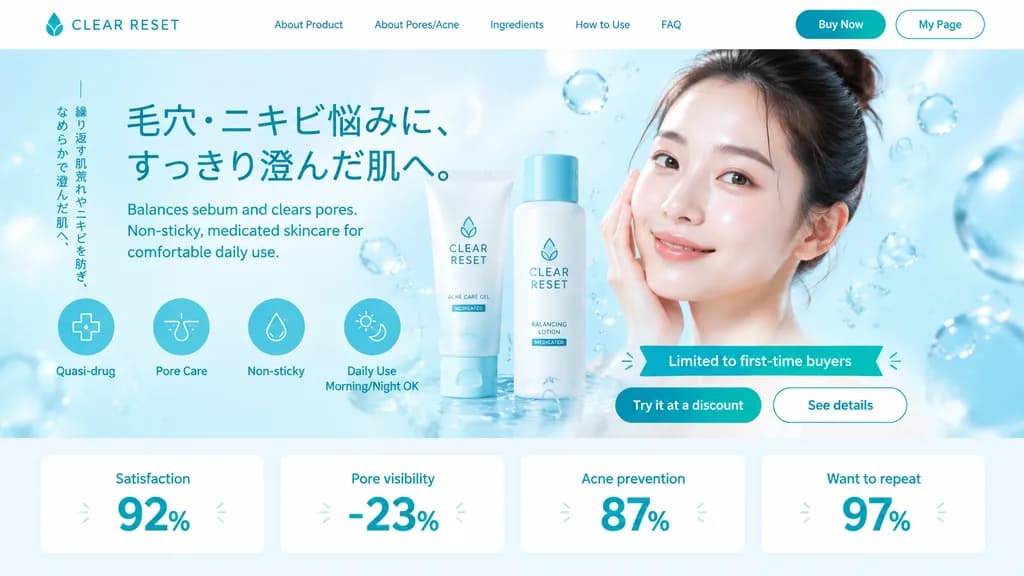
e-commerce landing page hero section. refreshing skincare, clean aesthetic, water bubbles background. [acne care gel tube and lotion bottle]. circular icons with text below. white rectangular cards with large teal numbers. [CLEAR RESET]. w…

ui-uxlanding-pageskincare
Otome Game Gacha Summon Screen

Otome Game Gacha Summon Screen

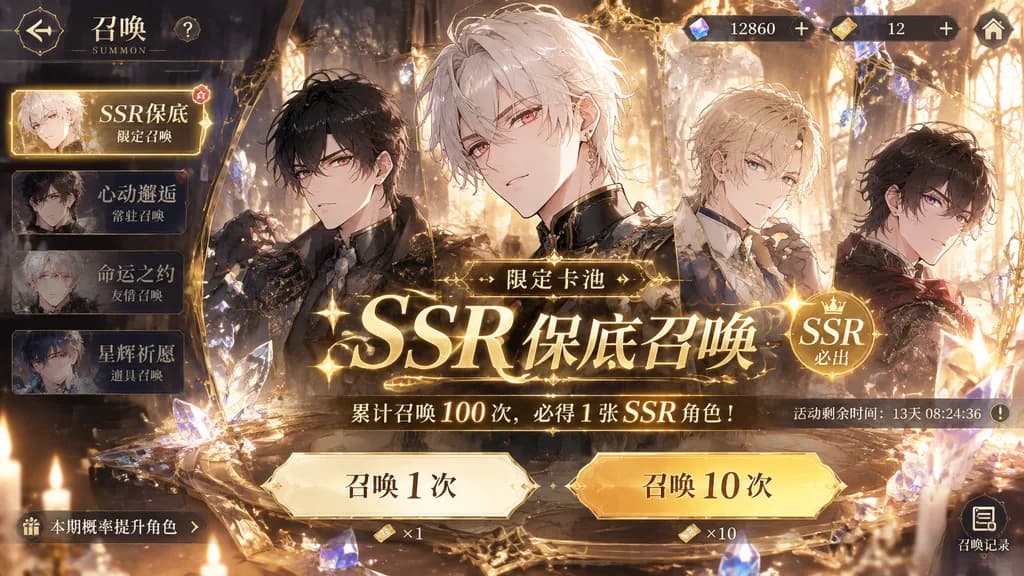
Gacha summon screen UI for a [otome game] mobile app, horizontal landscape orientation. Features a banner for [SSR guaranteed gacha] with ornate decorative UI frames, glittering crystal particles, and golden lighting creating a luxurious sense of [exclusivity and celebration]. Polished anime game interface design with summon buttons and currency indicators.

gachagame uiotome game
Cyber Fantasy RPG Dungeon Development Screen

Cyber Fantasy RPG Dungeon Development Screen

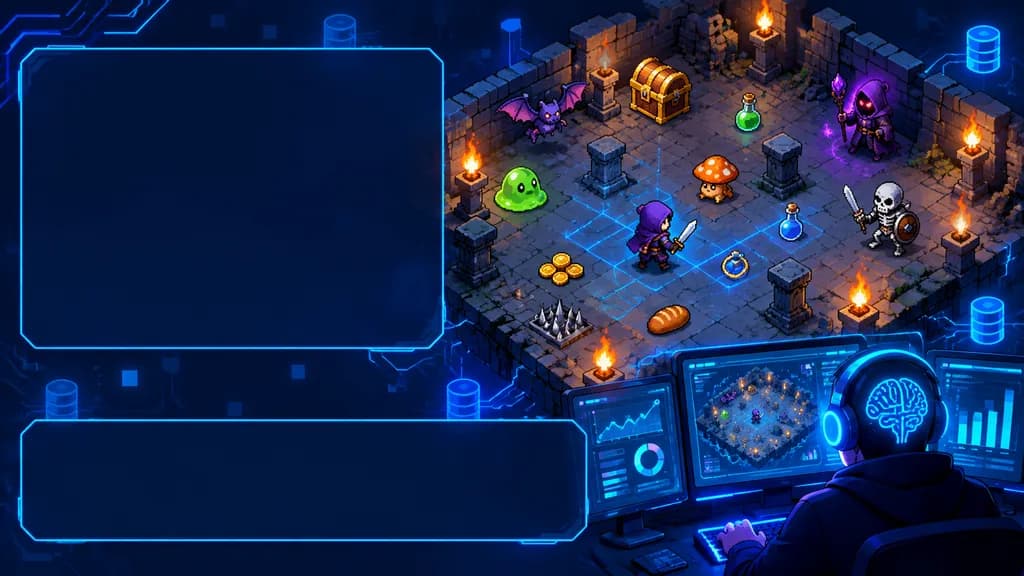
wide cyber fantasy game-development illustration with empty UI text panels. high-detail anime pixel-art hybrid, isometric dungeon game art, glossy digital painting, neon blue cyber interface overlays, dark navy palette with warm torchlight…

cyberpunkisometricrpg
iPhone App Store Desk Mockup

iPhone App Store Desk Mockup

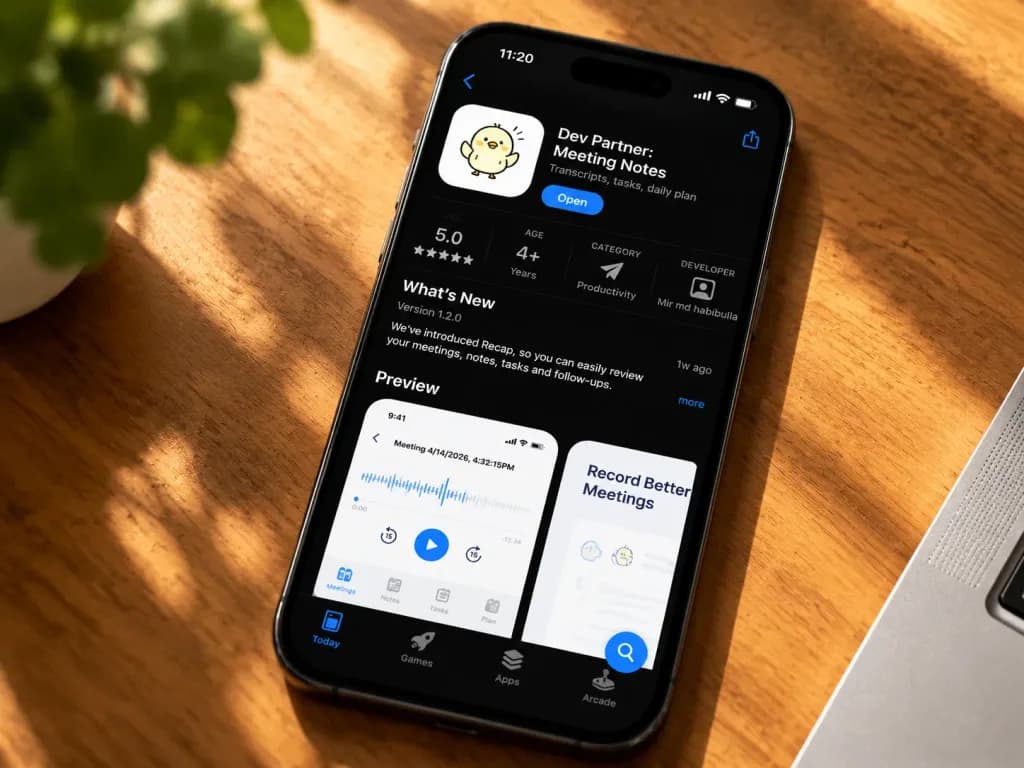
A realistic lifestyle product mockup photograph of a black iPhone resting diagonally on a warm wooden desk bathed in golden sunlight, shot from above at a slight angle with shallow depth of field. The iPhone displays an iOS App Store product page in dark mode for "[Dev Partner: Meeting Notes]", featuring a cute white app icon with a small hand-drawn chick mascot, a blue "Open" button, and the subtitle "[Transcripts, tasks, daily plan]". The top status bar shows 11:20, cellular, Wi-Fi, battery icons, a Dynamic Island, a back chevron at the upper left, and a share icon at the upper right. The app metrics row displays four discrete stats: a 5.0 rating with five stars, age rating "4+ Years", category "Productivity" with a paper plane icon, and developer "Mir md habibulla" with a profile icon. Below is a "What's New" section showing "Version 1.2.0", a brief update note about introducing Recap for reviewing meetings, notes, tasks, and follow-ups, a "1w ago" timestamp, and a "more" link. A "Preview" section displays two visible cards: the left card shows a white mobile screen titled "Meeting 4/14/2026, 4:32:15PM" with an audio waveform, play controls, a large circular play button, and bottom tabs; the right card is partially visible, titled "Record Better Meetings". The bottom App Store bar displays four tabs: "Today", "Games", "Apps", and "Arcade", alongside a floating blue search button near the lower right. Surroundings include a blurred green plant in the top-left background, an edge of a silver laptop at the bottom right, and strong diagonal sunlight casting shadows across the wood grain. High detail, natural glass reflections, no hands, no watermarks.

app storeiphone mockupdesk setup
Japanese New Year Kirie Icon Grid

Japanese New Year Kirie Icon Grid

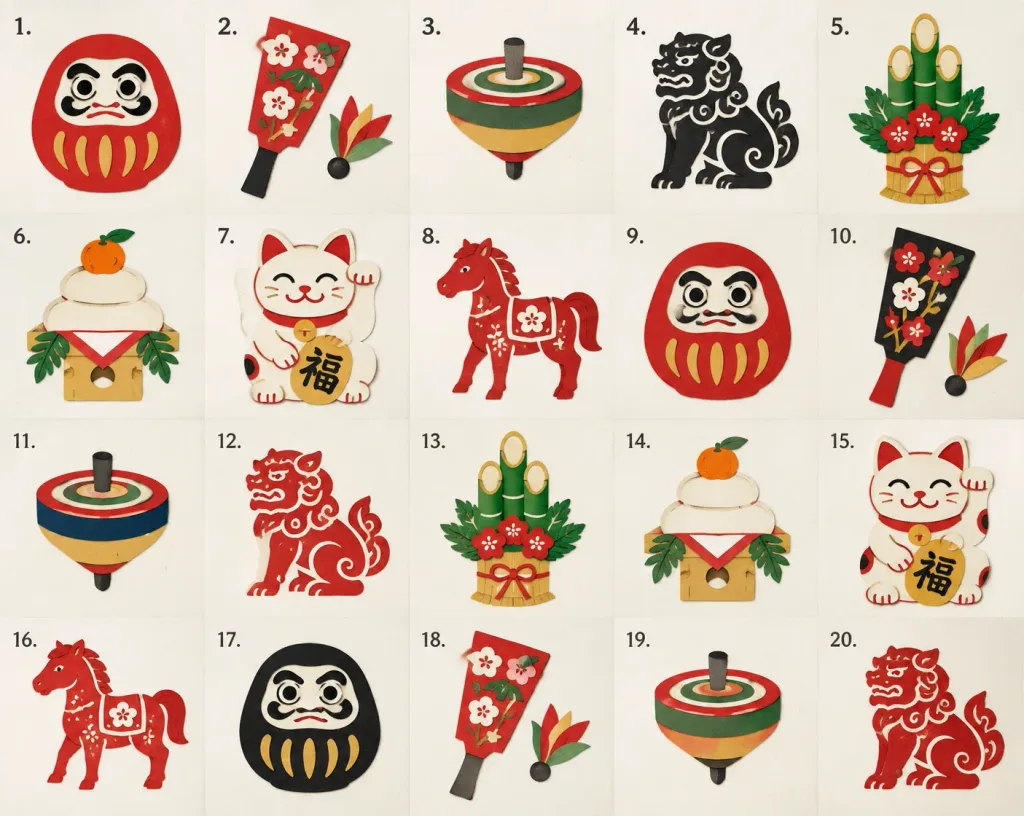
A set of icons in a Kirie (traditional Japanese paper-cutting) style featuring Japanese New Year decorations, including [Daruma, Hagoita, Koma, Komainu, Kadomatsu, Kagami Mochi, Maneki Neko, Horse]. The icons are arranged neatly in a grid of 4 rows and 5 columns, ordered sequentially from left to right, top to bottom. Each icon cell features a small numbered label indicating its sequence in the top-left corner. Crisp layered paper textures, clean cutout silhouettes, isolated on a clean neutral background.

icon setkiriepaper cut
Smartphone Photo of Laptop Webcam Window

Smartphone Photo of Laptop Webcam Window

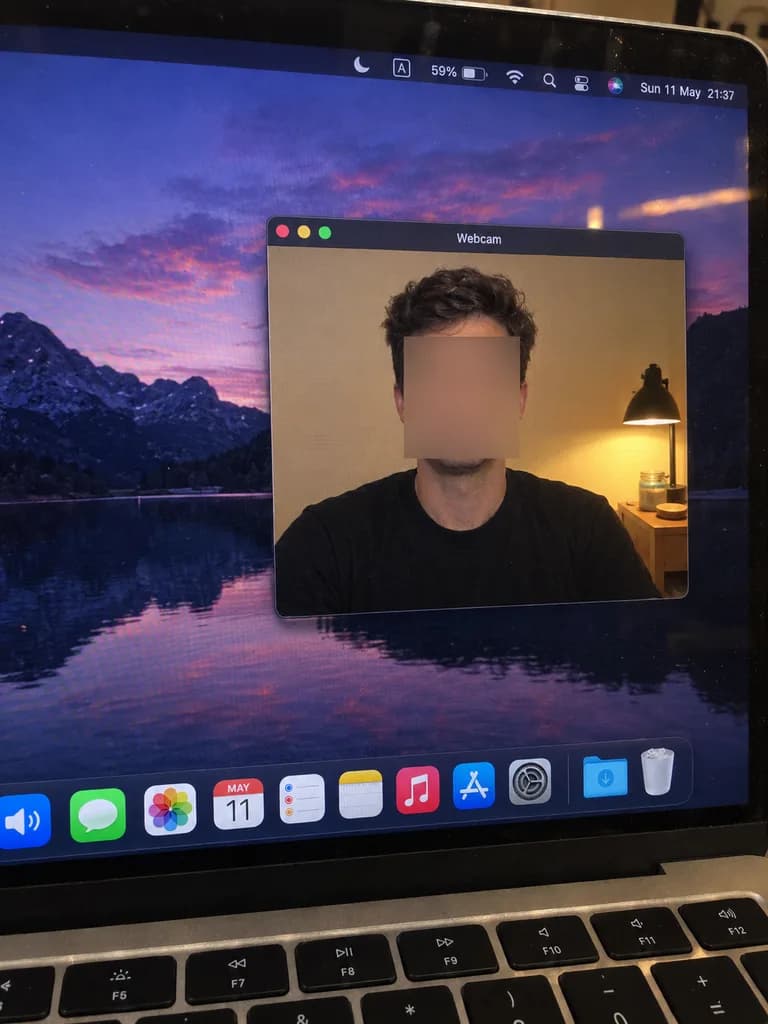
{"type":"realistic handheld smartphone photo of a laptop screen","scene":"A slightly tilted close-up photo of a MacBook display in a dim room, with visible screen pixels, dust specks, glare, black bezel edges, and the top row of physical keyboard keys visible at the bottom. The desktop wallpaper shows a dark mountain lake landscape at dusk with a purple-pink sky reflected in water.","main_subject":{"description":"A macOS-style floating window titled [Webcam] centered on the desktop, displaying a live webcam feed of [a seated adult man in a plain black t-shirt]. The person's face is intentionally obscured by a smooth rectangular blur or mosaic block in warm skin-tone colors, concealing all facial details while leaving hair, ears, neck, shoulders, and shirt clearly visible.","webcam_background":"Indoor beige wall, a warm bedside lamp on the right with a black metal shade, a small wooden nightstand, jars, and a round lid near the lamp. The warm yellow illumination from the lamp contrasts with the cool desktop wallpaper.","pose":"front-facing seated posture, shoulders visible, casual neutral stance"},"layout":{"screen_elements":{"top_menu_bar":{"count":8,"items":["crescent moon focus icon","boxed letter A input icon","59% battery indicator","Wi-Fi icon","magnifying glass search icon","control center icon","Siri multicolor orb","date and time text: [Sun 11 May 21:37]"]},"webcam_window":{"position":"center-right of the display","style":"dark macOS title bar, rounded rectangle, thin gray border, realistic drop shadow","traffic_light_buttons":{"count":3,"colors":["red","yellow","green"]}},"dock":{"position":"bottom of the screen","count":11,"items":["partially cropped blue speaker icon","green Messages icon","multicolor Photos icon","Calendar icon showing [MAY 11]","Reminders icon","Notes icon","Music icon","App Store icon","System Settings gear icon","blue Downloads folder","Trash can"]}},"camera_framing":"portrait-oriented smartphone photo of the laptop screen taken at a slight angle, showing the laptop hinge, bezel reflections, and keyboard edge; not a digital screenshot.","style":"candid and imperfect smartphone photography, natural sensor noise, subtle moiré pattern on the LCD panel, authentic reflections, strictly no illustration or CGI look","quality_constraints":"Ensure all visible macOS UI text and icons remain legible, preserve the blurred facial censor rectangle, avoid extra windows, and maintain realistic physical display perspective."}

macbookwebcamscreen-photo
Fantasy Card Comparison Benchmark UI

Fantasy Card Comparison Benchmark UI

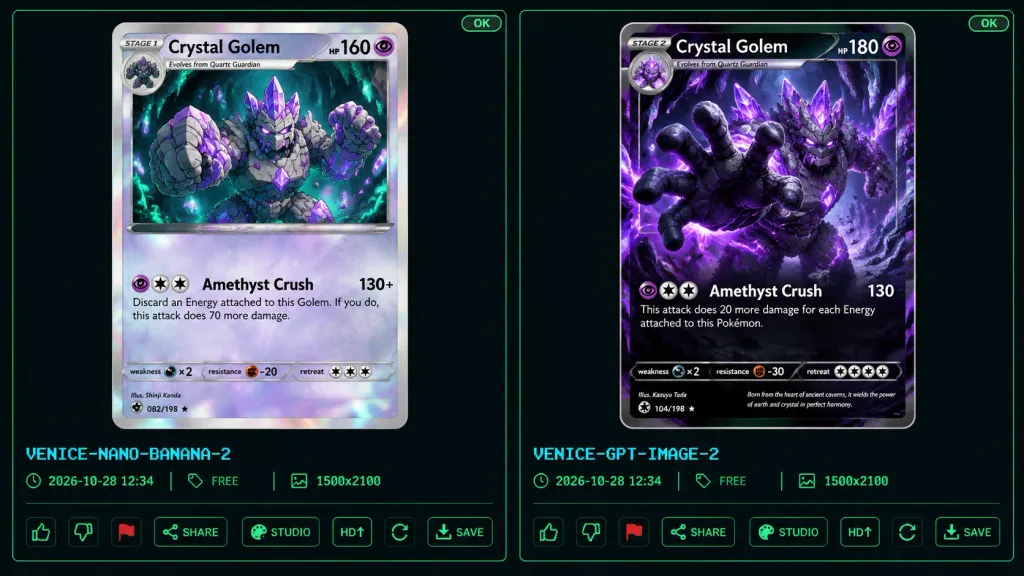
A dark comparison benchmark UI screenshot showing two fantasy trading card designs side by side on a black and dark charcoal background framed with thin neon-green outlines. The layout features two tall vertical panels separated by a narrow gap, each housing a collectible monster card preview above UI controls. In the top-right corner of each panel is a tiny green "OK" indicator. Below the left card preview, cyan pixel text reads "VENICE-NANO-BANANA-2"; below the right card, "VENICE-GPT-IMAGE-2". Beneath each label is a metadata row with time, "FREE", and "1500x2100". The bottom of each panel displays interactive UI icons: thumbs up, thumbs down, red flag, "SHARE", "STUDIO", "HD" with an up-arrow, a refresh icon, and "SAVE". Subject: Both cards depict [Crystal Golem], a massive humanoid golem of jagged gray stone with glowing purple amethyst crystal formations, violet energy fissures, crystal spikes, and orbiting crystal shards. Both cards use a purple psychic eye energy icon. Left Card Details: A Stage 1 trading card with a silver-gray border, clean anime line art, pale lavender highlights, and a holographic foil sheen. Header text reads "STAGE 1", "[Crystal Golem]", and "HP 160 HP" with a circular evolution portrait in the top-left corner. The illustration depicts the golem from the waist up in a subterranean cavern with teal mushrooms and bioluminescent green cave lights, raising one fist forward. Attack section displays exactly one attack: "Amethyst Crush" with damage "130+" and rule text: "Discard an Energy attached to this Golem. If you do, this attack does 70 more damage." Bottom stats show weakness "×2", resistance "-20", and a retreat cost of three colorless stars, along with fine illustrator and collector text. Right Card Details: A Stage 2 trading card with a dark black-and-purple border and a dramatic, cinematic, high-detail rendered style. Header text reads "STAGE 2", "[Crystal Golem]", and "HP 180" with an evolution tag reading "Evolves from Quartz Guardian". The artwork features the golem lunging forward through an explosive cavern of violet crystals, reaching one massive open hand toward the camera with glowing violet eyes and luminous amethyst veins across dark rock. Attack section displays exactly one attack: "Amethyst Crush" with damage "130" and rule text: "This attack does 20 more damage for each Energy attached to this Pokémon." Bottom stats show weakness "×2", resistance "-30", and a retreat cost of four colorless stars, accompanied by flavor text: "Born from the heart of ancient caverns, it wields the power of earth and crystal in perfect harmony." Constraints: Exactly two card panels, exactly one trading card per panel, exactly one attack per card, preserving all specified UI text and card stats.

trading cardtcgbenchmark ui
Chinese Livestreaming App UI Grid

Chinese Livestreaming App UI Grid

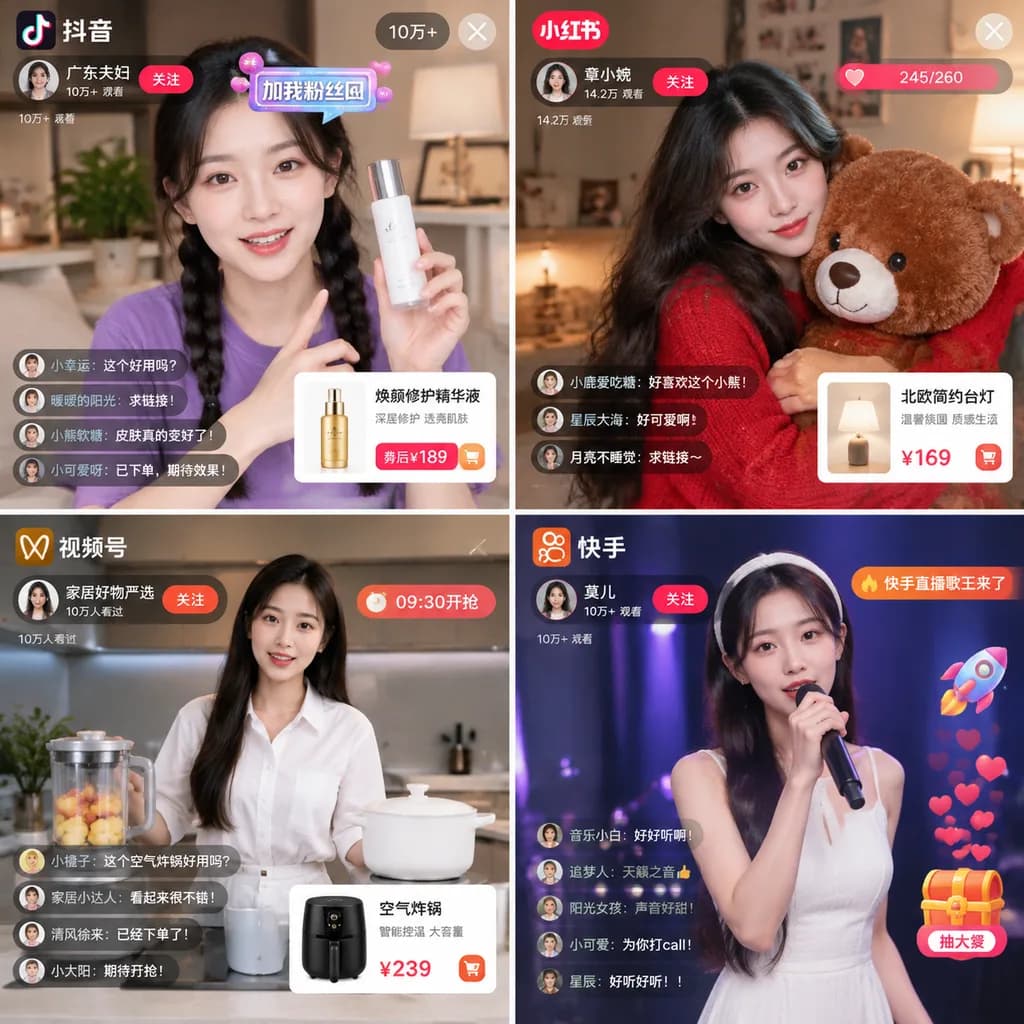
2x2 grid of Chinese livestreaming app interfaces. 2 columns, 2 rows. top-left. Douyin. 抖音. [广东夫妇]. young woman, purple t-shirt, braided pigtails. holding a white skincare bottle. profile banner with '关注' button. viewer count '10万+'. floati…

livestreamecommercedouyin
Luxury Psychologist Website Hero Banner

Luxury Psychologist Website Hero Banner

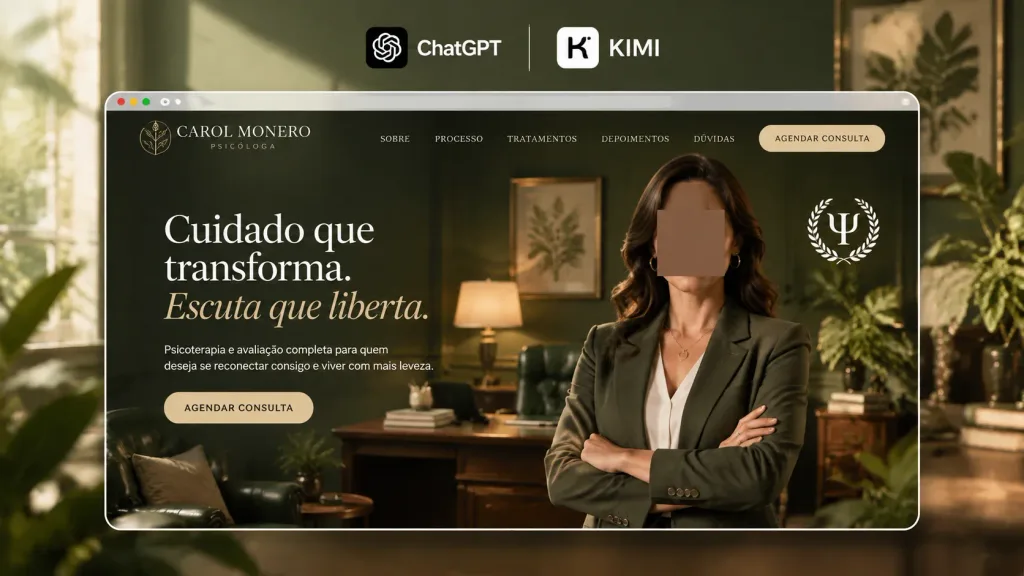
A 16:9 horizontal promotional hero image showcasing a luxury psychologist website mockup branded as a collaboration between ChatGPT and KIMI. At the very top center, two clean brand marks sit on the background: the ChatGPT logo in a rounded black square with the white text "ChatGPT", a thin vertical divider, and a white rounded-square "K" icon beside the white text "KIMI". Centered below is a large rounded-rectangle browser frame with a thin white border and subtle glass reflections. Inside the frame is a website homepage for [Carol Monero] in a palette of deep olive green, black, cream, and muted gold. The website background reveals an elegant therapist office with dark green walls, warm ambient lamps, framed botanical art, a desk, a green leather chair, and indoor plants. Header navigation features a white botanical monogram, the text "[CAROL MONERO]" with "PSICÓLOGA" beneath, five menu links ("SOBRE", "PROCESSO", "TRATAMENTOS", "DEPOIMENTOS", "DÚVIDAS"), and a beige call-to-action button reading "AGENDAR CONSULTA". On the left of the hero section, elegant serif headlines read "Cuidado que transforma." and an italic muted-gold subhead "Escuta que liberta.", followed by small white text "Psicoterapia e avaliação completa para quem deseja se reconectar consigo e viver com mais leveza." and a beige button "AGENDAR CONSULTA". On the right, a waist-up professional female psychologist stands with arms crossed, wearing an olive-green blazer, white blouse, and gold jewelry, her face obscured by an opaque brown rectangular privacy block, alongside a white laurel seal emblem. Cinematic lighting, shallow depth of field, crisp typography, photorealistic textures.
ui-ux-designwebsite mockuphero banner
Mobile Livestream Broadcast App Interface

Mobile Livestream Broadcast App Interface

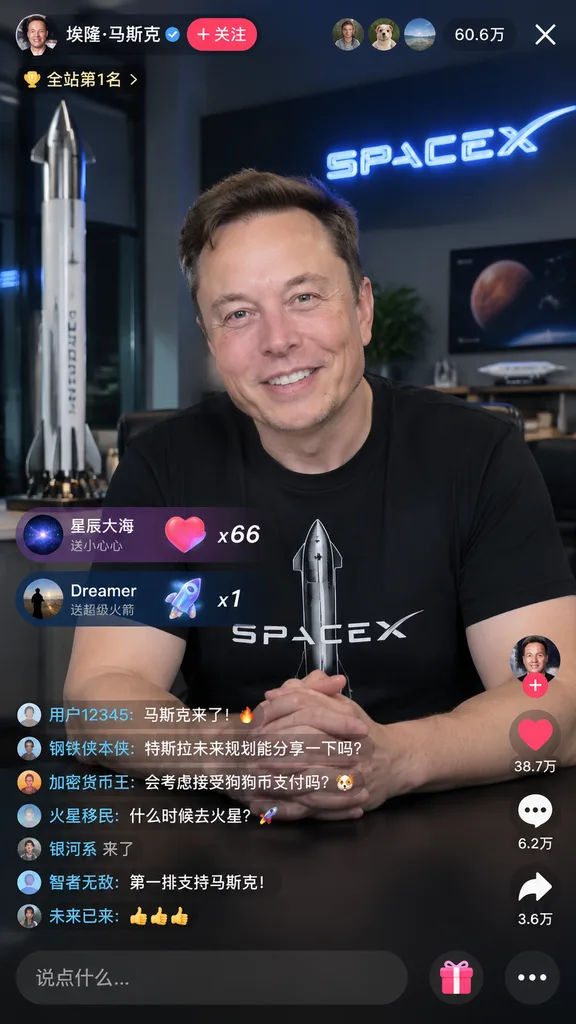
mobile livestream interface mockup. Top Bar UI. Gift Popups. Chat Stream. Side Action Buttons. Bottom Input Bar. [Elon Musk]. wearing a black t-shirt with [Starship rocket and SPACEX text]. [smiling warmly, looking directly at the camera],…

livestreamui mockupmobile app
Retro 2005 MySpace Profile Page

Retro 2005 MySpace Profile Page

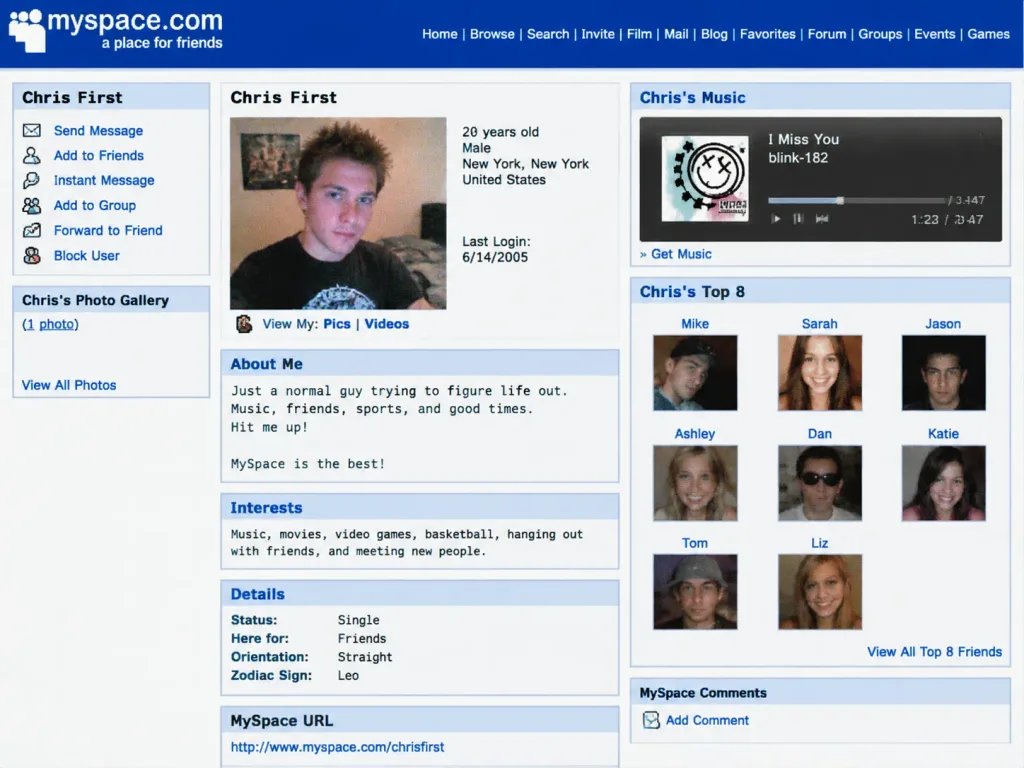
An authentic vintage MySpace profile page screenshot from 2005 for [Chris First], depicting the subject as a 20-year-old. The layout features classic early 2000s web aesthetics: retro custom HTML styling, blue hyperlinks, Top 8 friends grid, an embedded music player, retro web typography, a grainy low-res digital camera selfie profile photo, and nostalgic early social media UI elements.

myspacey2kretro web
AI Recruitment Poster Gallery Interface

AI Recruitment Poster Gallery Interface

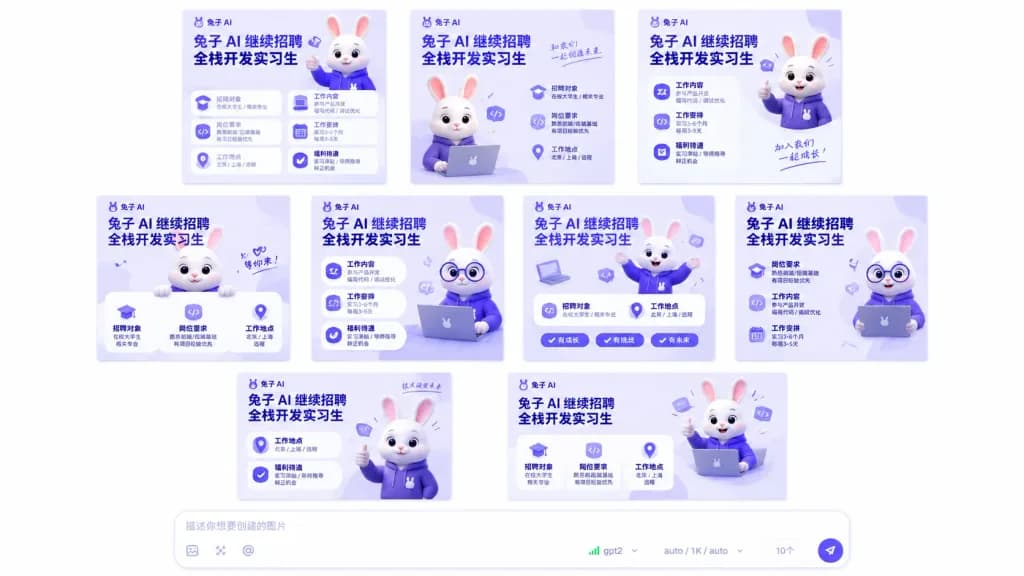
A clean desktop application interface screenshot featuring a generation gallery of exactly 10 square recruitment poster variations arranged in a neat grid (3 in the top row, 4 in the middle row, 3 in the bottom row) against a wide white canvas with generous padding, above a centered bottom prompt composer bar. Poster Design & Branding: Each poster shares a unified SaaS AI startup aesthetic with a soft lavender-to-white gradient background, deep purple and cobalt blue typography, rounded cards, and subtle drop shadows. Each poster includes the logo text "[兔子 AI]" near the top, a bold Chinese headline "[兔子 AI 继续招聘 全栈开发实习生]", and structured job description modules detailing recruitment targets, requirements, job location, work content, work arrangements, and benefits, accented by small vector icons (graduation caps, location pins, code brackets, laptops, check marks). Mascot: A cute 3D white rabbit mascot with pink inner ears, glossy dark eyes, and a branded purple hoodie appears throughout the posters in varied poses (waving, using a laptop, giving a thumbs-up, peeking over borders, wearing round glasses). Bottom Prompt Composer: A wide rounded white input box with a soft drop shadow sits centered along the bottom. Inside is gray placeholder text "[描述你想要创建的图片]". Along its lower edge are tool icons, an "@" symbol, model indicator "[gpt2]" with green signal bars, a dropdown reading "auto / 1K / auto", a count badge showing "[10个]", and a paper-plane send button on the right. Style: Crisp vector-like UI design, cohesive color palette of pastel lavender, bright purple, and cobalt blue. No browser window frames, no real photos, exactly 10 posters.

ui-uxrecruitmentposter
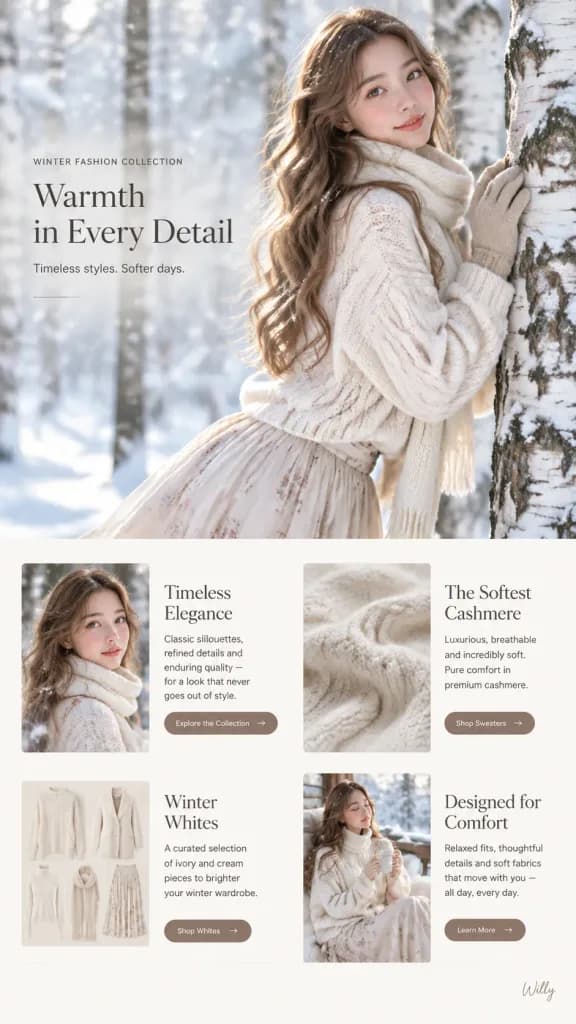
Winter Fashion Landing Page UI Design

Winter Fashion Landing Page UI Design

Landing page UI design for a [winter fashion collection], vertical scroll web layout with stacked sections: - Hero Section: Full-bleed editorial fashion portrait of [a young Eurasian woman in her early 20s with a slim oval face, luminous dewy porcelain glass skin, rosy blush, glossy smile, and long wavy light brown hair with golden highlights and tiny snowflakes]. She wears [a cream cable-knit oversized sweater, cozy ivory knit scarf, matching beige gloves touching a birch tree, and a flowing pleated silk maxi skirt with subtle floral patterns]. Setting in a [snowy birch forest with soft diffused winter light, gentle snowfall, creamy bokeh, shot on 85mm f/1.4 lens, shallow depth of field, cool blue and warm cream tones]. - Feature Cards Section Below: • Card 1: "Timeless Elegance" - includes portrait imagery, brand values copy, and a CTA button reading "Explore the Collection". • Card 2: "The Softest Cashmere" - close-up texture shot of knitwear fabric, material details, and a CTA button reading "Shop Sweaters". • Card 3: "Winter Whites" - curated grid of ivory and cream apparel with a CTA button reading "Shop Whites". • Card 4: "Designed for Comfort" - lifestyle relaxed fit description with a CTA button reading "Learn More". - Bottom Right Accent: A discreet, elegant handwritten signature reading "Willy" in small script.

landing pageweb designfashion editorial
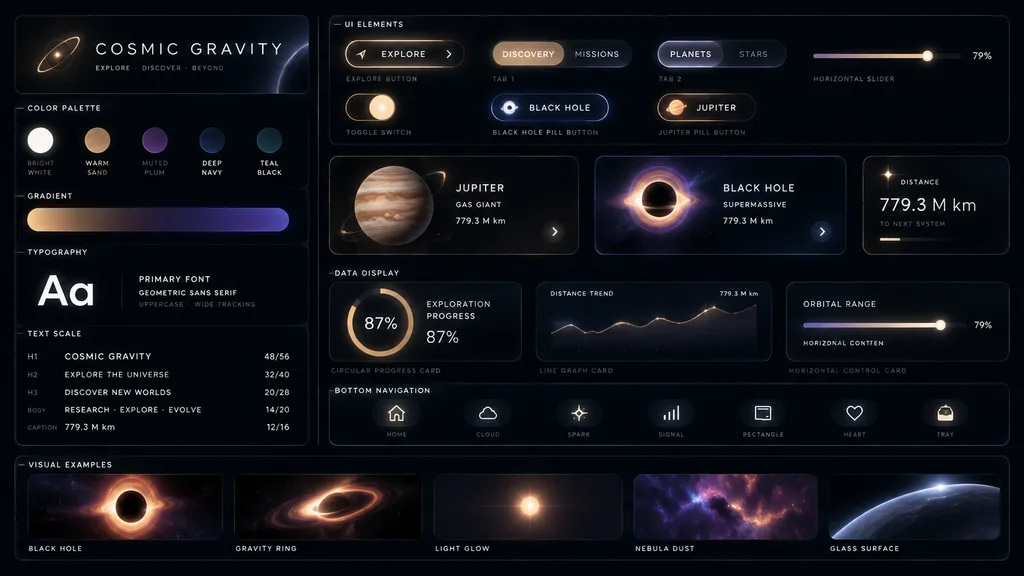
Cosmic Glassmorphism UI Design System

Cosmic Glassmorphism UI Design System

futuristic glassmorphism UI design system board. deep-space planetary exploration dashboard with premium industrial design. [COSMIC GRAVITY]. [UI ELEMENTS]. CARDS. DATA DISPLAY. bottom navigation. VISUAL EXAMPLES. near-black matte canvas w…

ui kitglassmorphismdashboard
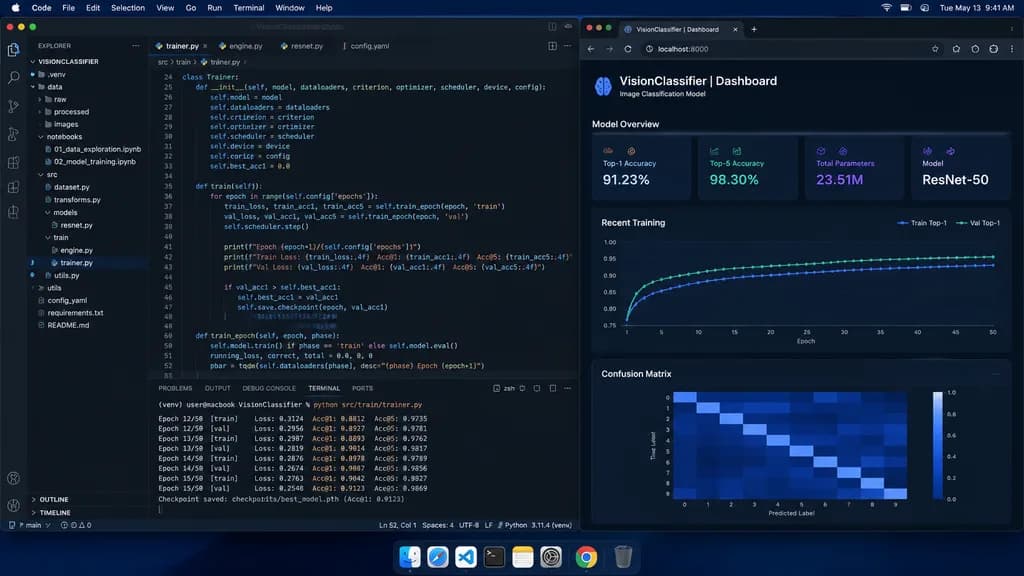
Machine Learning Engineer Dark Mode Desktop

Machine Learning Engineer Dark Mode Desktop

A straight-on, photorealistic macOS desktop screenshot of a machine learning engineer’s workspace at night. The desktop has a dark blue macOS menu bar along the top with menus 'Code, File, Edit, Selection, View, Go, Run, Terminal, Window, Help' on the left and system icons showing '[Tue May 13 9:41 AM]' on the right, plus an authentic dock along the bottom. The screen features two main side-by-side application windows. On the left, occupying about two-thirds of the screen, a Visual Studio Code window in dark theme shows a project named '[VISIONCLASSIFIER]' in the Explorer sidebar. The folder tree includes: .venv, data, raw, processed, images, notebooks (containing '01_data_exploration.ipynb' and '02_model_training.ipynb'), src (containing dataset.py, transforms.py, models, resnet.py, train, engine.py, trainer.py, utils.py), utils, config.yaml, requirements.txt, and README.md. In the editor area, four tabs are open: trainer.py, engine.py, resnet.py, config.yaml, with '[trainer.py]' active. The editor displays sharp, realistic Python training code for a ResNet image classification pipeline (Trainer class, train and train_epoch methods, loss.backward, optimizer.step, accuracy metrics) with line numbers 24 to 52 visible. The integrated terminal at the bottom displays training logs for Epoch 12/50 through Epoch 15/50 with Loss, Acc@1 (~0.88-0.91), Acc@5 (~0.97-0.98), and a checkpoint save notice. On the right, a dark-themed browser window shows a local metrics dashboard at 'localhost:8000' titled '[VisionClassifier | Dashboard]' with subtitle '[Image Classification Model]', containing: 1) Model Overview cards (Top-1 Accuracy 91.23%, Top-5 Accuracy 98.30%, Total Parameters 23.51M, Model ResNet-50); 2) a Recent Training dark line chart with Train and Val Top-1 curves; 3) a 10x10 Confusion Matrix heatmap. Sharp UI typography, subtle screen glow, natural anti-aliasing, indistinguishable from an authentic screen capture.

developermacosvscode
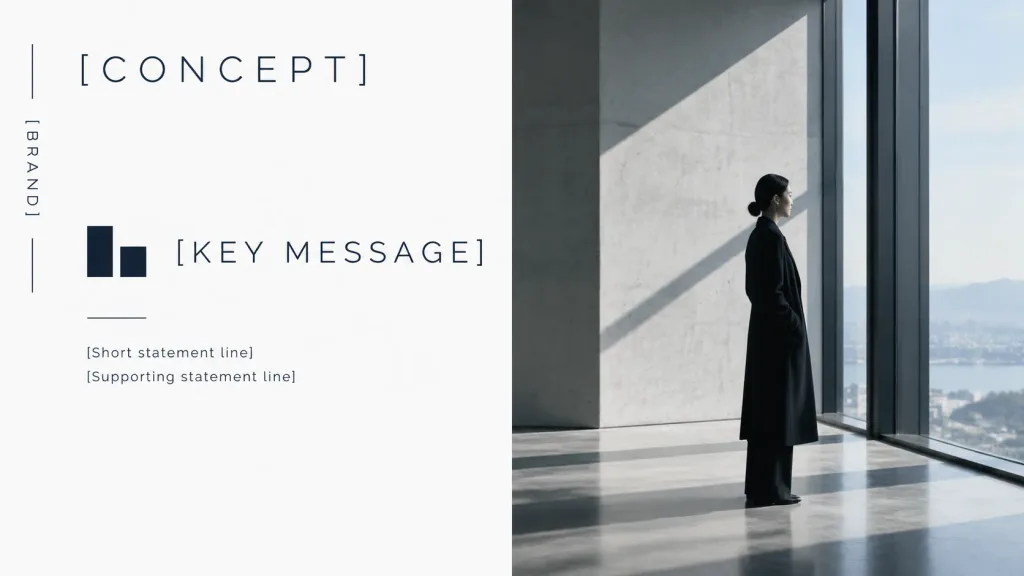
Minimal Split Brand Concept Slide

Minimal Split Brand Concept Slide

A minimalist luxury brand concept presentation cover slide in 16:9 widescreen format, featuring a split editorial layout with a refined monochrome palette of clean white, charcoal, deep navy-black, cool gray, and soft daylight. Left half (Graphic design panel): Clean white background with generous negative space. On the far left margin, one thin vertical line broken into two segments with the vertical uppercase text "[BRAND]" centered between them. Near the top-left, the large, wide-spaced uppercase headline "[CONCEPT]". In the middle-left area, a small abstract geometric logo composed of exactly two dark navy rectangular blocks, positioned next to the large wide-spaced title "[KEY MESSAGE]". Beneath the logo and title, a short horizontal rule followed by two small supporting text lines: "[Short statement line]" and "[Supporting statement line]". All typography uses a thin modern sans-serif typeface in dark navy-black with precise alignment. Right half (Photo panel): A full-height cinematic architectural photo showing a quiet, high-end interior with smooth concrete walls, tall floor-to-ceiling windows, soft natural daylight, and strong diagonal shadows. Slightly right of center stands [a woman in a long black coat, seen in side profile, standing calmly and looking out the window, with a low bun hairstyle and understated elegance]. Style: Premium Japanese and Scandinavian editorial design, calm, spacious, museum-like corporate branding aesthetic. Crisp editorial typography on the left, realistic photographic depth on the right. Constraints: Exactly 1 vertical brand label, 1 headline, 1 abstract logo, 1 central title, 1 horizontal rule, 2 supporting text lines, and 1 human subject. No mockups, frames, extra icons, or watermarks.

presentationbrandingminimalist
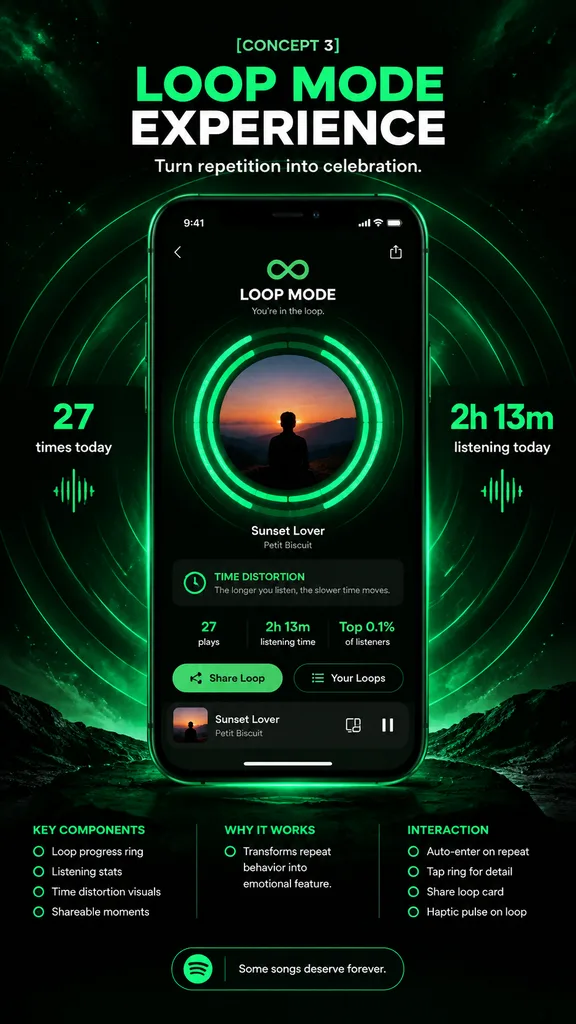
Neon Loop Music App Concept Poster

Neon Loop Music App Concept Poster

music app concept poster. futuristic neon green on black, immersive repetition as celebration. high-end product presentation, sleek app redesign mockup, dramatic glow, crisp typography, polished UI, premium tech advertising. [LOOP MODE EXP…

ui mockupmusic playerproduct design
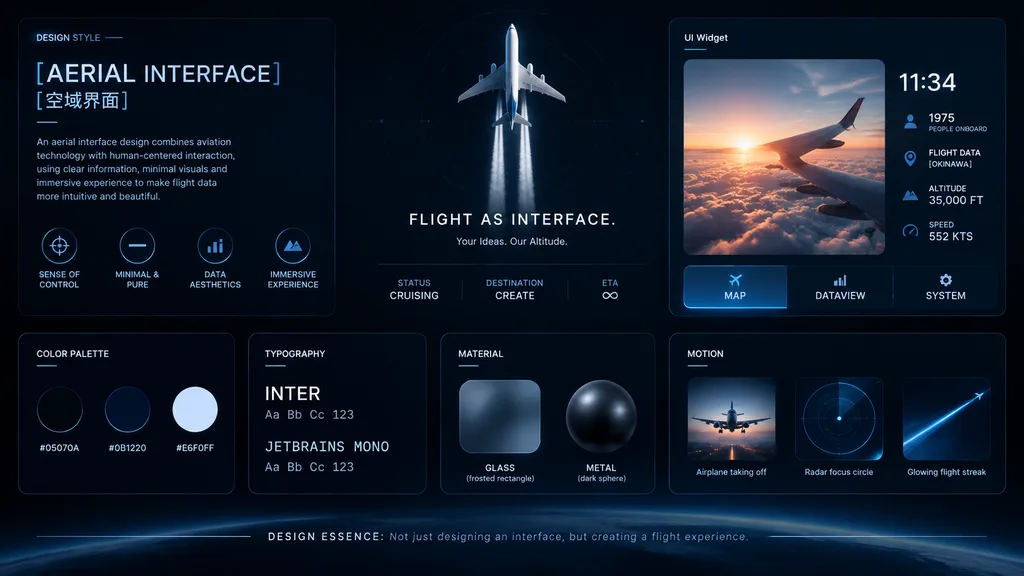
Aviation Dark UI Design System Board

Aviation Dark UI Design System Board

UI/UX Design System Concept Board. Aviation and flight interface. [AERIAL INTERFACE]. Introductory paragraph about aerial interface design. Dark mode, sleek, modern, technical, futuristic, glassmorphism. DESIGN STYLE. [空域界面]. SENSE OF CONT…

ui designdesign systemaviation
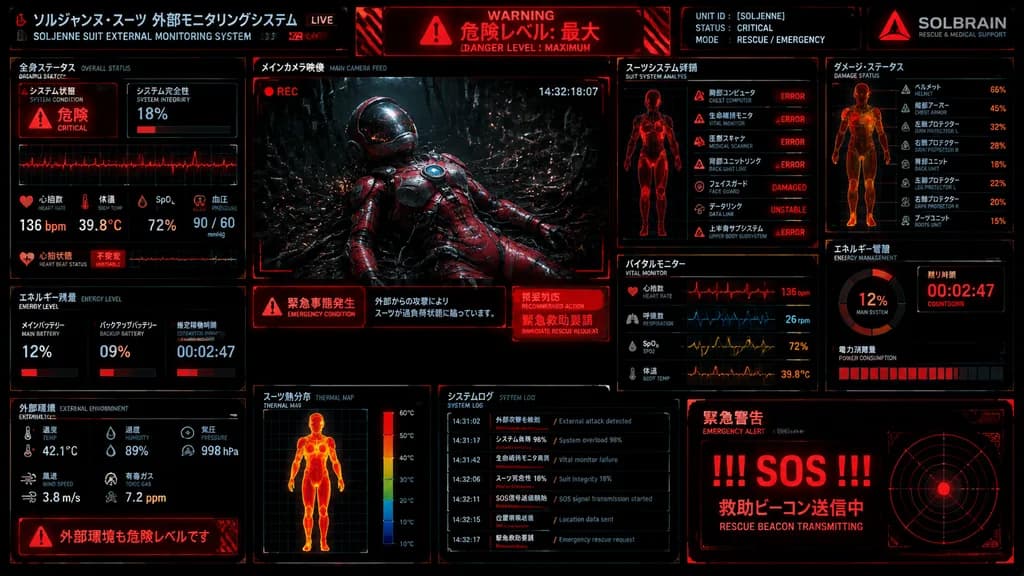
Sci-Fi Emergency Rescue Suit HUD

Sci-Fi Emergency Rescue Suit HUD

A dense futuristic Japanese sci-fi emergency HUD screen, full-screen suit telemetry dashboard for [SOLJENNE]. Black background with glowing red and orange interface graphics, thin cyan-blue grid accents, distressed industrial UI styling, scanlines, subtle screen noise, and a high-contrast cyberpunk control-room aesthetic. The display is a single unified monitoring panel divided into 12 clearly separated sections with Japanese titles and smaller English subtitles: - Top header bar: Left title block reading "ソルジャンヌ・スーツ 外部モニタリングシステム" with English subtitle "SOLJENNE SUIT EXTERNAL MONITORING SYSTEM" and a small red "LIVE" tag. Center red warning banner reading "WARNING", "危険レベル: 最大", and "DANGER LEVEL : MAXIMUM". Right identity block with text "UNIT ID : [SOLJENNE]", "STATUS : CRITICAL", "MODE : RESCUE / EMERGENCY", and a red triangular logo above "SOLBRAIN" with subtitle "RESCUE & MEDICAL SUPPORT". - Middle-left section titled "全身ステータス / OVERALL STATUS": System condition "危険 / CRITICAL", system integrity "18%", a waveform graph, and vital readouts (heart rate 136 bpm, body temp 39.8°C, SpO2 72%, blood pressure 90 / 60 mmHg, heart beat status). - Center large section titled "メインカメラ映像 / MAIN CAMERA FEED": Main camera view showing a wounded astronaut in a glossy red-and-silver rescue suit slumped backward in a dark biomechanical environment, thick black cables and tendrils plugged into the body, sparks and debris in the background, helmet visor reflecting light, chest plate with a circular blue device, cinematic lighting, a red "REC" indicator, and timestamp "14:32:18:07". Directly underneath, an emergency message strip with three blocks: left warning icon with "緊急事態発生 / EMERGENCY CONDITION", center explanatory Japanese sentence describing external attack overload, and right red block reading "推奨対応 / RECOMMENDED ACTION" and "緊急救助要請 / IMMEDIATE RESCUE REQUEST". - Upper-middle-right section titled "スーツシステム詳細 / SUIT SYSTEM ANALYSIS": Red outlined human figure with 7 subsystem rows: chest computer ERROR, vital monitor ERROR, medical scanner ERROR, back unit link ERROR, face guard DAMAGED, data link UNSTABLE, and upper body subsystem ERROR. - Upper-right section titled "ダメージ・ステータス / DAMAGE STATUS": Human silhouette damage diagram with 8 labeled lines (helmet 65%, chest armor 45%, arm protector L 32%, arm protector R 28%, back unit 18%, leg protector L 22%, leg protector R 20%, boots unit 15%). - Right-middle section titled "エネルギー管理 / ENERGY MANAGEMENT": Circular meter showing "12%" and "MAIN SYSTEM", countdown timer "00:02:47", and power consumption bar chart. - Middle-lower-right section titled "バイタルモニター / VITAL MONITOR": 4 stacked waveform panels (heart rate 136 bpm, respiration 26 rpm, SpO2 72%, body temp 39.8°C). - Lower-left-middle section titled "エネルギー残量 / ENERGY LEVEL": 3 readouts (main battery 12%, backup battery 09%, estimated operation time 00:02:47) with red segmented bars. - Bottom-left section titled "外部環境 / EXTERNAL ENVIRONMENT": Readings for temp 42.1°C, humidity 89%, pressure 998 hPa, wind speed 3.8 m/s, toxic gas 7.2 ppm, and hazard warning strip reading "外部環境も危険レベルです". - Bottom-center section titled "スーツ熱分布 / THERMAL MAP": Front-view thermal body scan in hot reds, oranges, and yellows with a vertical color scale. - Bottom-center-right section titled "システムログ / SYSTEM LOG": 7 timestamped log entries in Japanese and English regarding system overload, vital failure, and SOS status. - Bottom-right section titled "緊急警告 / EMERGENCY ALERT": Giant red text "!!! SOS !!!", Japanese text indicating rescue beacon transmission, and a circular radar beacon graphic.

scifihudcyberpunk
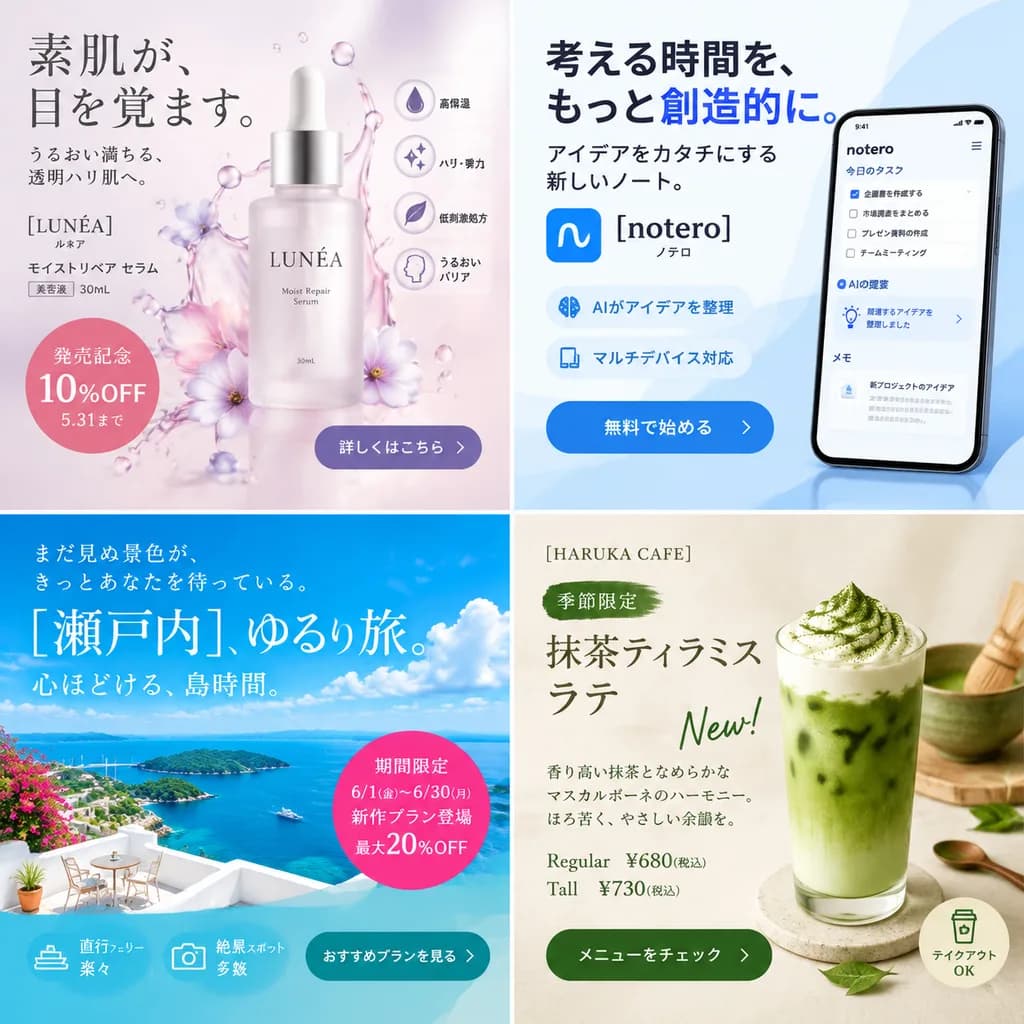
Japanese Commercial Ad Banner Sheet

Japanese Commercial Ad Banner Sheet

four-panel Japanese promotional banner sheet. clean commercial advertisement mockup sheet for layout and Japanese typography reference, square 2x2 grid, modern branding design, studio lighting, high-fidelity graphic design with realistic p…

japanese adbanner designmockup sheet
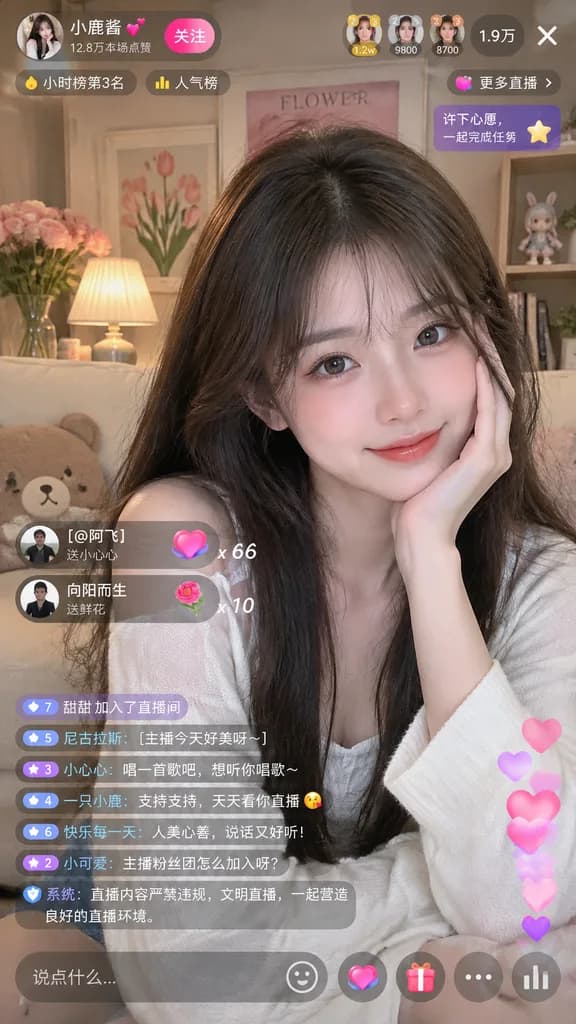
Mobile Live Streaming Interface Mockup

Mobile Live Streaming Interface Mockup

mobile live streaming app interface mockup. [young Asian woman with long dark hair, wearing a white top, smiling gently and resting her chin on her hand]. cozy room with a sofa, bear pillow, pink roses, framed 'FLOWER' art, small lamp, and…

livestreammobile uiapp mockup
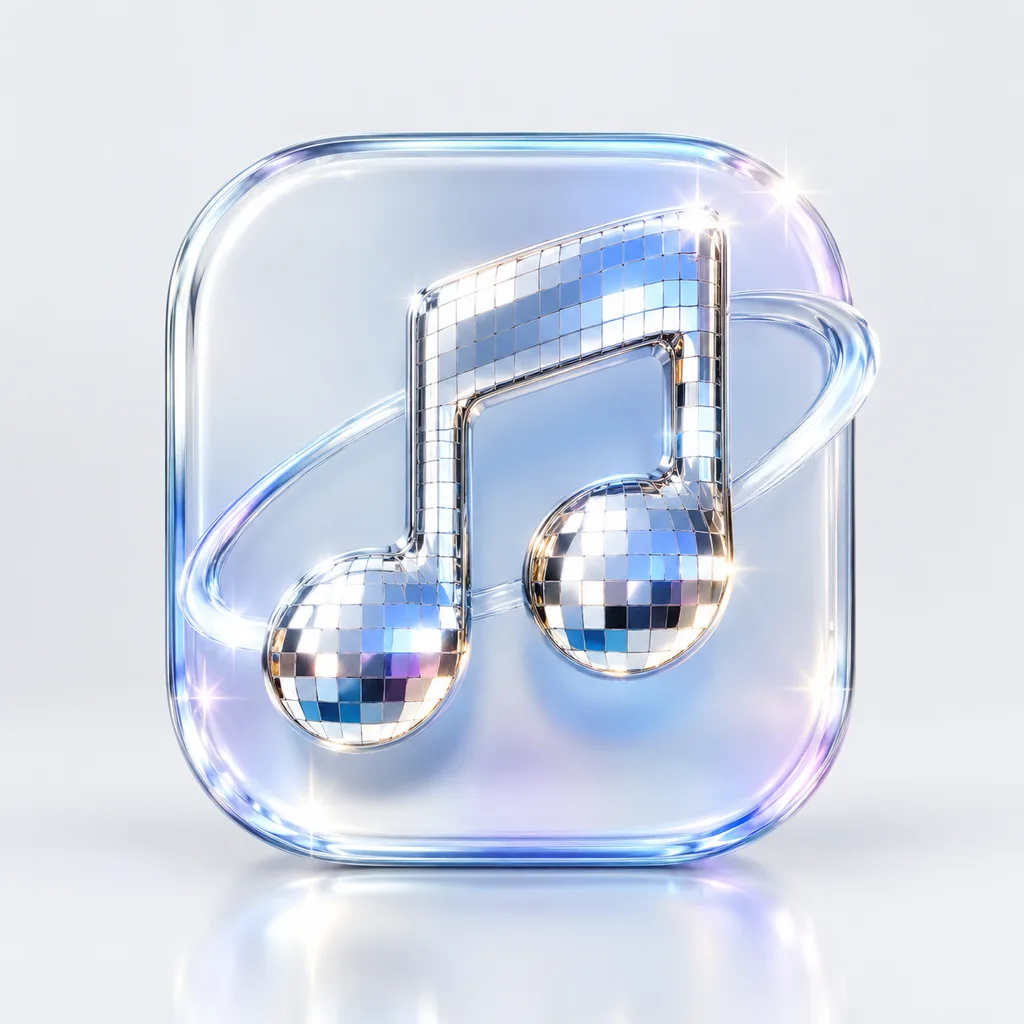
Disco Mirror 3D App Icon

Disco Mirror 3D App Icon

A premium 3D app icon for [a music streaming app], set on a rounded square tile. Features a blend of glossy glass and polished chrome materials with a disco ball mosaic mirror tile texture. Sparkling highlights, soft studio lighting, and subtle reflections against a clean, minimal background. Blender 3D render aesthetic, refined product icon design.

app icon3d icondisco mirror
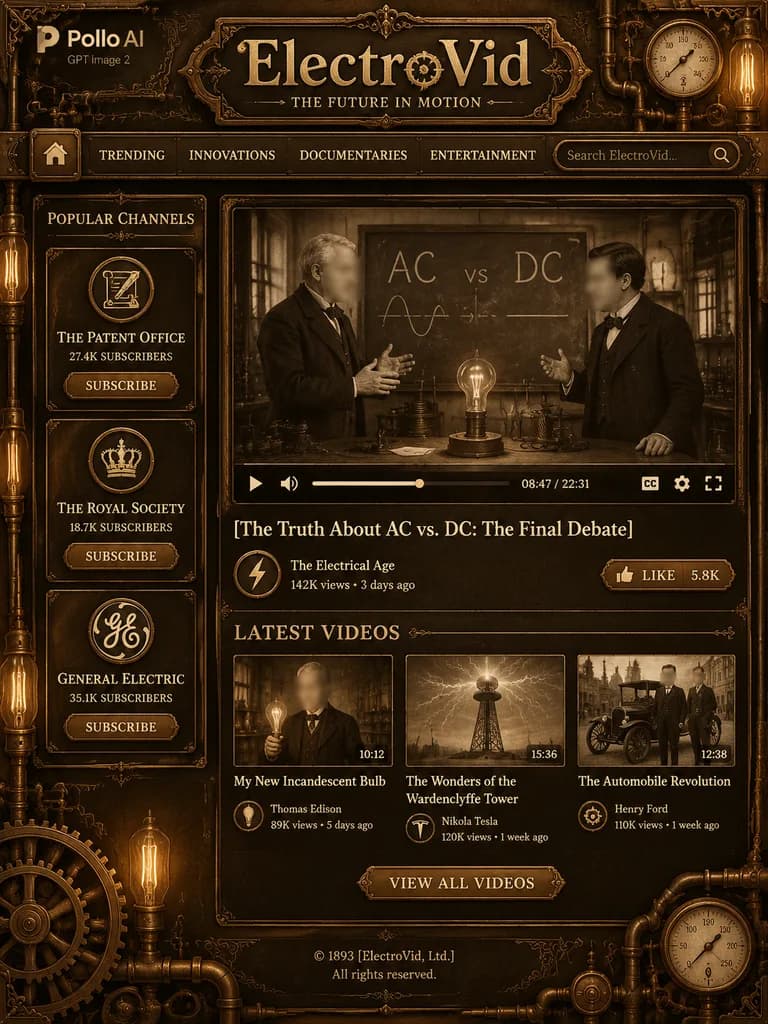
Steampunk Video Platform Homepage Mockup

Steampunk Video Platform Homepage Mockup

A full-page steampunk video platform homepage mockup in a dark antique bronze, brass, and sepia palette, styled as a Victorian industrial version of a modern video streaming site, vertically oriented. At the top left, an overlay logo reading "Pollo AI" with smaller text "GPT Image 2" below it. Centered at the top, ornate serif site title "[ElectroVid]" with an engraved tagline beneath: "[THE FUTURE IN MOTION]". Below the title, a 6-item horizontal navigation bar: home icon button, "TRENDING", "INNOVATIONS", "DOCUMENTARIES", "ENTERTAINMENT", and a search bar reading "Search ElectroVid..." with a magnifying icon. Left sidebar titled "POPULAR CHANNELS" with 3 cards with circular emblems and rectangular "SUBSCRIBE" buttons: 1) "THE PATENT OFFICE" with "27.4K SUBSCRIBERS", 2) "THE ROYAL SOCIETY" with "18.7K SUBSCRIBERS", 3) "GENERAL ELECTRIC" with "35.1K SUBSCRIBERS". In the main content area, a large featured video player showing a sepia still of two late-19th-century inventors debating before an "AC vs. DC" chalkboard, with a table holding an electrical bulb; both faces obscured with soft rectangular blur blocks; video progress bar, controls, and timestamp "08:47 / 22:31". Below the player, title "[The Truth About AC vs. DC: The Final Debate]", creator row "The Electrical Age", "142K views • 3 days ago", and a "LIKE" button with "5.8K". Underneath, section "LATEST VIDEOS" with 3 thumbnails: 1) Thomas Edison holding a glowing bulb (blurred face), "10:12", "My New Incandescent Bulb", "Thomas Edison", "89K views • 5 days ago"; 2) Wardenclyffe Tower under lightning, "15:36", "The Wonders of the Wardenclyffe Tower", "Nikola Tesla", "120K views • 1 week ago"; 3) early automobile with Henry Ford, "12:08", "The Automobile Revolution", "Henry Ford", "110K views • 1 week ago". A centered brass button reads "VIEW ALL VIDEOS". Footer reads "© 1893 [ElectroVid, Ltd.]" and "All rights reserved.". Ornate filigree borders, pressure gauges in the upper-right and lower-right corners, exposed copper pipes, lower-left large gear, glowing Edison bulbs, and crisp engraved typography.

steampunkui mockupvictorian
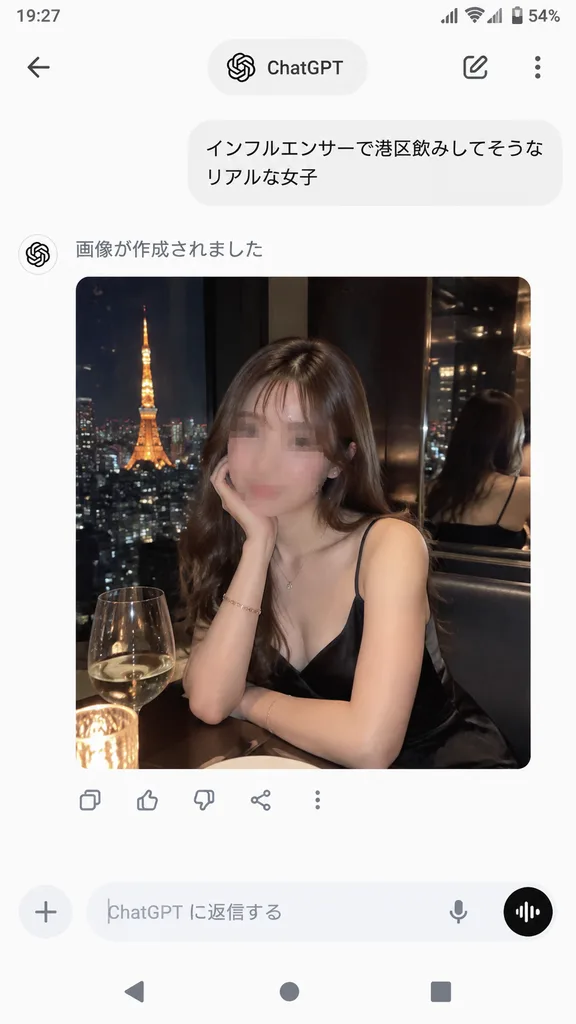
ChatGPT Mobile App Screenshot With Generated Image

ChatGPT Mobile App Screenshot With Generated Image

A realistic smartphone screenshot of the ChatGPT mobile app in Japanese on an Android device, displayed full screen in portrait orientation with a clean light UI theme. Top status bar displays the time [19:27], network and Wi-Fi indicators, and [54%] battery status. The top navigation bar features a back navigation button, a centered pill tab labeled "ChatGPT", a pencil edit icon, and a vertical three-dot menu icon on the right. In the conversation stream, a user chat bubble reads "[インフルエンサーで港区飲みしてそうなリアルな女子]". Below it, the assistant text reads "画像が作成されました", followed by a rounded image preview card. The generated image shows a photorealistic night restaurant portrait of a glamorous young Japanese woman sitting beside a window overlooking Tokyo Tower, wearing a black spaghetti-strap slip dress, long wavy brown hair, a subtle necklace, and a bracelet, resting her chin on one hand at a candlelit table with a wine glass; the background includes an upscale dim interior and a mirror reflection of the city lights; the woman's face is subtly blurred or mosaicked for privacy. Directly below the preview card, a horizontal row of five icons shows copy, thumbs up, thumbs down, share, and overflow options. The bottom chat bar includes a plus attachment icon, placeholder text "ChatGPT に返信する", a microphone icon, and a circular voice mode button, positioned above an Android 3-button navigation bar.

chatgptscreenshotmobile app
Dark Mode AI Arena Comparison UI

Dark Mode AI Arena Comparison UI

dark-mode AI image comparison interface screenshot. realistic web UI screenshot, dark charcoal background, thin neon-green outlines, clean sans-serif text, slightly cropped browser-like composition. two side-by-side generated image cards w…

ui screenshotdark modeai arena
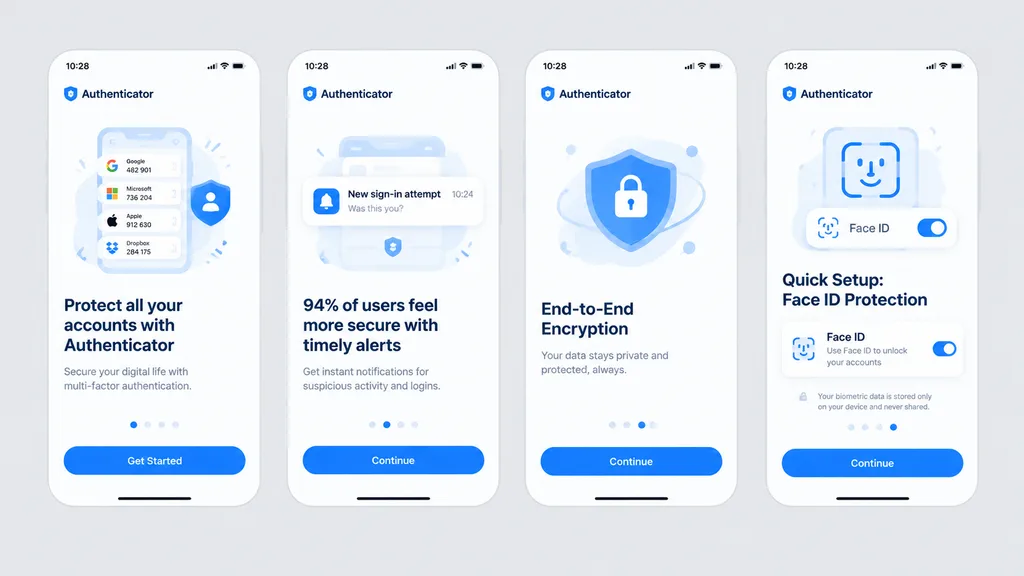
Mobile Authenticator App Onboarding Flow

Mobile Authenticator App Onboarding Flow

Clean front-facing design mockup of a mobile onboarding flow, recreating the UI from the reference photo. Display exactly four iPhone-style screens arranged horizontally and evenly spaced across a solid light gray background, completely flat with no perspective distortion, glare, browser chrome, or laptop borders, appearing as a crisp Figma export. Consistent white light theme with [bright blue] as the primary accent color, rounded card frames, modern typography hierarchy, vector icons, and clean UI illustrations. App name is [Authenticator], status bar time displays [10:28]. Four screens from left to right: 1) Authenticator accounts list with headline “Protect all your accounts with Authenticator” and CTA button “Get Started”. 2) Security alert notifications with headline “94% of users feel more secure with timely alerts” and CTA button “Continue”. 3) Shield and lock illustration with headline “End-to-End Encryption” and CTA button “Continue”. 4) Face ID setup with biometric scanning graphic, headline “Quick Setup: Face ID Protection”, Face ID toggle card, privacy note, and CTA button “Continue”.

ui mockuponboarding flowmobile app
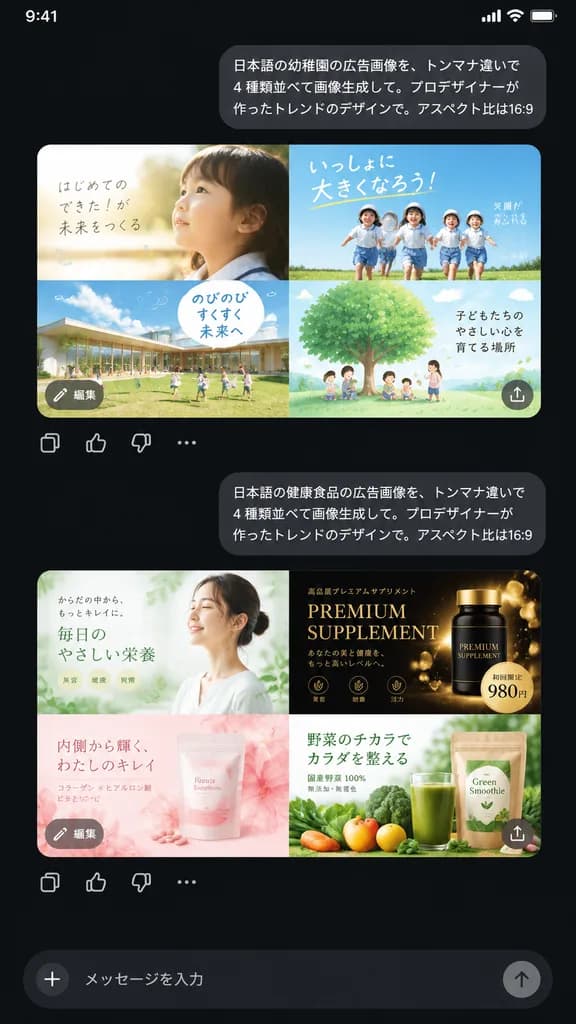
Mobile AI Chat UI with Ad Variations

Mobile AI Chat UI with Ad Variations

A realistic dark-mode smartphone chat interface screenshot displaying two Japanese prompt-and-response exchanges about generative ad design against a nearly black background. At the top right, a rounded light-gray user bubble contains the exact Japanese text: 「日本語の幼稚園の広告画像を、トンマナ違いで4種類並べて画像生成して。プロデザイナーが作ったトレンドのデザインで。アスペクト比は16:9」. Directly beneath it is a rounded rectangular image preview showing a 2x2 grid of kindergarten advertisement layouts in soft pastel tones: top-left features a soft, airy layout with a close-up profile of a young child in morning sunlight and handwritten Japanese copy; top-right features an energetic outdoor ad with four children running under a blue sky with bold typography; bottom-left shows a modern kindergarten campus building with children on a grass lawn and a speech-bubble text box; bottom-right shows an illustrated large green tree with children and parents under a sky-blue background. Overlaid on this preview are a small gray circular button labeled 「編集」 at the bottom-left and an upload/share icon at the bottom-right, followed by a row of four action icons below: copy, thumbs up, thumbs down, and more options. Further down, a second right-aligned bubble displays: 「日本語の健康食品の広告画像を、トンマナ違いで4種類並べて画像生成して。プロデザイナーが作ったトレンドのデザインで。アスペクト比は16:9」. Beneath it is a second 2x2 grid preview of health food ads: top-left shows an airy minimalist wellness ad with a woman and pale green accents; top-right shows a luxurious black-and-gold supplement ad with gold particles, serif typography, and a price badge showing [980円]; bottom-left shows a soft pink beauty supplement with translucent floral textures; bottom-right shows a green juice smoothie with fresh vegetables and product packaging. High-resolution mobile UI layout with crisp Japanese typography and generous vertical spacing.

ui-uxmobile appdark mode
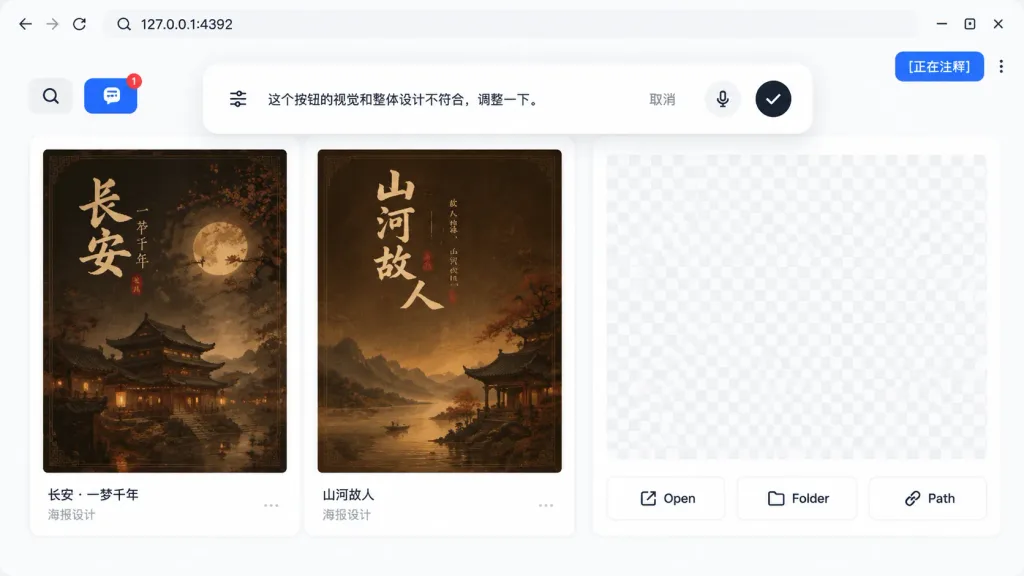
Localhost Web App Annotation Interface

Localhost Web App Annotation Interface

A realistic UI product screenshot showing a local web app preview environment based on the reference image context, set in a clean browser-like localhost workspace at [127.0.0.1:4392]. Clean white UI design, soft drop shadows, and modern rounded panels. The top browser bar displays the local address on the left and exactly three minimalist window control icons on the right. In the upper-right corner sits a vibrant blue annotation status pill displaying the text "[正在注释]" next to a vertical three-dot menu. The main workspace features a gallery-style UI containing Chinese poster card designs within rounded white panels. A left toolbar row includes a Search icon button and a blue comment annotation button showing a notification badge "1". Inside the workspace are at least two visible poster thumbnails with dark brown traditional Chinese visual aesthetics, alongside subtle checkerboard transparent placeholder areas in the right preview panel. Floating near the top-center of the canvas is a large, rounded annotation input bubble functioning as an inline AI feedback editor. Inside the bubble: a sliders/settings icon on the left, Chinese instruction text "[这个按钮的视觉和整体设计不符合,调整一下。]", a "取消" text button, a microphone icon, and a black circular confirmation button with a white checkmark. At the bottom of the right preview panel are exactly three action buttons labeled "Open", "Folder", and "Path", each accompanied by a simple line icon.

ui screenshotweb appannotation tool
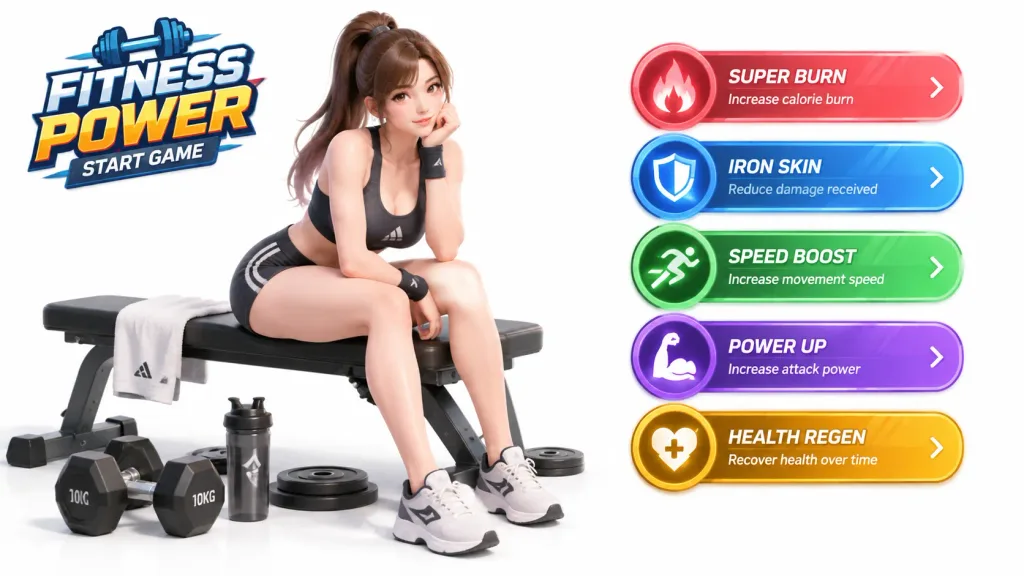
3D Fitness Game Start Screen UI

3D Fitness Game Start Screen UI

3D game start screen interface for a [fitness game], set against an isolated plain white background. On the left side, [a woman sits on a fitness bench with some fitness weights on the ground and a towel over the bench]. On the right side, [5 skill buttons that let the player select some special powers]. Clean 3D render style, stylized game UI layout, bright studio lighting.

game uistart screen3d render
Japanese Skincare Ecommerce Landing Page

Japanese Skincare Ecommerce Landing Page

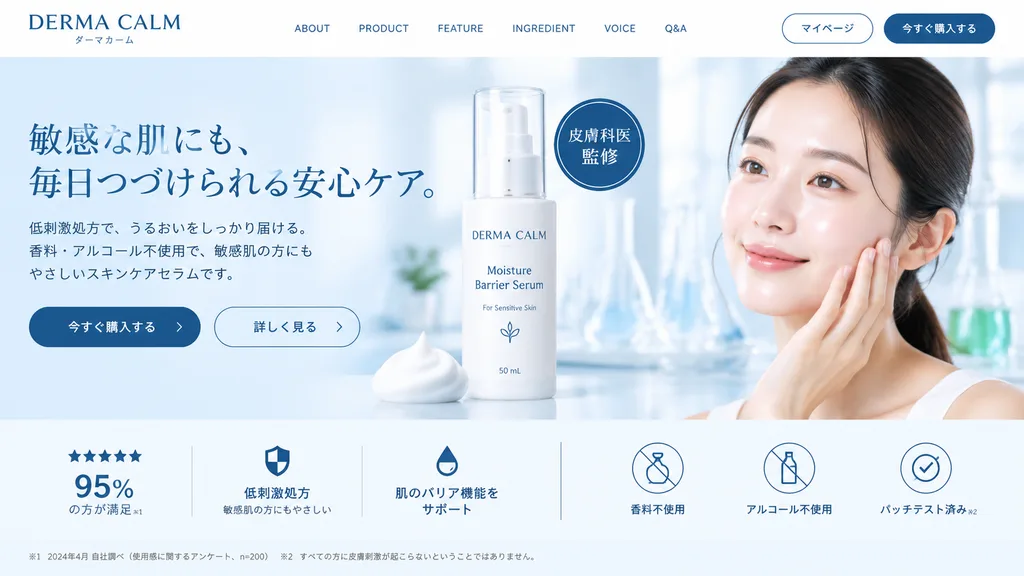
skincare e-commerce landing page mockup. [young East Asian woman with clear glowing skin touching her cheek]. [DERMA CALM]. white. light blue. [dark blue]. left-aligned brand name with Japanese subtext. ABOUT. PRODUCT. FEATURE. INGREDIENT.…

ui-designlanding-pageskincare
Corporate AI Web Banner from Wireframe

Corporate AI Web Banner from Wireframe

Using the reference wireframe image as a layout guide, create a polished corporate web banner ad for an AI sales tool. Use a clean color palette of corporate blue, crisp white, and vibrant orange accents. - Main Subjects: Photorealistic image of two smiling Japanese corporate professionals (a man and a woman in tailored business suits) collaborating over a silver laptop in a bright, modern office. - Top Left: Logo for '[KAWAISALES]' accompanied by a small tagline reading 'AIを活用した新しい営業支援ツール'. - Text Bubbles & Copy: - Top text bubble: A white oval pill featuring blue Japanese text reading '[その営業、AIで「飛躍」しませんか?]'. - Sub-headline: Japanese copy reading '[リード獲得からクロージングまでAIがあなたの営業活動を強力サポート!]'. - CTA Button: A bright orange rounded pill button reading '[今すぐ 無料デモを体験する >]'. - Visual UI Accents: - Lower-right center: A glossy blue 3D bar chart with an upward growth arrow, a target icon with three user silhouettes, and a white UI card showing 4 checkmarked bullet points. - Bottom left: A horizontal white panel displaying three blue line-art icons (a clock, a rising chart, and a laptop) with short Japanese captions underneath each.

web bannerwireframecorporate ad
Isometric Office Character Asset Sheet

Isometric Office Character Asset Sheet

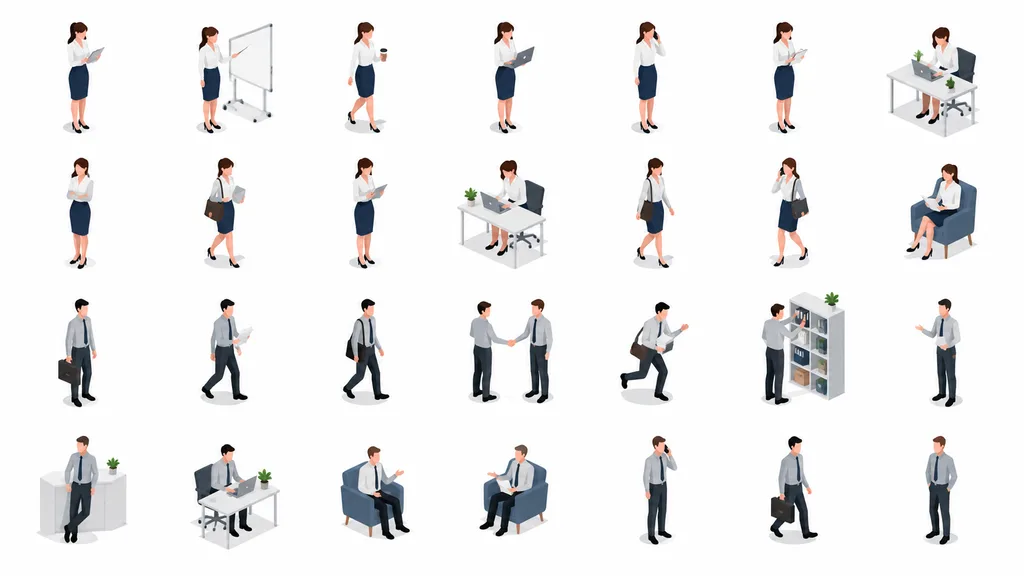
isometric business people illustration set. clean vector-like 3D isometric office illustration, minimal corporate presentation style, soft shadows, white background, consistent scale, rounded simplified faces without detailed features, mut…

isometricbusinesscharacter-sheet
Layered PSD Decomposition from Reference

Layered PSD Decomposition from Reference

Generate an [editable PSD layered file for Photoshop] based on the reference photo. Decompose the image into distinct elements while preserving original coordinates, scale, and visual hierarchy: 1. Main Subject: Isolated on a transparent background, placed on a dedicated layer. 2. Special Effects: Lighting, atmosphere, particles, and ornamental elements separated on transparent layers. 3. Text: Native editable text layers matching font style, size, color, and alignment; if typography cannot be matched natively, provide high-resolution transparent text overlays. 4. Background: Base environment layer kept separate from subjects and effects. Deliver an organized, multi-layered file compatible with Photoshop.

psdphotoshoplayered
SaaS Brand Exploration Board Mockup

SaaS Brand Exploration Board Mockup

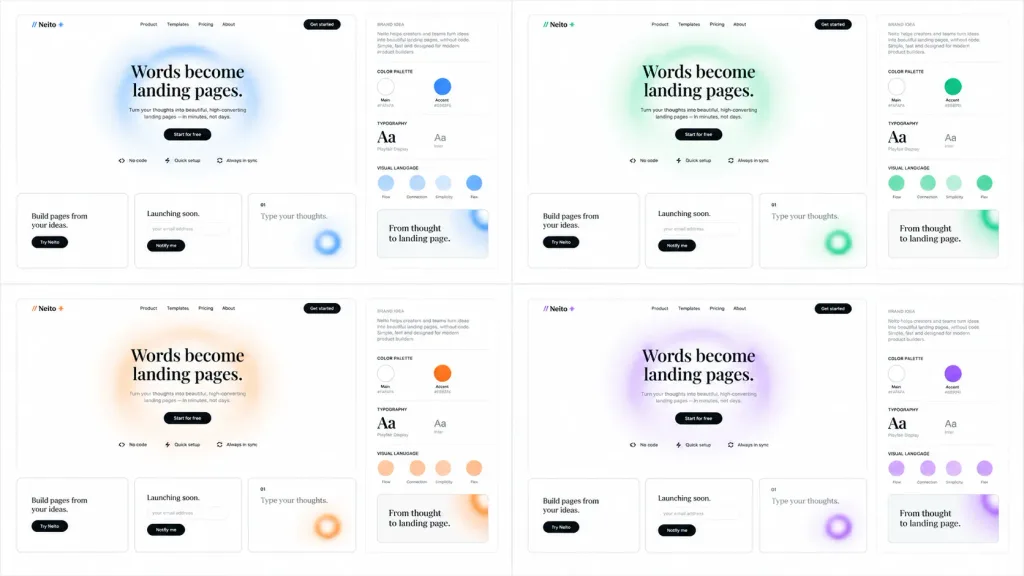
Clean brand exploration presentation board for a SaaS landing-page builder called [Neito], displaying the same website and brand identity system across 4 accent color themes: [blue, green, orange, purple]. Composition & Layout: Wide 16:9 white background canvas arranged as a neat 2×2 grid of four mockup panels separated by generous white space. Each panel contains two sections: a large landing-page mockup on the left and a narrow brand-guide column on the right. Landing-Page Mockup Details: - Top navigation: Logo mark showing two forward slashes followed by "Neito" and a small star/spark icon; navigation links "Product", "Templates", "Pricing", "About", and a black rounded "Get started" button. - Hero section: Large editorial serif headline reading "[Words become landing pages.]" centered over a soft, airy blurred circular gradient ring in the panel's accent color. Below, small gray descriptive copy, a black pill button reading "Start for free", and three small feature chips with icons: "No code", "Quick setup", and "Always in sync". - Bottom cards: Exactly three rectangular cards with thin borders and rounded corners. Card 1: "Build pages from your ideas." with a black pill button "Try Neito". Card 2: "Launching soon." with an email input pill and a black "Notify me" button. Card 3: Numbered "01" with text "Type your thoughts." and a cropped blurred accent-color gradient ring. Brand-Guide Column Details: - Header "BRAND IDEA" with a short paragraph block in small typography. - Four labeled sections separated by thin light-gray divider rules: "COLOR PALETTE" showing 2 circular swatches (Main near-white and Accent theme color with small hex labels); "TYPOGRAPHY" showing a serif headline "Aa" and a sans-serif body "Aa"; "VISUAL LANGUAGE" showing 4 circular tokens labeled "Flow", "Connection", "Simplicity", and "Flex"; and a preview card reading "From thought to landing page." Style & Aesthetics: Minimalist Figma-style design system showcase, monochrome typography, light gray borders, crisp vector UI elements, subtle shadows, frosted gradients, and ample negative space. No real people, device bezels, or dark backgrounds.

ui designbrandinglanding page
Holographic Vector Membership Badge Sheet

Holographic Vector Membership Badge Sheet

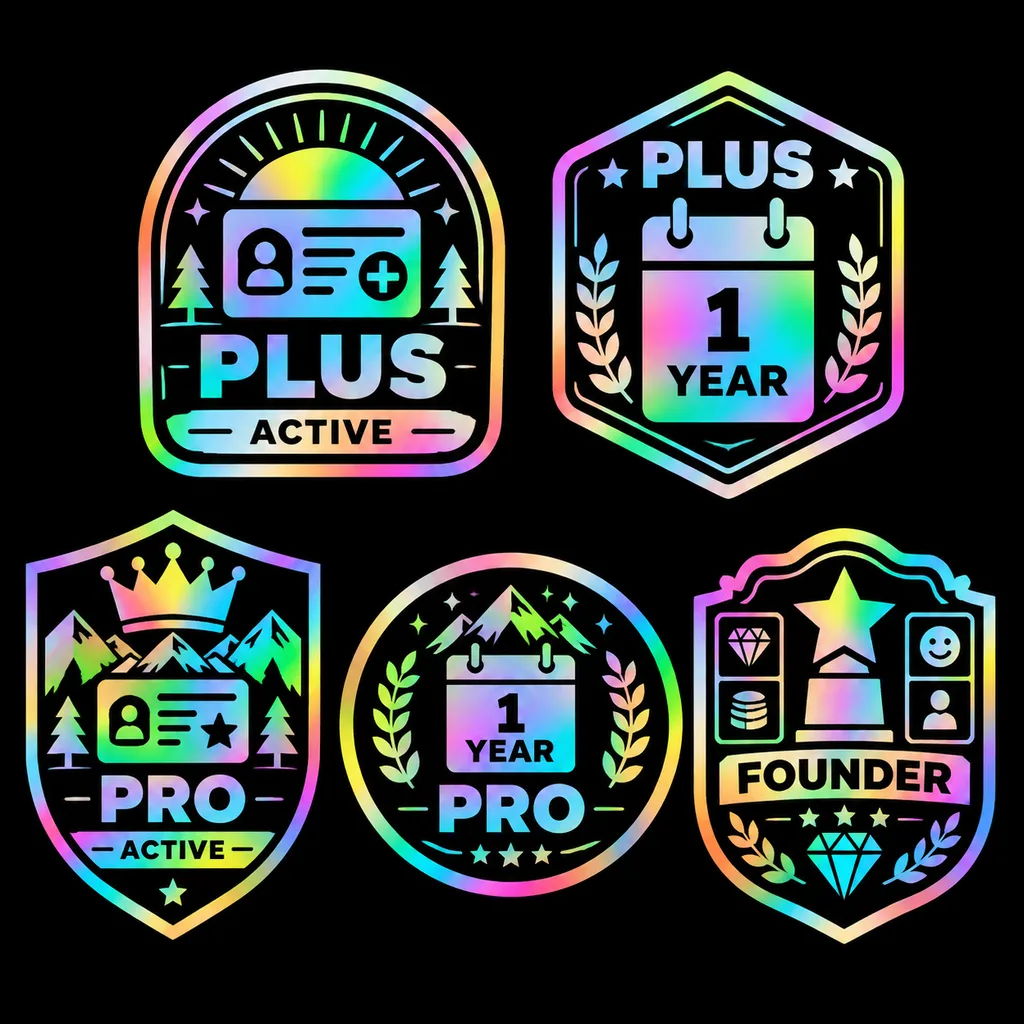
badge sticker sheet. clean vector emblem icons with thick black interior shapes, glossy holographic rainbow foil gradient outlines and fills, high contrast on a pure black background, crisp sticker-like finish, symmetrical compositions, bo…

badgevectorholographic
AI Prompt Gallery Web App UI Mockup

AI Prompt Gallery Web App UI Mockup

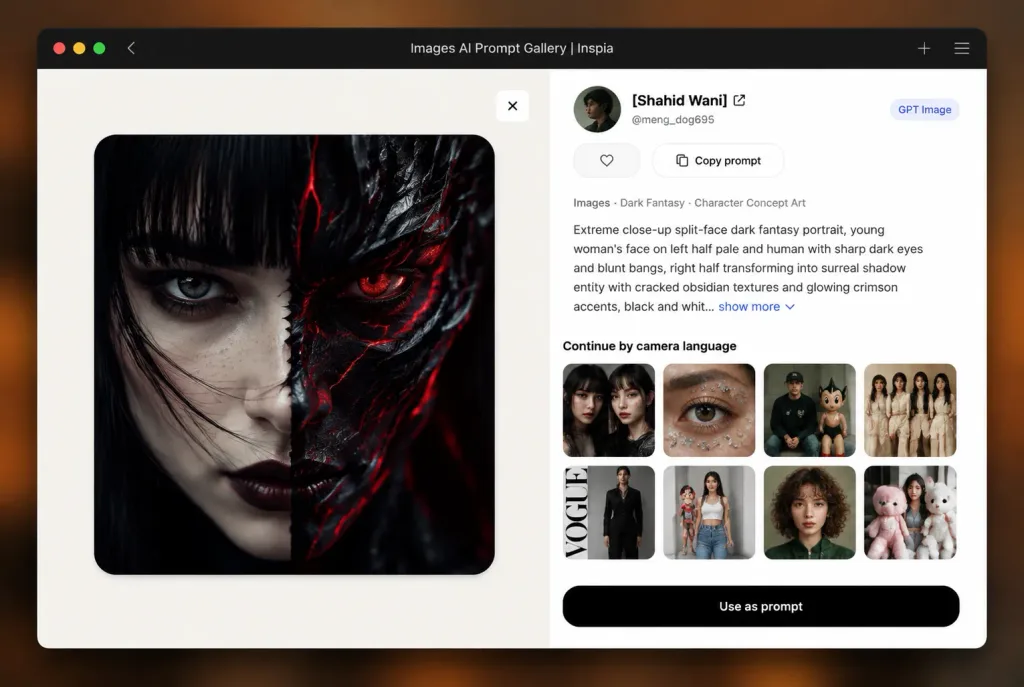
A clean desktop browser mockup of an AI image prompt gallery web application titled "[Images AI Prompt Gallery | Inspia]", floating over a soft blurred warm brown and orange background. Browser Window: A rounded-corner dark-mode browser chrome window with macOS-style red, yellow, and green window control dots on the far left, a small back chevron, the centered title text "[Images AI Prompt Gallery | Inspia]", and a plus sign icon and hamburger menu on the far right. Subtle soft drop shadow underneath. Layout: Two-panel web application layout. - Left Panel: Large off-white to pale beige image preview section with a rounded square artwork centered. The artwork is an extreme close-up split-face dark fantasy portrait: the left half shows a pale young woman with straight black bangs, dark eyeliner, dark lips, and an intense gaze; the right half transforms into a stylized dark shadow fantasy creature with cracked glossy obsidian skin, glowing crimson crystalline fissures, and sharp sculpted features. High contrast, dramatic cinematic dark fantasy concept art lighting. A small white square close button with an "×" sits near the top-right corner of the left preview panel. - Right Panel: Clean white sidebar interface. Header features a circular user avatar, creator name "[Shahid Wani]" with an external link arrow, handle "@meng_dog695", and a pill badge reading "[GPT Image]". Action row includes a heart icon and "Copy prompt". Category label reads "Images · Dark Fantasy · Character Concept Art". Below it, a prompt text excerpt: "[Extreme close-up split-face dark fantasy portrait, young woman's face on left half pale and human with sharp dark eyes and blunt bangs, right half transforming into surreal shadow entity with cracked obsidian textures and glowing crimson accents, black and whit...]" followed by a blue "show more" link with a chevron. - Thumbnail Grid: Heading reads "Continue by camera language". An 8-item rounded thumbnail grid arranged in 3 columns: 1) two female close-up portraits side-by-side, 2) extreme close-up brown eye with stickers, 3) seated man in cap beside a cartoon figure, 4) group photo of women in cream clothing, 5) full-height fashion editorial with vertical text, 6) street-fashion woman in jeans with a doll, 7) curly-haired woman headshot in green, 8) woman with oversized plush toys. - Bottom Action: A wide black rounded pill button centered at the bottom reading "[Use as prompt]". Style: Modern SaaS UI design, crisp typography, clean interface hierarchy, sharp vector-like icons, realistic soft drop shadows.
ui mockupweb appsaas design
Minimalist Startup Pitch Deck Cover

Minimalist Startup Pitch Deck Cover

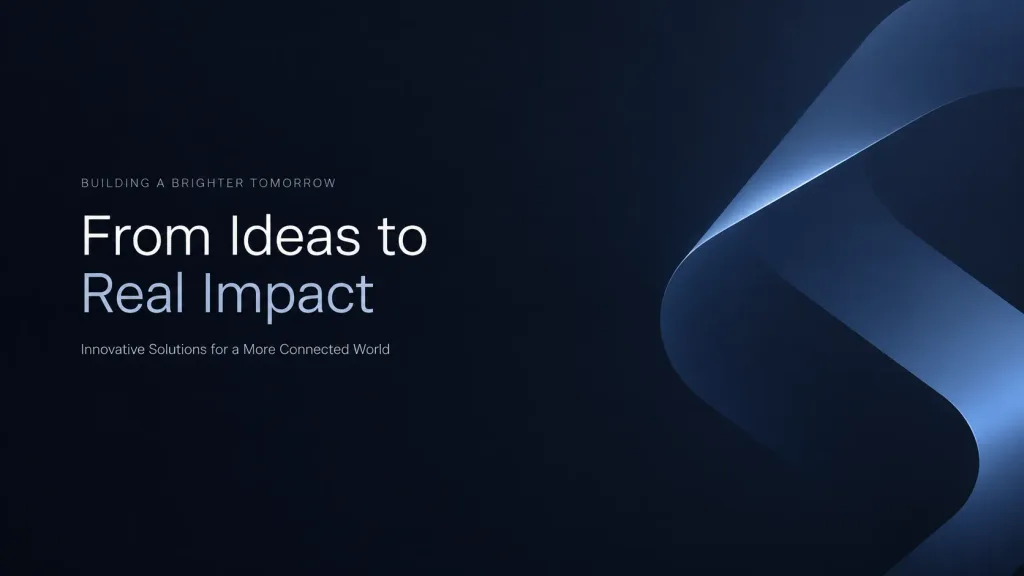
Cover visual for a premium startup presentation. A minimal layout featuring a subtle, abstract brand motif in the background. Strong visual hierarchy with ample negative space. Clean corporate aesthetic, balanced lighting, restrained and confident tone designed to support presentation typography without overwhelming the slide.

presentationpitch deckminimalist
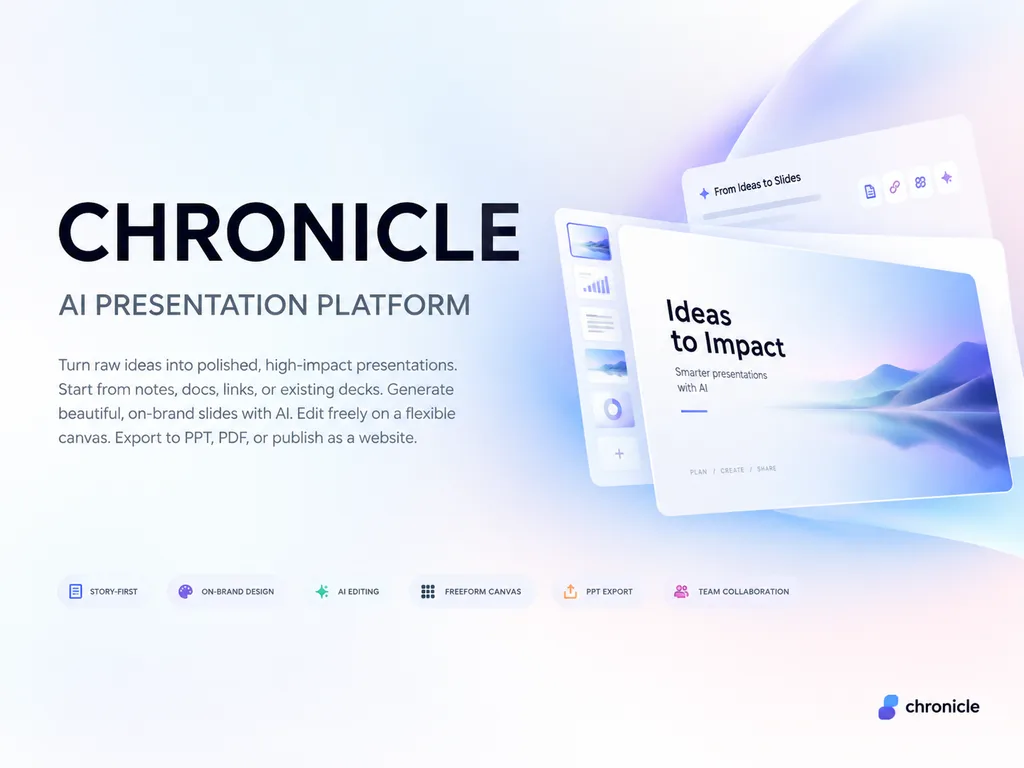
Minimalist AI Platform Presentation Cover Slide

Minimalist AI Platform Presentation Cover Slide

A premium 4:3 presentation cover slide introducing [Chronicle], an AI-native presentation platform. Style: Elegant, minimal, modern tech startup aesthetic inspired by Apple, Linear, and Notion brand books. Soft gradient background with subtle depth and clean generous whitespace. Layout: Asymmetrical, polished editorial layout with consulting-grade presentation quality. Typography and text elements (in English): Main title reads "[CHRONICLE]"; subtitle reads "[AI PRESENTATION PLATFORM]"; elegant body text reads "[Turn raw ideas into polished, high-impact presentations. Start from notes, docs, links, or existing decks. Generate beautiful, on-brand slides with AI. Edit freely on a flexible canvas. Export to PPT, PDF, or publish as a website.]"; small refined feature tags read "[STORY-FIRST]", "[ON-BRAND DESIGN]", "[AI EDITING]", "[FREEFORM CANVAS]", "[PPT EXPORT]", "[TEAM COLLABORATION]"; subtle logo text in the bottom corner reads "[chronicle]". Business-class premium, slightly futuristic, sharp graphic design.

presentationslide deckminimalist
Japanese SaaS Comparison Timeline Banner

Japanese SaaS Comparison Timeline Banner

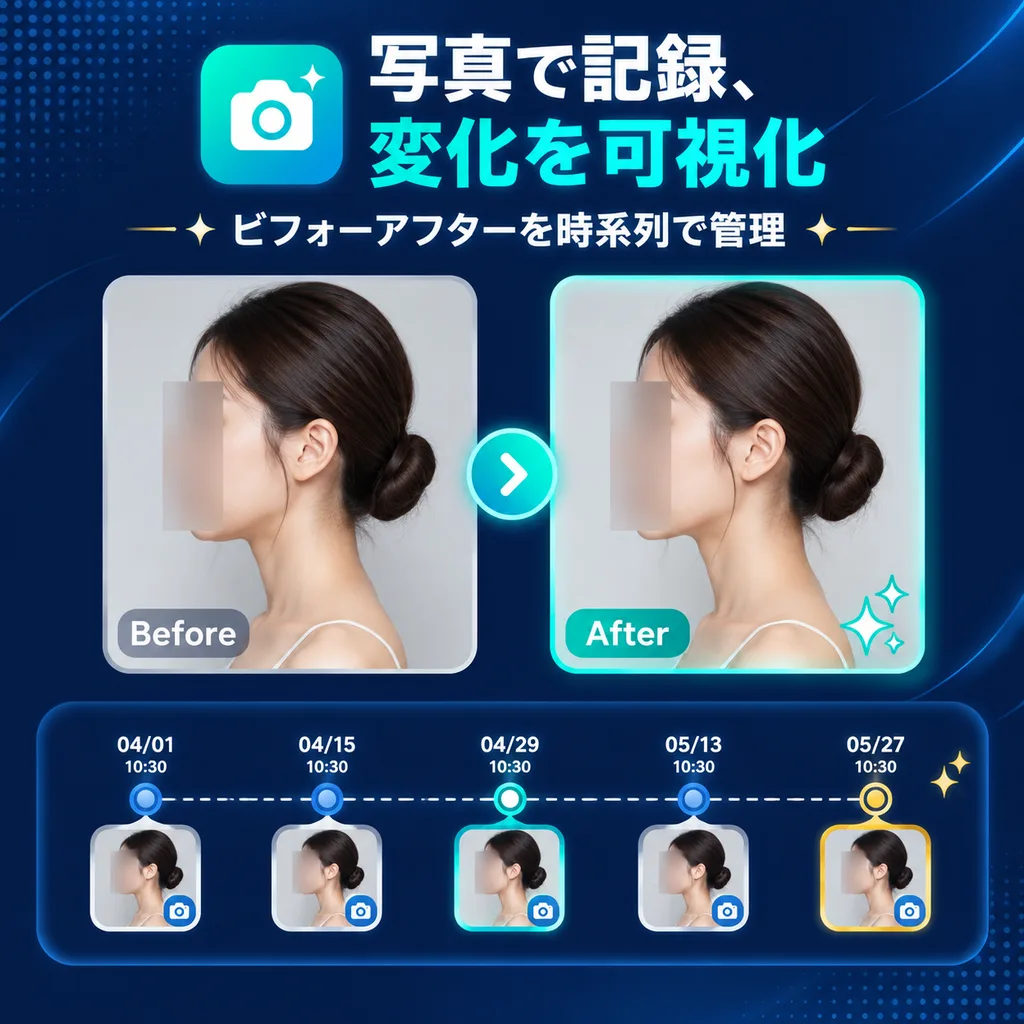
SaaS feature update banner infographic. clean modern Japanese tech marketing, premium UI, dark navy gradient background, subtle dotted halftone texture in top-left and bottom-right corners, soft curved line accents, glossy neon teal highli…

saas bannerui designbefore after
Daily Schedule Game UI Screen

Daily Schedule Game UI Screen

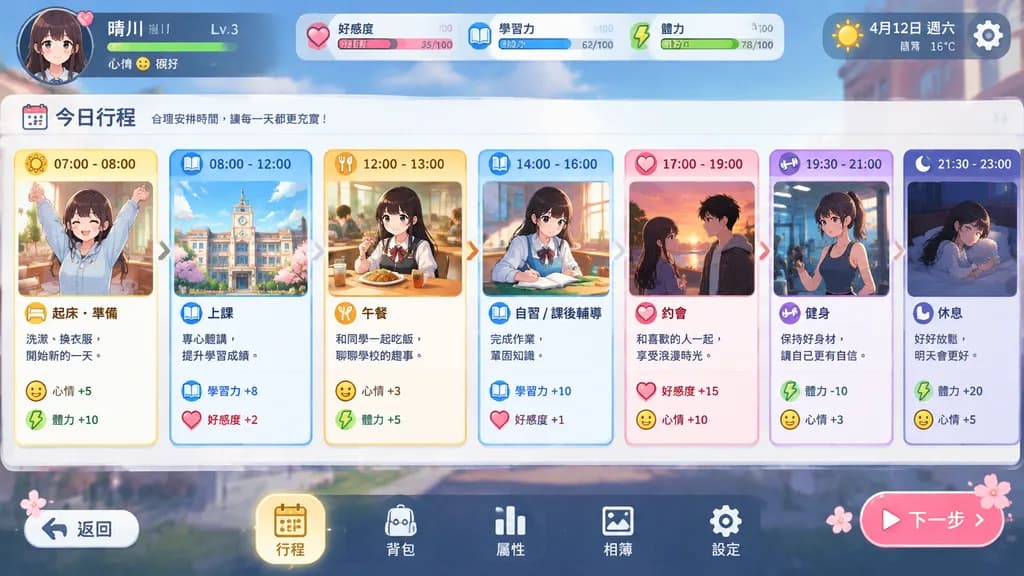
A daily schedule progression UI screen for [a character] in a nurturing simulation game style. A timeline progresses from morning to night, displaying each time slot as small illustrated event cards showing activities like [school, lessons, and dates]. Clean, colorful mobile game interface with stylized icons, status bars, and an organized layout.

game uisimulation gameschedule screen
ChatGPT Mobile App Cat Collage Screenshot

ChatGPT Mobile App Cat Collage Screenshot

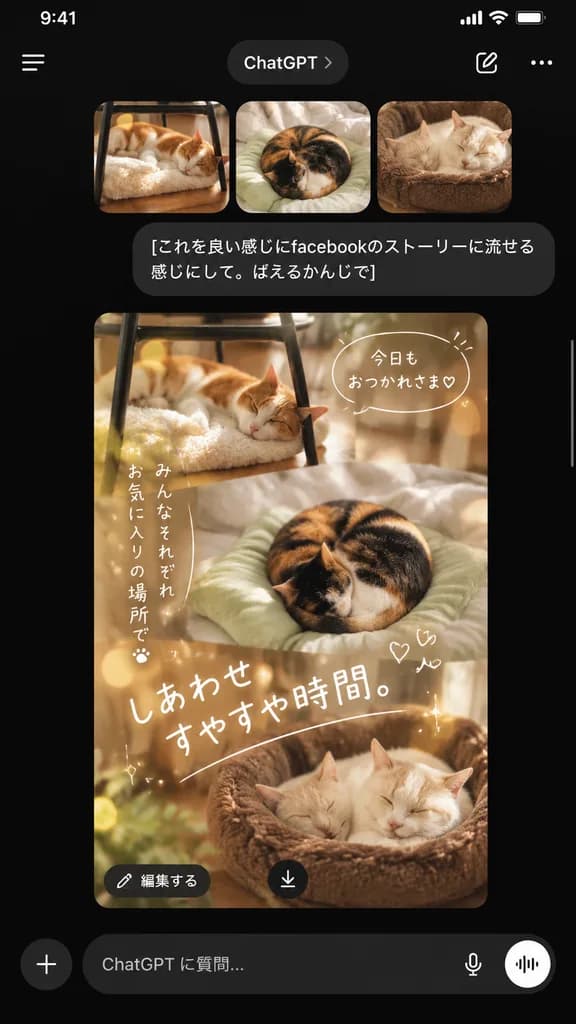
A realistic smartphone screenshot of the ChatGPT mobile app in dark mode with an iOS-style UI, presented on a black background. At the top header, display a hamburger menu icon on the left, a rounded tab labeled "ChatGPT" in the center, and a compose icon alongside a three-dot menu on the right. Below the header, show a horizontal row of exactly three rounded-corner thumbnails: first, [an orange-and-white cat sleeping on a fluffy cushion under a black metal chair on a wooden floor]; second, [a calico cat curled tightly on a pale green cushion on a bed]; third, [a cream-colored cat asleep in a brown plush pet bed]. Beneath the thumbnails is a dark gray chat bubble with white Japanese text: "[これを良い感じにfacebookのストーリーに流せる感じにして。ばえるかんじで]". Below the chat message, display the generated response as a tall vertical social-media story collage seamlessly blending all three cat scenes in warm beige and brown tones with dreamy lighting, subtle bokeh, and gentle sparkle accents. Overlay cute handwritten Japanese text onto the collage: a top speech bubble reading "[今日も おつかれさま♡]", a vertical note on the left reading "[みんなそれぞれ お気に入りの場所で]", two tiny hand-drawn hearts near the center, and a large diagonal caption reading "[しあわせ すやすや時間。]". Overlaid at the bottom-left of the collage is a rounded dark button labeled "[編集する]", and a circular download icon with a down arrow sits near the bottom center. At the bottom of the screen, render the ChatGPT input bar featuring a plus icon, placeholder text "[ChatGPT に質問…]", a microphone icon, and a circular voice icon. Include a subtle thin white scrollbar along the right screen edge.

ui mockupmobile appchatgpt
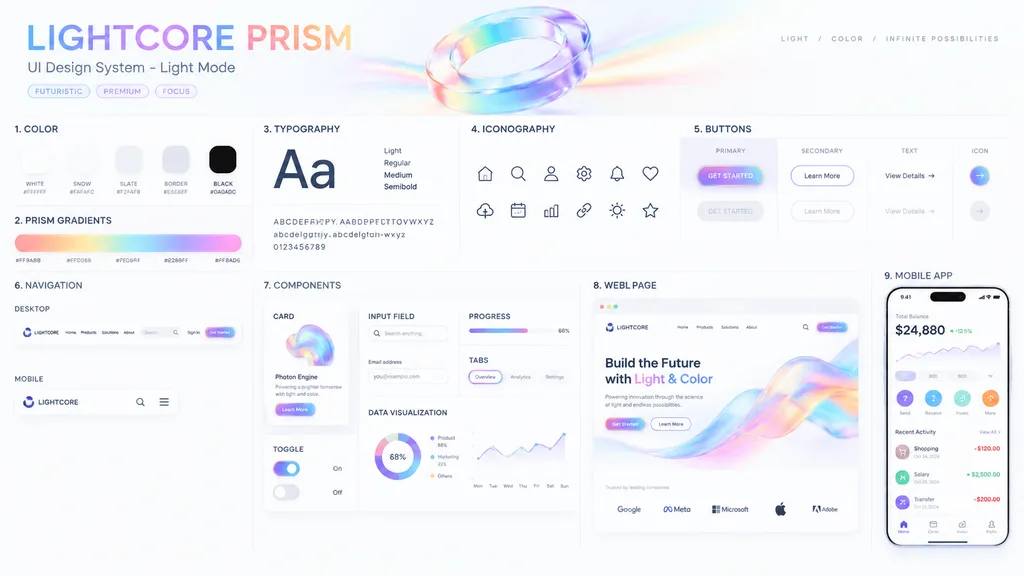
Prismatic Light Mode UI Design System Board

Prismatic Light Mode UI Design System Board

UI Design System presentation board. [optical science and light refraction]. [LIGHTCORE PRISM]. COLOR. 5 solid color swatches in rounded squares. PRISM GRADIENTS. 1 long horizontal gradient bar with 5 hex codes below it. TYPOGRAPHY. Large…

ui designdesign systempresentation board
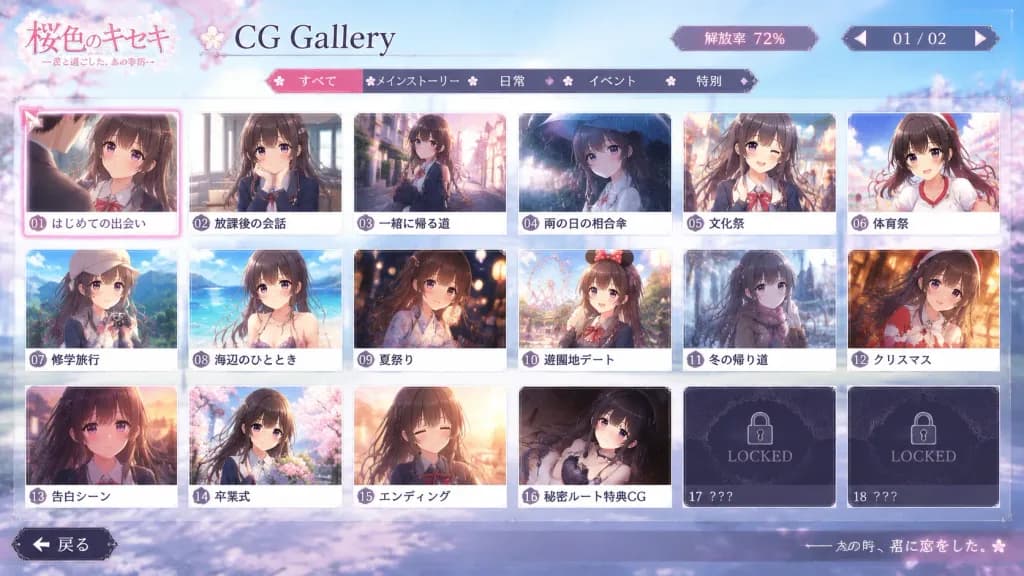
Romance Visual Novel CG Gallery Screen

Romance Visual Novel CG Gallery Screen

In-game screenshot of an authentic 'CG Gallery Mode' menu screen from a commercial [romance adventure game, gal game, or otome game], opened from the title screen after completing the game. The character from the reference photo is the featured heroine or hero throughout the gallery. [Layout & UI] Neatly arranged grid of event CG thumbnails framed in a stylized romance visual novel user interface. Includes [page numbers, CG unlock rate percentage, back button, category tabs, selection cursor, and locked CG frames marked 'LOCKED' or '???']. The currently selected thumbnail features an active highlighted cursor frame. Fictional game title logo in the corner, crisp and readable UI typography, neither too modern nor too dated. [Thumbnail Contents] Each unlocked thumbnail captures a distinct narrative memory depicting the character from the reference photo with consistent facial features, hairstyle, hair color, and expression: [first meeting scene, classroom conversation, walking home after school, sharing an umbrella on a rainy day, school festival, sports festival, school trip, beach event, summer festival, amusement park date, walking home in winter, Christmas, confession scene, graduation ceremony, ending CG, secret route special CG]. Outfits adapt naturally to the scene (school uniform, casual clothes, yukata, winter coat, formal wear). [Aesthetic & Mood] Polished Japanese visual novel ADV aesthetic, nostalgic, bittersweet, sweet youth romance atmosphere that looks like a screenshot from a genuine released game.

visual novelui designgame interface
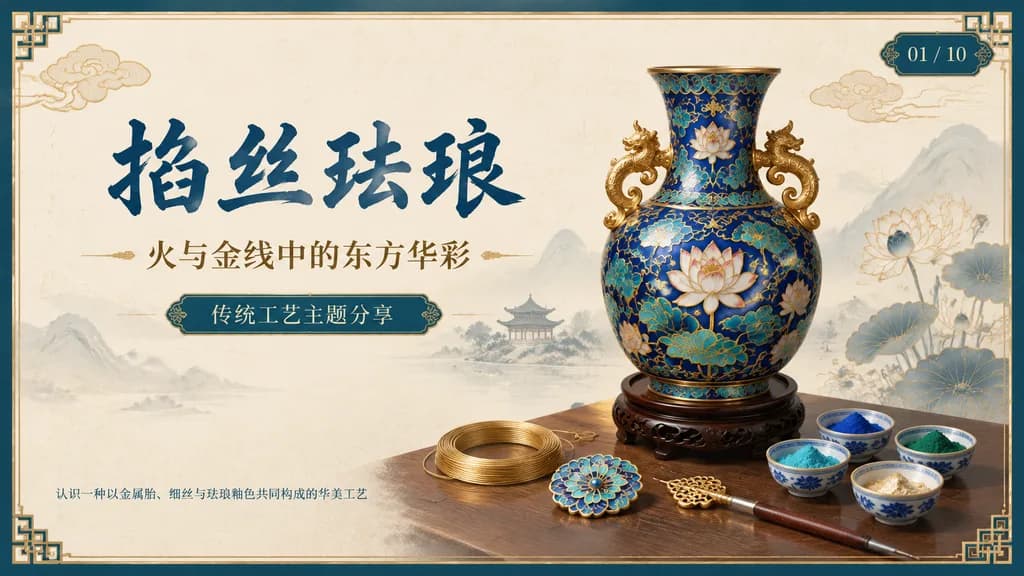
Chinese Cloisonné Craft Presentation Slide

Chinese Cloisonné Craft Presentation Slide

A 16:9 widescreen PowerPoint title slide in an elegant traditional Chinese craft aesthetic. The background is ivory rice-paper texture framed with a dark teal and metallic gold ornamental border featuring decorative Chinese corner brackets. On the left side, prominent dark blue Chinese calligraphy headline reads "[掐丝珐琅]", accompanied below by a smaller gold subtitle reading "[火与金线中的东方华彩]". Underneath, a centered rounded label plaque displays teal text reading "[传统工艺主题分享]", with a discreet footer note in the lower left reading "[认识一种以金属胎、细丝与珐琅釉色共同构成的华美工艺]". In the upper right corner, an ornate dark teal slide indicator shows "[01 / 10]". On the right half, a highly detailed blue-and-gold cloisonné enamel vase rests on a dark carved wood stand, adorned with lotus blossoms, turquoise accents, curling gold wire patterns, and sculptural gold handles. On the tabletop foreground, exactly 7 craft elements are arranged: 1 coil of gold wire, 1 flat cloisonné floral medallion, 1 gold key-shaped ornament, 1 fine metalworking stylus or brush, and 4 small ceramic bowls containing enamel powder in blue, green, turquoise, and gold/white. Background features faint ink-wash mountains, a distant pavilion, subtle lotus line art, and floating auspicious clouds. Harmonious cream, deep navy, turquoise, and polished gold palette, clean negative space, museum-quality educational presentation layout.
presentation slidepowerpointcloisonne
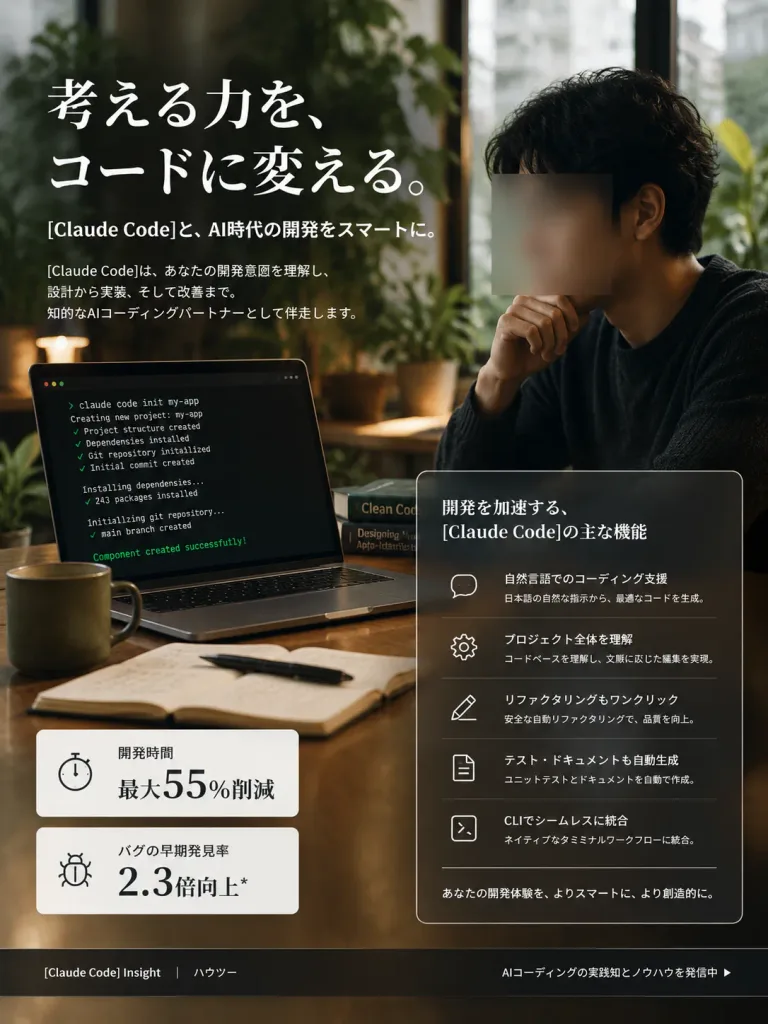
Japanese AI Coding Landing Page Visual

Japanese AI Coding Landing Page Visual

A premium vertical Japanese landing-page hero visual for [Claude Code], presenting AI coding support as intelligent, calm, and professional. Composition & Style: Portrait 3:4 aspect ratio. Photorealistic editorial advertising style with subtle UI overlay elements, cinematic shallow depth of field, warm dark green and rich wood tones, soft window daylight, and elegant contrast without cartoonish stylization. Main Scene: A modern developer workspace in a dimly lit boutique studio office. On the right, an East Asian man in a dark knit sweater is seated thoughtfully with one hand near his chin, his face covered by a minimalist square anonymizing blur box. In the left foreground, an open laptop angled toward the camera displays a dark command-line terminal with [Claude Code] execution output showing clean lines of project creation, dependency installation, git initialization, and ending with "Component created successfully!". The desk features exactly five items: one ceramic coffee mug, one open notebook, one black pen, and two stacked programming books. Lush indoor plants and soft window reflections blur gently in the background. Hero Typography (Upper Left): Large, elegant white Japanese serif headline: 「考える力を、コードに変える。」. Directly below, a smaller subheadline: 「[Claude Code]と、AI時代の開発をスマートに。」 followed by a brief Japanese paragraph explaining how [Claude Code] understands developer intent and acts as an intelligent AI coding partner across design, implementation, and refinement. Feature Panel (Lower Right): A sleek translucent glassmorphism card with thin white borders titled 「開発を加速する、[Claude Code]の主な機能」. Inside, five neatly spaced rows with minimalist outlined icons on the left and Japanese text on the right: 1) Speech bubble icon: 「自然言語でのコーディング支援」 with subtext on generating optimal code from natural Japanese instructions 2) Gear icon: 「プロジェクト全体を理解」 with subtext on codebase comprehension and context-aware edits 3) Pencil icon: 「リファクタリングもワンクリック」 with subtext on safe automated refactoring 4) Document icon: 「テスト・ドキュメントも自動生成」 with subtext on automated unit testing and docs 5) Terminal icon: 「CLIでシームレスに統合」 with subtext on native terminal workflow integration Bottom card caption: 「あなたの開発体験を、よりスマートに、より創造的に。」 Metrics (Lower Left): Two floating white stat modules: 1) 「開発時間」 with prominent "最大55%削減" 2) 「バグの早期発見率」 with prominent "2.3倍向上*" Footer Bar: A dark frosted horizontal bar along the bottom edge featuring left text 「[Claude Code] Insight」 and 「ハウツー」, and right-aligned text 「AIコーディングの実践知とノウハウを発信中 ▶」. Execution: Crisp typography, aligned editorial hierarchy, realistic reflections, and zero extraneous watermark logos.

landing pagedeveloperglassmorphism
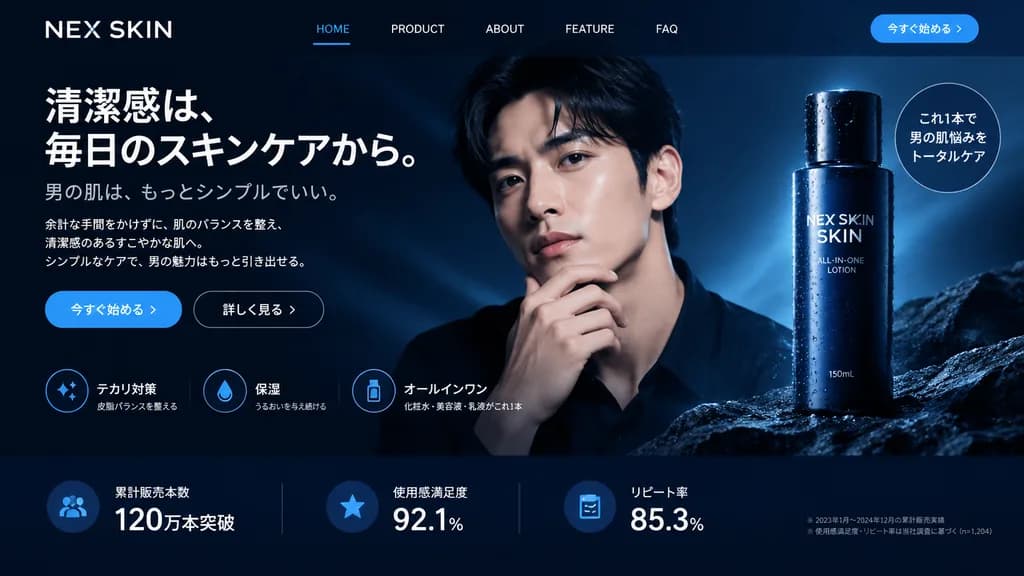
Men's Skincare Website Landing Page Mockup

Men's Skincare Website Landing Page Mockup

website landing page mockup. men's skincare, sleek, professional, dark mode. solid blue. outlined. テカリ対策. 保湿. オールインワン. handsome [young Asian man]. [dark navy blue], white typography, subtle blue gradients. [NEX SKIN]. HOME. PRODUCT. ABOUT.…

landing pageweb designui mockup
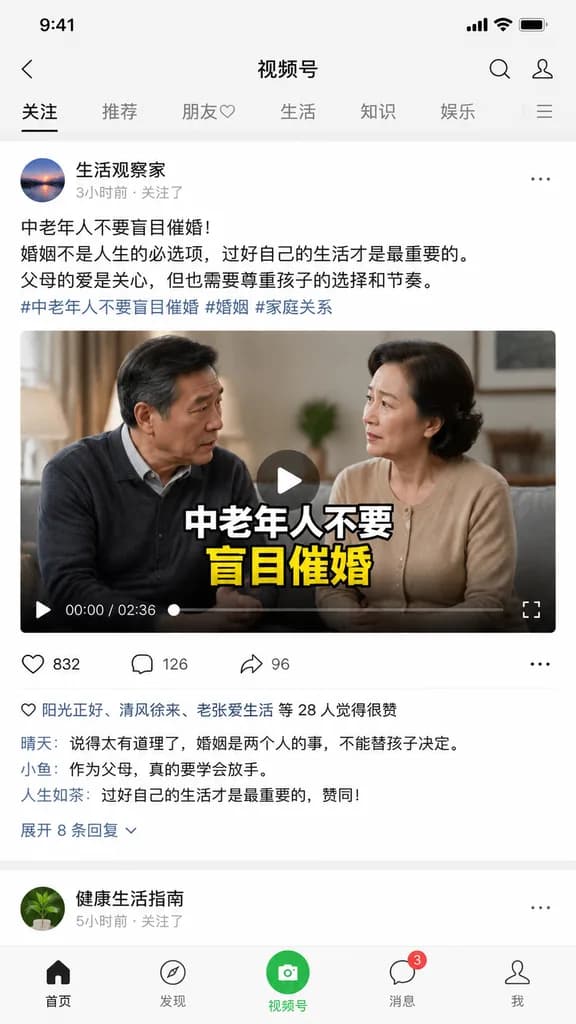
Mobile App Feed UI Screenshot

Mobile App Feed UI Screenshot

A realistic mobile UI screenshot of [WeChat Channels] displayed on an [iPhone] screen, featuring a social media video feed and post with the theme "[middle-aged and elderly people should not blindly urge marriage]". Clean mobile app interface, modern typography, Chinese social media UI elements, video player layout, comment and like icons, high-definition digital interface display.

mobile uiapp screenshotsocial media
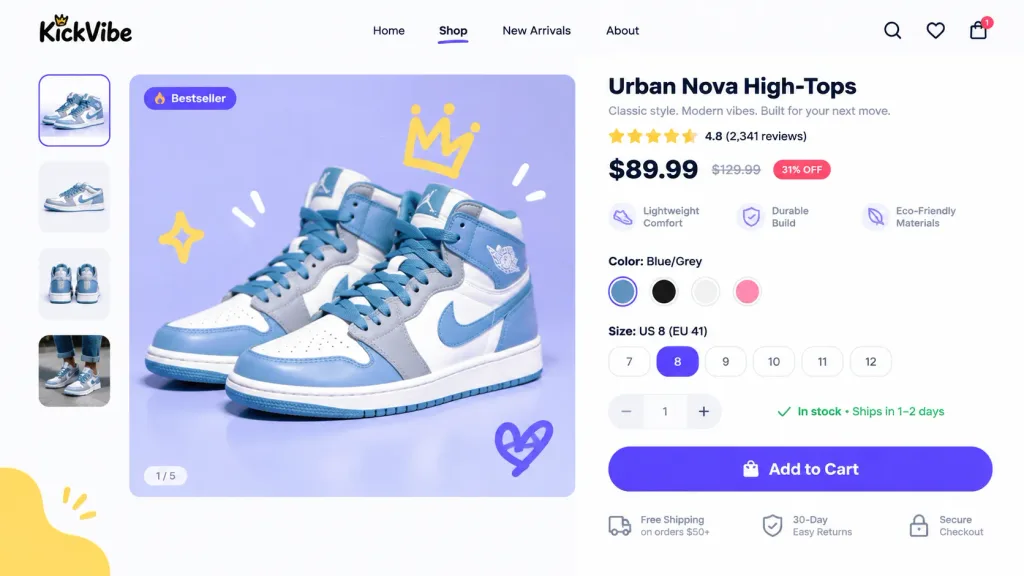
E-Commerce UI Redesign and Usability Optimization

E-Commerce UI Redesign and Usability Optimization

Redesign the provided UI screen for a [younger audience]. Generate the next logical page in the user journey, optimized to increase add-to-cart conversion rates. Shift the primary call-to-action button down by [10 pixels], fix visual usability flaws, and polish layout hierarchy to reduce bounce rates for [https://t.co/Ct6uyBtKmB].

ui redesignux designweb mockup
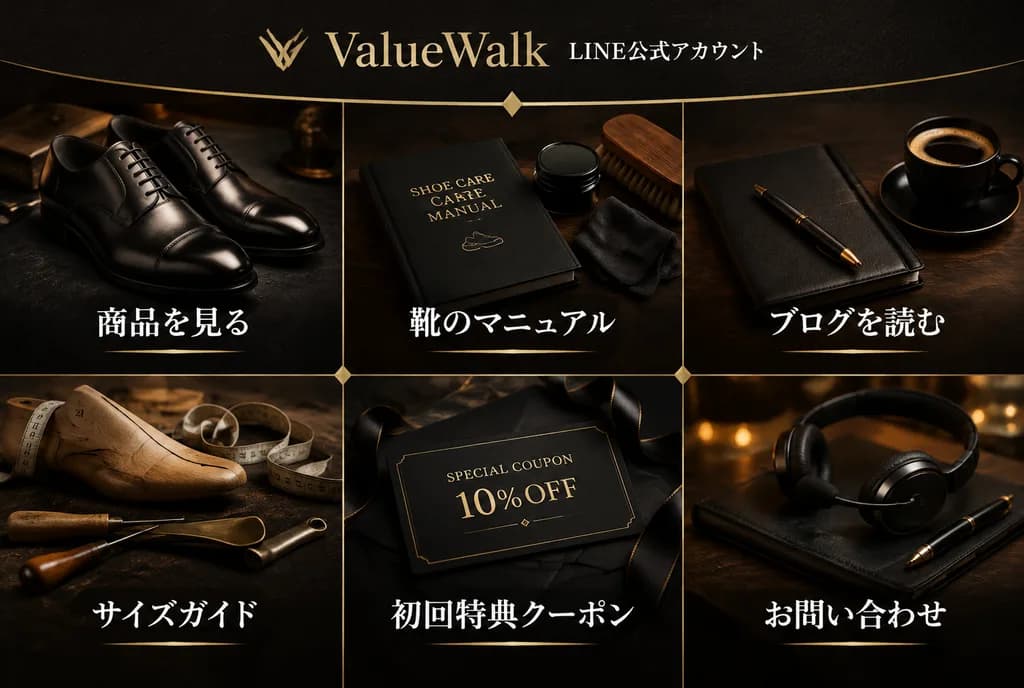
Luxury Shoe Brand LINE Rich Menu

Luxury Shoe Brand LINE Rich Menu

premium LINE rich menu image for a luxury men's leather shoe brand. dark luxury editorial photography, realistic product still life, black and deep brown palette, warm gold accents, elegant Japanese typography. 3:2 wide horizontal. high de…

line rich menuleather shoesui design
Minimal AI Bear Mascot Editing Interface

Minimal AI Bear Mascot Editing Interface

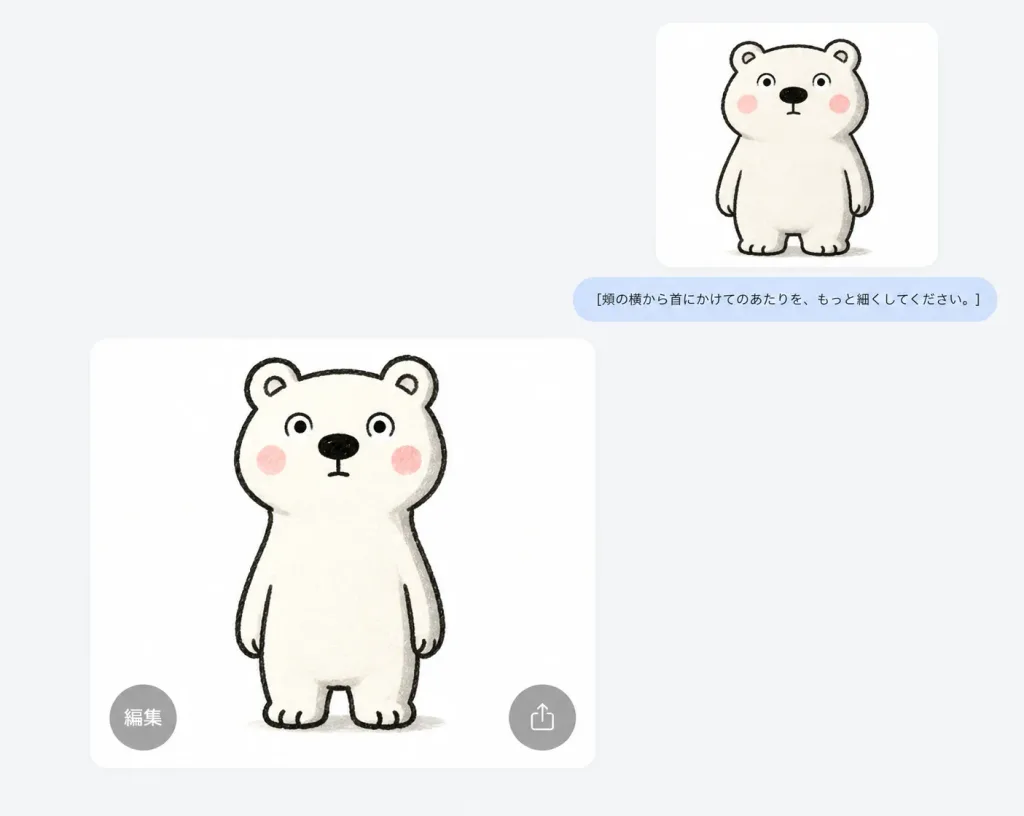
Clean screenshot-style composition displaying an AI image-editing interface conversation about refining a simple mascot bear illustration. - Composition & Layout: Wide horizontal frame with a pale gray-white flat background and generous negative space. Exactly two white rounded-corner image cards are placed asymmetrically: one smaller card positioned high in the upper-right area, and one larger card positioned in the lower-left to center area. Exactly one light-blue rounded chat bubble sits directly beneath the small upper-right card, horizontally aligned with it. Exactly two semi-transparent circular gray UI overlay buttons sit over the bottom edge of the large card. - Subject Details: A cute, minimalist, hand-drawn white bear mascot with a slightly awkward neutral expression, standing upright facing forward. Rendered with thick black sketchy marker outlines, rounded ears with inner lines, wide circular eyes with black pupils, a large black oval nose, a tiny straight mouth, pink blush cheeks, short dangling arms, and stubby legs with toe notches. The fur is warm off-white with subtle paper texture and soft gray shading along the right edge. The larger lower bear shows a narrower neck and upper torso contour from cheek to shoulders while maintaining a charming handmade look. The smaller upper bear depicts the prior version with slightly chunkier proportions. - UI Elements & Text: The single chat bubble contains the Japanese text: "[頬の横から首にかけてのあたりを、もっと細くしてください。]". The bottom-left circular overlay button on the large card is labeled with "編集". The bottom-right button displays a minimal gray share/upload icon. No other text, browser chrome, timestamps, or decorative UI elements.

ui screenshotmascot designminimalist
Minimalist Corporate Website UI Layout

Minimalist Corporate Website UI Layout

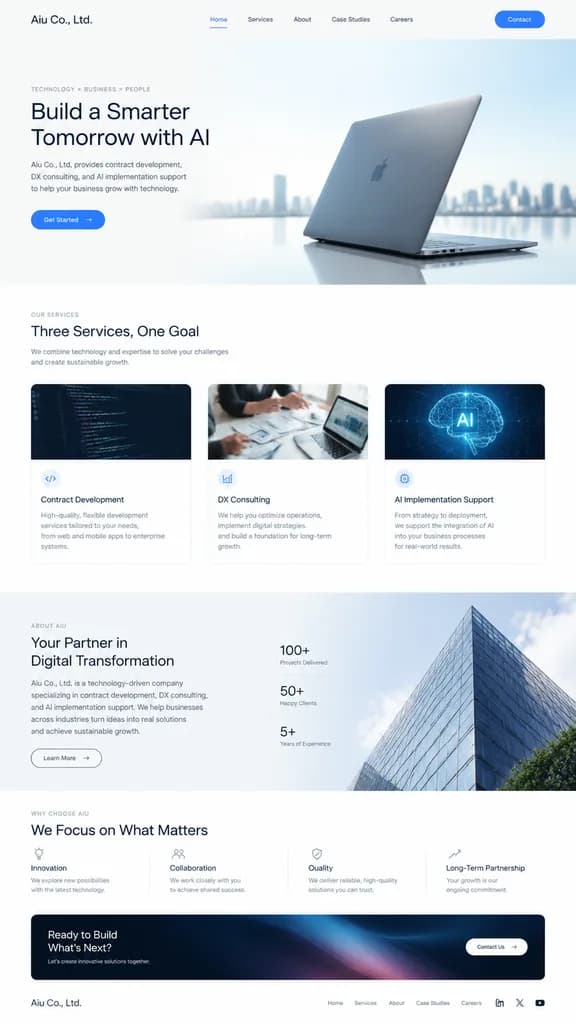
Full-page website UI design in a vertical layout for a company named "[Aiu Co., Ltd.]", specializing in "[Contract development, DX consulting, AI implementation support]". Sophisticated, minimalist aesthetic reminiscent of Apple's website, featuring generous whitespace, sleek modern typography, clean grid layout, elegant product or service hero section, high-end tech imagery, and intuitive navigation components.

ui designweb layoutcorporate website
Anthropic AI Token Grant Check Mockup

Anthropic AI Token Grant Check Mockup

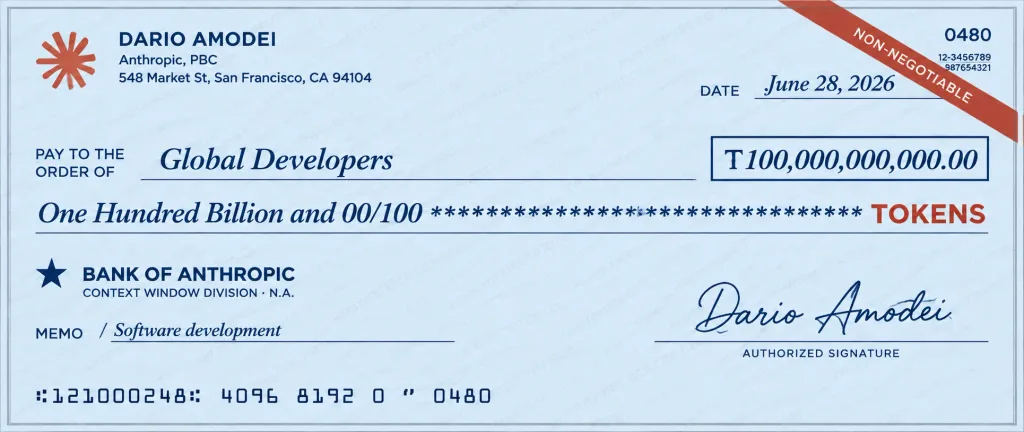
Realistic oversized bank check styled as a high-resolution promotional mockup for an AI company token grant, presented straight-on against a neutral background. The check features pale blue security paper with a subtle, very low-opacity repeating diagonal watermark pattern reading “ANTHROPICTOKENCHECK” and a thin gray border. Layout and Content: - Top-Left: Rust-red Anthropic starburst logo beside payer identity block: “DARIO AMODEI” on top, followed by “Anthropic, PBC / 548 Market St, San Francisco, CA 94104”. - Top-Right: Diagonal rust-red security ribbon reading “NON-NEGOTIABLE”, small check number “0480”, and tiny routing numbers. Below the ribbon: “DATE” label with italic date “[June 28, 2026]”. - Center: Small uppercase label “PAY TO THE ORDER OF” above italic payee name “[Global Developers]”. To the right, a dark navy outlined rectangle enclosing the numeric amount “[T100,000,000,000.00]”. - Written Amount Line: Italic serif text “[One Hundred Billion and 00/100]” followed by a line of asterisks, with a bold red label “TOKENS” at the end. - Lower-Left: Bank name “BANK OF ANTHROPIC” beside a small navy star icon, with subtitle “CONTEXT WINDOW DIVISION · N.A.” beneath. Below that, “MEMO / [Software development]”. - Lower-Right: Flowing cursive signature “Dario Amodei” above the caption “AUTHORIZED SIGNATURE”. - Bottom: Standard MICR line reading “:121000248: 4096 8192 0 ʺ 0480”. Style: Vector-sharp print graphic with subtle scan-like texture, clean dark navy ink for standard text, crisp red accents, fully legible typography, perfectly centered and flat lay with no hands, people, or background clutter.

bank checkmockupanthropic
Luxury Nightclub Landing Page Hero

Luxury Nightclub Landing Page Hero

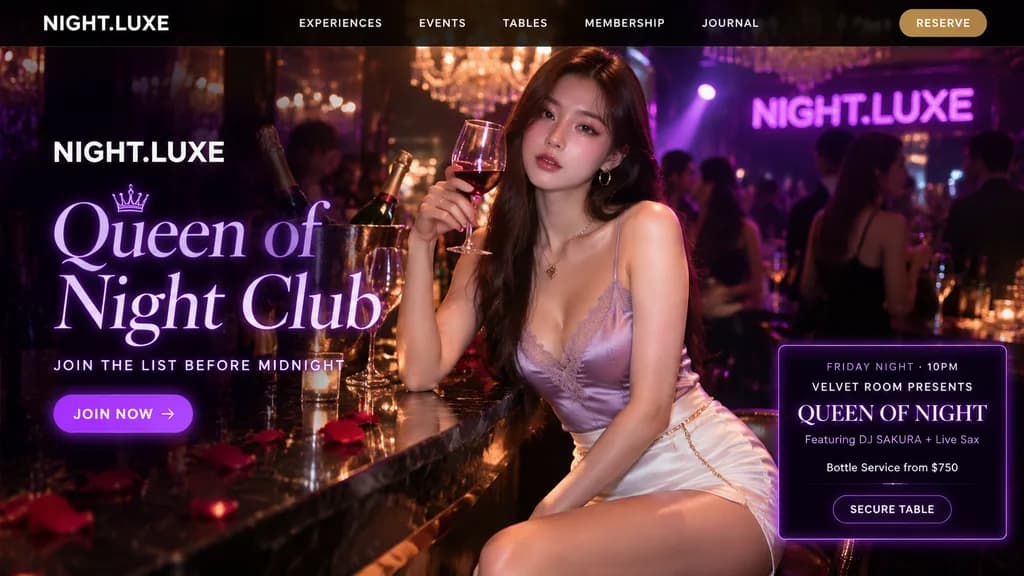
luxury nightclub landing-page hero image. black transparent header bar, white uppercase menu text, gold rounded RESERVE button. large luxury serif headline in glowing pale violet, brand name in bold white sans serif above, purple rounded c…

ui-ux-designnightclublanding-page