
プロンプト
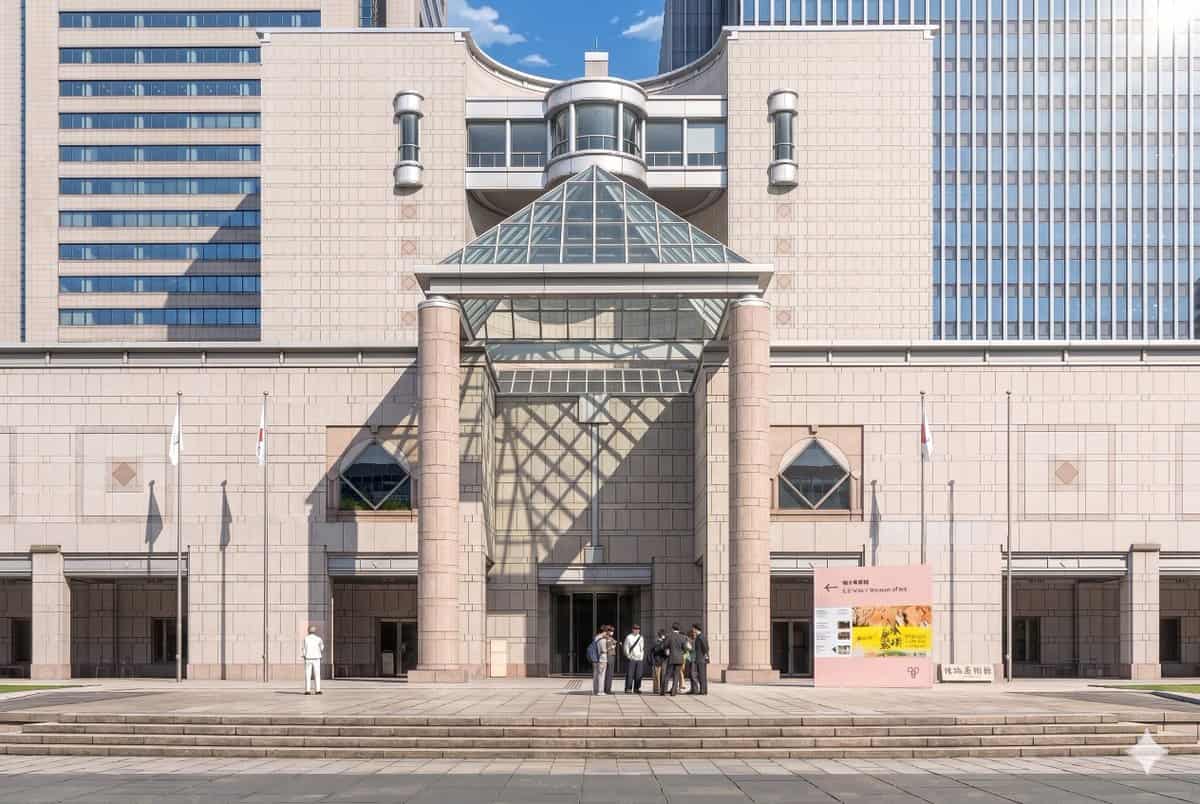
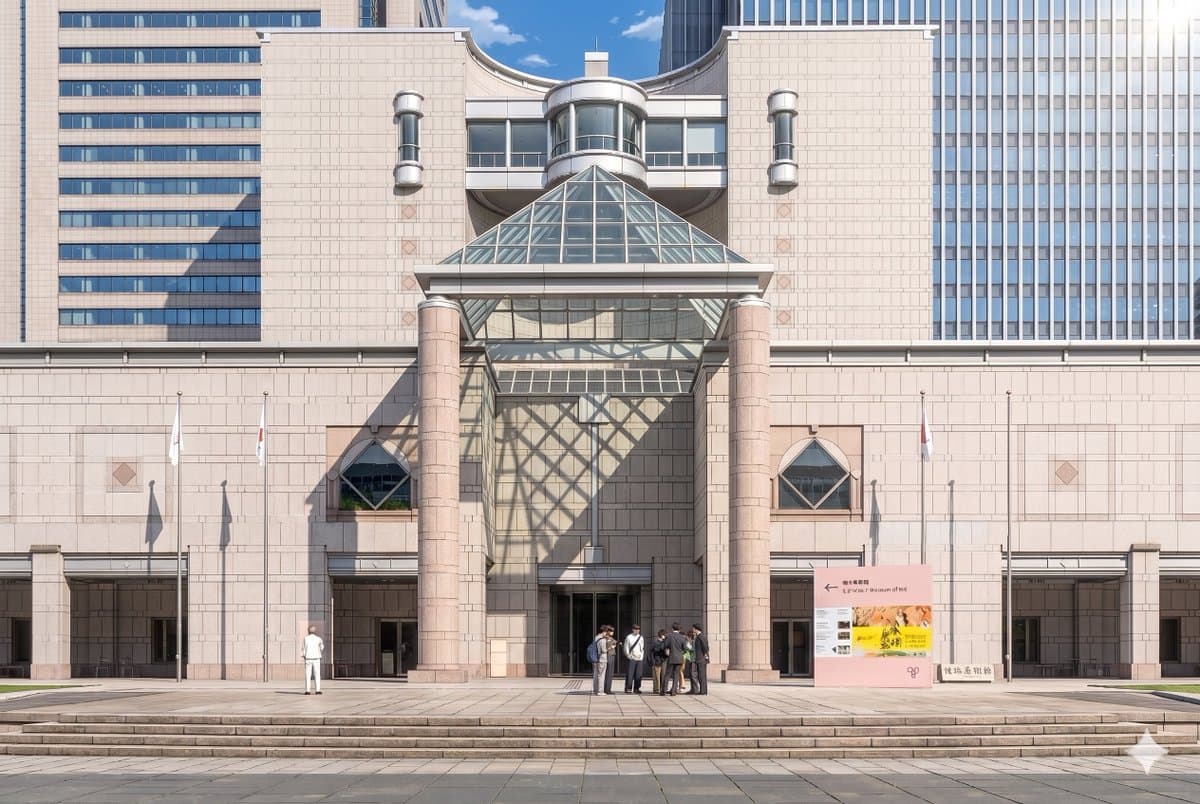
提供された参考写真を使用して、同じ美術館のファサードと正面構図を洗練された劇場アニメ背景イラストとして再現する。建築、看板、3本の旗竿、広い階段、そして全体的なレイアウトを一貫させながら、画像をリアルな写真から、クリーンな線画、柔らかいセルシェーディング、優しいパステル石材色、そして鮮やかな大気照明を備えた、非常に詳細な手描きアニメ映画スタイルに変換する。右上から劇的な日光を加え、ガラスのピラミッドが中央の壁と入口の左側に大きな幾何学的な格子状の影を投げかけるようにする。人々をアニメの背景キャラクターに簡素化・スタイライズし、見える2つのグループを保つ:左側に1人の孤立した人物と、中央右の入口付近に7人の小さなクラスター。澄み切った青空の昼間のムードを保ちながら、シーンを優雅で洗練された、映画のような感じにする。
このプロンプトの使用方法
生成する前に、完全な アニメ風美術館背景変換 プロンプトを読み、主題、スタイル、カメラ、照明、構成の要件を特定してください。
括弧で囲まれたプレースホルダーまたは引数スタイルのプレースホルダーを、製品、キャラクター、ブランド、シーン、カラーパレット、またはアスペクト比の要件に置き換えます。
https://www.gptimagehub.com/ja/generate?promptId=cmogx3mgt00dvzpdy0t3buci9 を開いて画像を生成し、必要に応じてより具体的な件名、テキスト、レイアウト、または否定的な制約を使用してプロンプトを調整します。
プロンプトFAQ
アニメ風美術館背景変換 プロンプトは何に最適ですか?
このプロンプトは、再利用可能な構造、詳細な視覚的方向性、一貫した出力品質が必要な アニメ / マンガ 画像に最適です。
生成する前にプロンプトを編集できますか?
はい。このページには完全なプロンプト テキストが表示されるため、生成前に件名、製品名、色、構成、カメラ用語、アスペクト比、スタイル メモを変更できます。
このプロンプトではどのモデルを使用すればよいですか?
プロンプトのメタデータに示されているモデルをデフォルトの開始点として使用します。別の画像モデルが同じアスペクト比と指示スタイルをサポートしている場合は、プロンプトを調整して結果を比較できます。