
コージーなアニメASMR耳マッサージ少女
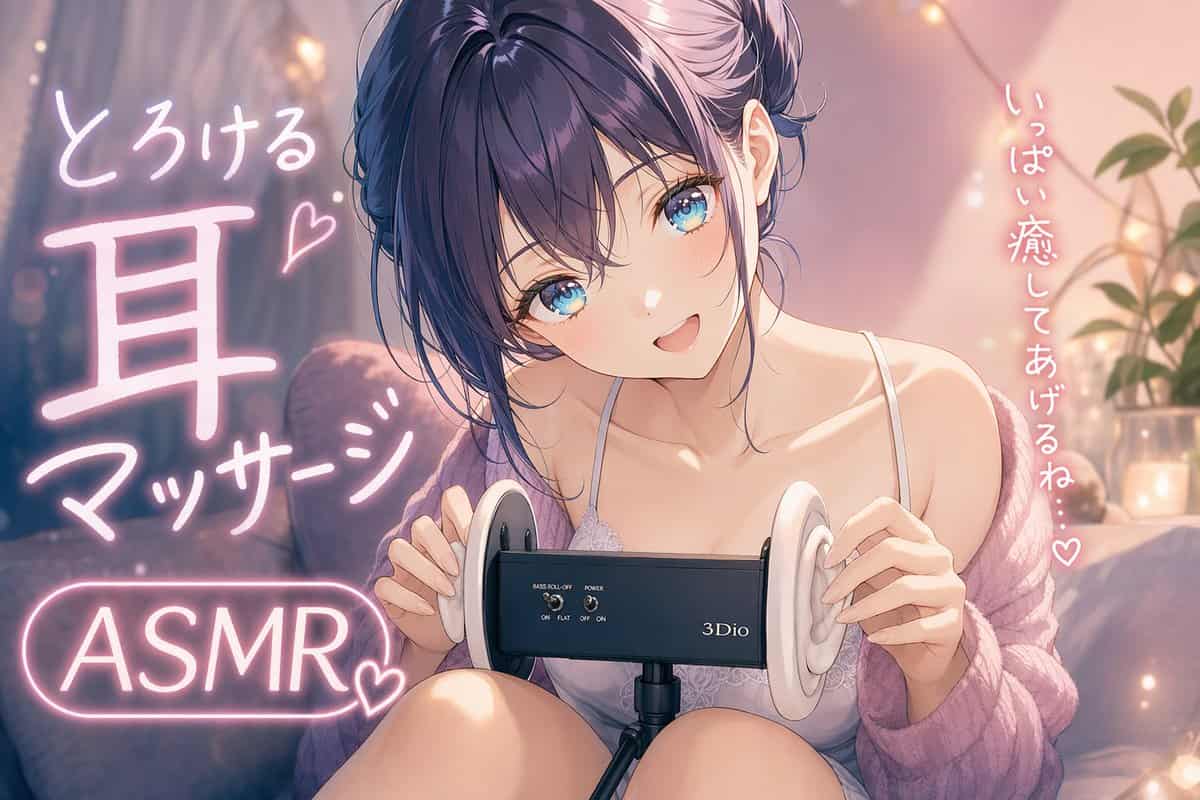
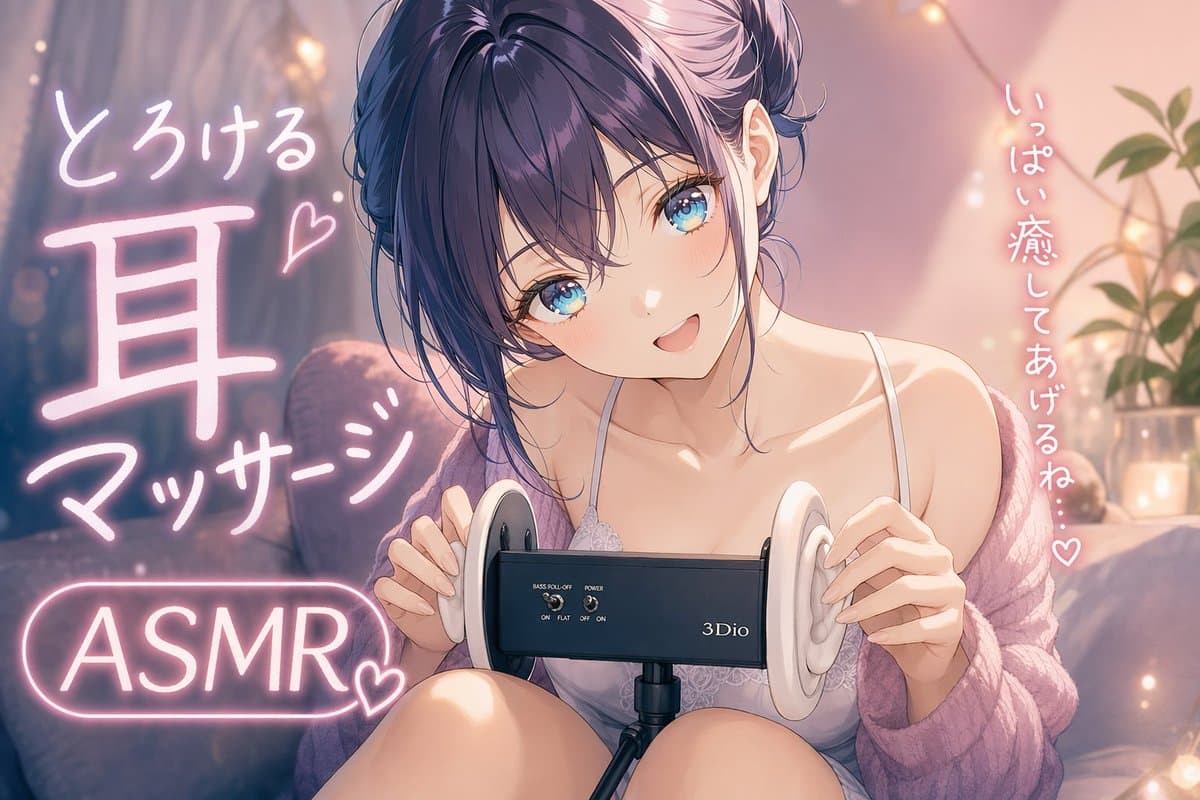
夜の居心地の良い寝室でASMRをしている可愛い若い女性の柔らかく夢のようなアニメイラスト。視聴者のすぐ近くに座り、膝を抱え、目の前の中央に黒い3Dio風バイノーラルマイクを配置する。彼女は{argument name="hair color" default="deep violet"}の髪をゆるくまとめたメッシーアップヘアで、顔を縁取る薄い前髪、大きく輝く{argument name="eye color" default="blu…
プロンプト
夜の居心地の良い寝室でASMRをしている可愛い若い女性の柔らかく夢のようなアニメイラスト。視聴者のすぐ近くに座り、膝を抱え、目の前の中央に黒い3Dio風バイノーラルマイクを配置する。彼女は{argument name="hair color" default="deep violet"}の髪をゆるくまとめたメッシーアップヘアで、顔を縁取る薄い前髪、大きく輝く{argument name="eye color" default="blue"}の瞳、優しい頬の赤み、そして甘く口を開けた笑顔を浮かべている。頭は視聴者に向かってわずかに傾けられ、温かく愛情深いポーズをとっている。彼女は繊細な白いレースの細いストラップキャミソールと、肩から脱げ落ちた{argument name="cardigan color" default="soft pink-lavender"}のオーバーサイズのふわふわニットカーディガンを着用し、優しく親密な深夜の癒しの雰囲気を作り出している。両手は耳マッサージをしようとするかのようにマイクの白いシリコン製の耳を軽く触れている。部屋はピンクとアンバーのアンビエントライトで柔らかく照らされ、背景には厚いカーテン、ふかふかのクッションがあるベッドかソファ、暖かいフェアリーライトのボケ、そして右側には小さな観葉植物がある。構図に統合された光る手書きの日本語ネオンテキストを追加:左側には4つのテキスト要素「とろける」「耳」「マッサージ」「ASMR」と2つの小さなハートマーク;右側には縦書きで「いっぱい癒してあげるね…♡」。洗練されたモダンアニメスタイル、非常に詳細な顔と髪、艶やかな瞳、滑らかで発光する肌、柔らかいシェーディング、パステルのハイライト、浅い被写界深度、ロマンチックでコージーな配信者サムネイル構図、そしてピンク、ラベンダー、クリーム、暖かいゴールドが支配する優しいフェミニンなカラーパレットを使用する。
このプロンプトの使用方法
生成する前に、完全な コージーなアニメASMR耳マッサージ少女 プロンプトを読み、主題、スタイル、カメラ、照明、構成の要件を特定してください。
括弧で囲まれたプレースホルダーまたは引数スタイルのプレースホルダーを、製品、キャラクター、ブランド、シーン、カラーパレット、またはアスペクト比の要件に置き換えます。
https://www.gptimagehub.com/ja/generate?promptId=cmogx3adw00dlzpdyx2usz04n を開いて画像を生成し、必要に応じてより具体的な件名、テキスト、レイアウト、または否定的な制約を使用してプロンプトを調整します。
プロンプトFAQ
コージーなアニメASMR耳マッサージ少女 プロンプトは何に最適ですか?
このプロンプトは、再利用可能な構造、詳細な視覚的方向性、一貫した出力品質が必要な ソーシャルメディア 画像に最適です。
生成する前にプロンプトを編集できますか?
はい。このページには完全なプロンプト テキストが表示されるため、生成前に件名、製品名、色、構成、カメラ用語、アスペクト比、スタイル メモを変更できます。
このプロンプトではどのモデルを使用すればよいですか?
プロンプトのメタデータに示されているモデルをデフォルトの開始点として使用します。別の画像モデルが同じアスペクト比と指示スタイルをサポートしている場合は、プロンプトを調整して結果を比較できます。