
モニカ アニメバナーイラスト
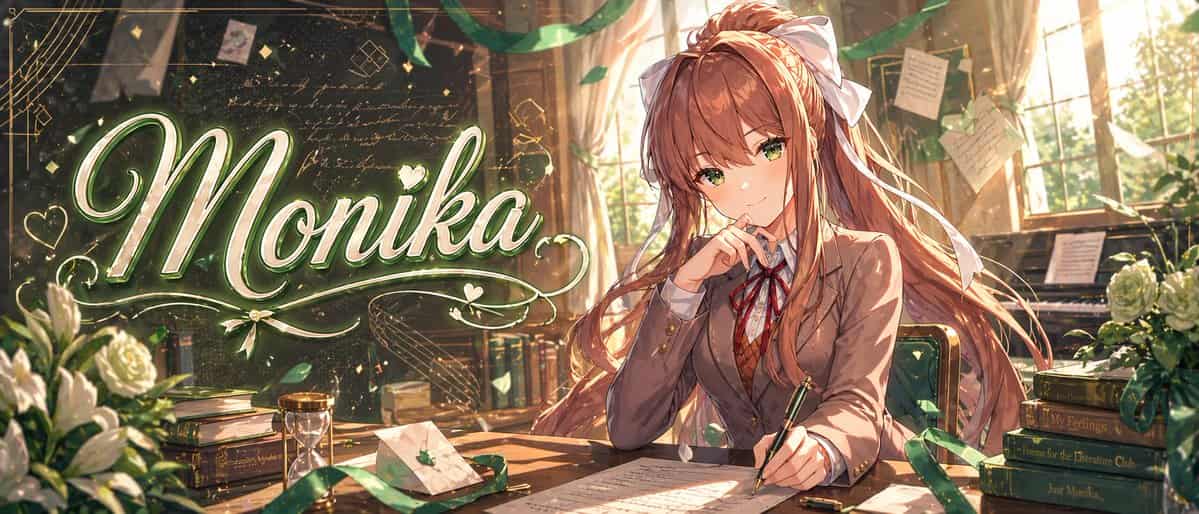
暖かなゴールデンの教室文芸部を舞台にした、高度に洗練されたアニメバナーイラスト。ワイドな映画的構成。左半分には、大きなエレガントな輝く筆記体のタイトル「{argument name="headline text" default="Monika"}」を巨大なカリグラフィで配置し、白と淡い緑色で着色し、ソフトなネオングロー、メタリックなハイライト、装飾的な飾り、ハート、輝き、周囲を渦巻く装飾的なラインを加えます。右半分には、「{argu…
プロンプト
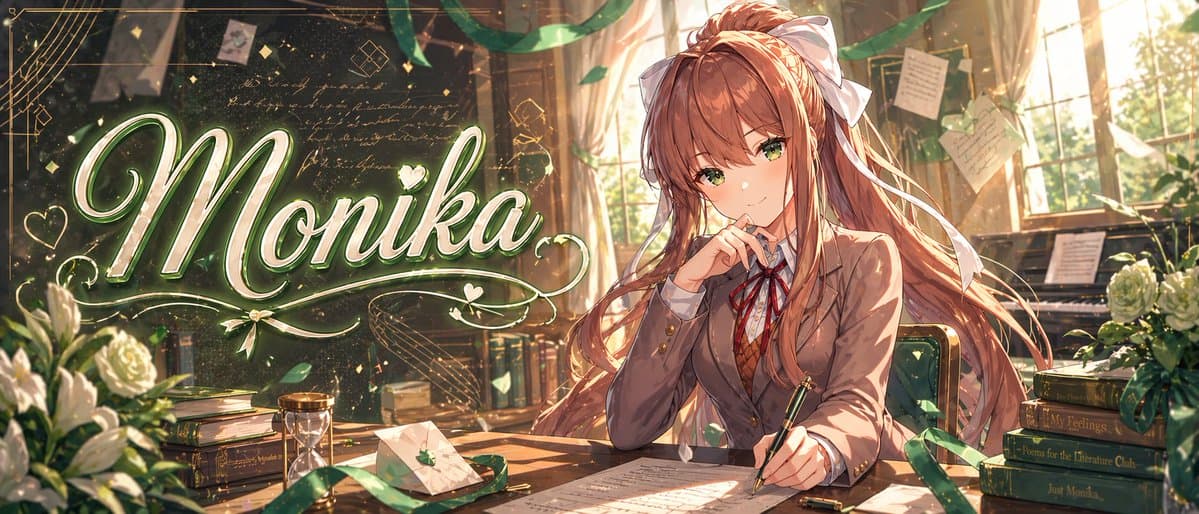
暖かなゴールデンの教室文芸部を舞台にした、高度に洗練されたアニメバナーイラスト。ワイドな映画的構成。左半分には、大きなエレガントな輝く筆記体のタイトル「{argument name="headline text" default="Monika"}」を巨大なカリグラフィで配置し、白と淡い緑色で着色し、ソフトなネオングロー、メタリックなハイライト、装飾的な飾り、ハート、輝き、周囲を渦巻く装飾的なラインを加えます。右半分には、「{argument name="character name" default="Monika"}」にインスパイアされた美しいアニメ女子高生が木製の机に座り、わずかに左を向いています。長く流れる「{argument name="hair color" default="chestnut brown"}」の髪、非常に大きな白いリボンの蝶結び、暖かな茶色の目、思慮深く自信に満ちた表情をしています。日本の高校制服を着用し、見える衣類が正確に4点:茶色のブレザー、白いシャツ、赤いリボンタイ、茶色のアーガイル柄セーターベスト。片手で机の上の紙の上に万年筆を持ち、もう片手は顔の近くに優雅に書く姿勢で添えられています。部屋は高い窓から差し込む夕陽、塵の粒子、たなびく緑のリボン、舞う花びら、背景にピン留めされ吊るされた手書きのメモ、かすかな筆記体の文字と幾何学的な落書きで覆われた暗い黒板で満たされています。机と部屋に正確に9つの目立つ小道具を含めてください:左下の白いバラの花束、左の本の山、中央左近くの砂時計、小さな緑の葉のエンブレムが付いた封蝋された封筒、机の上に散らばった手稿のページ、書き手の手の近くのペンキャップ、緑張りの椅子、右奥のピアノ、右側の4冊の本の山。右側の4つの本の背表紙は、上から下へ次のように読みます:「Save Me」「My Feelings」「Poems for the Literature Club」「Just Monika.」。豊かなボリューメトリックライティング、きらめく粒子、緑とゴールドのカラーハーモニー、繊細な線画、超詳細な絵画的シェーディング、ロマンチックなビジュアルノベルのキーアートクオリティ、プレミアムで洗練されたサムネイル/バナーの美学を加えてください。
このプロンプトの使用方法
生成する前に、完全な モニカ アニメバナーイラスト プロンプトを読み、主題、スタイル、カメラ、照明、構成の要件を特定してください。
括弧で囲まれたプレースホルダーまたは引数スタイルのプレースホルダーを、製品、キャラクター、ブランド、シーン、カラーパレット、またはアスペクト比の要件に置き換えます。
https://www.gptimagehub.com/ja/generate?promptId=cmogx2iro00czzpdyk4w2qzfq を開いて画像を生成し、必要に応じてより具体的な件名、テキスト、レイアウト、または否定的な制約を使用してプロンプトを調整します。
プロンプトFAQ
モニカ アニメバナーイラスト プロンプトは何に最適ですか?
このプロンプトは、再利用可能な構造、詳細な視覚的方向性、一貫した出力品質が必要な ソーシャルメディア 画像に最適です。
生成する前にプロンプトを編集できますか?
はい。このページには完全なプロンプト テキストが表示されるため、生成前に件名、製品名、色、構成、カメラ用語、アスペクト比、スタイル メモを変更できます。
このプロンプトではどのモデルを使用すればよいですか?
プロンプトのメタデータに示されているモデルをデフォルトの開始点として使用します。別の画像モデルが同じアスペクト比と指示スタイルをサポートしている場合は、プロンプトを調整して結果を比較できます。