
プロンプト
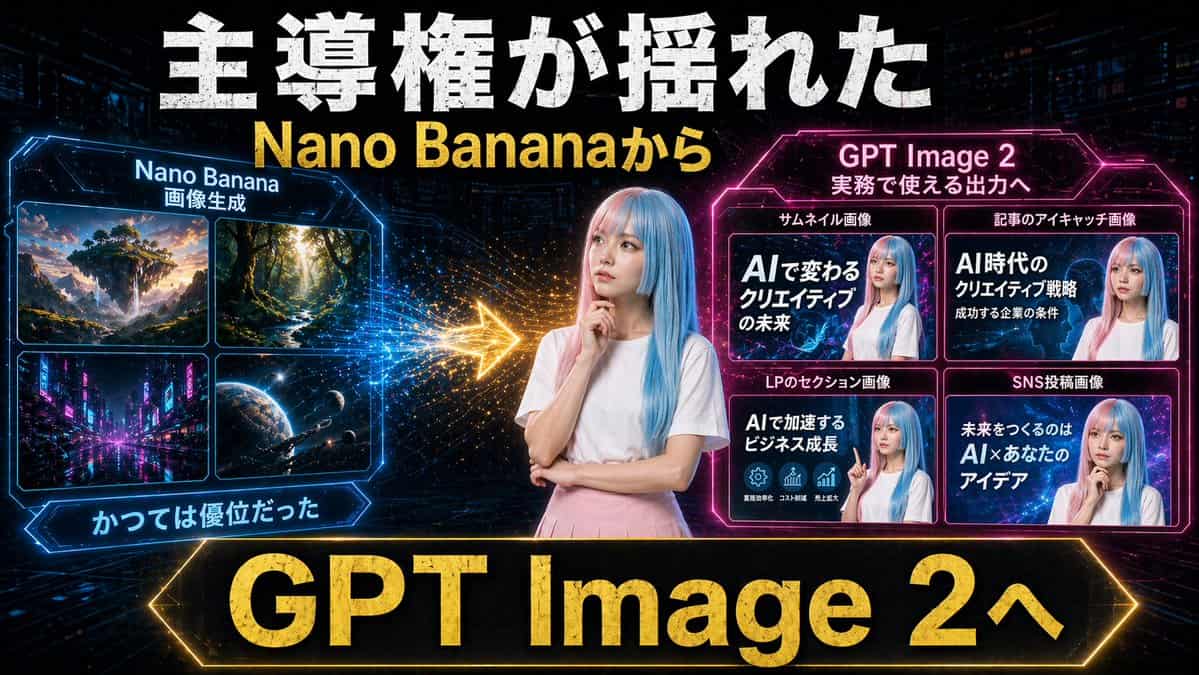
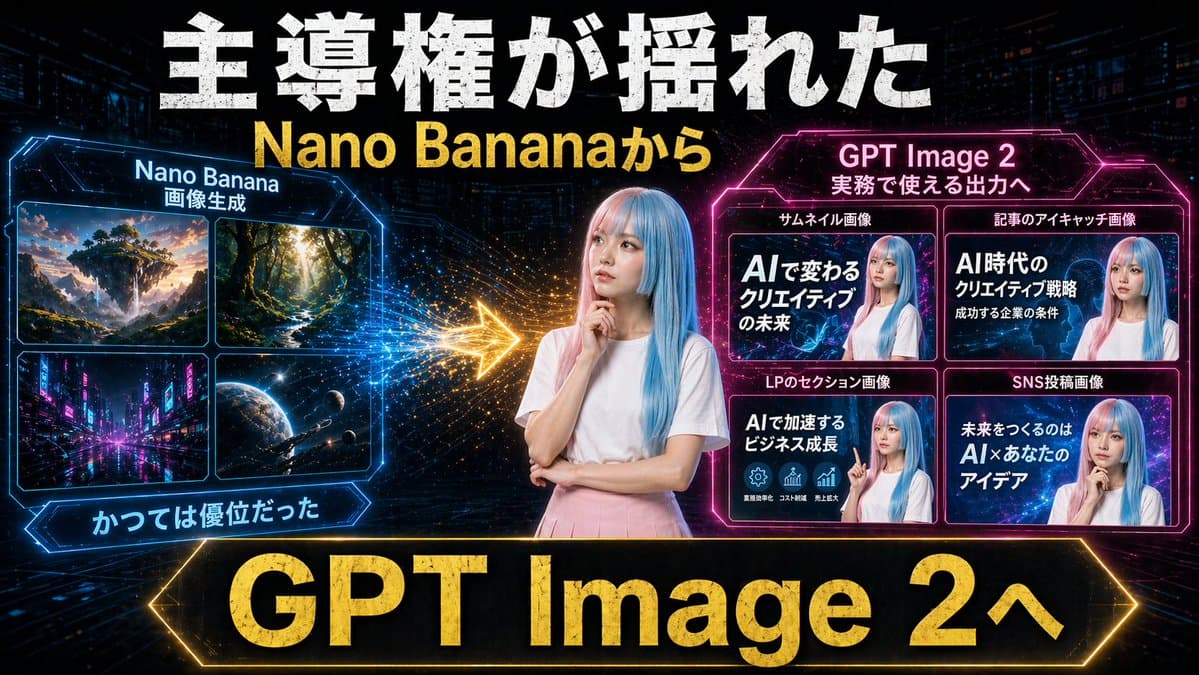
未来的なネオン・サイバーパンクスタイルで、16:9横長のドラマチックな日本語YouTubeサムネイルを作成してください。背景は、かすかな高層ビル群、デジタルグリッドライン、輝く粒子、青・ピンク・ゴールドのハイコントラストな照明を備えたダークなテックシティとします。中央には、淡いブルーのまっすぐなロングヘアの若い女性を腰から上で配置し、無地の白い半袖Tシャツと淡いピンクのスカートを着用し、片手をあごの近くに添えてもう一方の腕を組んだ思索的なポーズをとらせます。顔は柔らかな長方形のぼかしで匿名化してください。最上部全体に、巨大でざらついた太字の白い日本語見出しテキスト「主導権が揺れた」を配置し、その直下に大きな太字の黄色テキスト「{argument name="subheadline text" default="Nano Bananaから"}」を加えてください。左側には、青く光る六角形の枠付きパネルを作成し、タイトルを「Nano Banana」、小さなサブタイトルを「画像生成」とします。そのパネル内には、2x2グリッドで正確に4つの画像タイルを含めてください:1) 夕暮れのファンタジー浮遊島の風景、2) 高い木々が並ぶ陽光の差し込む森の小道、3) 夜のネオンが輝く未来都市の街路、4) 星々と宇宙船のある宇宙惑星のシーン。左パネルの下に、青く光るリボンラベル「かつては優位だった」を加えます。右側には、マゼンタに光る六角形の枠付きパネルを作成し、タイトルを「{argument name="right panel title" default="GPT Image 2"}」、小さなサブタイトルを「実務で使える出力へ」とします。その内部には、同じく青髪でぼかし顔の女性と太字の日本語テキストを特徴とする2x2グリッドの正確に4つのサンプルサムネイルカードを配置してください。タイル上部の4つのカードラベルは「サムネイル画像」「記事のアイキャッチ画像」「LPのセクション画像」「SNS投稿画像」です。4つのカード内の大きなテキストは、それぞれ次のように記載してください:1) 「AIで変わるクリエイティブの未来」、2) 「AI時代のクリエイティブ戦略 成功する企業の条件」、3) 「AIで加速するビジネス成長」、4) 「未来をつくるのは AI×あなたのアイデア」。左右のパネル間には、左から右へ向かう輝くゴールドの矢印を配置し、火花のような粒子の軌跡で移行や優位性のシフトを示してください。最下部全体には、輝くゴールドのボーダーと巨大な太字ゴールドテキスト「{argument name="bottom banner text" default="GPT Image 2へ"}」が入った非常に大きな黒いバナーを加えてください。全体構成は、旧来の画像生成からより実用的な商業出力への移行を示す比較グラフィックの印象を与え、攻めのサムネイルタイポグラフィ、強い発光効果、主要テキストへのメタリック質感、洗練されたソーシャルメディアマーケティングビジュアルを備えたものとしてください。
このプロンプトの使用方法
生成する前に、完全な ネオンAIサムネイル比較 プロンプトを読み、主題、スタイル、カメラ、照明、構成の要件を特定してください。
括弧で囲まれたプレースホルダーまたは引数スタイルのプレースホルダーを、製品、キャラクター、ブランド、シーン、カラーパレット、またはアスペクト比の要件に置き換えます。
https://www.gptimagehub.com/ja/generate?promptId=cmogx2av400ctzpdy1crzqmnp を開いて画像を生成し、必要に応じてより具体的な件名、テキスト、レイアウト、または否定的な制約を使用してプロンプトを調整します。
プロンプトFAQ
ネオンAIサムネイル比較 プロンプトは何に最適ですか?
このプロンプトは、再利用可能な構造、詳細な視覚的方向性、一貫した出力品質が必要な ソーシャルメディア 画像に最適です。
生成する前にプロンプトを編集できますか?
はい。このページには完全なプロンプト テキストが表示されるため、生成前に件名、製品名、色、構成、カメラ用語、アスペクト比、スタイル メモを変更できます。
このプロンプトではどのモデルを使用すればよいですか?
プロンプトのメタデータに示されているモデルをデフォルトの開始点として使用します。別の画像モデルが同じアスペクト比と指示スタイルをサポートしている場合は、プロンプトを調整して結果を比較できます。