
プロンプト
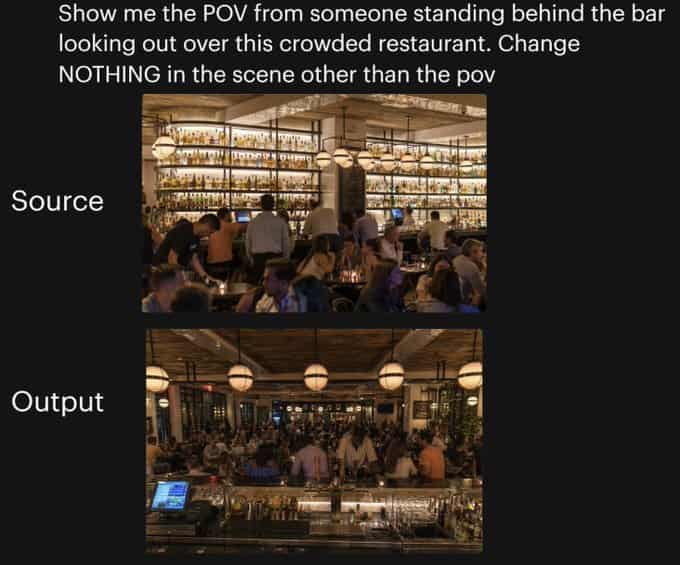
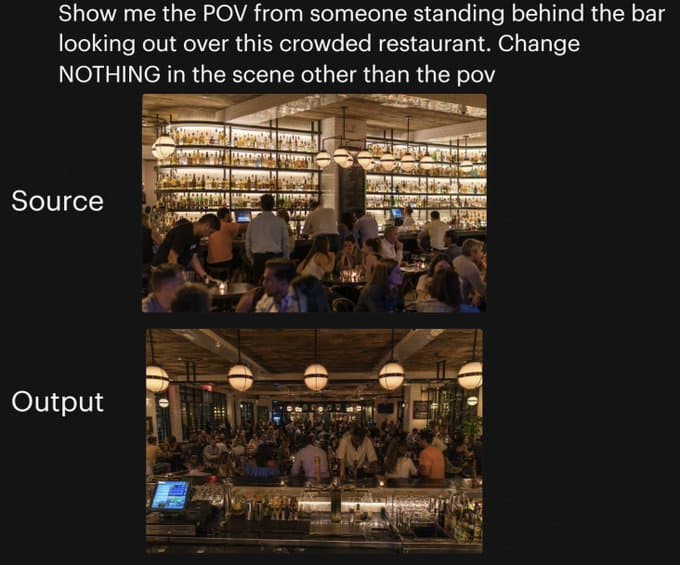
黒背景上で、同じレストランシーンのカメラアングル変更を実演する横並び比較グラフィック。上部には、大きな白いサンセリフテキストで次のように読みます:「Show me the POV from someone standing behind the bar looking out over this crowded restaurant. Change NOTHING in the scene other than the pov」。下には、縦に中央配置された2つの長方形写真を積み重ねます:上の画像は左側に大きな白いテキストで「Source」とラベル付けされ、下の画像は左側に大きな白いテキストで「Output」とラベル付けされます。上の写真は、温かく照らされた高級で混雑したレストラン内部を、ダイニングルーム側から見たものを示しています。壁一面の棚に多数の照明付き酒瓶が並ぶ高いバックバーに面し、前にバーテンダーと客、琥珀色の照明、グローブペンダントライト、木の天井、ベージュの柱、そして前景に密に配置された着席した食事客がいます。下の写真は、まったく同じレストラン、同じ群衆密度、同じ温かい照明、同じ装飾、同じバー棚、同じグローブペンダントライト、同じ全体構図要素を、バーの後ろに立って混雑したレストランを見渡す視点から示しています。前景には、左下にガラス器、金属製バーツール、ボトル、POSスクリーンが見えるバーカウンターがあり、客とスタッフが中景を満たし、ダイニングルームが背景に広がっています。2つの画像間でカメラ位置だけが変更されたという感覚を保ち、他のシーンの変更はありません。
このプロンプトの使用方法
生成する前に、完全な レストランPOV変更比較 プロンプトを読み、主題、スタイル、カメラ、照明、構成の要件を特定してください。
括弧で囲まれたプレースホルダーまたは引数スタイルのプレースホルダーを、製品、キャラクター、ブランド、シーン、カラーパレット、またはアスペクト比の要件に置き換えます。
https://www.gptimagehub.com/ja/generate?promptId=cmogx25mu00cpzpdyjrm1b5fc を開いて画像を生成し、必要に応じてより具体的な件名、テキスト、レイアウト、または否定的な制約を使用してプロンプトを調整します。
プロンプトFAQ
レストランPOV変更比較 プロンプトは何に最適ですか?
このプロンプトは、再利用可能な構造、詳細な視覚的方向性、一貫した出力品質が必要な ソーシャルメディア 画像に最適です。
生成する前にプロンプトを編集できますか?
はい。このページには完全なプロンプト テキストが表示されるため、生成前に件名、製品名、色、構成、カメラ用語、アスペクト比、スタイル メモを変更できます。
このプロンプトではどのモデルを使用すればよいですか?
プロンプトのメタデータに示されているモデルをデフォルトの開始点として使用します。別の画像モデルが同じアスペクト比と指示スタイルをサポートしている場合は、プロンプトを調整して結果を比較できます。