
プロンプト
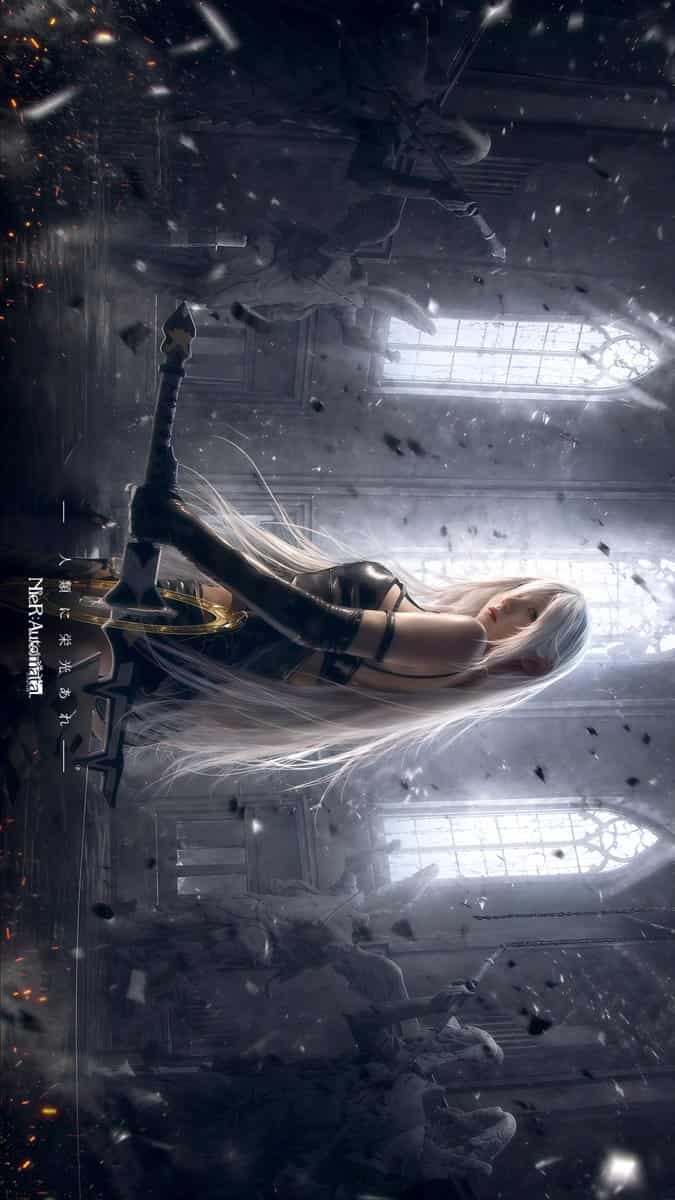
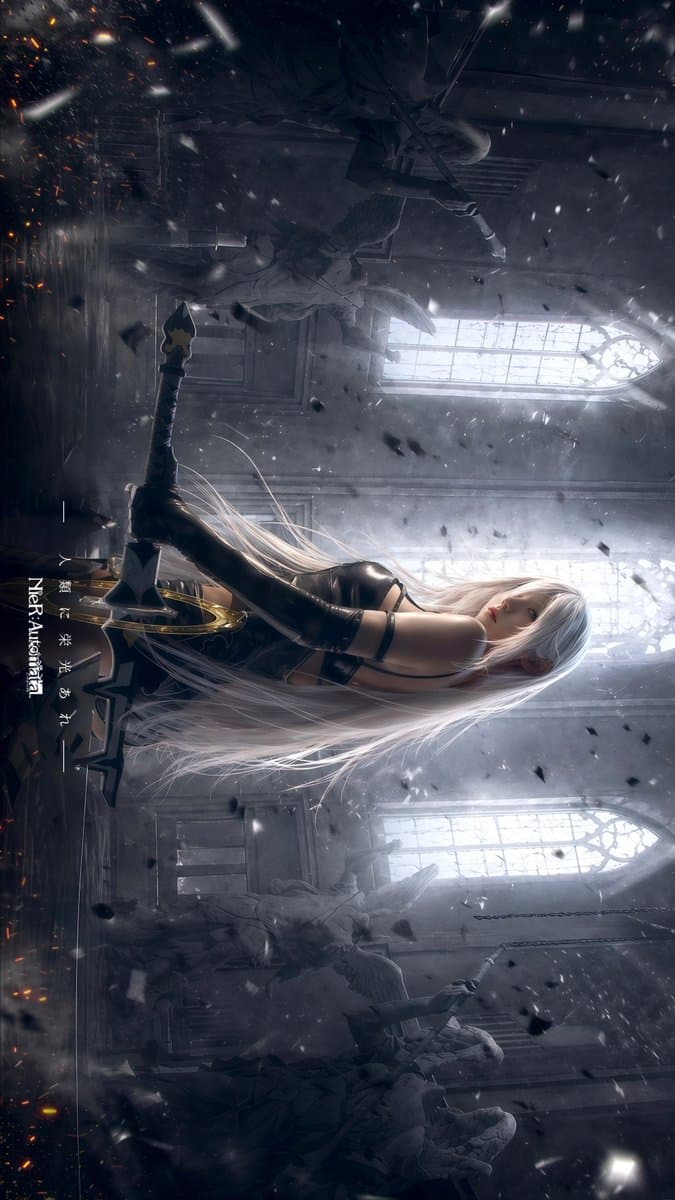
崩れ落ちたゴシック様式の大聖堂を舞台にした、シネマティックなダークファンタジーアニメ調のイラスト、縦構図。中央やや低い位置に、孤独な女性アンドロイド風戦士を後ろ姿で配置し、反射する石の床の上で踵に座るようにひざまずいている姿を描く。彼女は極めて長く流れるような{argument name="hair color" default="silver white"}の髪を床と空中に広げ、両眼を覆う流麗な黒のブラインドフォルド・バイザーを着け、エレガントなストラップ付きの黒いハイカット・ゴシック戦闘ドレス、長い黒のオペラグローブ、ニーハイの黒ブーツを身につけている。体型は細く優雅。両手を柄に添え、目の前に1本の大きく装飾的な剣を直立させ、刃は記念碑のように地面に突き立てている。剣には暗色の刃と、柄近くに黄金の輪状の装飾的な鍔が付いている。雰囲気は厳粛で、悲劇的、そして敬虔。背景には3つの高い尖頭アーチ窓を配置し、霞と埃の中に冷たい白い逆光を放つ。石造りの天使像を全部で4体含めること。左奥に大きめの天使像2体、右奥に2体を配置し、霧と暗闇に部分的に隠す。空気には漂う灰、雪のような粒子、黒い瓦礫の破片、床近くにわずかなオレンジ色の残り火を満たす。劇的な体積光線、ソフトブルーム、煙状の霧、高コントラスト、チャコールグレー、シルバー、ブルーグレー、ブラックの彩度を抑えたパレットを用いる。シーンは戦いの後の追悼のように感じられ、極めて精緻で、超洗練され、メランコリックで幽玄、{argument name="franchise title" default="NieR:Automata"}にインスパイアされたゲームのキービジュアルのように仕上げる。左下付近に縦書き日本語タイトル「{argument name="vertical text" default="儚き夢と共にあれ"}」を1つ配し、その横に小さな縦書き英語サブタイトル「{argument name="subtitle text" default="NieR:Automata"}」を1つ添える。
このプロンプトの使用方法
生成する前に、完全な ゴシック・アンドロイド戦士の大聖堂キービジュアル プロンプトを読み、主題、スタイル、カメラ、照明、構成の要件を特定してください。
括弧で囲まれたプレースホルダーまたは引数スタイルのプレースホルダーを、製品、キャラクター、ブランド、シーン、カラーパレット、またはアスペクト比の要件に置き換えます。
https://www.gptimagehub.com/ja/generate?promptId=cmogx0atw00bbzpdyibaaacau を開いて画像を生成し、必要に応じてより具体的な件名、テキスト、レイアウト、または否定的な制約を使用してプロンプトを調整します。
プロンプトFAQ
ゴシック・アンドロイド戦士の大聖堂キービジュアル プロンプトは何に最適ですか?
このプロンプトは、再利用可能な構造、詳細な視覚的方向性、一貫した出力品質が必要な ソーシャルメディア 画像に最適です。
生成する前にプロンプトを編集できますか?
はい。このページには完全なプロンプト テキストが表示されるため、生成前に件名、製品名、色、構成、カメラ用語、アスペクト比、スタイル メモを変更できます。
このプロンプトではどのモデルを使用すればよいですか?
プロンプトのメタデータに示されているモデルをデフォルトの開始点として使用します。別の画像モデルが同じアスペクト比と指示スタイルをサポートしている場合は、プロンプトを調整して結果を比較できます。