社交平臺整活截圖
其他

社交平臺整活截圖

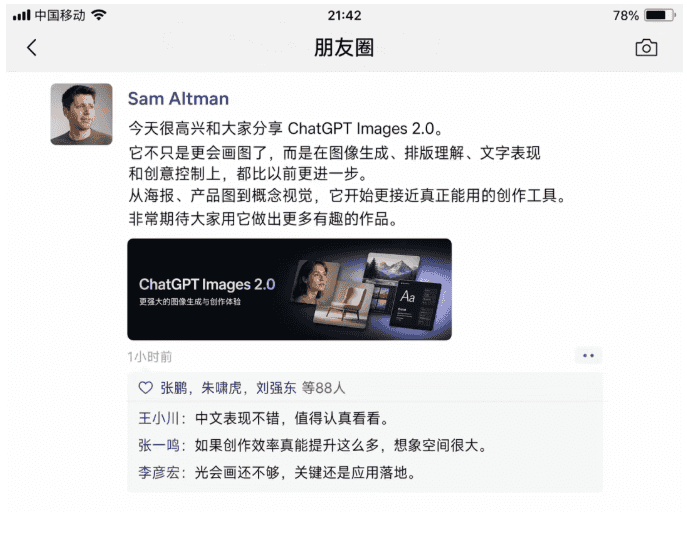
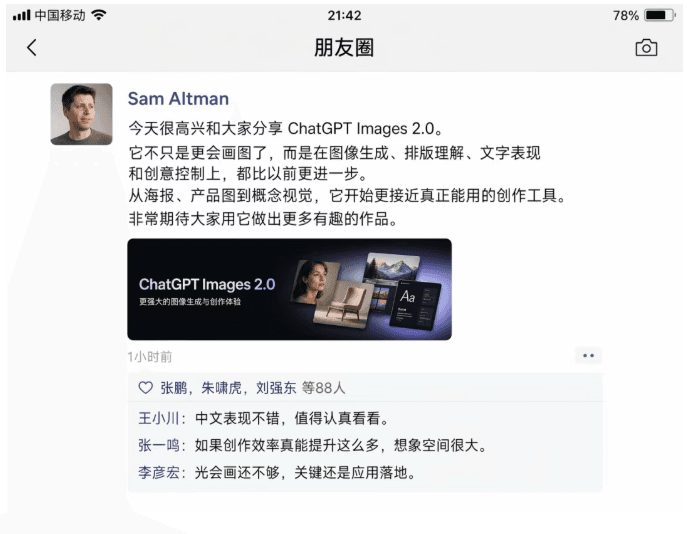
生成一張微信朋友圈截圖。 Sam Altman 用中文發朋友圈介紹 ChatGPT Images 2.0。 下方評論區裡出現互動:王小川:“中文表現不錯,值得認真看看。” 張一鳴:“如果創作效率真能提升這麼多,想象空間很大。” 李彥宏:“光會畫還不夠,關鍵還是應用落地。”

提示詞

生成一張微信朋友圈截圖。 Sam Altman 用中文發朋友圈介紹 ChatGPT Images 2.0。 下方評論區裡出現互動:王小川:“中文表現不錯,值得認真看看。” 張一鳴:“如果創作效率真能提升這麼多,想象空間很大。” 李彥宏:“光會畫還不夠,關鍵還是應用落地。”

How to use this prompt

1
Review the full prompt

Read the complete 社交平臺整活截圖 prompt and identify the subject, style, camera, lighting, and composition requirements before generating.

2
Customize variables

Replace bracketed or argument-style placeholders with your product, character, brand, scene, color palette, or aspect ratio requirements.

3
Generate and iterate

Open https://www.gptimagehub.com/zh-TW/generate?promptId=cmogxl5r200m1xt5g7ave7jgg, generate the image, then refine the prompt with more specific subject, text, layout, or negative constraints if needed.

Prompt FAQ

What is the 社交平臺整活截圖 prompt best used for?

This prompt is best used for 其他 images where you want a reusable structure, detailed visual direction, and consistent output quality.

Can I edit the prompt before generating?

Yes. The full prompt text is visible on this page so you can change subjects, product names, colors, composition, camera terms, aspect ratio, and style notes before generation.

Which model should I use with this prompt?

Use the model shown in the prompt metadata as the default starting point. If another image model supports the same aspect ratio and instruction style, you can adapt the prompt and compare results.

其他模板