
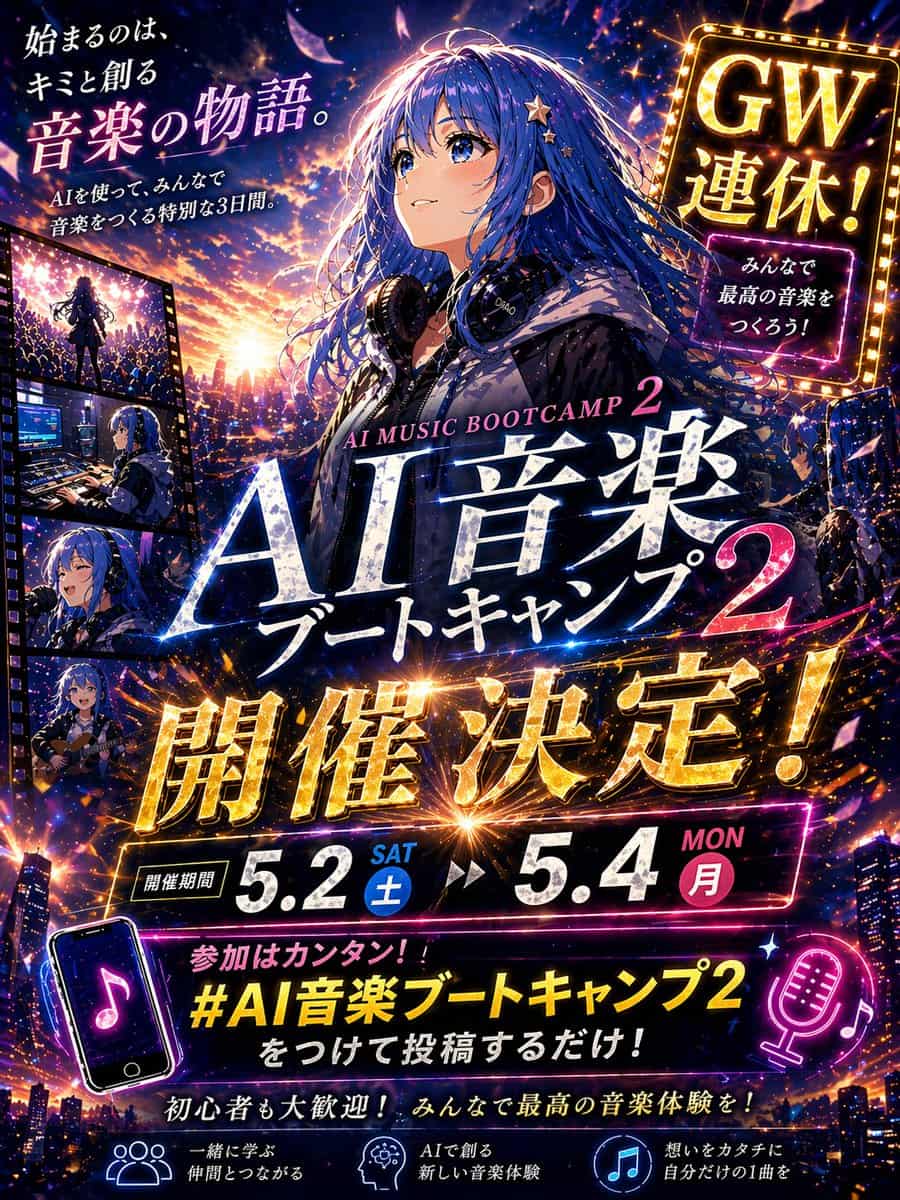
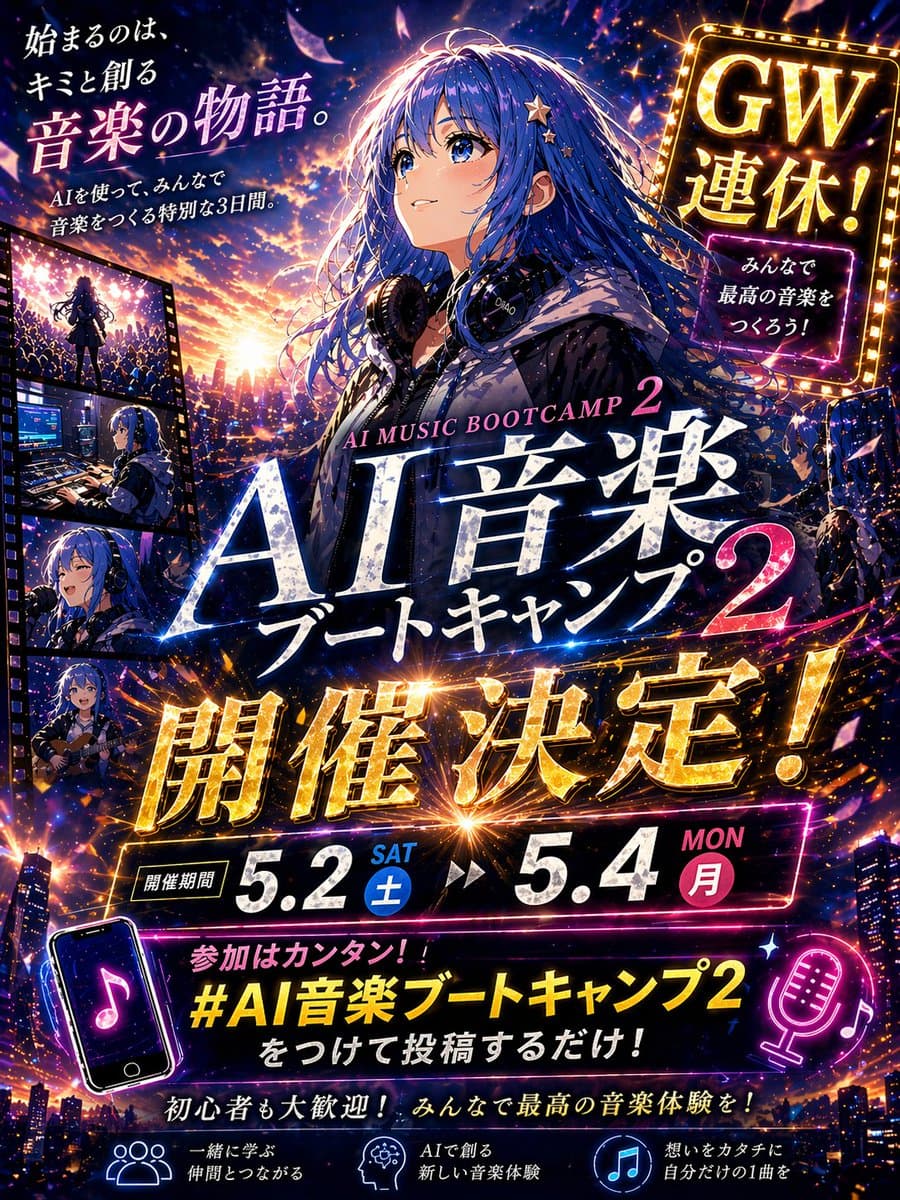
動漫音樂訓練營宣傳海報
建立一張戲劇化日式動漫風活動宣傳縮圖海報,豎版 4:5 構圖,超細節、電影感、霓虹光、高對比,設計成社交媒體公告圖。主體是一位美麗動漫女孩,略偏右居中,腰部以上,長而飄逸的 {argument name="hair color" default="deep blue"} 頭髮隨風揚起,髮間點綴小星星髮夾,穿深色連帽衫,脖子上掛大型錄音室耳機,背景是從發光日落過渡到夜晚的城市天際線,充滿閃爍燈光、音樂能量粒子、鏡頭光斑和飛舞發光花瓣。她…
提示詞
建立一張戲劇化日式動漫風活動宣傳縮圖海報,豎版 4:5 構圖,超細節、電影感、霓虹光、高對比,設計成社交媒體公告圖。主體是一位美麗動漫女孩,略偏右居中,腰部以上,長而飄逸的 {argument name="hair color" default="deep blue"} 頭髮隨風揚起,髮間點綴小星星髮夾,穿深色連帽衫,脖子上掛大型錄音室耳機,背景是從發光日落過渡到夜晚的城市天際線,充滿閃爍燈光、音樂能量粒子、鏡頭光斑和飛舞發光花瓣。她的臉部區域由柔和矩形模糊塊遮擋。使用電光藍、紫羅蘭、洋紅、金色和日落橙的鮮豔配色。用層疊日文排版填滿設計,文字要清晰、可讀,並像精緻活動廣告一樣融入畫面。包含正好 8 組主要文字:左上文案“「始まるのは、キミと創る 音楽の物語。」”,下方較小副文案“「AIを使って、みんなで音楽をつくる特別な3日間。」”;右上發光 marquee 招牌“「GW連休!」”,下方較小霓虹框“「みんなで最高の音楽をつくろう!」”;中心主標題,上方小號英文“「AI MUSIC BOOTCAMP 2」”,下方巨大日文標題“「AI音楽 ブートキャンプ 2」”;中部橫跨畫面的巨大金屬金色公告“「開催決定!」”;日期條“「開催期間」”,後接“「5.2 SAT 土」”和“「5.4 MON 月」”;底部附近話題標註“「參加はカンタン!! #AI音楽ブートキャンプ2 をつけて投稿するだけ!」”;下方鼓勵語“「初心者も大歓迎! みんなで最高の音楽體験を!」”;以及底部 3 個帶圖示的特色說明:“「一緒に學ぶ 仲間とつながる」”、“「AIで創る 新しい音楽體験」”、“「想いをカタチに 自分だけの1曲を」”。左邊緣加入一條豎向膠片條,正好有 4 個嵌入面板,展示同一女孩的音樂相關場景:1) 在人群前的舞臺上表演,2) 在帶螢幕和裝置的音樂製作桌前工作,3) 對著麥克風唱歌,4) 彈奏原聲吉他。在下方區域加入正好 2 個霓虹音樂主題圖示插畫:左下一個傾斜的帶音符智慧手機,右下一個發光麥克風和音符。文字效果要亮面、發光、壓印感,帶金色和白色高光,標題周圍有能量線和火花爆炸。整體感覺應鼓舞人心、慶祝感強、未來感強、情緒明亮,像為 {argument name="event name" default="AI音楽ブートキャンプ 2"} 製作的高衝擊力日本黃金週音樂訓練營廣告。
如何使用此提示
在生成之前閱讀完整的 動漫音樂訓練營宣傳海報 提示並確定主題、風格、相機、燈光和構圖要求。
將括號或參數式佔位符替換為您的產品、角色、品牌、場景、調色板或寬高比要求。
開啟 https://www.gptimagehub.com/zh-TW/generate?promptId=cmogx30iz00ddzpdyh0cg9uh1,產生圖像,然後根據需要使用更具體的主題、文字、佈局或負面約束來最佳化提示。
提示常見問題解答
動漫音樂訓練營宣傳海報 提示符號最適合用來做什麼?
此提示最適用於您需要可重複使用結構、詳細視覺方向和一致輸出品質的 社群媒體 影像。
我可以在生成之前編輯提示嗎?
是的。完整的提示文字在此頁面上可見,因此您可以在生成之前更改主題、產品名稱、顏色、構圖、相機術語、長寬比和樣式註釋。
出現此提示時我應該使用哪種型號?
使用提示元資料中顯示的模型作為預設起點。如果另一個影像模型支援相同的寬高比和指令風格,您可以調整提示並比較結果。