
Monika 動漫橫幅插畫
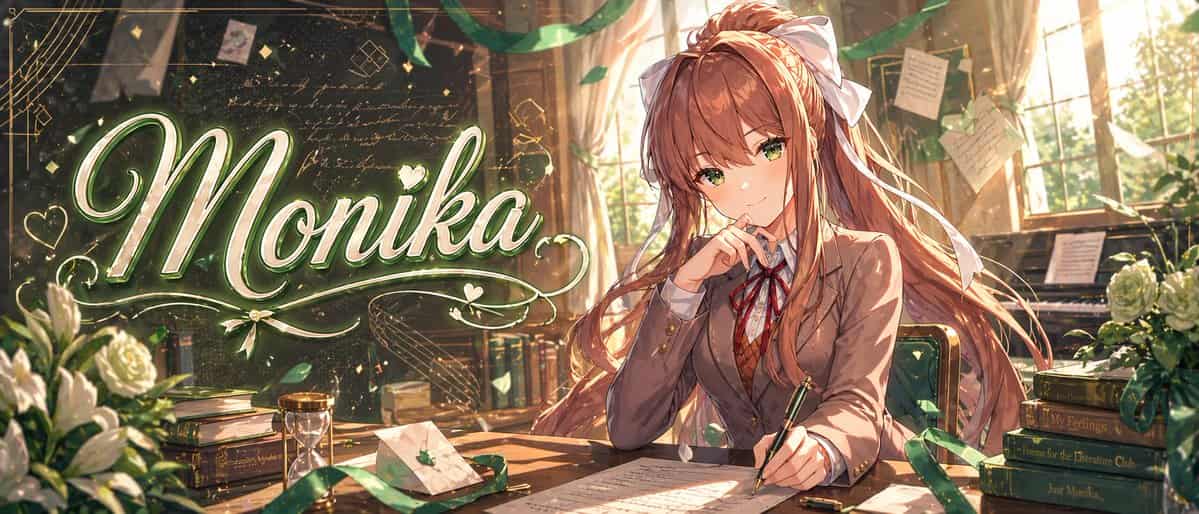
一張高度精緻的動漫橫幅插畫,設定在溫暖金色調的教室文學社場景中,寬幅電影感構圖。左半邊有一個大號優雅發光手寫標題“{argument name="headline text" default="Monika"}”,使用超大書法字,顏色為白色和淺綠色,帶柔和霓虹輝光、金屬高光、裝飾花紋、愛心、閃光,以及圍繞文字的旋轉裝飾線。右半邊,一位受 {argument name="character name" default="Monika"}…
提示詞
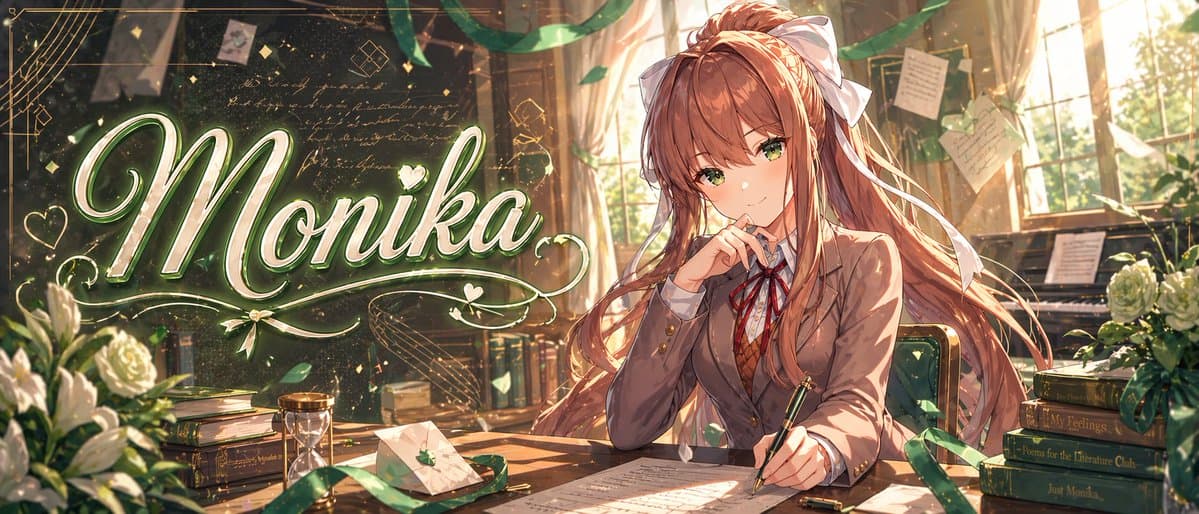
一張高度精緻的動漫橫幅插畫,設定在溫暖金色調的教室文學社場景中,寬幅電影感構圖。左半邊有一個大號優雅發光手寫標題“{argument name="headline text" default="Monika"}”,使用超大書法字,顏色為白色和淺綠色,帶柔和霓虹輝光、金屬高光、裝飾花紋、愛心、閃光,以及圍繞文字的旋轉裝飾線。右半邊,一位受 {argument name="character name" default="Monika"} 啟發的美麗動漫女學生坐在木桌旁,身體微向左,擁有飄逸的 {argument name="hair color" default="chestnut brown"} 長髮、非常大的白色蝴蝶結、溫暖棕色眼睛,以及沉思而自信的表情。她穿日式高中校服,正好有 4 件可見服裝:棕色西裝外套、白襯衫、紅色絲帶領結、棕色菱格毛衣背心。她一隻手拿著鋼筆懸在桌面紙張上,另一隻手靠近臉部,呈端莊寫作姿勢。房間裡充滿從高窗照入的夕陽光、塵埃微粒、拖曳的綠色絲帶、漂浮花瓣、背景中釘著和懸掛的手寫便籤,以及一塊深色黑板,上面有淡淡的草寫文字和幾何塗鴉。包含正好 9 個醒目的桌面與房間道具:左下白玫瑰花束,左側一摞書,中左附近一個沙漏,一個帶小綠葉徽章的封口信封,桌上散落的手稿頁,寫字手旁一個筆帽,一把綠色軟墊椅,右後方一架鋼琴,右側一摞 4 本書。右側 4 本書的書脊從上到下讀取:“Save Me”、“My Feelings”、“Poems for the Literature Club”、“Just Monika.”。加入繁茂體積光、閃爍粒子、綠色與金色和諧配色、細膩線條、超精細繪畫式明暗、浪漫視覺小說關鍵美術質量,以及高階精緻縮圖/橫幅美學。
如何使用此提示
在生成之前閱讀完整的 Monika 動漫橫幅插畫 提示並確定主題、風格、相機、燈光和構圖要求。
將括號或參數式佔位符替換為您的產品、角色、品牌、場景、調色板或寬高比要求。
開啟 https://www.gptimagehub.com/zh-TW/generate?promptId=cmogx2iro00czzpdyk4w2qzfq,產生圖像,然後根據需要使用更具體的主題、文字、佈局或負面約束來最佳化提示。
提示常見問題解答
Monika 動漫橫幅插畫 提示符號最適合用來做什麼?
此提示最適用於您需要可重複使用結構、詳細視覺方向和一致輸出品質的 社群媒體 影像。
我可以在生成之前編輯提示嗎?
是的。完整的提示文字在此頁面上可見,因此您可以在生成之前更改主題、產品名稱、顏色、構圖、相機術語、長寬比和樣式註釋。
出現此提示時我應該使用哪種型號?
使用提示元資料中顯示的模型作為預設起點。如果另一個影像模型支援相同的寬高比和指令風格,您可以調整提示並比較結果。