
提示詞
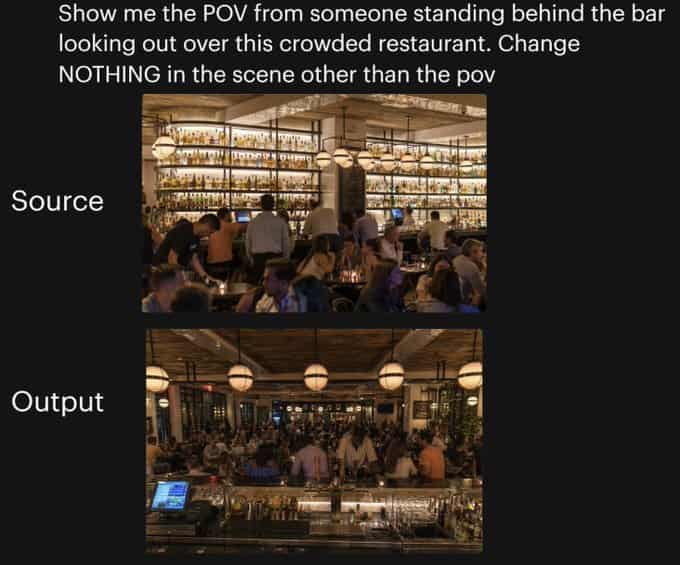
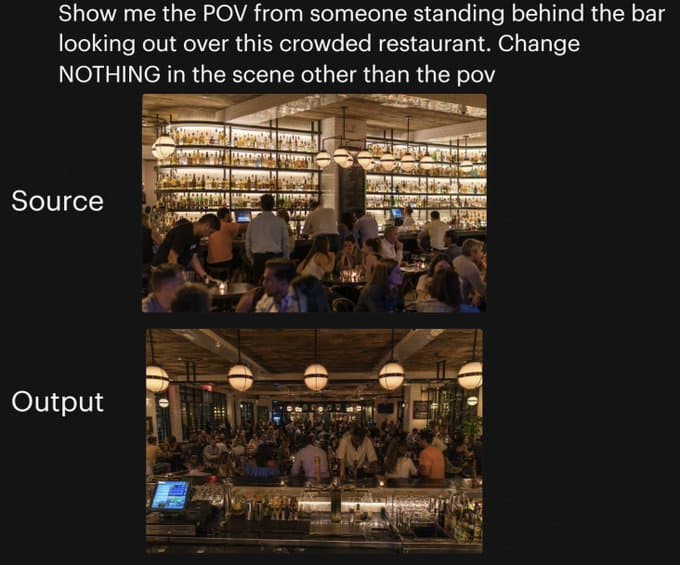
黑色背景上的並排對比圖,用於展示同一餐廳場景的相機角度變化。頂部用大號白色無襯線文字寫著:“Show me the POV from someone standing behind the bar looking out over this crowded restaurant. Change NOTHING in the scene other than the pov”。下方居中垂直放置 2 張堆疊的矩形照片:上方圖片左側用大號白字標註“Source”,下方圖片左側用大號白字標註“Output”。上方照片展示一個燈光溫暖、高檔、擁擠的餐廳內部,從用餐區一側看向高大的後吧檯,牆面擱架上擺滿許多發光酒瓶,吧檯前有調酒師和客人,琥珀色燈光、球形吊燈、木質天花板、米色立柱,以及前景中密集就坐的食客。下方照片展示完全相同的餐廳,同樣的人群密度、同樣的暖光、同樣的裝飾、同樣的吧檯酒架、同樣的球形吊燈和整體構圖元素,但現在視角變為站在吧檯後方向外看向擁擠餐廳;前景包含吧檯檯面、玻璃器皿、金屬吧檯工具、酒瓶,以及左下可見的收銀/POS 螢幕,而客人和員工充滿中景,用餐區延伸到背景。保持兩張圖之間只有相機位置發生變化,沒有其他場景改動。
如何使用此提示
在生成之前閱讀完整的 餐廳視角變化對比圖 提示並確定主題、風格、相機、燈光和構圖要求。
將括號或參數式佔位符替換為您的產品、角色、品牌、場景、調色板或寬高比要求。
開啟 https://www.gptimagehub.com/zh-TW/generate?promptId=cmogx25mu00cpzpdyjrm1b5fc,產生圖像,然後根據需要使用更具體的主題、文字、佈局或負面約束來最佳化提示。
提示常見問題解答
餐廳視角變化對比圖 提示符號最適合用來做什麼?
此提示最適用於您需要可重複使用結構、詳細視覺方向和一致輸出品質的 社群媒體 影像。
我可以在生成之前編輯提示嗎?
是的。完整的提示文字在此頁面上可見,因此您可以在生成之前更改主題、產品名稱、顏色、構圖、相機術語、長寬比和樣式註釋。
出現此提示時我應該使用哪種型號?
使用提示元資料中顯示的模型作為預設起點。如果另一個影像模型支援相同的寬高比和指令風格,您可以調整提示並比較結果。