
提示詞
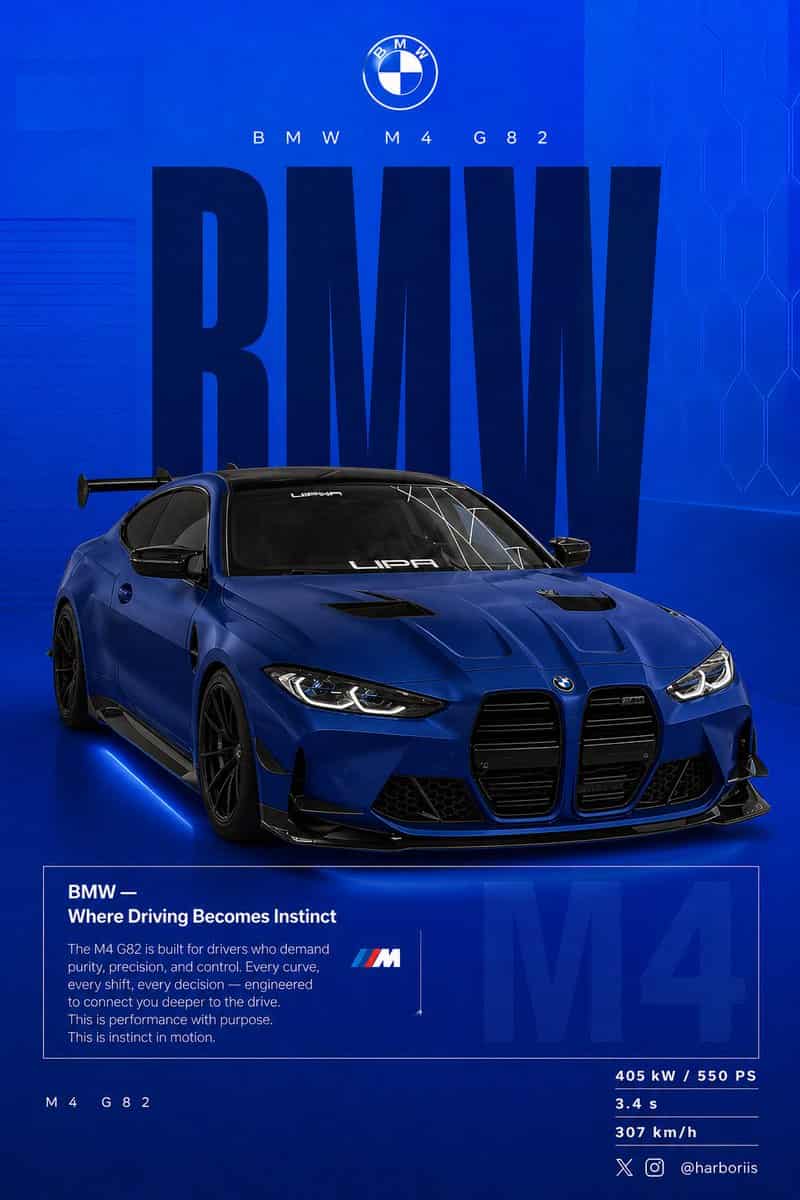
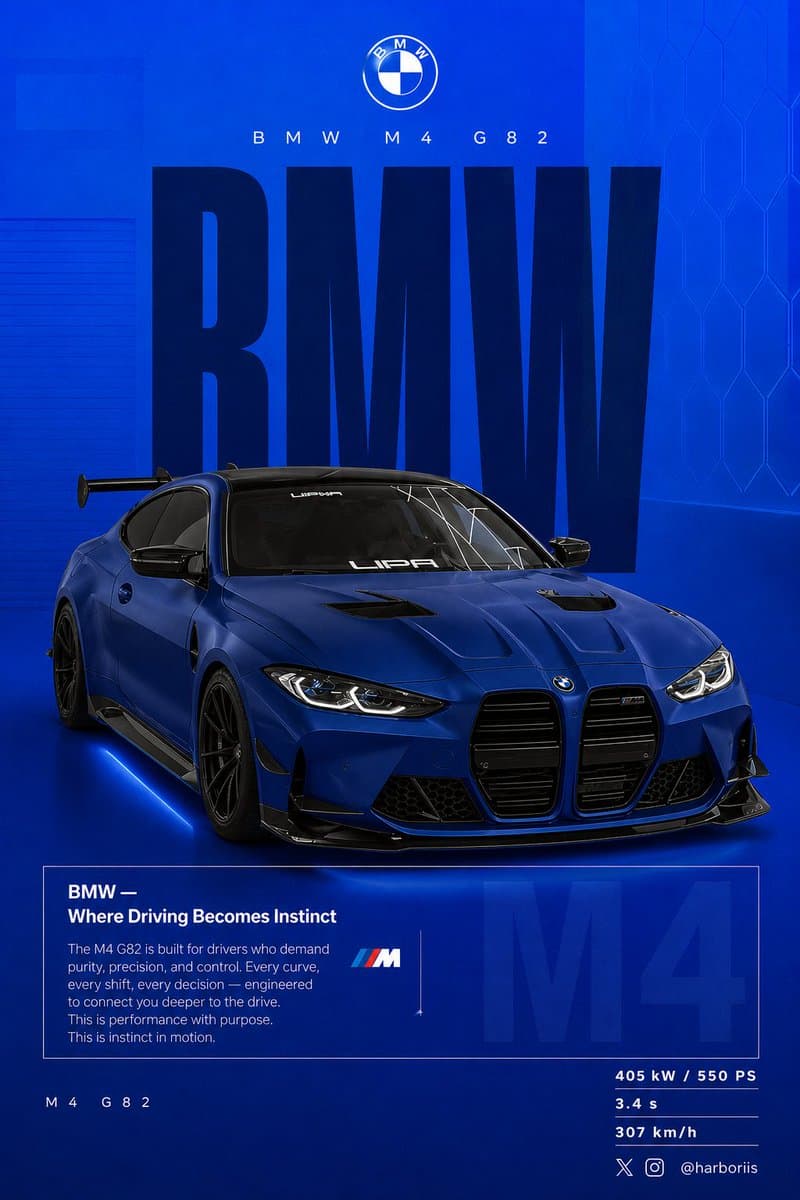
建立一張 4:5 豎版社交海報,超高解析度,8K 印刷級銳度。使用參考圖中的 {argument name="car model" default="BMW car"} 作為主體,並沿用參考圖的背景結構/構圖,但轉換為 BMW 主題設計。將所有黑色調替換為純平 {argument name="background color" default="high-saturation BMW blue"} 背景。保持參考圖相同的佈局、間距、視覺平衡和海報構圖。背景應從頂部略淺的電光藍平滑漸變到底部深海軍藍。新增細微顆粒紋理(2 到 3%)和淡淡矩形疊層(2 到 4% 不透明度)。保持乾淨、圖形化、高階、非寫實。車下新增柔和接觸陰影。使用參考圖中同一輛 BMW,只改變 {argument name="paint finish" default="matte frozen blue"} 或深金屬海軍藍車漆。保持參考圖原始車身形狀、輪轂、姿態和設計細節。展示車輛後 3/4 視角,角度必須與參考圖完全一致。使用略微升高的相機角度。將車輛放在畫面略偏右位置。包含可見碳纖維車頂、激進後擴散器、銳利可控反射和細微剎車細節。構圖與參考圖一致:頂部:品牌;中部:巨大文字;中心:汽車與文字重疊;底部:編輯說明塊和規格。排版:主文字:“BMW”,超窄粗體無襯線,像參考海報一樣高比例豎向拉伸。顏色深海軍藍或近黑。靜態文字,無變形,作為結構性背景。副標題:“BMW M4 G82”,細字型,寬字距。Logo 區域:BMW 圓標居中置上。編輯說明塊:標題:“BMW — Where Driving Becomes Instinct”。正文聚焦:駕駛者連線、控制、效能、精準。使用與參考圖相同的盒狀編輯版式。背景淡字:“M4” 大比例,3 到 5% 不透明度,位於盒子後方。左下:“M4 G82”。右下規格:405 kW / 550 PS,3.4 s,307 km/h。燈光為乾淨影棚光,銳利但可控的高光。調色使用深藍、高對比、乾淨黑色。相機鏡頭:50mm,略微升高的後 3/4 角度。氛圍:效能、精準、駕駛者專注。右下角新增水印:harboriis,帶小 x 和 Instagram logo。
如何使用此提示
在生成之前閱讀完整的 BMW 效能社交海報 提示並確定主題、風格、相機、燈光和構圖要求。
將括號或參數式佔位符替換為您的產品、角色、品牌、場景、調色板或寬高比要求。
開啟 https://www.gptimagehub.com/zh-TW/generate?promptId=cmogx0n0v00blzpdykn7geqno,產生圖像,然後根據需要使用更具體的主題、文字、佈局或負面約束來最佳化提示。
提示常見問題解答
BMW 效能社交海報 提示符號最適合用來做什麼?
此提示最適用於您需要可重複使用結構、詳細視覺方向和一致輸出品質的 社群媒體 影像。
我可以在生成之前編輯提示嗎?
是的。完整的提示文字在此頁面上可見,因此您可以在生成之前更改主題、產品名稱、顏色、構圖、相機術語、長寬比和樣式註釋。
出現此提示時我應該使用哪種型號?
使用提示元資料中顯示的模型作為預設起點。如果另一個影像模型支援相同的寬高比和指令風格,您可以調整提示並比較結果。