
提示词
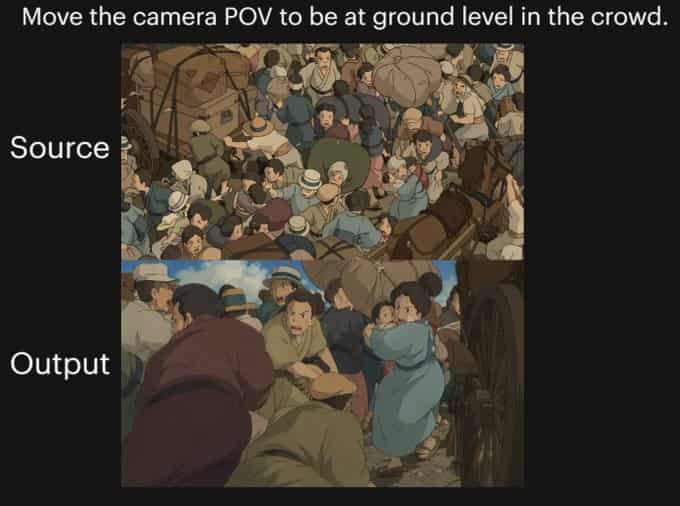
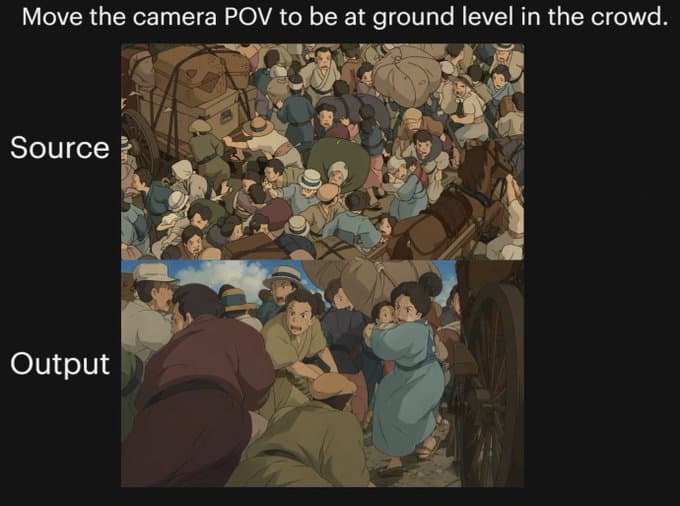
{"type":"对比图","style":"黑色演示背景上的动漫电影感示例图","canvas":{"aspect_ratio":"4:3","background":"纯黑色"},"text_elements":[{"text":"{argument name="headline text" default="把相机视角移到人群中的地面高度。"}","position":"顶部居中","style":"大号白色无衬线字体"},{"text":"原图","position":"上方图片左侧","style":"大号白色无衬线字体"},{"text":"输出","position":"下方图片左侧","style":"大号白色无衬线字体"}],"layout":{"sections":[{"title":"原图","position":"上方居中","count":1,"labels":["俯视人群场景"]},{"title":"输出","position":"下方居中","count":1,"labels":["地面高度的人群 POV 场景"]}],"image_frames":2},"images":[{"role":"原图","composition":"从上方看到的繁忙俯视图,一条历史街道上人群密集拥挤","scene":"混乱的人群围在货车和马车周围,人与人肩并肩挤在一起,许多人戴帽子,穿低饱和的 20 世纪初或旧欧洲服装,可见包裹和麻袋,右侧边缘有一匹棕色马,木制车轮和马车结构部分可见","camera":"高空鸟瞰角度,向下看入人群","lighting":"柔和日光","color_palette":"低饱和土棕、灰尘蓝、米色、橄榄色、暖灰色","rendering":"手绘动漫电影剧照,细致人群插画,略带柔和明暗"},{"role":"输出图","composition":"同一条拥挤历史街道,从人群内部接近地面的高度重新呈现","scene":"从人群中、马车车轮旁的视角看出去,前景和中景充满人体,左侧一个穿深栗色衣服的人向前弯身,底部中央附近有一个穿绿色衣服的蹲伏人物,右中位置一个穿浅蓝连衣裙的女人回头,人物紧密拥挤,附近暗示有马和车,呈现强烈压缩感和贴近感","camera":"从人群内部极低的地面高度 POV,向上并向前穿过人群,强调复杂遮挡和纵深","lighting":"柔和日光,带温暖电影感阴影","color_palette":"低饱和土棕、灰尘蓝、米色、橄榄色、暖灰色","rendering":"手绘动漫电影剧照,电影感视角转移,细致的人群拥挤关系,柔和绘画式明暗"}],"overall_goal":"展示同一动漫人群场景的前后相机角度转换,输出图从俯视视角移动到人群内部的低机位沉浸 POV"}
如何使用此提示
在生成之前阅读完整的 动漫人群视角对比图 提示并确定主题、风格、相机、灯光和构图要求。
将括号或参数式占位符替换为您的产品、角色、品牌、场景、调色板或宽高比要求。
打开 https://www.gptimagehub.com/zh-CN/generate?promptId=cmogx289g00crzpdybkpbusju,生成图像,然后根据需要使用更具体的主题、文本、布局或负面约束来优化提示。
提示常见问题解答
动漫人群视角对比图 提示符最适合用来做什么?
此提示最适用于您需要可重用结构、详细视觉方向和一致输出质量的 社交媒体 图像。
我可以在生成之前编辑提示吗?
是的。完整的提示文本在此页面上可见,因此您可以在生成之前更改主题、产品名称、颜色、构图、相机术语、长宽比和样式注释。
出现此提示时我应该使用哪种型号?
使用提示元数据中显示的模型作为默认起点。如果另一个图像模型支持相同的宽高比和指令风格,您可以调整提示并比较结果。