
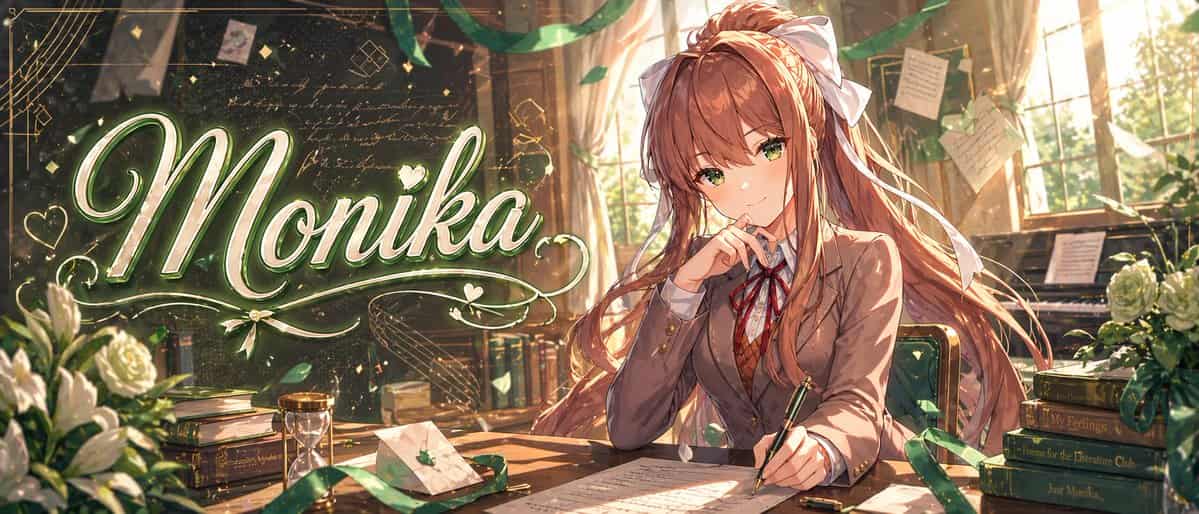
Monika 动漫横幅插画
一张高度精致的动漫横幅插画,设定在温暖金色调的教室文学社场景中,宽幅电影感构图。左半边有一个大号优雅发光手写标题“{argument name="headline text" default="Monika"}”,使用超大书法字,颜色为白色和浅绿色,带柔和霓虹辉光、金属高光、装饰花纹、爱心、闪光,以及围绕文字的旋转装饰线。右半边,一位受 {argument name="character name" default="Monika"}…
提示词
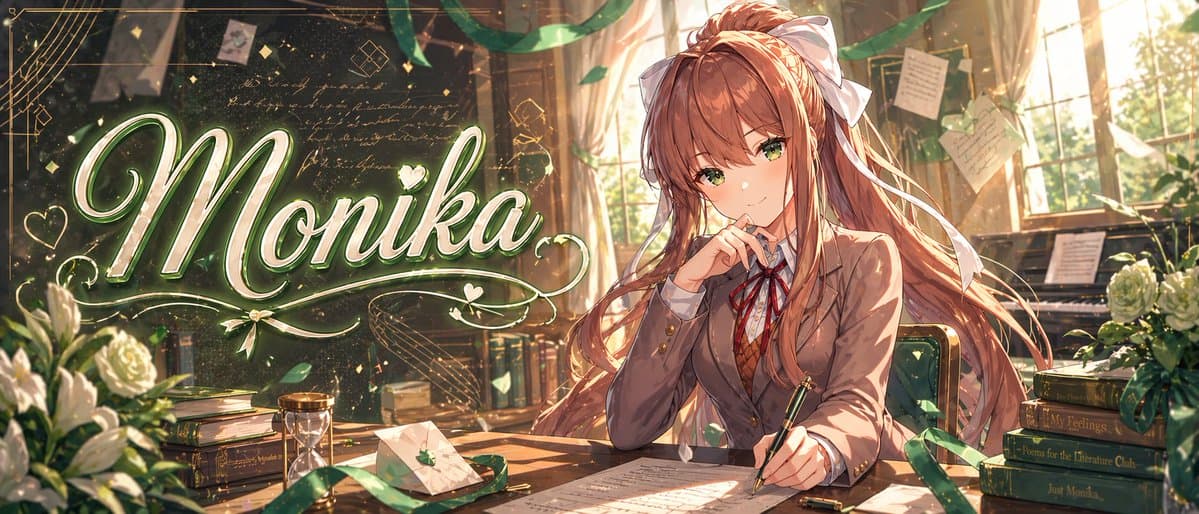
一张高度精致的动漫横幅插画,设定在温暖金色调的教室文学社场景中,宽幅电影感构图。左半边有一个大号优雅发光手写标题“{argument name="headline text" default="Monika"}”,使用超大书法字,颜色为白色和浅绿色,带柔和霓虹辉光、金属高光、装饰花纹、爱心、闪光,以及围绕文字的旋转装饰线。右半边,一位受 {argument name="character name" default="Monika"} 启发的美丽动漫女学生坐在木桌旁,身体微向左,拥有飘逸的 {argument name="hair color" default="chestnut brown"} 长发、非常大的白色蝴蝶结、温暖棕色眼睛,以及沉思而自信的表情。她穿日式高中校服,正好有 4 件可见服装:棕色西装外套、白衬衫、红色丝带领结、棕色菱格毛衣背心。她一只手拿着钢笔悬在桌面纸张上,另一只手靠近脸部,呈端庄写作姿势。房间里充满从高窗照入的夕阳光、尘埃微粒、拖曳的绿色丝带、漂浮花瓣、背景中钉着和悬挂的手写便签,以及一块深色黑板,上面有淡淡的草写文字和几何涂鸦。包含正好 9 个醒目的桌面与房间道具:左下白玫瑰花束,左侧一摞书,中左附近一个沙漏,一个带小绿叶徽章的封口信封,桌上散落的手稿页,写字手旁一个笔帽,一把绿色软垫椅,右后方一架钢琴,右侧一摞 4 本书。右侧 4 本书的书脊从上到下读取:“Save Me”、“My Feelings”、“Poems for the Literature Club”、“Just Monika.”。加入繁茂体积光、闪烁粒子、绿色与金色和谐配色、细腻线条、超精细绘画式明暗、浪漫视觉小说关键美术质量,以及高级精致缩略图/横幅美学。
如何使用此提示
在生成之前阅读完整的 Monika 动漫横幅插画 提示并确定主题、风格、相机、灯光和构图要求。
将括号或参数式占位符替换为您的产品、角色、品牌、场景、调色板或宽高比要求。
打开 https://www.gptimagehub.com/zh-CN/generate?promptId=cmogx2iro00czzpdyk4w2qzfq,生成图像,然后根据需要使用更具体的主题、文本、布局或负面约束来优化提示。
提示常见问题解答
Monika 动漫横幅插画 提示符最适合用来做什么?
此提示最适用于您需要可重用结构、详细视觉方向和一致输出质量的 社交媒体 图像。
我可以在生成之前编辑提示吗?
是的。完整的提示文本在此页面上可见,因此您可以在生成之前更改主题、产品名称、颜色、构图、相机术语、长宽比和样式注释。
出现此提示时我应该使用哪种型号?
使用提示元数据中显示的模型作为默认起点。如果另一个图像模型支持相同的宽高比和指令风格,您可以调整提示并比较结果。