
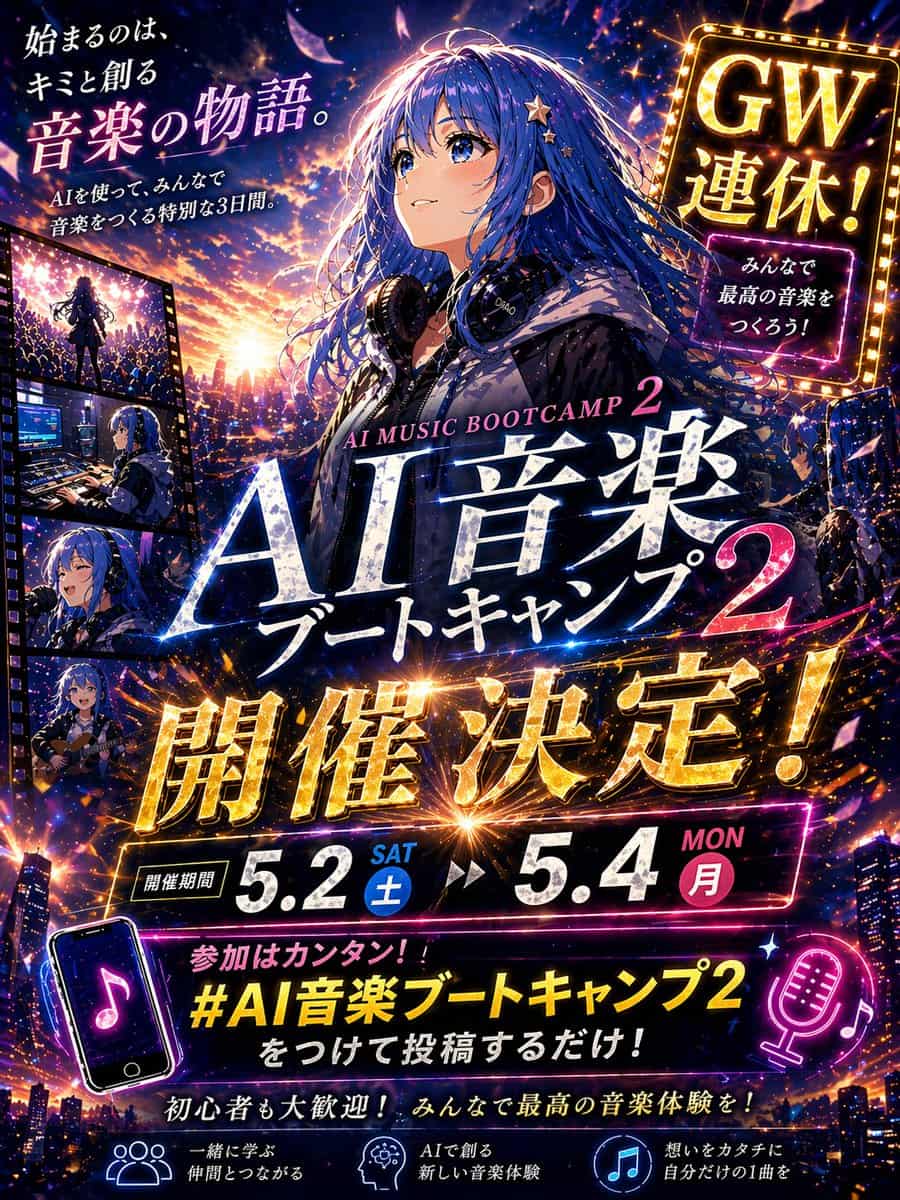
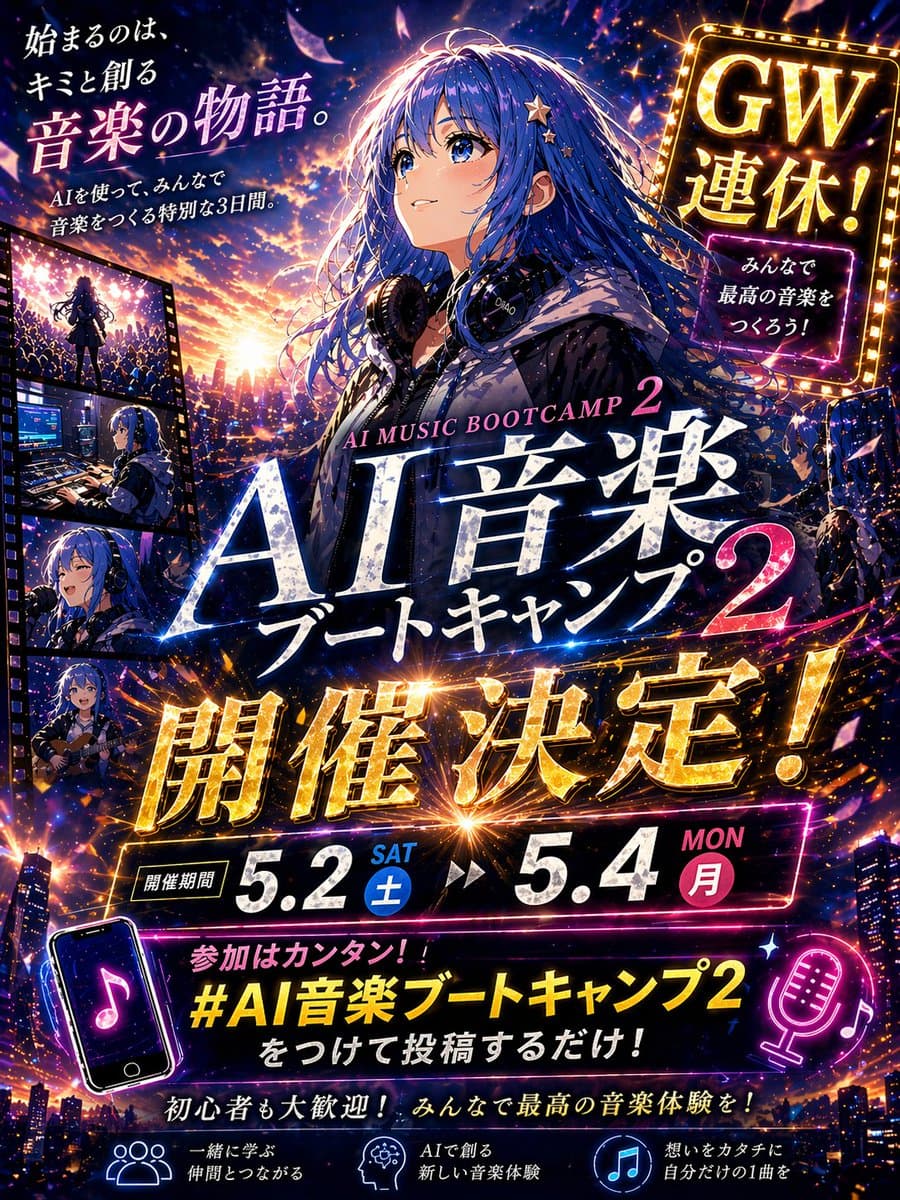
动漫音乐训练营宣传海报
创建一张戏剧化日式动漫风活动宣传缩略图海报,竖版 4:5 构图,超细节、电影感、霓虹光、高对比,设计成社交媒体公告图。主体是一位美丽动漫女孩,略偏右居中,腰部以上,长而飘逸的 {argument name="hair color" default="deep blue"} 头发随风扬起,发间点缀小星星发夹,穿深色连帽衫,脖子上挂大型录音室耳机,背景是从发光日落过渡到夜晚的城市天际线,充满闪烁灯光、音乐能量粒子、镜头光斑和飞舞发光花瓣。…
提示词
创建一张戏剧化日式动漫风活动宣传缩略图海报,竖版 4:5 构图,超细节、电影感、霓虹光、高对比,设计成社交媒体公告图。主体是一位美丽动漫女孩,略偏右居中,腰部以上,长而飘逸的 {argument name="hair color" default="deep blue"} 头发随风扬起,发间点缀小星星发夹,穿深色连帽衫,脖子上挂大型录音室耳机,背景是从发光日落过渡到夜晚的城市天际线,充满闪烁灯光、音乐能量粒子、镜头光斑和飞舞发光花瓣。她的脸部区域由柔和矩形模糊块遮挡。使用电光蓝、紫罗兰、洋红、金色和日落橙的鲜艳配色。用层叠日文排版填满设计,文字要清晰、可读,并像精致活动广告一样融入画面。包含正好 8 组主要文字:左上文案“「始まるのは、キミと創る 音楽の物語。」”,下方较小副文案“「AIを使って、みんなで音楽をつくる特別な3日間。」”;右上发光 marquee 招牌“「GW連休!」”,下方较小霓虹框“「みんなで最高の音楽をつくろう!」”;中心主标题,上方小号英文“「AI MUSIC BOOTCAMP 2」”,下方巨大日文标题“「AI音楽 ブートキャンプ 2」”;中部横跨画面的巨大金属金色公告“「開催決定!」”;日期条“「開催期間」”,后接“「5.2 SAT 土」”和“「5.4 MON 月」”;底部附近话题标注“「参加はカンタン!! #AI音楽ブートキャンプ2 をつけて投稿するだけ!」”;下方鼓励语“「初心者も大歓迎! みんなで最高の音楽体験を!」”;以及底部 3 个带图标的特色说明:“「一緒に学ぶ 仲間とつながる」”、“「AIで創る 新しい音楽体験」”、“「想いをカタチに 自分だけの1曲を」”。左边缘加入一条竖向胶片条,正好有 4 个嵌入面板,展示同一女孩的音乐相关场景:1) 在人群前的舞台上表演,2) 在带屏幕和设备的音乐制作桌前工作,3) 对着麦克风唱歌,4) 弹奏原声吉他。在下方区域加入正好 2 个霓虹音乐主题图标插画:左下一个倾斜的带音符智能手机,右下一个发光麦克风和音符。文字效果要亮面、发光、压印感,带金色和白色高光,标题周围有能量线和火花爆炸。整体感觉应鼓舞人心、庆祝感强、未来感强、情绪明亮,像为 {argument name="event name" default="AI音楽ブートキャンプ 2"} 制作的高冲击力日本黄金周音乐训练营广告。
如何使用此提示
在生成之前阅读完整的 动漫音乐训练营宣传海报 提示并确定主题、风格、相机、灯光和构图要求。
将括号或参数式占位符替换为您的产品、角色、品牌、场景、调色板或宽高比要求。
打开 https://www.gptimagehub.com/zh-CN/generate?promptId=cmogx30iz00ddzpdyh0cg9uh1,生成图像,然后根据需要使用更具体的主题、文本、布局或负面约束来优化提示。
提示常见问题解答
动漫音乐训练营宣传海报 提示符最适合用来做什么?
此提示最适用于您需要可重用结构、详细视觉方向和一致输出质量的 社交媒体 图像。
我可以在生成之前编辑提示吗?
是的。完整的提示文本在此页面上可见,因此您可以在生成之前更改主题、产品名称、颜色、构图、相机术语、长宽比和样式注释。
出现此提示时我应该使用哪种型号?
使用提示元数据中显示的模型作为默认起点。如果另一个图像模型支持相同的宽高比和指令风格,您可以调整提示并比较结果。