
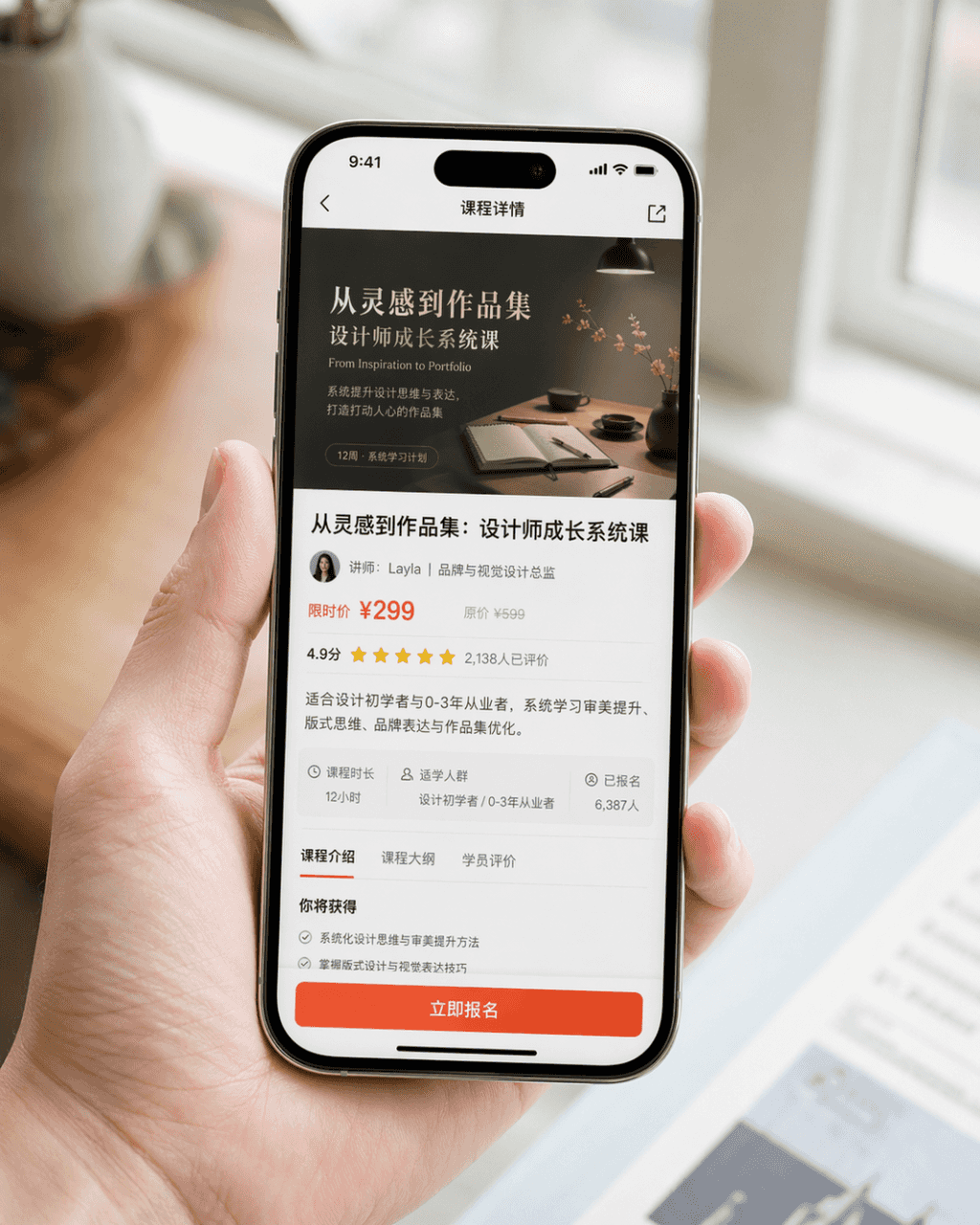
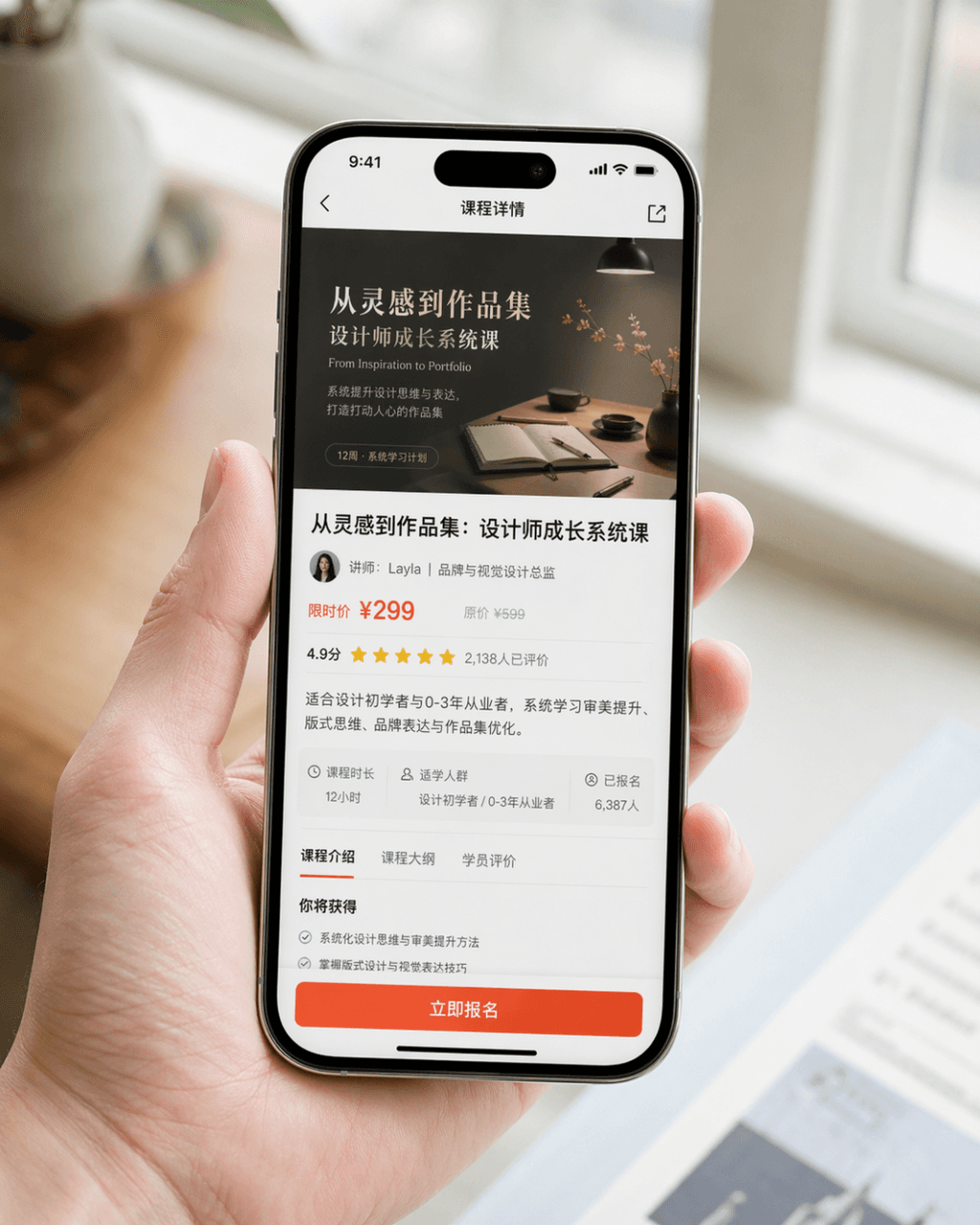
Cep telefonu ekran görüntüsü tanıtım görseli
Çok gerçekçi bir cep telefonu ekran görüntüsü tanıtım görseli oluşturun. Cihaz iPhone 15 Pro'dur. Ekran içeriği, bir tasarım öğrenimi uygulamasının kurs ayrıntıları sayfasıdır. Sayfada kurs kapağı, kurs başlığı, eğitmen…
İstemi
Çok gerçekçi bir cep telefonu ekran görüntüsü tanıtım görseli oluşturun. Cihaz iPhone 15 Pro'dur. Ekran içeriği, bir tasarım öğrenimi uygulamasının kurs ayrıntıları sayfasıdır. Sayfada kurs kapağı, kurs başlığı, eğitmen bilgileri, fiyat bilgileri, kullanıcı derecelendirmeleri, özet özeti ve göz alıcı "Şimdi Kaydolun" düğmesi açıkça görüntülenir. Resim, doğal olarak cep telefonunu tutan bir kişinin yakın çekim kompozisyonudur. Karakterin elleri temiz ve doğal, cep telefonu ekranı net ve parlak ve arka plan bulanık. Genel resim, markanın resmi olarak yayınladığı ürün PR resmine benziyor. Gerçekçi fotoğraf dokusu, yumuşak ve üst düzey ışık, kısa kompozisyon ve gerçekçi ayrıntılar gerektirir. Abartılı kullanıcı arayüzünden, ucuz e-ticaret tarzından ve aşırı tasarımdan kaçının.
Bu istem nasıl kullanılır?
Oluşturmadan önce Cep telefonu ekran görüntüsü tanıtım görseli isteminin tamamını okuyun ve konuyu, stili, kamerayı, ışıklandırmayı ve kompozisyon gereksinimlerini tanımlayın.
Parantezli veya bağımsız değişken tarzı yer tutucuları ürününüz, karakteriniz, markanız, sahneniz, renk paletiniz veya en boy oranı gereksinimlerinizle değiştirin.
https://www.gptimagehub.com/tr/generate?promptId=cmogxm5f000mvxt5gnyc2fxa4 dosyasını açın, görüntüyü oluşturun, ardından gerekirse daha spesifik konu, metin, düzen veya negatif kısıtlamalarla istemi hassaslaştırın.
Bilgi İstemi SSS
Cep telefonu ekran görüntüsü tanıtım görseli istemi en iyi ne için kullanılır?
Bu istem, yeniden kullanılabilir bir yapı, ayrıntılı görsel yön ve tutarlı çıktı kalitesi istediğiniz diğer görselleri için en iyi şekilde kullanılır.
İstemi oluşturmadan önce düzenleyebilir miyim?
Evet. Bilgi istemi metninin tamamı bu sayfada görünür; böylece oluşturmadan önce konuları, ürün adlarını, renkleri, kompozisyonu, kamera terimlerini, en boy oranını ve stil notlarını değiştirebilirsiniz.
Bu istemle hangi modeli kullanmalıyım?
Bilgi istemi meta verilerinde gösterilen modeli varsayılan başlangıç noktası olarak kullanın. Başka bir görüntü modeli aynı en boy oranını ve talimat stilini destekliyorsa istemi uyarlayabilir ve sonuçları karşılaştırabilirsiniz.