
Veri özeti uzun grafiği
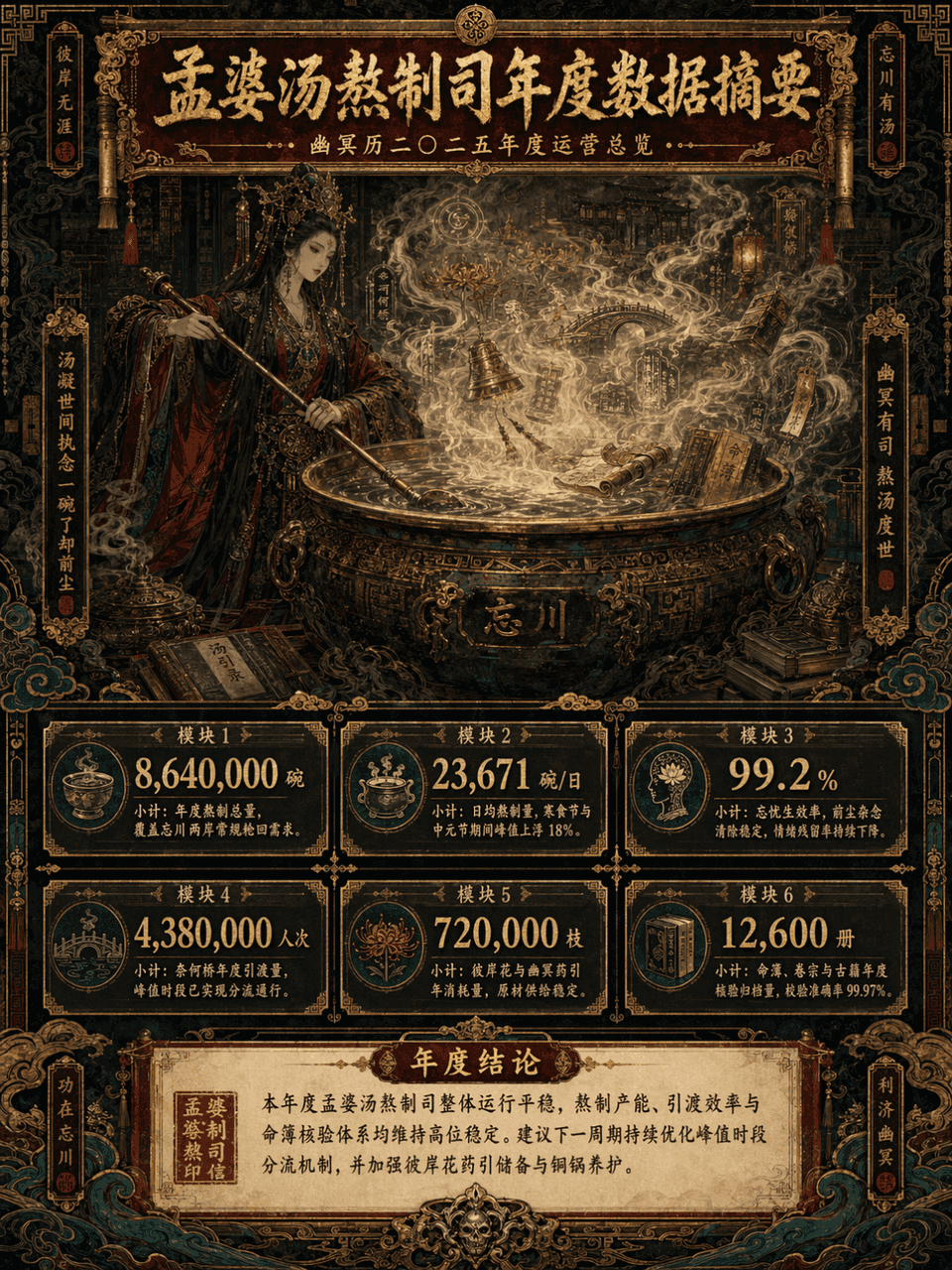
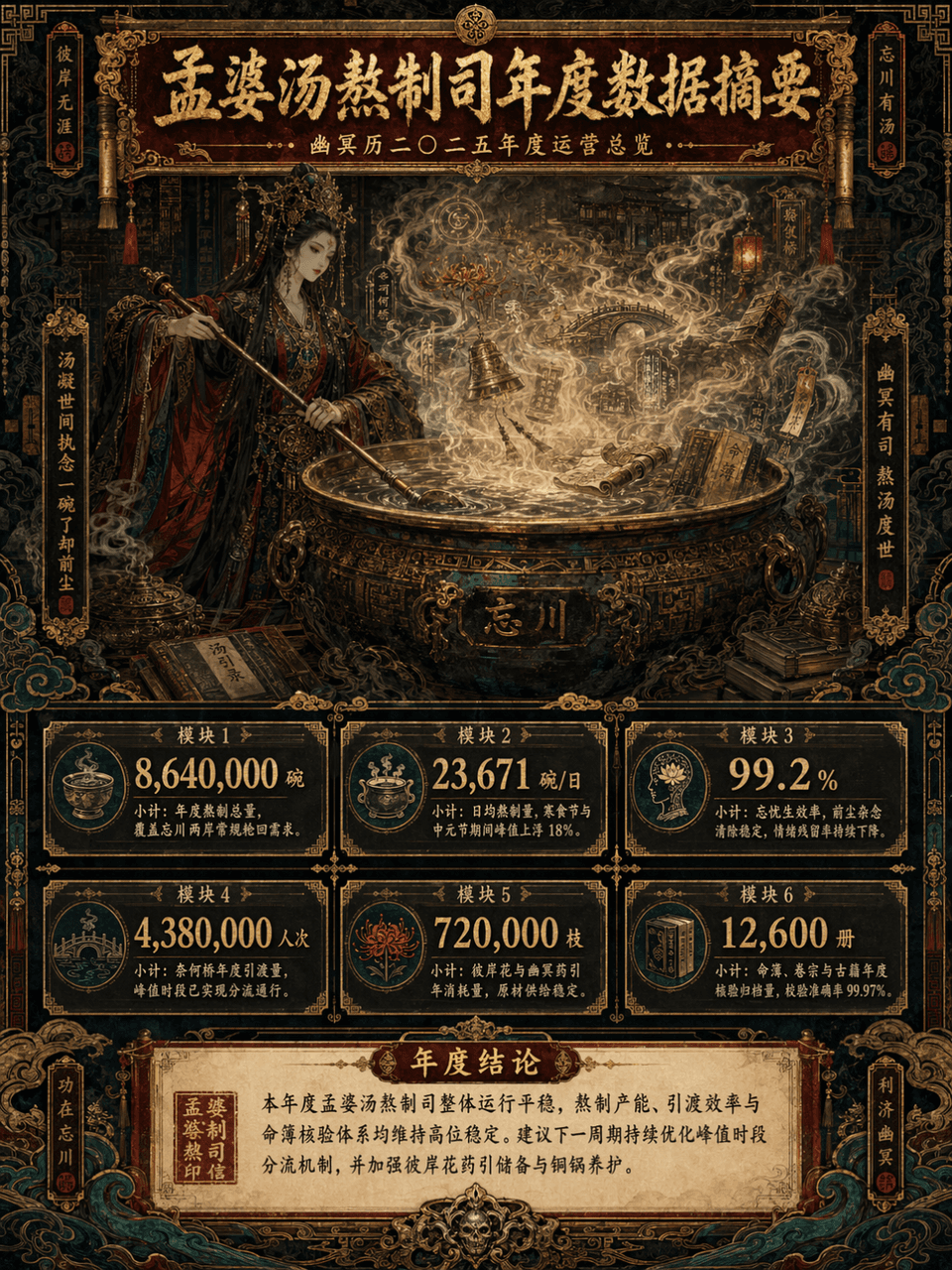
Resim çerçevesi 3:4, "Meng Po Çorba Yapımı Departmanının Yıllık Veri Özeti" temalı uzun bir dikey veri özeti resmi oluşturun. Ana konu Meng Po'nun devasa bir bakır tencerenin önünde çorba pişirmesidir. Buhar yükseliyor.…
İstemi
Resim çerçevesi 3:4, "Meng Po Çorba Yapımı Departmanının Yıllık Veri Özeti" temalı uzun bir dikey veri özeti resmi oluşturun. Ana konu Meng Po'nun devasa bir bakır tencerenin önünde çorba pişirmesidir. Buhar yükseliyor. Çorbanın sisinde belli belirsiz görünen Bana çiçekleri, Naihe Köprüsü, fenerler, rünler, parşömenler, bakır çanlar, antik kitaplar, fal kitapları, bulutlar ve hayalet desenleri var. Genel tasarım maksimalist bir tarzı benimser, ancak danışmanlık raporu görselleştirmesi + Oryantal Canavar ayar seti + gelişmiş sergi uzun resminin birleşimi gibi bilgi düzeyi net olmalıdır. Resim, infografikin uzun dikey versiyonudur; başlık alanı üstte, ana görsel alan ortada, veri modülü alanı altta ve sonuç alanı altta katman katman açılmıştır. Renk şeması, koyu vermilyon, yaldızlı, simsiyah ve tavus kuşu yeşili olmak üzere dört ana renge göre kontrol edilirken, eski kağıt kırık beyazı ve patina yeşili gibi kısmi süslemeler de mevcut. Resim muhteşem, karmaşık, gizemli ve ciddi ama kaotik ve kontrolden çıkmış olamaz. Üst düzey, düzenli ve güçlü bir dekoratif estetiğe sahip olmalıdır.
Bu istem nasıl kullanılır?
Oluşturmadan önce Veri özeti uzun grafiği isteminin tamamını okuyun ve konuyu, stili, kamerayı, ışıklandırmayı ve kompozisyon gereksinimlerini tanımlayın.
Parantezli veya bağımsız değişken tarzı yer tutucuları ürününüz, karakteriniz, markanız, sahneniz, renk paletiniz veya en boy oranı gereksinimlerinizle değiştirin.
https://www.gptimagehub.com/tr/generate?promptId=cmogxlus100mlxt5g0glpq2r7 dosyasını açın, görüntüyü oluşturun, ardından gerekirse daha spesifik konu, metin, düzen veya negatif kısıtlamalarla istemi hassaslaştırın.
Bilgi İstemi SSS
Veri özeti uzun grafiği istemi en iyi ne için kullanılır?
Bu istem, yeniden kullanılabilir bir yapı, ayrıntılı görsel yön ve tutarlı çıktı kalitesi istediğiniz diğer görselleri için en iyi şekilde kullanılır.
İstemi oluşturmadan önce düzenleyebilir miyim?
Evet. Bilgi istemi metninin tamamı bu sayfada görünür; böylece oluşturmadan önce konuları, ürün adlarını, renkleri, kompozisyonu, kamera terimlerini, en boy oranını ve stil notlarını değiştirebilirsiniz.
Bu istemle hangi modeli kullanmalıyım?
Bilgi istemi meta verilerinde gösterilen modeli varsayılan başlangıç noktası olarak kullanın. Başka bir görüntü modeli aynı en boy oranını ve talimat stilini destekliyorsa istemi uyarlayabilir ve sonuçları karşılaştırabilirsiniz.