
Resimli Posterlerin Öğretilmesi
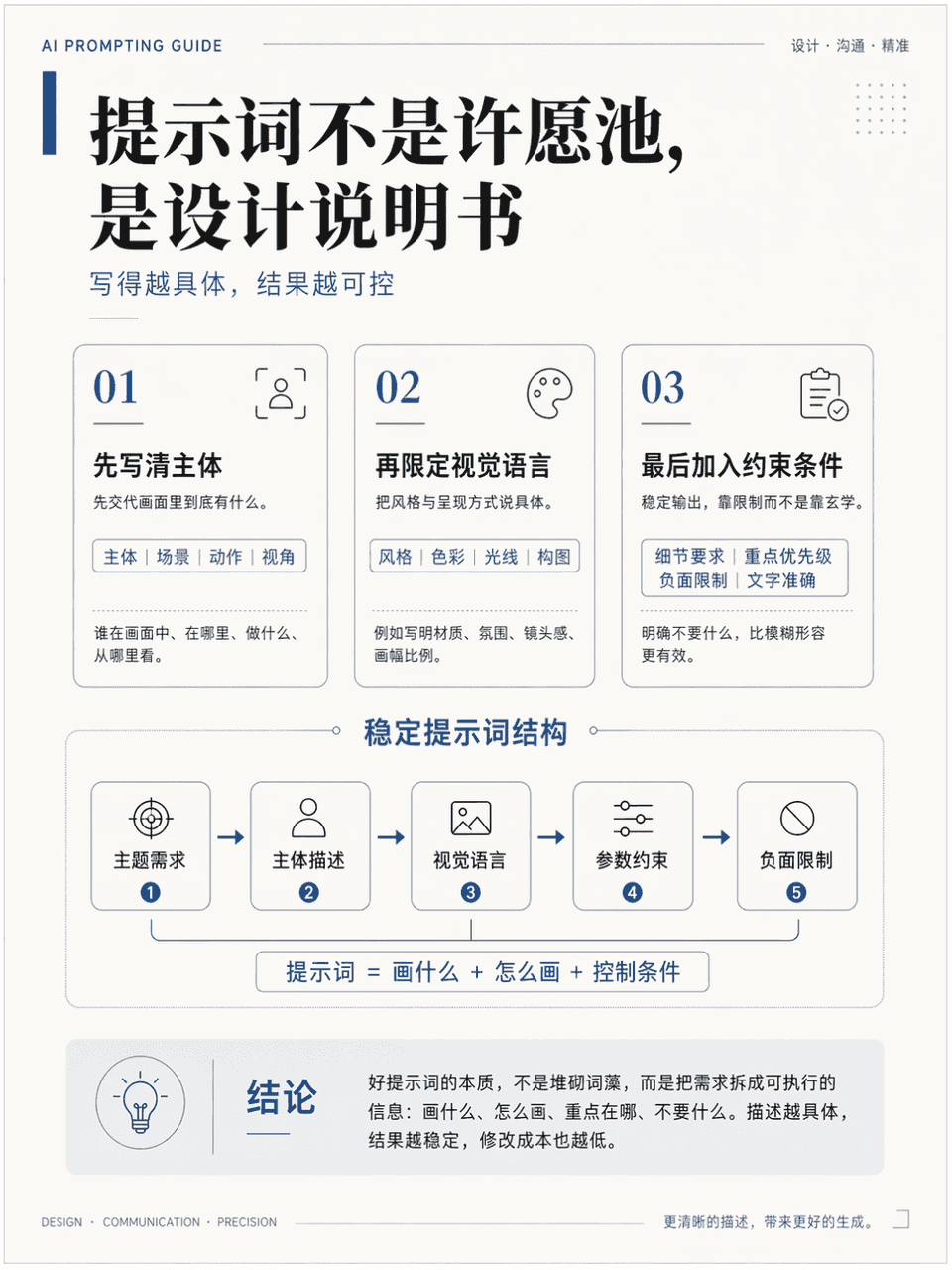
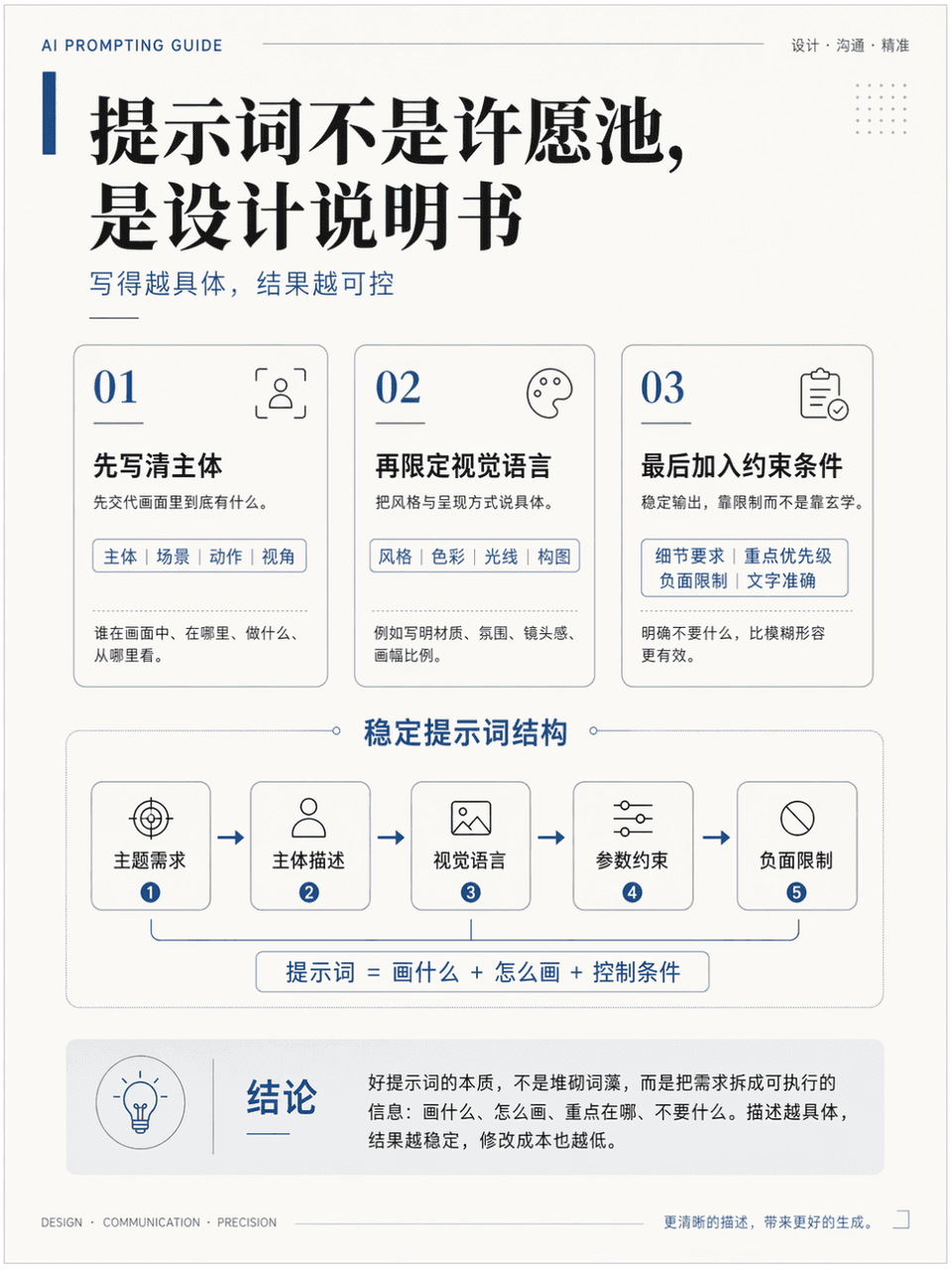
Çerçeve boyutu 3:4'tür ve "Daha istikrarlı AI çizim komutları nasıl yazılır?" bilgi noktasını açıklamak için dikey bir öğretim illüstrasyon posteri oluşturulmuştur. Bir başlık, 3 temel modül, 1 temel diyagram ve 1 sonuç…
İstemi
Çerçeve boyutu 3:4'tür ve "Daha istikrarlı AI çizim komutları nasıl yazılır?" bilgi noktasını açıklamak için dikey bir öğretim illüstrasyon posteri oluşturulmuştur. Bir başlık, 3 temel modül, 1 temel diyagram ve 1 sonuç alanı içermesi gerekir. Başlığı ise "Bu uyarı bir dilek kuyusu değil, bir tasarım talimatıdır". Yüksek kaliteli bir kurs bildiri sayfasına benziyor. Profesyonel, temiz ve akademiktir. Aynı zamanda gelişmiş bir tasarım anlayışına da sahiptir. Çince dili doğrudur, hiyerarşi açıktır, düzen ölçülüdür ve yeterli beyaz alan vardır.
Bu istem nasıl kullanılır?
Oluşturmadan önce Resimli Posterlerin Öğretilmesi isteminin tamamını okuyun ve konuyu, stili, kamerayı, ışıklandırmayı ve kompozisyon gereksinimlerini tanımlayın.
Parantezli veya bağımsız değişken tarzı yer tutucuları ürününüz, karakteriniz, markanız, sahneniz, renk paletiniz veya en boy oranı gereksinimlerinizle değiştirin.
https://www.gptimagehub.com/tr/generate?promptId=cmogxlrno00mjxt5gy40v6wfz dosyasını açın, görüntüyü oluşturun, ardından gerekirse daha spesifik konu, metin, düzen veya negatif kısıtlamalarla istemi hassaslaştırın.
Bilgi İstemi SSS
Resimli Posterlerin Öğretilmesi istemi en iyi ne için kullanılır?
Bu istem, yeniden kullanılabilir bir yapı, ayrıntılı görsel yön ve tutarlı çıktı kalitesi istediğiniz infografik / eğitim görselleri için en iyi şekilde kullanılır.
İstemi oluşturmadan önce düzenleyebilir miyim?
Evet. Bilgi istemi metninin tamamı bu sayfada görünür; böylece oluşturmadan önce konuları, ürün adlarını, renkleri, kompozisyonu, kamera terimlerini, en boy oranını ve stil notlarını değiştirebilirsiniz.
Bu istemle hangi modeli kullanmalıyım?
Bilgi istemi meta verilerinde gösterilen modeli varsayılan başlangıç noktası olarak kullanın. Başka bir görüntü modeli aynı en boy oranını ve talimat stilini destekliyorsa istemi uyarlayabilir ve sonuçları karşılaştırabilirsiniz.