
Jiangnan Bahçesi Gece Turu Rehber Kitabı
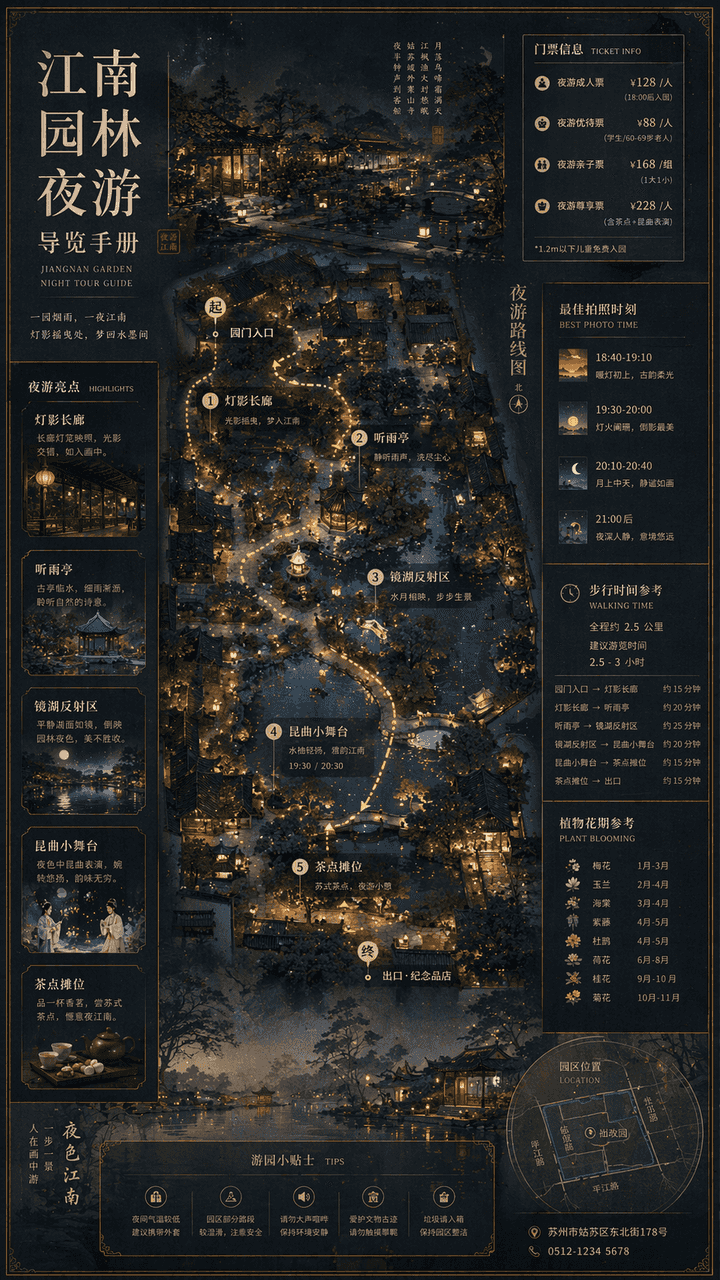
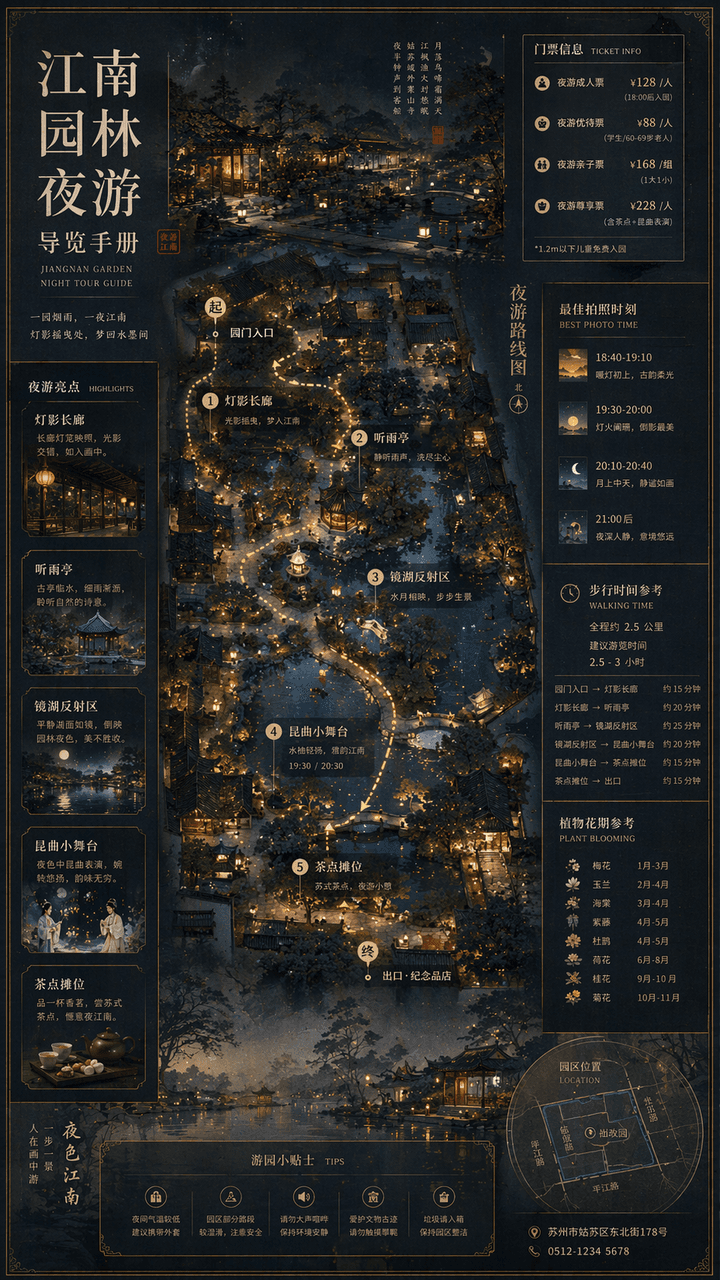
"Jiangnan Bahçesi Gece Turu Rehberi El Kitabı" geleneksel manzara resimlerini modern kültürel turizm harita sistemleriyle birleştiriyor. Ana ekran, bahçenin üstten görünümü artı kısmi perspektif görünümü, gece turu rota…
İstemi
"Jiangnan Bahçesi Gece Turu Rehberi El Kitabı" geleneksel manzara resimlerini modern kültürel turizm harita sistemleriyle birleştiriyor. Ana ekran, bahçenin üstten görünümü artı kısmi perspektif görünümü, gece turu rotasını işaretleme, fener noktaları, yağmur köşkünü dinleme, aynalı göl yansıma alanı, Kunqu opera performansı küçük sahnesi ve içecek tezgahlarından oluşuyor. Kenar çubuğu bilet seviyelerini, en iyi fotoğraf anlarını, yürüyüş süresini ve bitkinin çiçeklenme dönemlerini içerir. Yazı tipi, Song Dynasty ile modern ince siyahın birleşimidir ve genel olarak zarif ve hassas oran 9:16'dır.
Bu istem nasıl kullanılır?
Oluşturmadan önce Jiangnan Bahçesi Gece Turu Rehber Kitabı isteminin tamamını okuyun ve konuyu, stili, kamerayı, ışıklandırmayı ve kompozisyon gereksinimlerini tanımlayın.
Parantezli veya bağımsız değişken tarzı yer tutucuları ürününüz, karakteriniz, markanız, sahneniz, renk paletiniz veya en boy oranı gereksinimlerinizle değiştirin.
https://www.gptimagehub.com/tr/generate?promptId=cmogxkmc000i5xt5gu75h92mu dosyasını açın, görüntüyü oluşturun, ardından gerekirse daha spesifik konu, metin, düzen veya negatif kısıtlamalarla istemi hassaslaştırın.
Bilgi İstemi SSS
Jiangnan Bahçesi Gece Turu Rehber Kitabı istemi en iyi ne için kullanılır?
Bu istem, yeniden kullanılabilir bir yapı, ayrıntılı görsel yön ve tutarlı çıktı kalitesi istediğiniz infografik / eğitim görselleri için en iyi şekilde kullanılır.
İstemi oluşturmadan önce düzenleyebilir miyim?
Evet. Bilgi istemi metninin tamamı bu sayfada görünür; böylece oluşturmadan önce konuları, ürün adlarını, renkleri, kompozisyonu, kamera terimlerini, en boy oranını ve stil notlarını değiştirebilirsiniz.
Bu istemle hangi modeli kullanmalıyım?
Bilgi istemi meta verilerinde gösterilen modeli varsayılan başlangıç noktası olarak kullanın. Başka bir görüntü modeli aynı en boy oranını ve talimat stilini destekliyorsa istemi uyarlayabilir ve sonuçları karşılaştırabilirsiniz.