
Tropikal şehrin çatı çiftliği operasyon tabelası
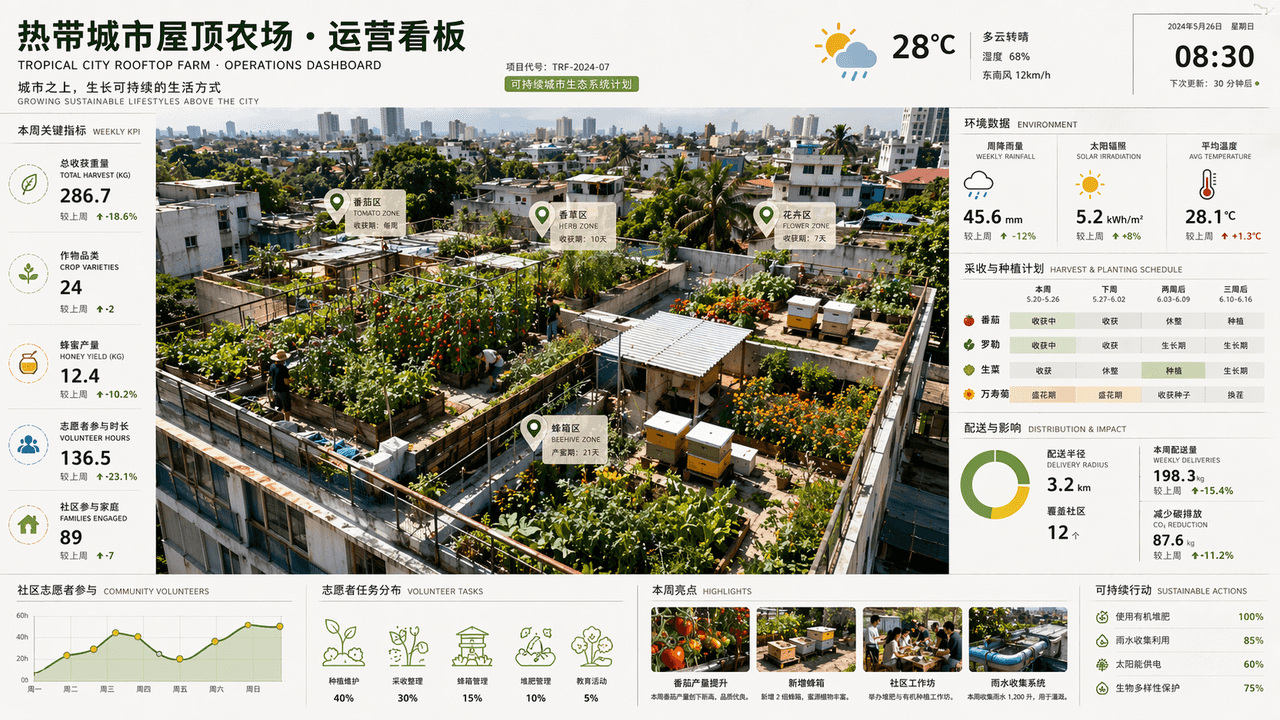
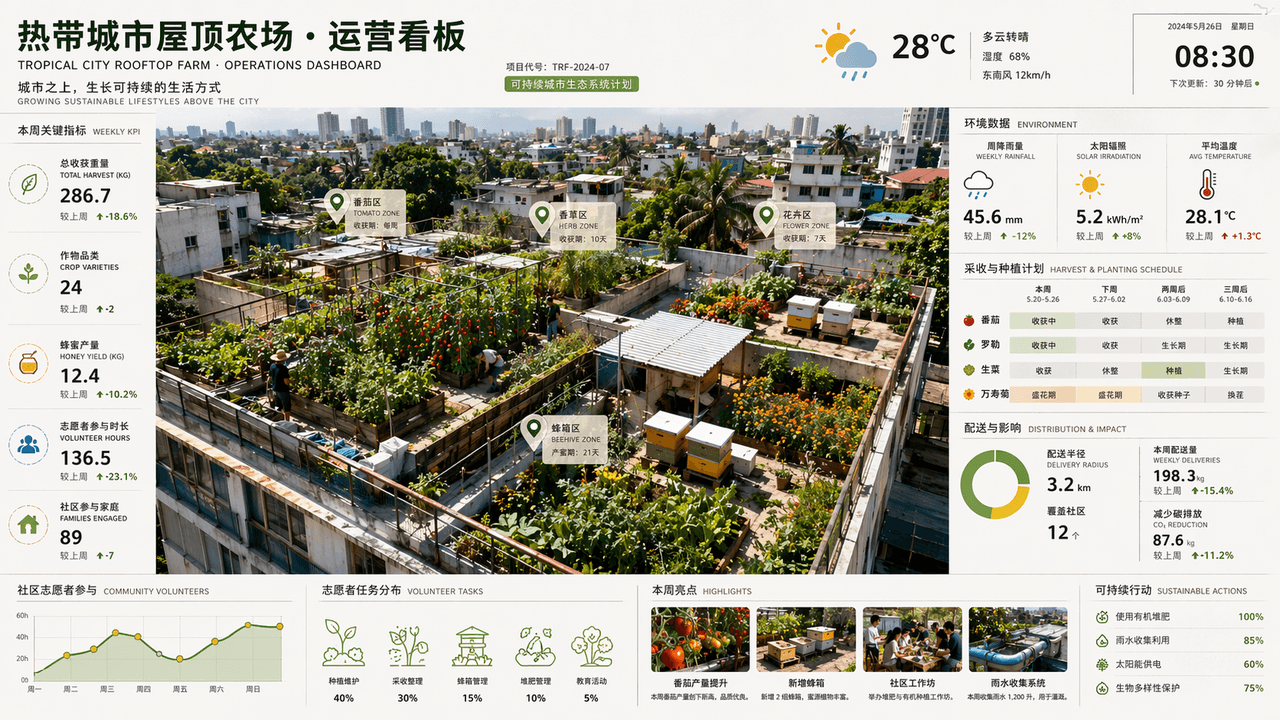
"Tropikal Şehir Çatı Çiftliği Operasyonları Kontrol Paneli", uzay fotoğrafçılığı ile ticari kontrol panelinin birleşimidir. Üstten görünümde farklı çatılara domatesler, otlar, çiçekler ve arı kovanları ekilir. Ekranın y…
İstemi
"Tropikal Şehir Çatı Çiftliği Operasyonları Kontrol Paneli", uzay fotoğrafçılığı ile ticari kontrol panelinin birleşimidir. Üstten görünümde farklı çatılara domatesler, otlar, çiçekler ve arı kovanları ekilir. Ekranın yan tarafında haftalık yağış miktarı, güneş ışınımı, hasat döngüsü, dağıtım yarıçapı ve topluluk gönüllüsü katılım verileri görüntülenir. Başlık bir mimarlık firmasının sürdürülebilir proje rapor sayfası gibidir. Renk şeması yaprak yeşili, toprak kahverengisi, güneş sarısı ve yağmur sonrası mavidir. Bilgi açısından zengin ama 16:9 oranıyla görüntü canlandırıcı.
Bu istem nasıl kullanılır?
Oluşturmadan önce Tropikal şehrin çatı çiftliği operasyon tabelası isteminin tamamını okuyun ve konuyu, stili, kamerayı, ışıklandırmayı ve kompozisyon gereksinimlerini tanımlayın.
Parantezli veya bağımsız değişken tarzı yer tutucuları ürününüz, karakteriniz, markanız, sahneniz, renk paletiniz veya en boy oranı gereksinimlerinizle değiştirin.
https://www.gptimagehub.com/tr/generate?promptId=cmogxk2m700hpxt5gjrtf2q6t dosyasını açın, görüntüyü oluşturun, ardından gerekirse daha spesifik konu, metin, düzen veya negatif kısıtlamalarla istemi hassaslaştırın.
Bilgi İstemi SSS
Tropikal şehrin çatı çiftliği operasyon tabelası istemi en iyi ne için kullanılır?
Bu istem, yeniden kullanılabilir bir yapı, ayrıntılı görsel yön ve tutarlı çıktı kalitesi istediğiniz diğer görselleri için en iyi şekilde kullanılır.
İstemi oluşturmadan önce düzenleyebilir miyim?
Evet. Bilgi istemi metninin tamamı bu sayfada görünür; böylece oluşturmadan önce konuları, ürün adlarını, renkleri, kompozisyonu, kamera terimlerini, en boy oranını ve stil notlarını değiştirebilirsiniz.
Bu istemle hangi modeli kullanmalıyım?
Bilgi istemi meta verilerinde gösterilen modeli varsayılan başlangıç noktası olarak kullanın. Başka bir görüntü modeli aynı en boy oranını ve talimat stilini destekliyorsa istemi uyarlayabilir ve sonuçları karşılaştırabilirsiniz.