
Yaz marketi dondurucu kromatografisi
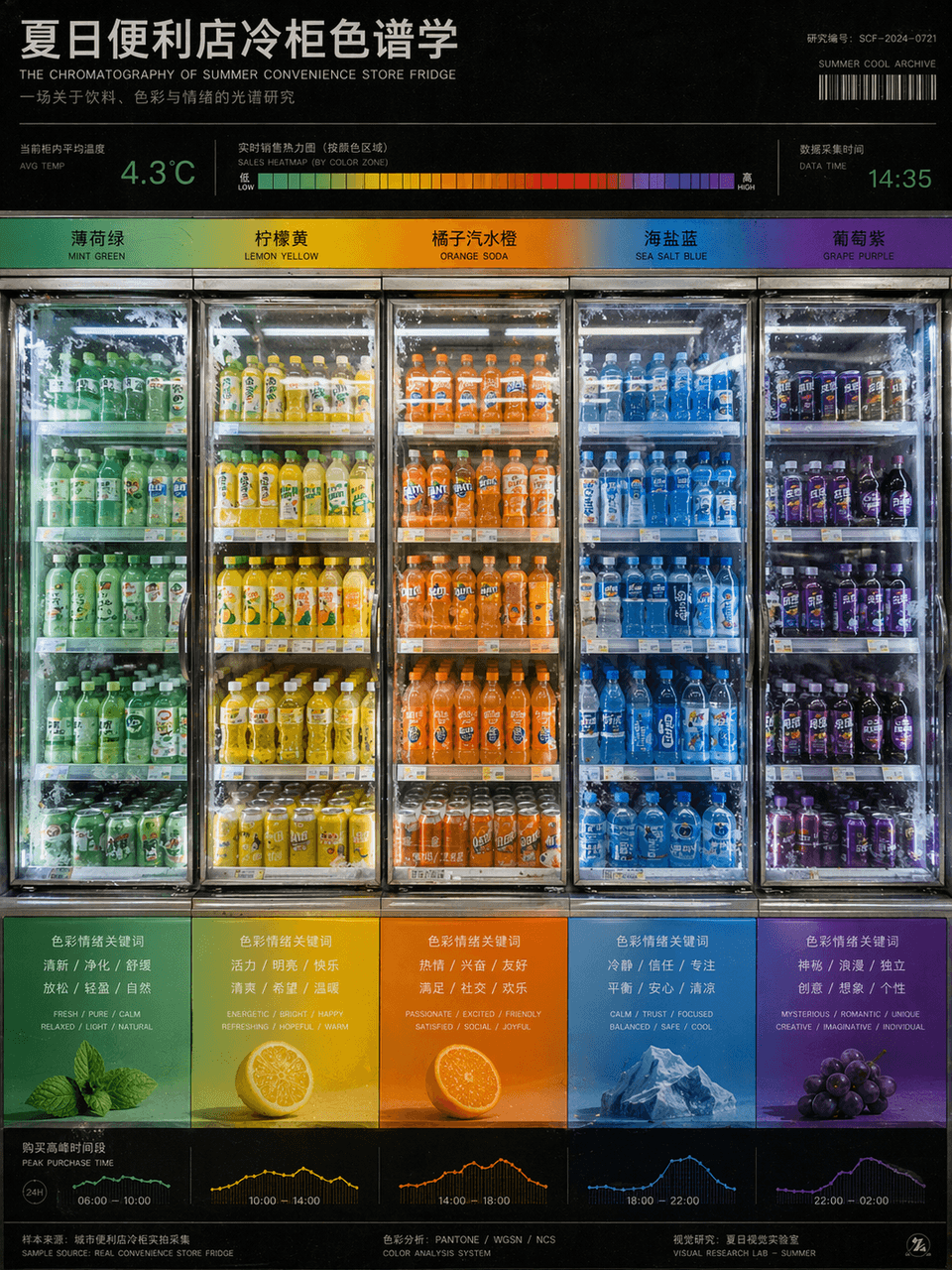
"Yaz Marketi Buzdolabı Kromatografisi" ürün fotoğrafçılığı ve renk araştırma çizelgelerinin birleşimidir. Buzdolapları, içecek ambalajı renklerinin nane yeşilinden limon sarısına, portakal soda portakalına, deniz tuzu m…
İstemi
"Yaz Marketi Buzdolabı Kromatografisi" ürün fotoğrafçılığı ve renk araştırma çizelgelerinin birleşimidir. Buzdolapları, içecek ambalajı renklerinin nane yeşilinden limon sarısına, portakal soda portakalına, deniz tuzu mavisine ve üzüm moruna kadar olan gradyanına göre soldan sağa doğru düzenlenmiştir. Üstte sıcaklık okumaları ve satış ısı çubukları bulunur ve alt kısım, her rengin getirdiği duygusal anahtar kelimelere ve satın alma zaman aralıklarına karşılık gelir. Resim bir tasarım okulu renk kursu posterine benziyor ancak içerik gerçek bir market sahnesinden geliyor. Cam kapının buzlanma detayları ve floresan ışıkların yansıması 3:4 oranıyla oldukça gerçekçi.
Bu istem nasıl kullanılır?
Oluşturmadan önce Yaz marketi dondurucu kromatografisi isteminin tamamını okuyun ve konuyu, stili, kamerayı, ışıklandırmayı ve kompozisyon gereksinimlerini tanımlayın.
Parantezli veya bağımsız değişken tarzı yer tutucuları ürününüz, karakteriniz, markanız, sahneniz, renk paletiniz veya en boy oranı gereksinimlerinizle değiştirin.
https://www.gptimagehub.com/tr/generate?promptId=cmogxjhml00hfxt5gocb8ah2q dosyasını açın, görüntüyü oluşturun, ardından gerekirse daha spesifik konu, metin, düzen veya negatif kısıtlamalarla istemi hassaslaştırın.
Bilgi İstemi SSS
Yaz marketi dondurucu kromatografisi istemi en iyi ne için kullanılır?
Bu istem, yeniden kullanılabilir bir yapı, ayrıntılı görsel yön ve tutarlı çıktı kalitesi istediğiniz diğer görselleri için en iyi şekilde kullanılır.
İstemi oluşturmadan önce düzenleyebilir miyim?
Evet. Bilgi istemi metninin tamamı bu sayfada görünür; böylece oluşturmadan önce konuları, ürün adlarını, renkleri, kompozisyonu, kamera terimlerini, en boy oranını ve stil notlarını değiştirebilirsiniz.
Bu istemle hangi modeli kullanmalıyım?
Bilgi istemi meta verilerinde gösterilen modeli varsayılan başlangıç noktası olarak kullanın. Başka bir görüntü modeli aynı en boy oranını ve talimat stilini destekliyorsa istemi uyarlayabilir ve sonuçları karşılaştırabilirsiniz.