
2049'da Çin kahvaltı restoranı menü ekranı
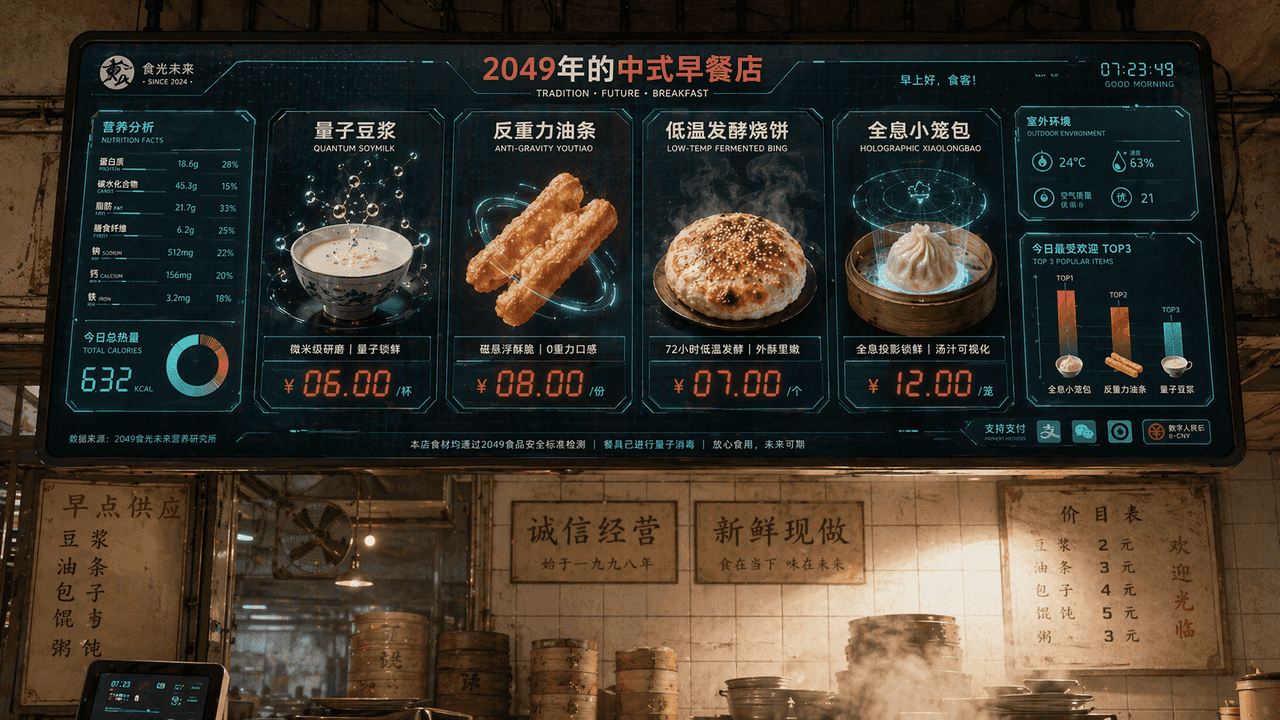
"2049'da Çin Kahvaltı Mağazası Menü Ekranı", catering markasının vizyonu, bilim kurgu ekran arayüzü ile bütünleştirilmiştir. Ana ekran, mağazanın üzerinde asılı duran devasa bir elektronik sipariş ekranıdır. Yemekler ar…
İstemi
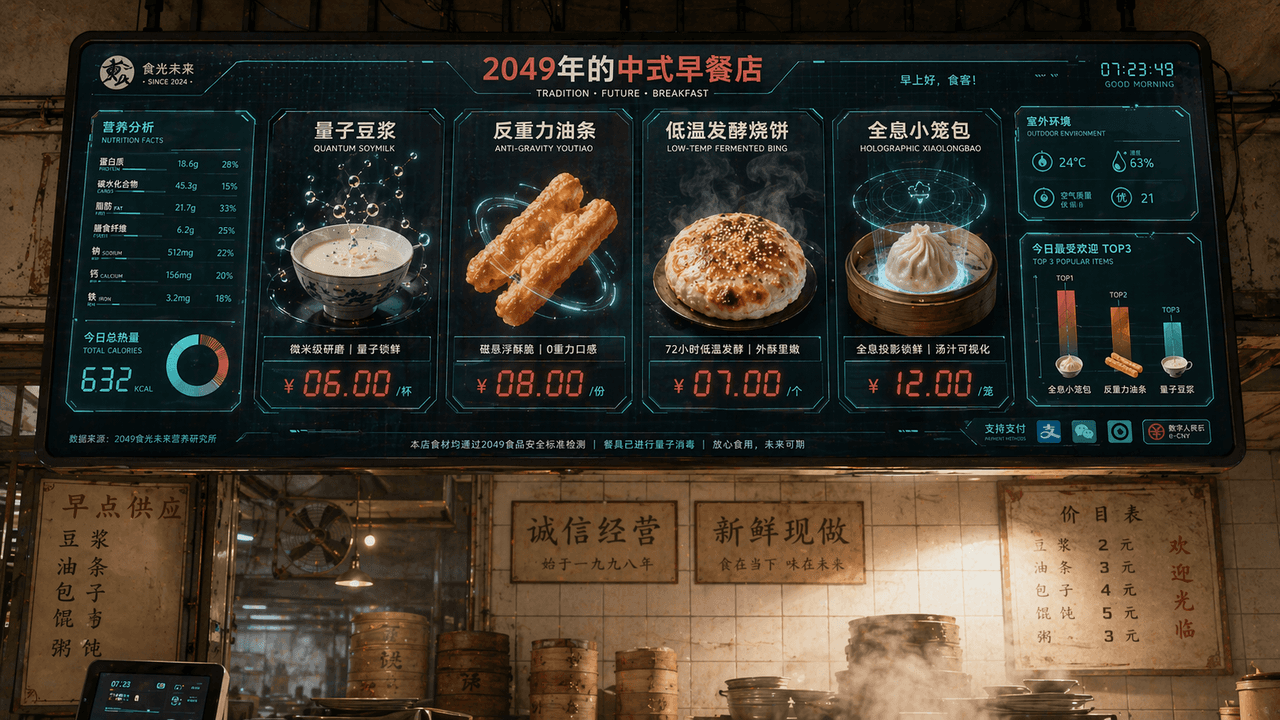
"2049'da Çin Kahvaltı Mağazası Menü Ekranı", catering markasının vizyonu, bilim kurgu ekran arayüzü ile bütünleştirilmiştir. Ana ekran, mağazanın üzerinde asılı duran devasa bir elektronik sipariş ekranıdır. Yemekler arasında "Kuantum Soya Sütü", "Yerçekimi Önleyici Börek", "Düşük Sıcaklıkta Fermente Shaobing" ve "Holografik Xiao Long Bao" yer alıyor. Her yemek son derece zarif 3D yiyecek görselleriyle sergileniyor. Fiyat etiketi kırmızı LED dijital karakterleri kullanır. Solda bir besin değeri ve kalori bilgi tablosu, sağ alt köşede ise "Günümüzün En Popüler TOP3" çubuk grafiği, arka planda eski moda bir kahvaltı dükkanının kiremitli duvarı ve gerçek buhar dolu ortam korunarak eski ile yeni arasında bir çarpışma meydana geliyor. Renk şeması 16:9 oranında süt beyazı, domates kırmızısı ve dijital yeşildir.
Bu istem nasıl kullanılır?
Oluşturmadan önce 2049'da Çin kahvaltı restoranı menü ekranı isteminin tamamını okuyun ve konuyu, stili, kamerayı, ışıklandırmayı ve kompozisyon gereksinimlerini tanımlayın.
Parantezli veya bağımsız değişken tarzı yer tutucuları ürününüz, karakteriniz, markanız, sahneniz, renk paletiniz veya en boy oranı gereksinimlerinizle değiştirin.
https://www.gptimagehub.com/tr/generate?promptId=cmogxi55d00glxt5g4zgzwk75 dosyasını açın, görüntüyü oluşturun, ardından gerekirse daha spesifik konu, metin, düzen veya negatif kısıtlamalarla istemi hassaslaştırın.
Bilgi İstemi SSS
2049'da Çin kahvaltı restoranı menü ekranı istemi en iyi ne için kullanılır?
Bu istem, yeniden kullanılabilir bir yapı, ayrıntılı görsel yön ve tutarlı çıktı kalitesi istediğiniz diğer görselleri için en iyi şekilde kullanılır.
İstemi oluşturmadan önce düzenleyebilir miyim?
Evet. Bilgi istemi metninin tamamı bu sayfada görünür; böylece oluşturmadan önce konuları, ürün adlarını, renkleri, kompozisyonu, kamera terimlerini, en boy oranını ve stil notlarını değiştirebilirsiniz.
Bu istemle hangi modeli kullanmalıyım?
Bilgi istemi meta verilerinde gösterilen modeli varsayılan başlangıç noktası olarak kullanın. Başka bir görüntü modeli aynı en boy oranını ve talimat stilini destekliyorsa istemi uyarlayabilir ve sonuçları karşılaştırabilirsiniz.