
Anime Etkinlik Sahnesine RPG Haritası
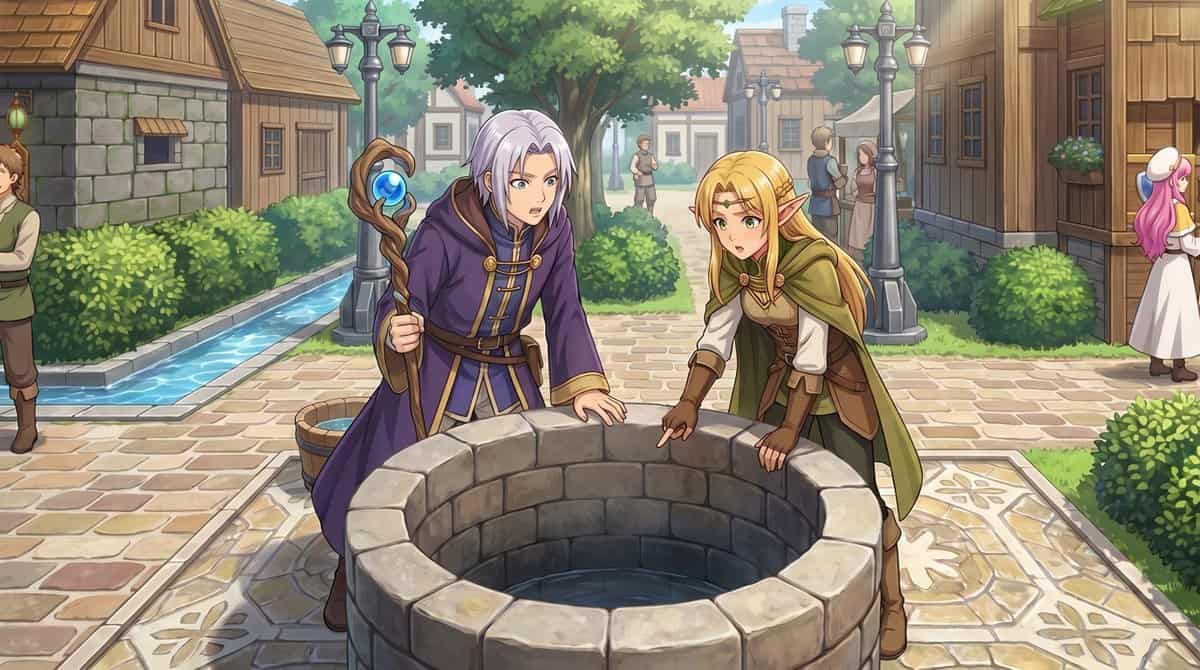
Sağlanan referans görselini kullanarak yukarıdan aşağıya RPG şehir haritasını insan gözü seviyesindeki gösterişli anime tarzı bir etkinlik illüstrasyonuna dönüştürün. Köyün konumunu ve yerleşim planını aynı tutun: Merke…
İstemi
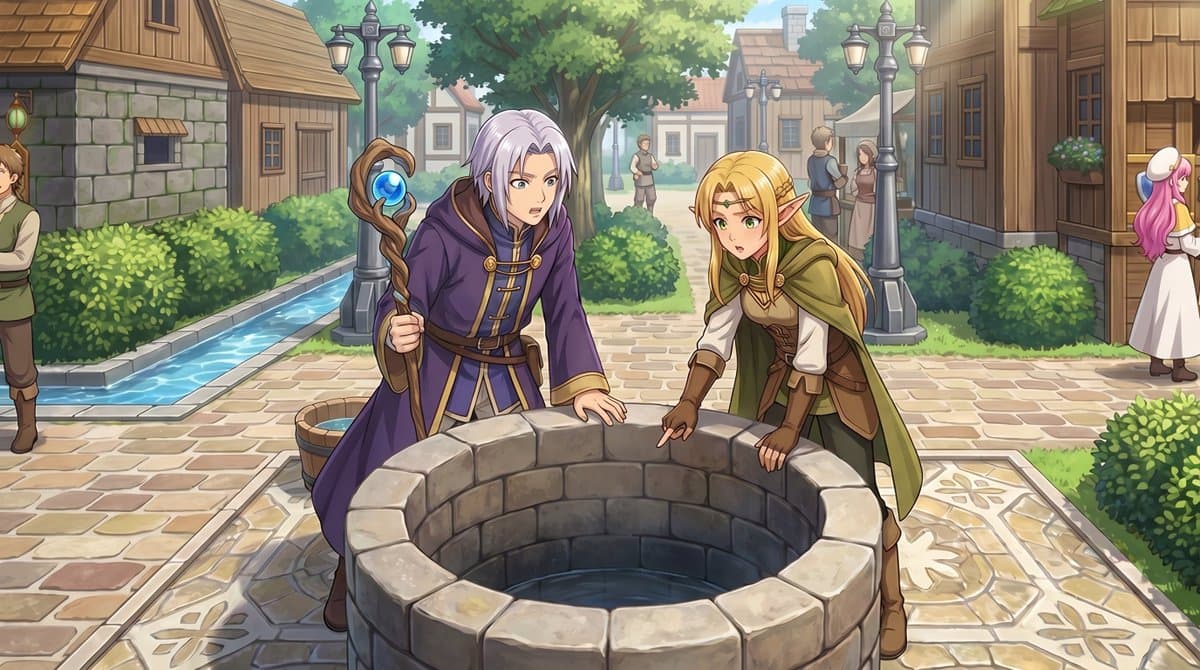
Sağlanan referans görselini kullanarak yukarıdan aşağıya RPG şehir haritasını insan gözü seviyesindeki gösterişli anime tarzı bir etkinlik illüstrasyonuna dönüştürün. Köyün konumunu ve yerleşim planını aynı tutun: Merkezi taş kuyu, yol ağı, çitler, ahşap evler ve soldaki dar su kanalı. Kuyunun yanındaki 2 küçük sprite karakterini ön plandaki 2 tam boyutlu fantastik karaktere dönüştürün: mor bir cübbe giymiş, elinde bir asa tutan gümüş saçlı bir büyücü ve yeşil-kahverengi maceracı giysili sarışın bir elf, her ikisi de eğilip kuyuya bakıyor. Yumuşak gün ışığı, ayrıntılı resimsel görselleştirme, net çizgi sanatı ve yumuşak alan derinliği ile sinematik bir JRPG hissi ekleyin. Bu sahnenin aynı kasaba meydanında geçtiği hissini koruyun, ancak onu doğal perspektif, daha fazla çevresel ayrıntı ve arka plandaki 5 köylüyle zenginleştirin: En sol kenarda kırpılmış 1 adam, uzaktaki yolun ortasında duran 2 küçük figür ve sağ taraftaki binaların yakınında konuşan 2 kasaba halkı.
Bu istem nasıl kullanılır?
Oluşturmadan önce Anime Etkinlik Sahnesine RPG Haritası isteminin tamamını okuyun ve konuyu, stili, kamerayı, ışıklandırmayı ve kompozisyon gereksinimlerini tanımlayın.
Parantezli veya bağımsız değişken tarzı yer tutucuları ürününüz, karakteriniz, markanız, sahneniz, renk paletiniz veya en boy oranı gereksinimlerinizle değiştirin.
https://www.gptimagehub.com/tr/generate?promptId=cmogx473m00ebzpdyk7jsubiq dosyasını açın, görüntüyü oluşturun, ardından gerekirse daha spesifik konu, metin, düzen veya negatif kısıtlamalarla istemi hassaslaştırın.
Bilgi İstemi SSS
Anime Etkinlik Sahnesine RPG Haritası istemi en iyi ne için kullanılır?
Bu istem, yeniden kullanılabilir bir yapı, ayrıntılı görsel yön ve tutarlı çıktı kalitesi istediğiniz oyun varlığı görselleri için en iyi şekilde kullanılır.
İstemi oluşturmadan önce düzenleyebilir miyim?
Evet. Bilgi istemi metninin tamamı bu sayfada görünür; böylece oluşturmadan önce konuları, ürün adlarını, renkleri, kompozisyonu, kamera terimlerini, en boy oranını ve stil notlarını değiştirebilirsiniz.
Bu istemle hangi modeli kullanmalıyım?
Bilgi istemi meta verilerinde gösterilen modeli varsayılan başlangıç noktası olarak kullanın. Başka bir görüntü modeli aynı en boy oranını ve talimat stilini destekliyorsa istemi uyarlayabilir ve sonuçları karşılaştırabilirsiniz.