
Anime Müzesi Arka Plan Dönüştürme
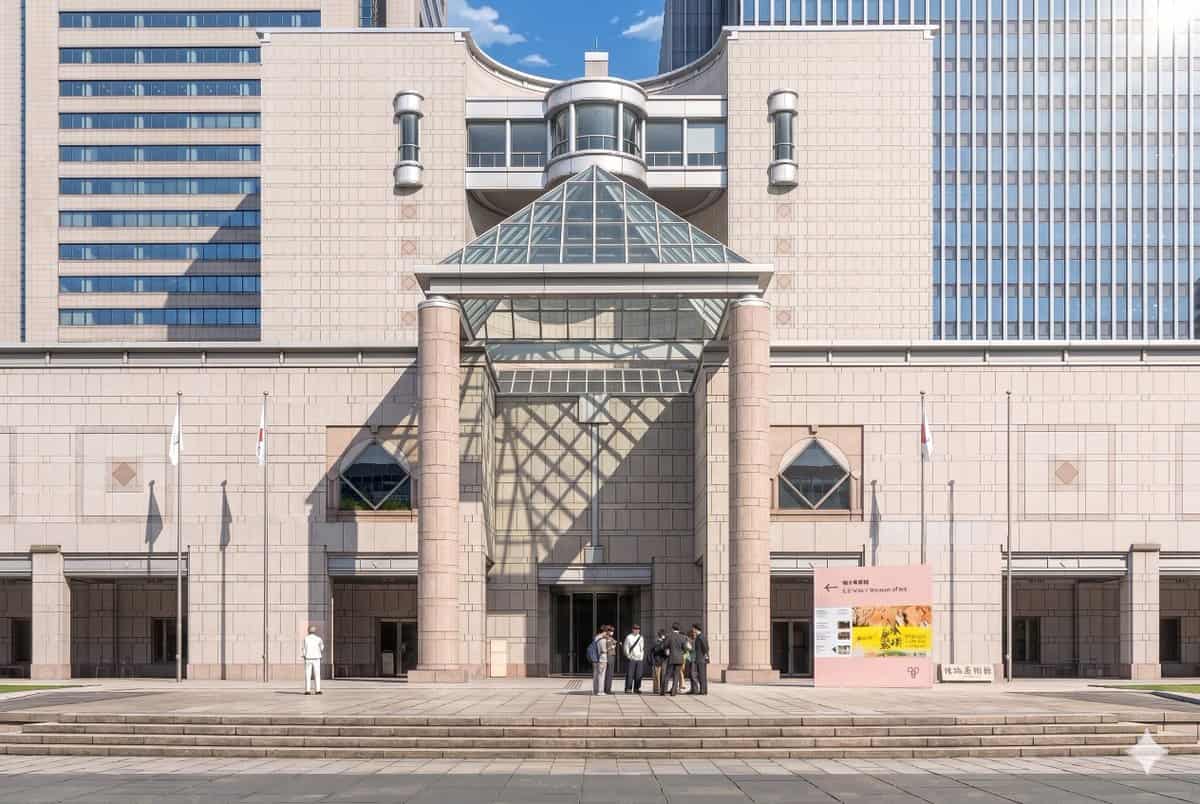
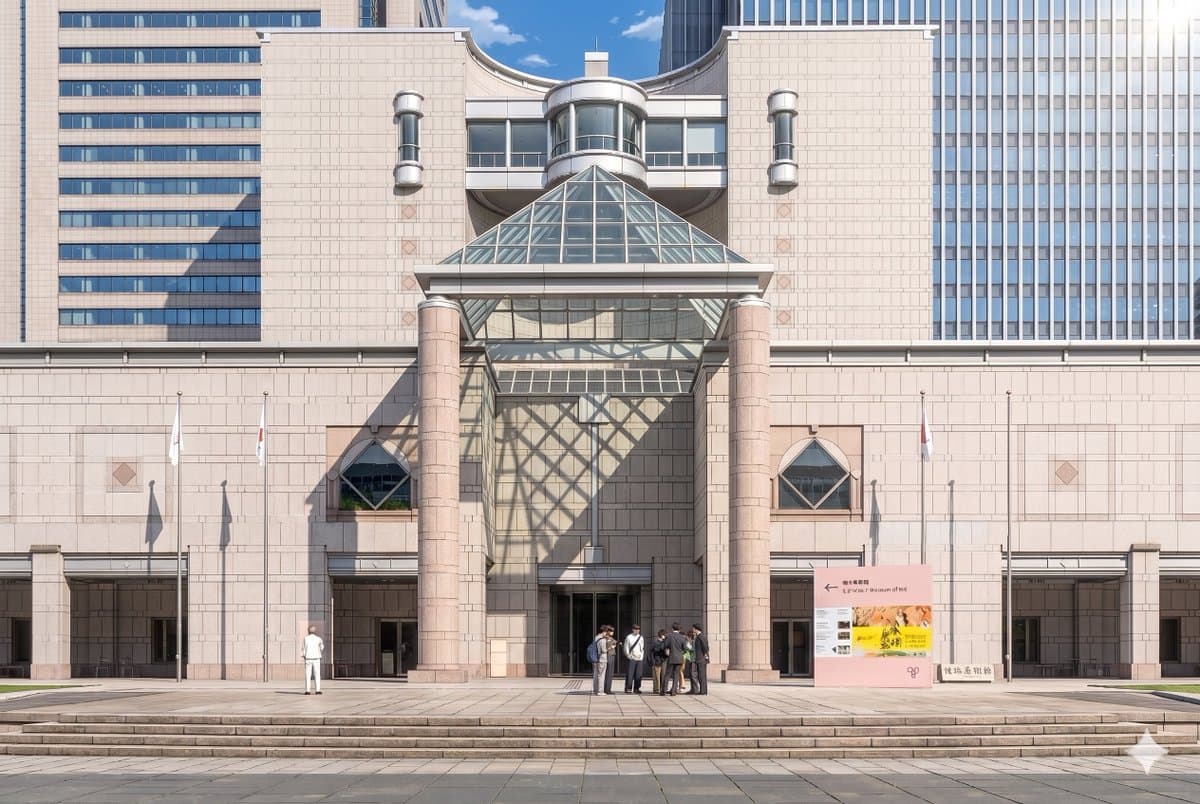
Sağlanan referans fotoğrafını kullanarak, aynı müze cephesini ve ön kompozisyonu gösterişli bir teatral anime arka plan illüstrasyonuyla yeniden oluşturun. Mimariyi, tabelaları, 3 bayrak direğini, geniş adımları ve gene…
İstemi
Sağlanan referans fotoğrafını kullanarak, aynı müze cephesini ve ön kompozisyonu gösterişli bir teatral anime arka plan illüstrasyonuyla yeniden oluşturun. Mimariyi, tabelaları, 3 bayrak direğini, geniş adımları ve genel düzeni tutarlı tutun, ancak görüntüyü gerçekçi fotoğraftan temiz çizgiler, yumuşak cel gölgeleme, yumuşak pastel taş renkleri ve canlı atmosferik aydınlatma ile son derece ayrıntılı, elle boyanmış bir anime film stiline dönüştürün. Cam piramidin orta duvar ve girişin sol tarafı boyunca büyük bir geometrik kafes gölgesi oluşturması için sağ üst taraftan çarpıcı güneş ışığı ekleyin. 2 görünür grubu koruyarak insanları anime arka plan karakterleri halinde basitleştirin ve stilize edin: solda 1 yalnız figür ve orta sağ girişin yakınında 7 kişiden oluşan 1 küçük küme. Sahnenin zarif, zarif ve sinematik olmasını sağlarken, gündüzün berrak mavi gökyüzü havasını koruyun.
Bu istem nasıl kullanılır?
Oluşturmadan önce Anime Müzesi Arka Plan Dönüştürme isteminin tamamını okuyun ve konuyu, stili, kamerayı, ışıklandırmayı ve kompozisyon gereksinimlerini tanımlayın.
Parantezli veya bağımsız değişken tarzı yer tutucuları ürününüz, karakteriniz, markanız, sahneniz, renk paletiniz veya en boy oranı gereksinimlerinizle değiştirin.
https://www.gptimagehub.com/tr/generate?promptId=cmogx3mgt00dvzpdy0t3buci9 dosyasını açın, görüntüyü oluşturun, ardından gerekirse daha spesifik konu, metin, düzen veya negatif kısıtlamalarla istemi hassaslaştırın.
Bilgi İstemi SSS
Anime Müzesi Arka Plan Dönüştürme istemi en iyi ne için kullanılır?
Bu istem, yeniden kullanılabilir bir yapı, ayrıntılı görsel yön ve tutarlı çıktı kalitesi istediğiniz anime / manga görselleri için en iyi şekilde kullanılır.
İstemi oluşturmadan önce düzenleyebilir miyim?
Evet. Bilgi istemi metninin tamamı bu sayfada görünür; böylece oluşturmadan önce konuları, ürün adlarını, renkleri, kompozisyonu, kamera terimlerini, en boy oranını ve stil notlarını değiştirebilirsiniz.
Bu istemle hangi modeli kullanmalıyım?
Bilgi istemi meta verilerinde gösterilen modeli varsayılan başlangıç noktası olarak kullanın. Başka bir görüntü modeli aynı en boy oranını ve talimat stilini destekliyorsa istemi uyarlayabilir ve sonuçları karşılaştırabilirsiniz.