
Lüks Amber Parfüm Reklamı
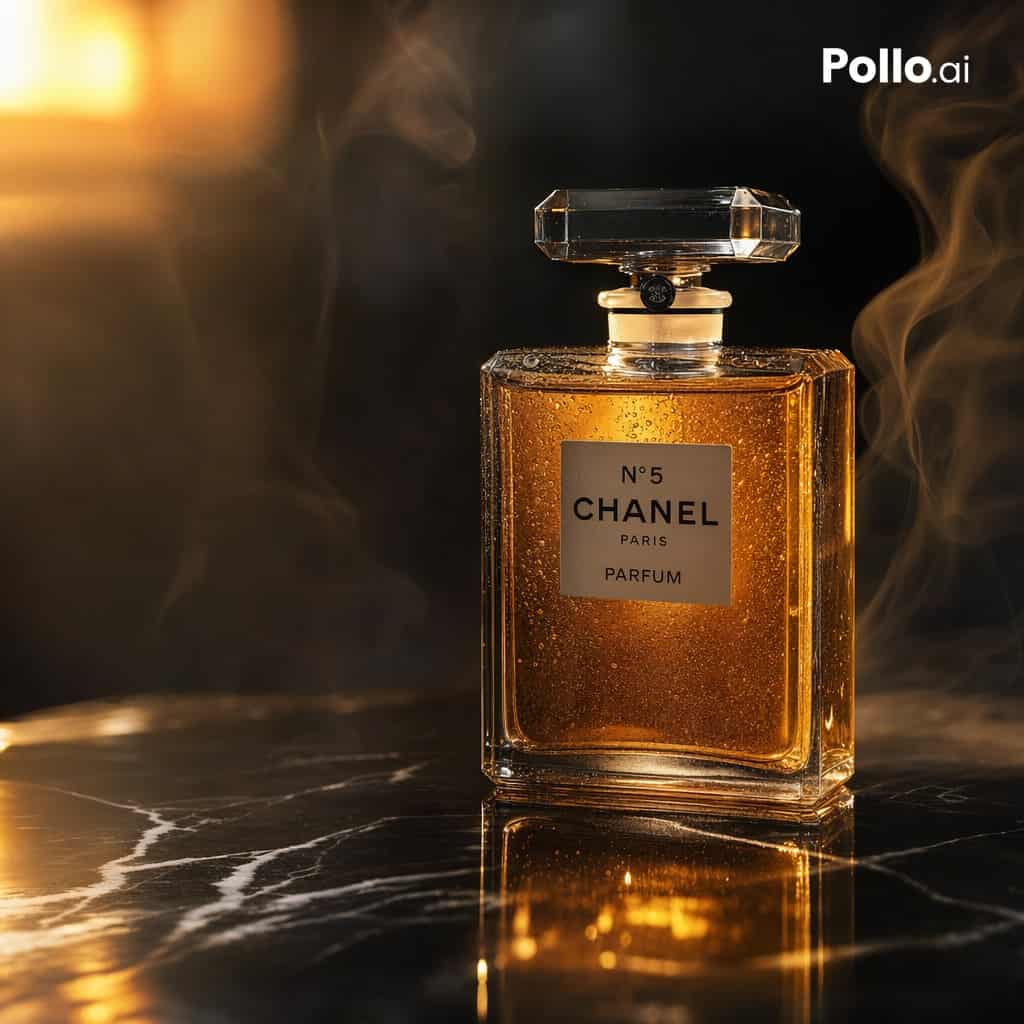
{argument name="brand label" default="N°5 CHANEL PARIS PARFUM"}'ten ilham alan klasik dikdörtgen parfüm şişesinin, beyaz damarlı parlak siyah mermer yüzeye dik olarak yerleştirilmiş lüks sinematik ürün fotoğrafı. Şişe,…
İstemi
{argument name="brand label" default="N°5 CHANEL PARIS PARFUM"}'ten ilham alan klasik dikdörtgen parfüm şişesinin, beyaz damarlı parlak siyah mermer yüzeye dik olarak yerleştirilmiş lüks sinematik ürün fotoğrafı. Şişe, hafifçe sağa doğru ortalanmıştır, büyük şeffaf kristal tıpalı, şeffaf yüzeyli camdan yapılmıştır ve içeriden parıldayan zengin amber-altın parfümle doldurulmuştur. Küçük yoğunlaşma damlacıkları camı kaplayarak doku ve gerçekçilik katar. Sol üst taraftan gelen çarpıcı sıcak ışık, altın rengi vurgular, mermer üzerinde derin yansımalar ve arka planda yumuşak, parlak bir çiçek yaratıyor. Zarif duman tutamları şişenin her iki yanında kıvrılarak karamsar, üst düzey bir reklam hissini artırıyor. Koyu arka plan, sığ alan derinliği, ultra ayrıntılı stüdyo ürün fotoğrafçılığı, lüks güzellik kampanyası estetiği, şişeye net odaklanma, gerçekçi yansımalar, sıcak siyah ve altın renk paleti. Sağ üst köşeye küçük beyaz bir {argument name="corner logo" default="Pollo.ai"} ekleyin. Kare kompozisyon, birinci sınıf ticari reklam, fotogerçekçi, yüksek kontrastlı, rafine ve sofistike.
Bu istem nasıl kullanılır?
Oluşturmadan önce Lüks Amber Parfüm Reklamı isteminin tamamını okuyun ve konuyu, stili, kamerayı, ışıklandırmayı ve kompozisyon gereksinimlerini tanımlayın.
Parantezli veya bağımsız değişken tarzı yer tutucuları ürününüz, karakteriniz, markanız, sahneniz, renk paletiniz veya en boy oranı gereksinimlerinizle değiştirin.
https://www.gptimagehub.com/tr/generate?promptId=cmogx66jo00ftzpdyghybr6iq dosyasını açın, görüntüyü oluşturun, ardından gerekirse daha spesifik konu, metin, düzen veya negatif kısıtlamalarla istemi hassaslaştırın.
Bilgi İstemi SSS
Lüks Amber Parfüm Reklamı istemi en iyi ne için kullanılır?
Bu istem, yeniden kullanılabilir bir yapı, ayrıntılı görsel yön ve tutarlı çıktı kalitesi istediğiniz uı / ux tasarımı görselleri için en iyi şekilde kullanılır.
İstemi oluşturmadan önce düzenleyebilir miyim?
Evet. Bilgi istemi metninin tamamı bu sayfada görünür; böylece oluşturmadan önce konuları, ürün adlarını, renkleri, kompozisyonu, kamera terimlerini, en boy oranını ve stil notlarını değiştirebilirsiniz.
Bu istemle hangi modeli kullanmalıyım?
Bilgi istemi meta verilerinde gösterilen modeli varsayılan başlangıç noktası olarak kullanın. Başka bir görüntü modeli aynı en boy oranını ve talimat stilini destekliyorsa istemi uyarlayabilir ve sonuçları karşılaştırabilirsiniz.