
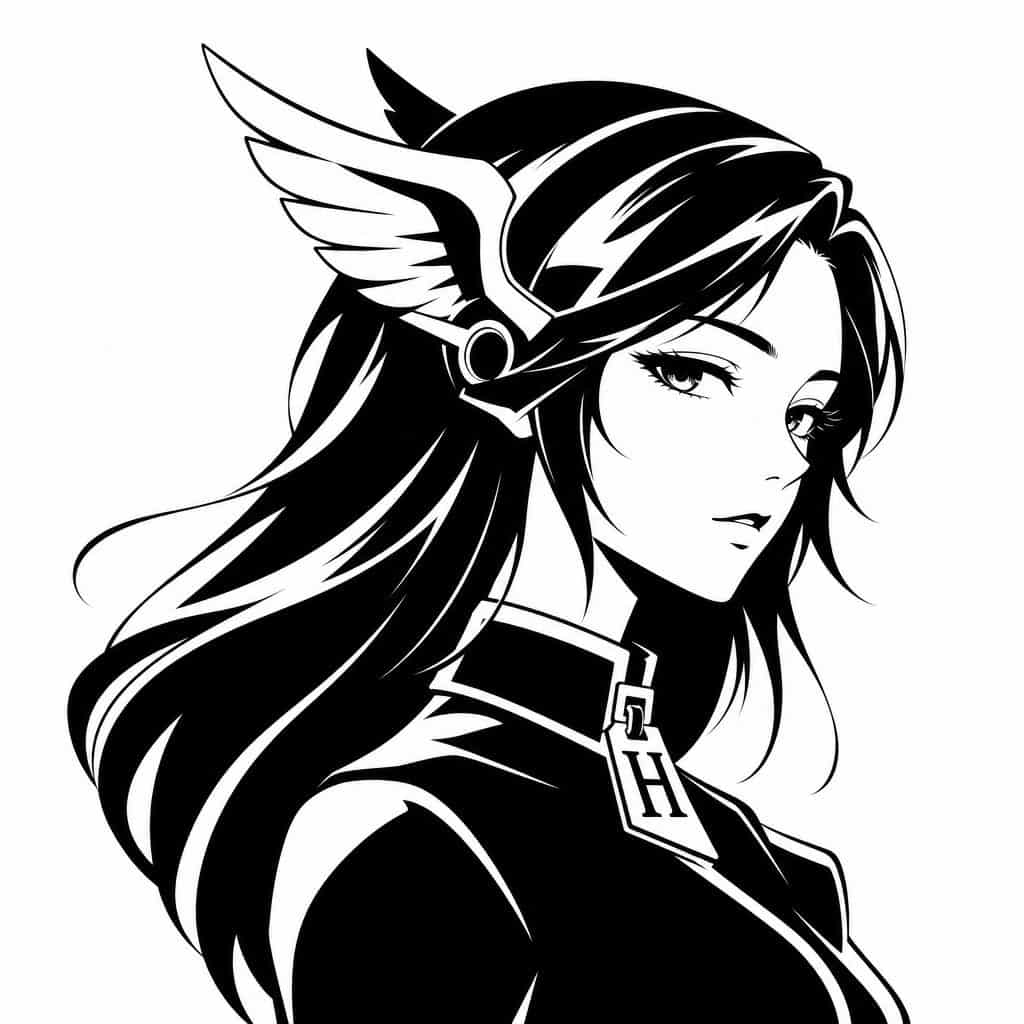
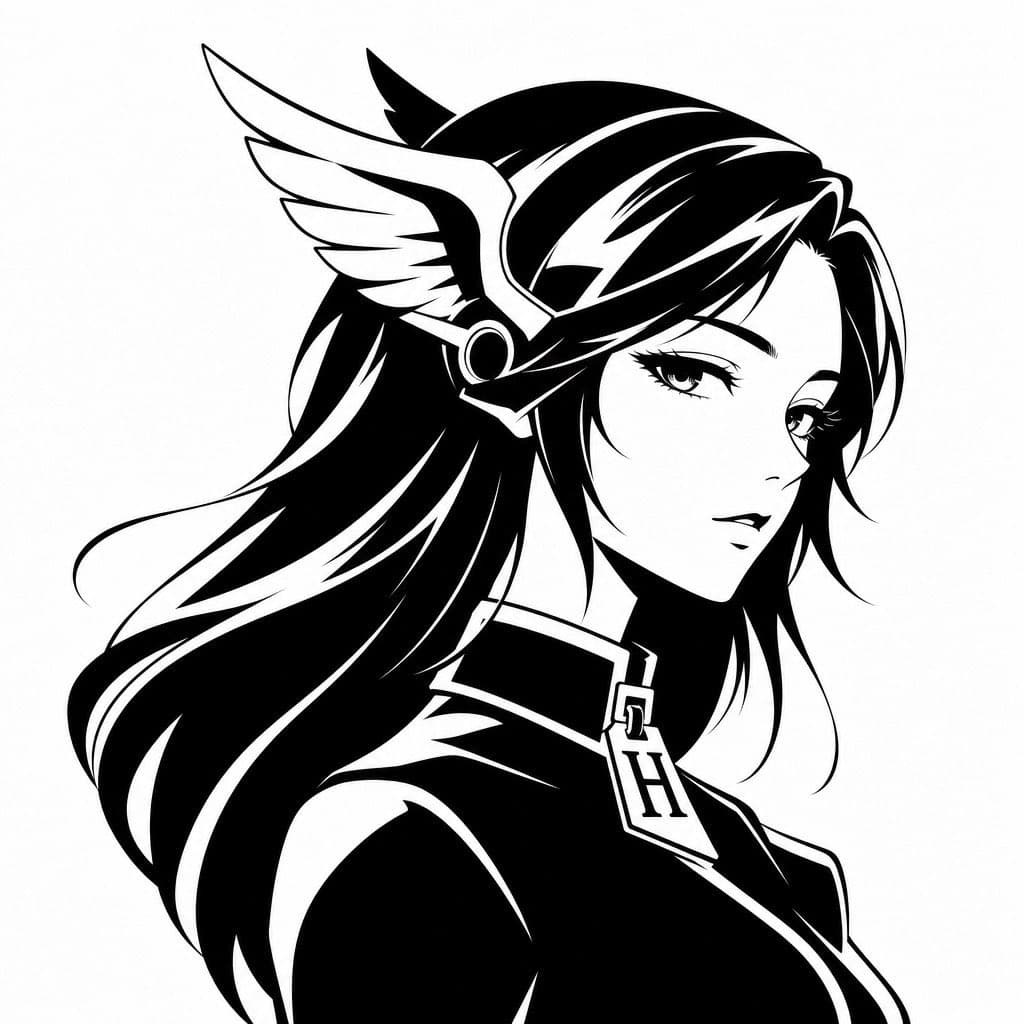
Tek Renkli Hermes'ten Esinlenen Avatar
Sade beyaz bir arka plan üzerinde göğsünden yukarısı kırpılmış, sağa bakan zarif yan profilde gösterilen efsanevi bir anime kadının minimalist siyah-beyaz vektör avatar logosunu oluşturun. Uzun, akıcı {argument name="ha…
İstemi
Sade beyaz bir arka plan üzerinde göğsünden yukarısı kırpılmış, sağa bakan zarif yan profilde gösterilen efsanevi bir anime kadının minimalist siyah-beyaz vektör avatar logosunu oluşturun. Uzun, akıcı {argument name="hair color" default="black"} saçlarına, net keskin kenarlara sahip, yüksek kontrastlı mürekkep siluet sanatı olarak işlenmiş, koyu beyaz vurgulu çizgiler ve pürüzsüz grafik şekiller verin. Hermes'i anımsatan kanatlı bir başlık veya haberci tanrı miğferi takıyor; başının yanında görünen büyük beyaz tüylü bir kanat ve dairesel metalik kulaklık detayı var. Ona lüks moda hissi veren şık, yüksek yakalı bir giysi giydirin ve yakanın ortasına {argument name="monogram letter" default="H"} harfi şeklinde belirgin bir kolye ucu veya fermuar kulpu asın. Yüz, çoğu yüz özelliğini kaplayan ortalanmış yumuşak gri dikdörtgen bulanıklık bloğuyla kasıtlı olarak gizlenmiş ve sansürlenmiş bir anonim profil resmi efekti yaratılmıştır. Genel stil: lüks marka avatarı, moda logosu, animeden ilham alan tanrıça silueti, tek renkli vektör amblemi, pürüzsüz negatif alan vurguları, dengeli kompozisyon, modern ve ikonik, sosyal medya profil resmine uygun.
Bu istem nasıl kullanılır?
Oluşturmadan önce Tek Renkli Hermes'ten Esinlenen Avatar isteminin tamamını okuyun ve konuyu, stili, kamerayı, ışıklandırmayı ve kompozisyon gereksinimlerini tanımlayın.
Parantezli veya bağımsız değişken tarzı yer tutucuları ürününüz, karakteriniz, markanız, sahneniz, renk paletiniz veya en boy oranı gereksinimlerinizle değiştirin.
https://www.gptimagehub.com/tr/generate?promptId=cmogwytxx00a7zpdyulekvcl2 dosyasını açın, görüntüyü oluşturun, ardından gerekirse daha spesifik konu, metin, düzen veya negatif kısıtlamalarla istemi hassaslaştırın.
Bilgi İstemi SSS
Tek Renkli Hermes'ten Esinlenen Avatar istemi en iyi ne için kullanılır?
Bu istem, yeniden kullanılabilir bir yapı, ayrıntılı görsel yön ve tutarlı çıktı kalitesi istediğiniz diğer görselleri için en iyi şekilde kullanılır.
İstemi oluşturmadan önce düzenleyebilir miyim?
Evet. Bilgi istemi metninin tamamı bu sayfada görünür; böylece oluşturmadan önce konuları, ürün adlarını, renkleri, kompozisyonu, kamera terimlerini, en boy oranını ve stil notlarını değiştirebilirsiniz.
Bu istemle hangi modeli kullanmalıyım?
Bilgi istemi meta verilerinde gösterilen modeli varsayılan başlangıç noktası olarak kullanın. Başka bir görüntü modeli aynı en boy oranını ve talimat stilini destekliyorsa istemi uyarlayabilir ve sonuçları karşılaştırabilirsiniz.