
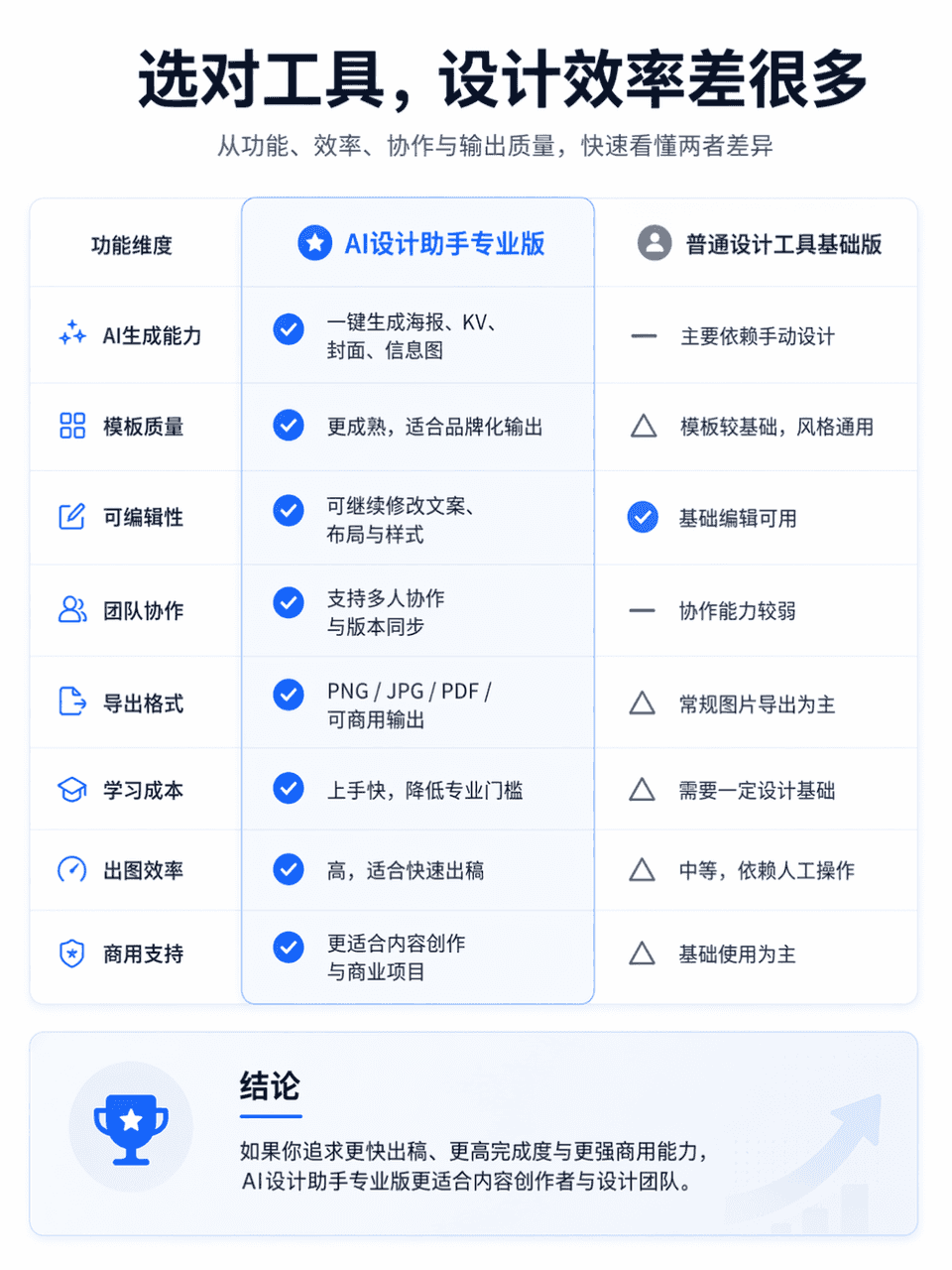
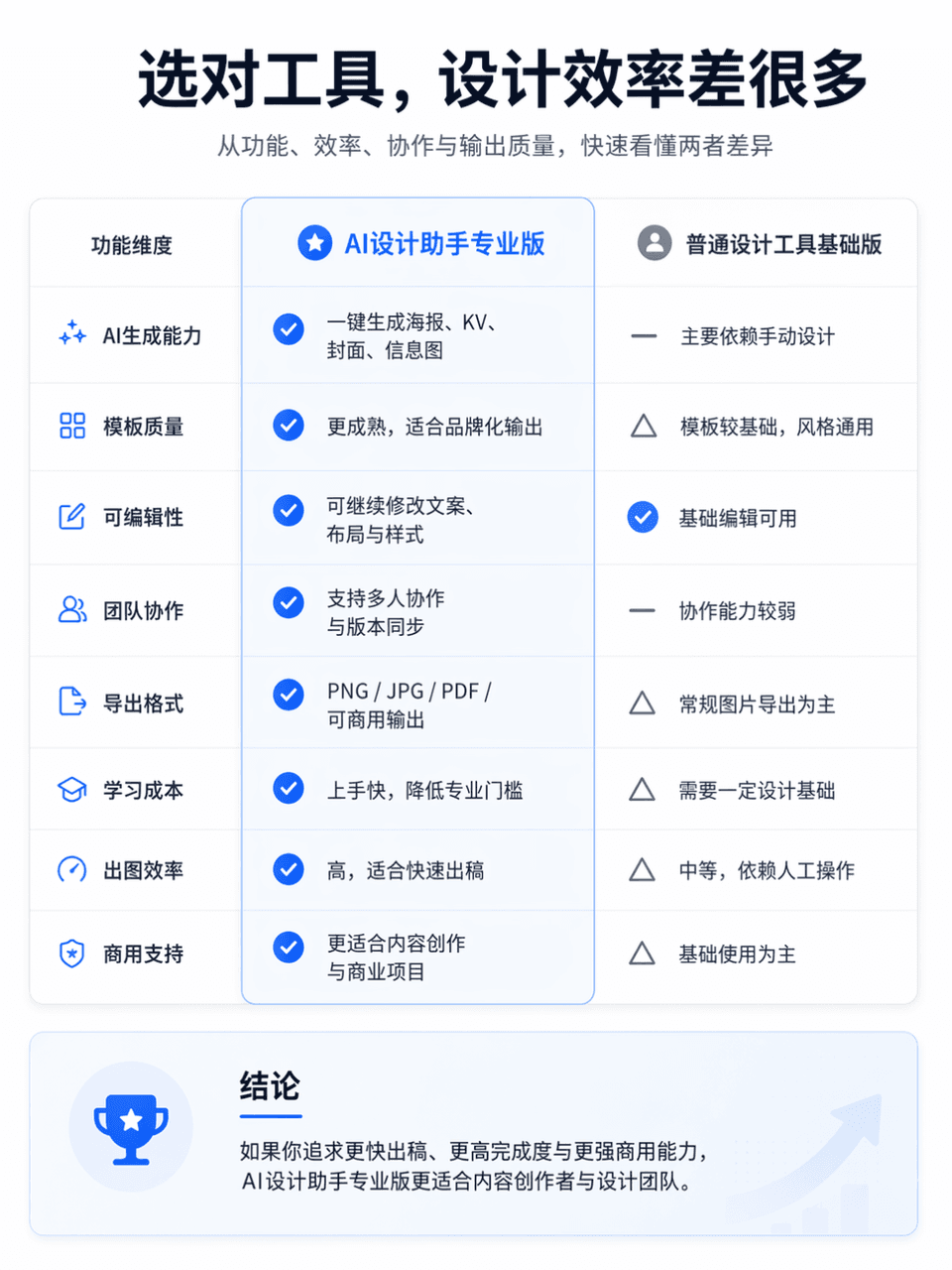
製品比較図
画面比率3:4、専門的で明瞭な製品機能比較図を1枚生成、比較対象はAIデザインアシスタント・プロ版 vs 一般デザインツール・基礎版。全体は左右分割比較レイアウトを採用、左側は「AIデザインアシスタント・プロ版」、右側は「一般デザインツール・基礎版」。画面上部に目立つメインタイトル「正しいツールを選べば、デザイン効率は大きく変わる」を配置、サブタイトルは「機能、効率、コラボレーション、出力品質から、両者の違いを素早く理解する」と補足で…
プロンプト
画面比率3:4、専門的で明瞭な製品機能比較図を1枚生成、比較対象はAIデザインアシスタント・プロ版 vs 一般デザインツール・基礎版。全体は左右分割比較レイアウトを採用、左側は「AIデザインアシスタント・プロ版」、右側は「一般デザインツール・基礎版」。画面上部に目立つメインタイトル「正しいツールを選べば、デザイン効率は大きく変わる」を配置、サブタイトルは「機能、効率、コラボレーション、出力品質から、両者の違いを素早く理解する」と補足できる。全体スタイルは公式サイトの製品比較ページを参考にし、レイアウトは簡潔、情報階層は明確、余白は十分、フォントは現代的、配色は抑制されハイクラスで、リアルなインターネット製品公式サイトのビジュアル質感を持つ必要がある。軽微なアイコン、区切り線、カードシャドウ、重点ハイライトを加えても良いが、EC販促感、雑然さ、低品質テーブルスタイルは避けること。
このプロンプトの使用方法
生成する前に、完全な 製品比較図 プロンプトを読み、主題、スタイル、カメラ、照明、構成の要件を特定してください。
括弧で囲まれたプレースホルダーまたは引数スタイルのプレースホルダーを、製品、キャラクター、ブランド、シーン、カラーパレット、またはアスペクト比の要件に置き換えます。
https://www.gptimagehub.com/ja/generate?promptId=cmogxm7as00mxxt5gcv7epe6c を開いて画像を生成し、必要に応じてより具体的な件名、テキスト、レイアウト、または否定的な制約を使用してプロンプトを調整します。
プロンプトFAQ
製品比較図 プロンプトは何に最適ですか?
このプロンプトは、再利用可能な構造、詳細な視覚的方向性、一貫した出力品質が必要な その他 画像に最適です。
生成する前にプロンプトを編集できますか?
はい。このページには完全なプロンプト テキストが表示されるため、生成前に件名、製品名、色、構成、カメラ用語、アスペクト比、スタイル メモを変更できます。
このプロンプトではどのモデルを使用すればよいですか?
プロンプトのメタデータに示されているモデルをデフォルトの開始点として使用します。別の画像モデルが同じアスペクト比と指示スタイルをサポートしている場合は、プロンプトを調整して結果を比較できます。