
アニメ風VTuberマインクラフト配信サムネイル
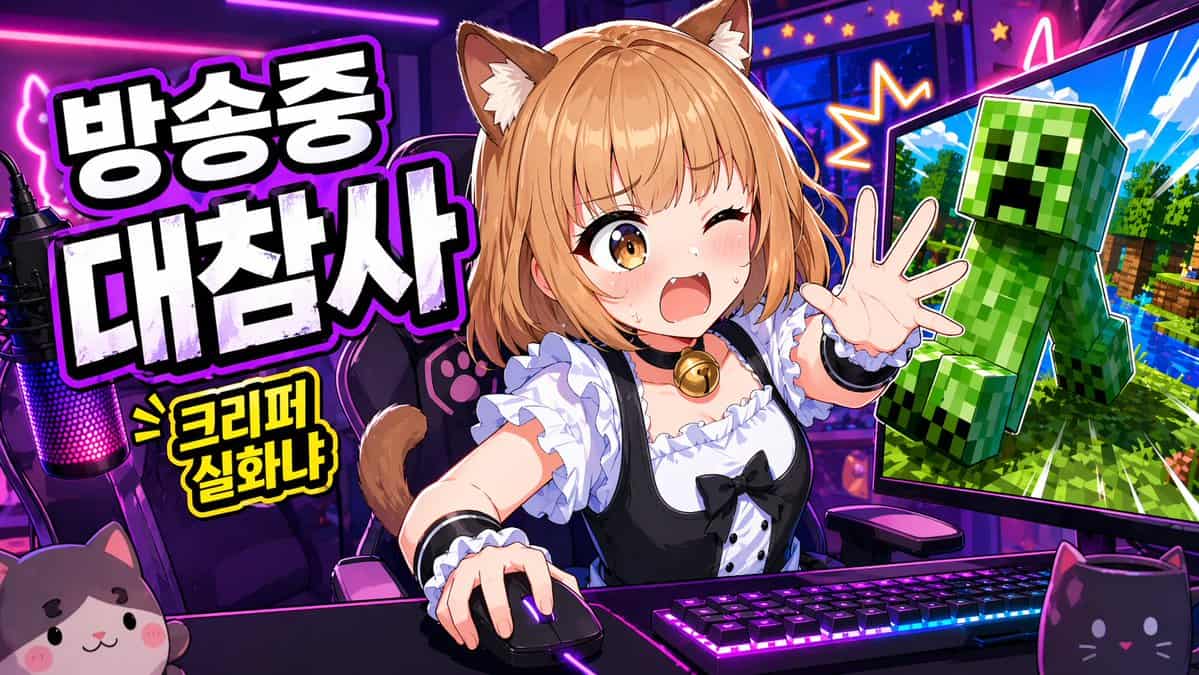
ゲーム実況ライブ配信用の鮮やかなアニメ風YouTubeサムネイル。16:9のワイド構図で、ネオンパープルとピンクの配信者部屋を背景にする。シーンの中央には、デスクに座って腰から上が映る可愛い猫娘VTuberを配置し、片手をマウスに置き、もう片方の手を視聴者に向かって伸ばしながら、勢いよく前のめりになっている。彼女は{argument name="hair color" default="light orange-blonde"}のボブ…
プロンプト
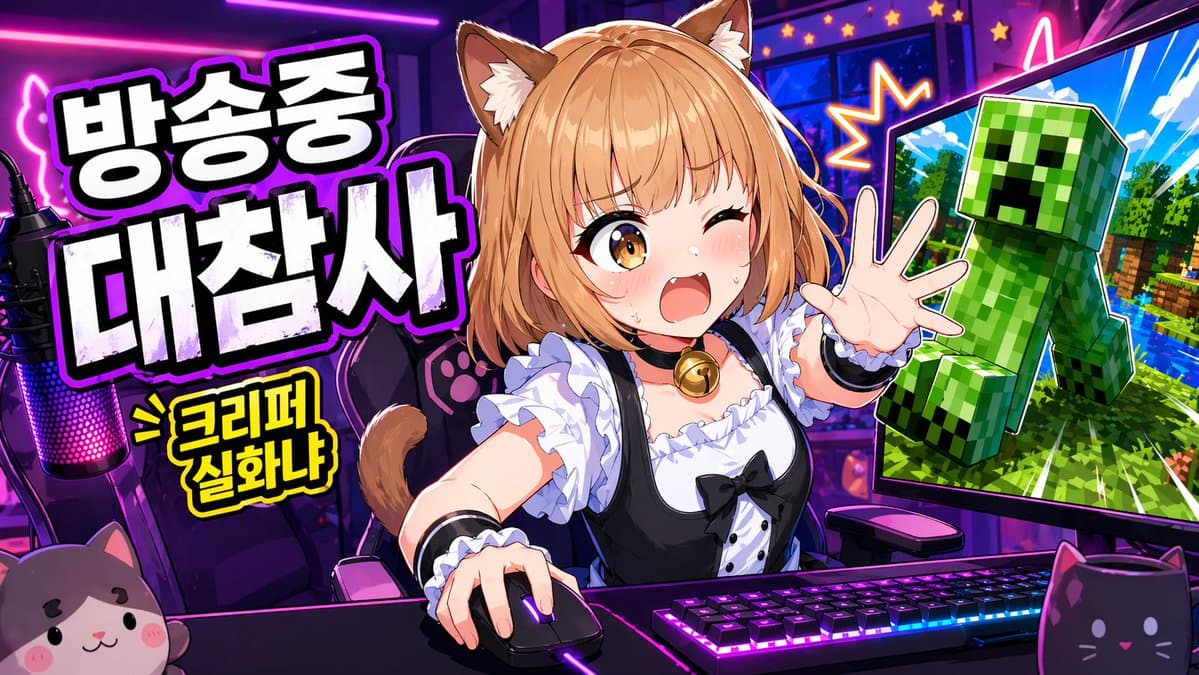
ゲーム実況ライブ配信用の鮮やかなアニメ風YouTubeサムネイル。16:9のワイド構図で、ネオンパープルとピンクの配信者部屋を背景にする。シーンの中央には、デスクに座って腰から上が映る可愛い猫娘VTuberを配置し、片手をマウスに置き、もう片方の手を視聴者に向かって伸ばしながら、勢いよく前のめりになっている。彼女は{argument name="hair color" default="light orange-blonde"}のボブカットに柔らかい前髪、ふわふわのブラウン×クリーム色の猫耳、そして見える猫しっぽを持つ。顔は意図的に中央の黒いベタ塗り長方形の検閲ブロックで隠されている。彼女は黒と白のメイド風衣装を着ており、フリル付きの白いブラウス、黒のドレスボディス、パフスリーブ、白のラッフル、黒のリボンボウ、そしてゴールドのベルチョーカーを身につけている。デスク上には鮮やかなRGB照明のメカニカルキーボード、光るゲーミングマウス、そして左端にピンクパープルのLED照明付き配信用マイクを置く。前景には2つの猫モチーフのデスクアイテムを配置:左下にぬいぐるみの猫の顔、右下に黒い猫型のマグカップ。彼女の後ろには肉球柄が施されたゲーミングチェアがある。左側には大きな太字の韓国語ヘッドラインを2行に積み重ねて配置:太い白のブロック体に黒のベタ塗りシャドウと光るパープルの輪郭線で{argument name="headline text" default="방송중 대참사"}と書く。その下には、黒の輪郭線付き黄色のコミック風バーストキャプション{argument name="sub text" default="> 크리퍼 실화냐"}をやや小さめに追加。右側には、内側に角度をつけた大きなコンピューターモニターを1台表示し、明るい青空、緑の木々、水、そして視聴者に向かって飛び出してくる大きな緑のクリーパーがいるマインクラフト風のシーンを映し出す。クリーパーはステッカーの切り抜きのように劇的な輪郭で描く。モニターの周りには星形の爆発エフェクトとネオンのアクセントを加えてカオス感を高める。誇張されたサムネイル美学を使用:超彩度の高い色、シャープなセルシェーディング、太い輪郭線、光沢のあるハイライト、ハイコントラスト、ダイナミックな遠近感、そしてクリックしたくなる配信事故ムード。
このプロンプトの使用方法
生成する前に、完全な アニメ風VTuberマインクラフト配信サムネイル プロンプトを読み、主題、スタイル、カメラ、照明、構成の要件を特定してください。
括弧で囲まれたプレースホルダーまたは引数スタイルのプレースホルダーを、製品、キャラクター、ブランド、シーン、カラーパレット、またはアスペクト比の要件に置き換えます。
https://www.gptimagehub.com/ja/generate?promptId=cmogx383p00djzpdyvf0shnxe を開いて画像を生成し、必要に応じてより具体的な件名、テキスト、レイアウト、または否定的な制約を使用してプロンプトを調整します。
プロンプトFAQ
アニメ風VTuberマインクラフト配信サムネイル プロンプトは何に最適ですか?
このプロンプトは、再利用可能な構造、詳細な視覚的方向性、一貫した出力品質が必要な ソーシャルメディア 画像に最適です。
生成する前にプロンプトを編集できますか?
はい。このページには完全なプロンプト テキストが表示されるため、生成前に件名、製品名、色、構成、カメラ用語、アスペクト比、スタイル メモを変更できます。
このプロンプトではどのモデルを使用すればよいですか?
プロンプトのメタデータに示されているモデルをデフォルトの開始点として使用します。別の画像モデルが同じアスペクト比と指示スタイルをサポートしている場合は、プロンプトを調整して結果を比較できます。