
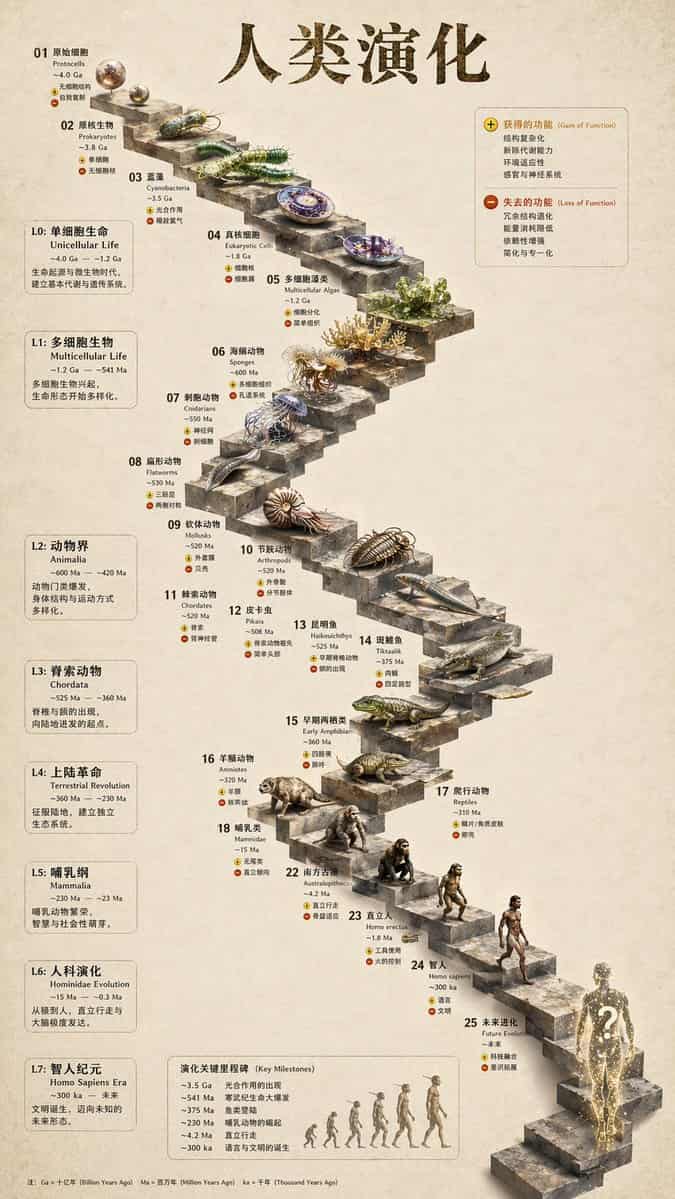
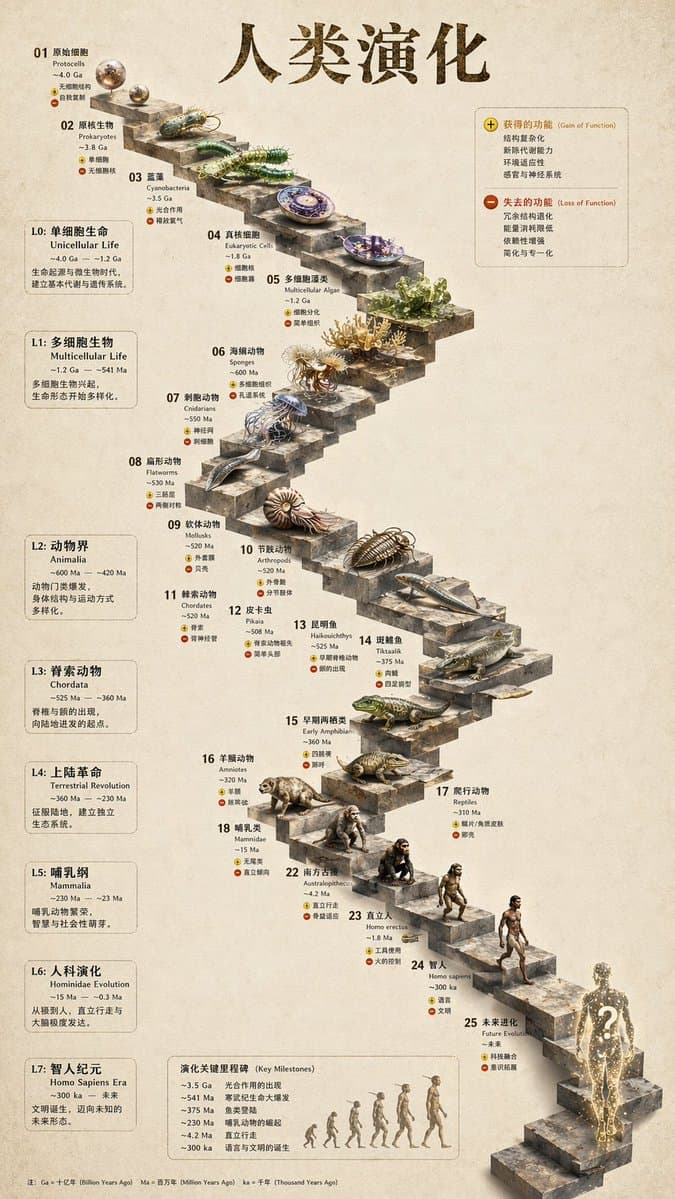
3D石階段進化インフォグラフィック
{ "type": "進化的タイムラインのインフォグラフィック", "instruction": "REFERENCE_0を構造的ベースとして使用し、フラットなベクターデザインを高度にリアルな3Dインフォグラフィックに変換してください。滑らかなスロープを明確な石段に置き換え、すべての生物を写実的な3Dモデルにアップグレードしてください。", "style": { "background": "{argument name=\"back…
プロンプト
{ "type": "進化的タイムラインのインフォグラフィック", "instruction": "REFERENCE_0を構造的ベースとして使用し、フラットなベクターデザインを高度にリアルな3Dインフォグラフィックに変換してください。滑らかなスロープを明確な石段に置き換え、すべての生物を写実的な3Dモデルにアップグレードしてください。", "style": { "background": "{argument name=\"background style\" default=\"vintage textured parchment paper\"}", "staircase": "{argument name=\"staircase material\" default=\"realistic textured stone blocks\"}", "subjects": "{argument name=\"organism style\" default=\"highly detailed photorealistic 3D renders\"}" }, "layout": { "main_title": "{argument name=\"main title\" default=\"人类演化\"}", "sections": [ { "position": "左サイドバー", "count": 8, "labels": ["L0: 单细胞生命", "L1: 多细胞生物", "L2: 动物界", "L3: 脊索动物", "L4: 上陆革命", "L5: 哺乳纲", "L6: 人科演化", "L7: 智人纪元"] }, { "position": "右上", "title": "获得的功能 / 失去的功能", "description": "プラスとマイナスのアイコンを伴う凡例" }, { "position": "下部中央", "title": "演化关键里程碑", "count": 6, "description": "類人猿から人類への進化を示す6体のシルエットグラフィックを伴うタイムライン" } ], "centerpiece": { "description": "特定の生物を載せた25段の番号付き蛇行する石階段。", "count": 25, "notable_elements": [ "Step 07: クラゲ", "Step 09: アンモナイト", "Step 10: 三葉虫", "Step 24: 歩行する人間", "Step 25: {argument name=\"future evolution concept\" default=\"glowing cosmic silhouette with a question mark\"}" ] } } }
このプロンプトの使用方法
生成する前に、完全な 3D石階段進化インフォグラフィック プロンプトを読み、主題、スタイル、カメラ、照明、構成の要件を特定してください。
括弧で囲まれたプレースホルダーまたは引数スタイルのプレースホルダーを、製品、キャラクター、ブランド、シーン、カラーパレット、またはアスペクト比の要件に置き換えます。
https://www.gptimagehub.com/ja/generate?promptId=cmogwy3me009lzpdyd0vcxqra を開いて画像を生成し、必要に応じてより具体的な件名、テキスト、レイアウト、または否定的な制約を使用してプロンプトを調整します。
プロンプトFAQ
3D石階段進化インフォグラフィック プロンプトは何に最適ですか?
このプロンプトは、再利用可能な構造、詳細な視覚的方向性、一貫した出力品質が必要な インフォグラフィック・教育 画像に最適です。
生成する前にプロンプトを編集できますか?
はい。このページには完全なプロンプト テキストが表示されるため、生成前に件名、製品名、色、構成、カメラ用語、アスペクト比、スタイル メモを変更できます。
このプロンプトではどのモデルを使用すればよいですか?
プロンプトのメタデータに示されているモデルをデフォルトの開始点として使用します。別の画像モデルが同じアスペクト比と指示スタイルをサポートしている場合は、プロンプトを調整して結果を比較できます。