
チベット儀式帽の民族学プレート
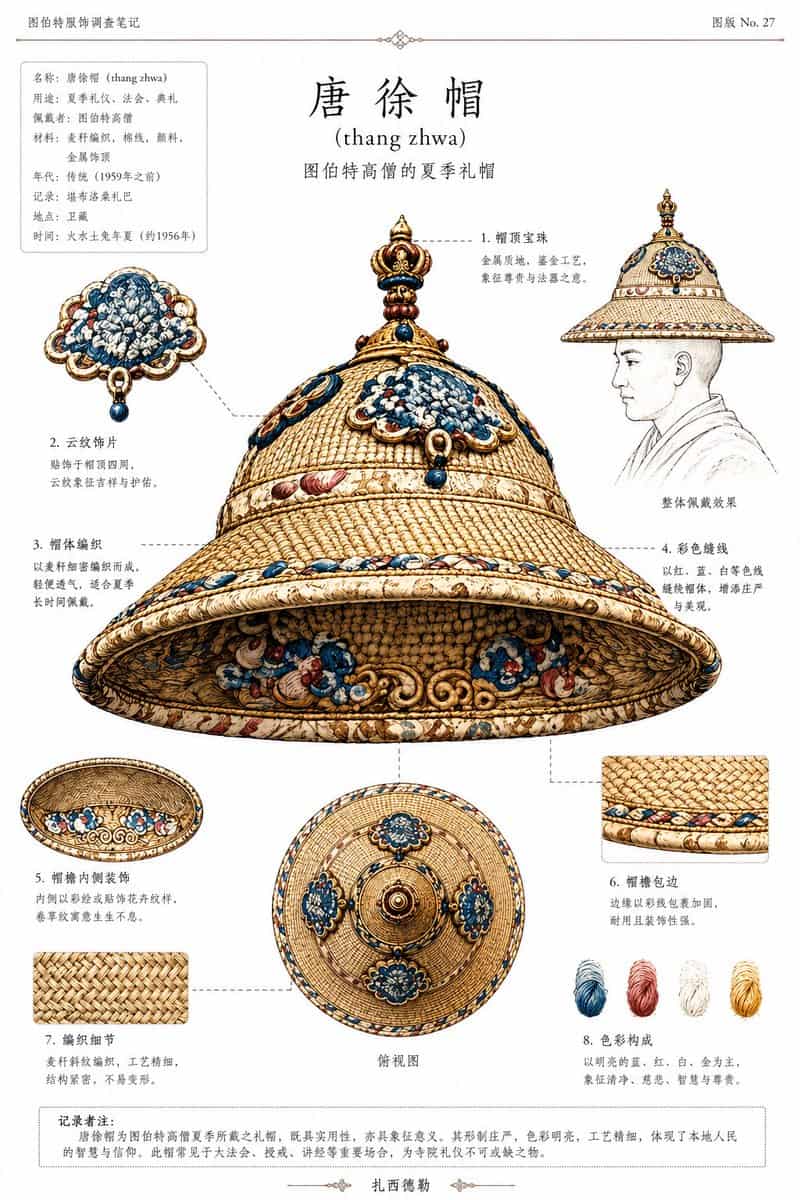
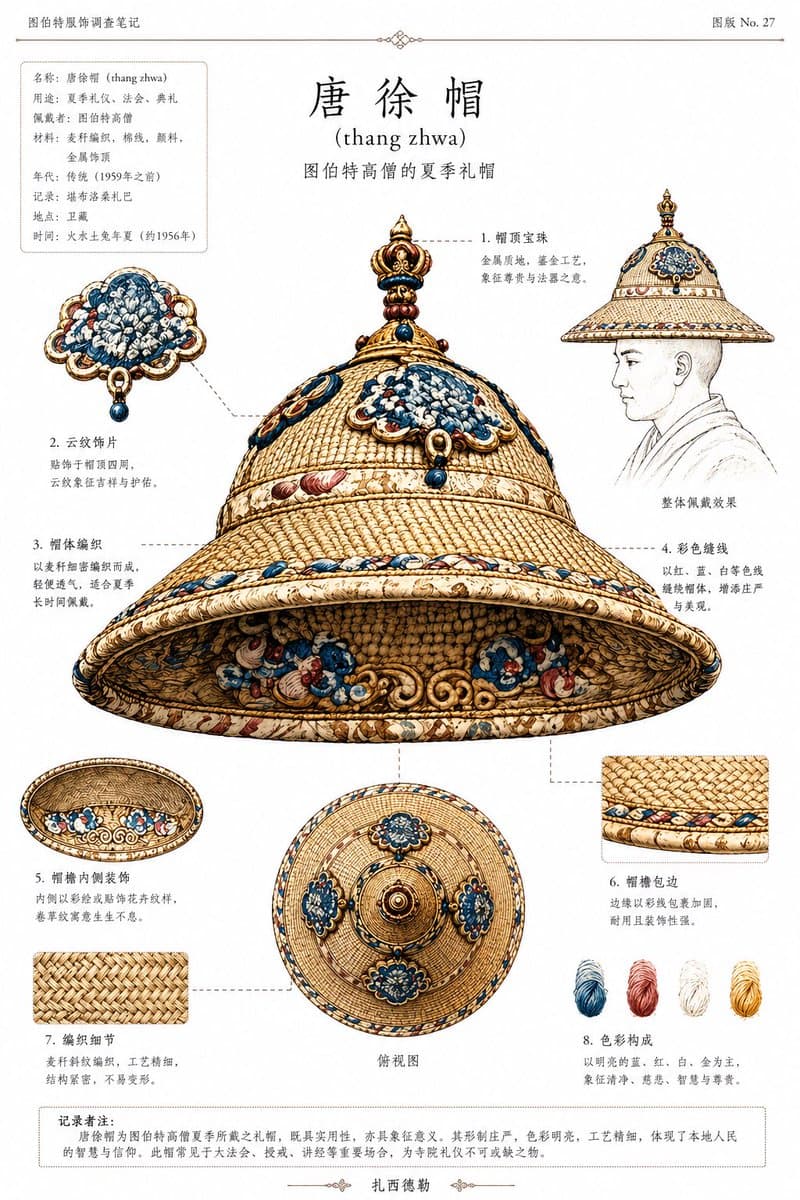
REFERENCE_0とREFERENCE_1を用いて、儀式帽に焦点を当てたクリーンな民族学アーカイブプレートを作成します。REFERENCE_0を歴史的なチベットの文脈とシルエットの参照として、REFERENCE_1を帽子の色、素材、装飾の参照として使用します。座っている身体を主題から取り除き、博物館スタイルのオブジェクト研究として帽子を分離して再構築します。帽子をオフホワイトのドキュメントページに、小さなローマ字を伴う中国語の学術…
プロンプト
REFERENCE_0とREFERENCE_1を用いて、儀式帽に焦点を当てたクリーンな民族学アーカイブプレートを作成します。REFERENCE_0を歴史的なチベットの文脈とシルエットの参照として、REFERENCE_1を帽子の色、素材、装飾の参照として使用します。座っている身体を主題から取り除き、博物館スタイルのオブジェクト研究として帽子を分離して再構築します。帽子をオフホワイトのドキュメントページに、小さなローマ字を伴う中国語の学術的カタログシートとして提示します。オブジェクトの周囲に、細い破線のリーダーラインを持つ8つの番号付き引出線を追加し、それぞれが特定の構造的詳細を指します。中央のメインビューは、帽子の大きな3/4下面ビューとします。さらに正確に4つの補助ビュー/詳細を含めます:かすかな線画の胸像を伴う1つの側面着用スケッチ、1つの下面内部ビュー、1つの上面ビュー、2つの正方形のクローズアップ素材スウォッチ。右下付近に正確に4つの糸色サンプルを追加します:青、赤、白、黄。上部中央には、 {argument name="headline text" default="唐徐帽"} という大きなタイトルを、その下に {argument name="romanization" default="(thang zhwa)"} のローマ字表記を配し、加えて高位チベット僧の夏の儀式帽として説明する小さな副題を追加します。左上には、複数の短い中国語フィールドを持つボックス入りメタデータパネルを追加し、右上には {argument name="plate number" default="图版 No. 27"} と読むプレート番号を追加します。下部には、中国語による1つの枠付き注釈段落を追加します。全体スタイル:精密なアーカイブインフォグラフィック、人類学的カタログイラスト、歴史的に裏付けられた、精密な織りテクスチャ、青と赤の装飾を伴うアイボリーゴールドベース、上品な印刷レイアウト、細い罫線と装飾的な仕切り記号、シンプルな紙の背景上の高精細オブジェクトレンダリング。
このプロンプトの使用方法
生成する前に、完全な チベット儀式帽の民族学プレート プロンプトを読み、主題、スタイル、カメラ、照明、構成の要件を特定してください。
括弧で囲まれたプレースホルダーまたは引数スタイルのプレースホルダーを、製品、キャラクター、ブランド、シーン、カラーパレット、またはアスペクト比の要件に置き換えます。
https://www.gptimagehub.com/ja/generate?promptId=cmogx1q4s00cdzpdy98napsnv を開いて画像を生成し、必要に応じてより具体的な件名、テキスト、レイアウト、または否定的な制約を使用してプロンプトを調整します。
プロンプトFAQ
チベット儀式帽の民族学プレート プロンプトは何に最適ですか?
このプロンプトは、再利用可能な構造、詳細な視覚的方向性、一貫した出力品質が必要な ロゴ・ブランディング 画像に最適です。
生成する前にプロンプトを編集できますか?
はい。このページには完全なプロンプト テキストが表示されるため、生成前に件名、製品名、色、構成、カメラ用語、アスペクト比、スタイル メモを変更できます。
このプロンプトではどのモデルを使用すればよいですか?
プロンプトのメタデータに示されているモデルをデフォルトの開始点として使用します。別の画像モデルが同じアスペクト比と指示スタイルをサポートしている場合は、プロンプトを調整して結果を比較できます。