
プロンプト
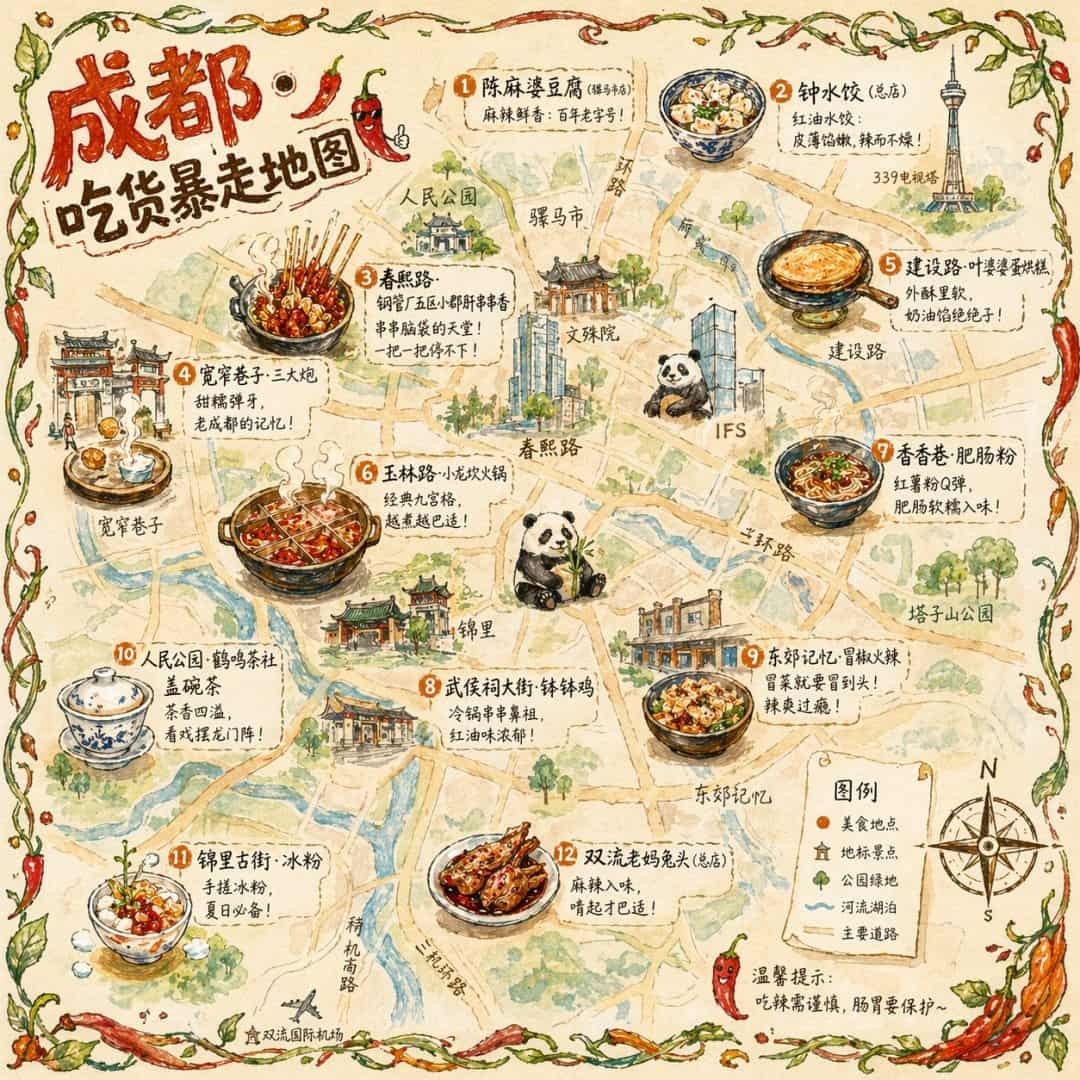
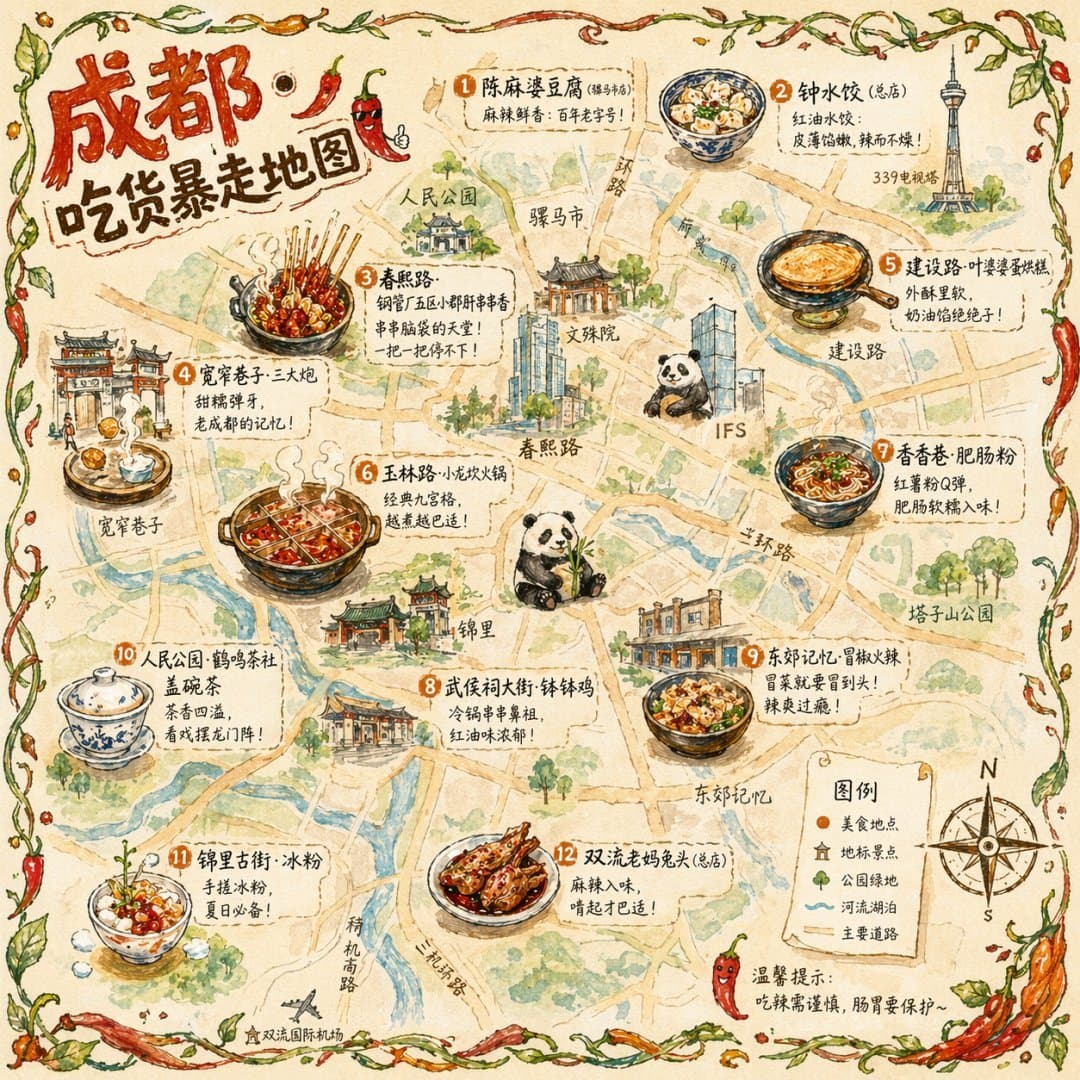
{ "type": "イラスト調マップインフォグラフィック", "style": "{argument name=\"art style\" default=\"watercolor and ink hand-drawn illustration on vintage parchment\"}", "title_section": { "text": "{argument name=\"city name\" default=\"成都\"} {argument name=\"map title\" default=\"吃货暴走地图\"}", "mascot": "サングラスをかけて親指を立てる漫画風の赤い唐辛子" }, "border": "{argument name=\"border decoration\" default=\"vine of green leaves and red chili peppers\"}", "layout": { "background": "黄色い道路、青い川、緑の公園エリアが描かれた質感のあるベージュの羊皮紙", "sections": [ { "title": "ランドマーク", "count": 6, "illustrations": ["伝統的な楼閣", "伝統的な寺院", "パンダがよじ登る現代的な高層ビル", "高いテレビ塔", "伝統的な門", "工業的な建物群"], "labels": ["人民公园", "文殊院", "IFS", "339电视塔", "宽窄巷子", "东郊记忆"] }, { "title": "food_spots", "count": 12, "illustrations": ["麻婆豆腐", "ラー油の餃子", "鍋に入った串もの", "もち米団子", "卵焼きケーキ", "九宮格火鍋", "サツマイモ春雨", "冷やし串もの", "スパイシーな和え物", "蓋つき茶碗", "氷ゼリーデザート", "スパイシーなウサギの頭"], "labels": ["1 陈麻婆豆腐", "2 钟水饺", "3 春熙路", "4 宽窄巷子·三大炮", "5 建设路·叶婆婆蛋烘糕", "6 玉林路·小龙坎火锅", "7 香香巷·肥肠粉", "8 武侯祠大街·钵钵鸡", "9 东郊记忆·冒椒火辣", "10 人民公园·鹤鸣茶社", "11 锦里古街·冰粉", "12 双流老妈兔头"] }, { "title": "图例", "position": "右下", "count": 5, "items": ["赤い点", "緑の家", "緑の木", "青い線", "黄色い二重線"], "labels": ["美食地点", "地标景点", "公园绿地", "河流湖泊", "主要道路"] } ], "centerpiece": "座って竹を食べる巨大なジャイアントパンダ", "bottom_right_extras": ["N、S、E、Wが書かれたヴィンテージのコンパスローズ", "赤い唐辛子のアイコンと共に '温馨提示:吃辣需谨慎,肠胃要保护~' という注意書き"] } }
このプロンプトの使用方法
生成する前に、完全な 都市のグルメイラストマップ プロンプトを読み、主題、スタイル、カメラ、照明、構成の要件を特定してください。
括弧で囲まれたプレースホルダーまたは引数スタイルのプレースホルダーを、製品、キャラクター、ブランド、シーン、カラーパレット、またはアスペクト比の要件に置き換えます。
https://www.gptimagehub.com/ja/generate?promptId=cmogwxr34009dzpdy8hm6mvle を開いて画像を生成し、必要に応じてより具体的な件名、テキスト、レイアウト、または否定的な制約を使用してプロンプトを調整します。
プロンプトFAQ
都市のグルメイラストマップ プロンプトは何に最適ですか?
このプロンプトは、再利用可能な構造、詳細な視覚的方向性、一貫した出力品質が必要な その他 画像に最適です。
生成する前にプロンプトを編集できますか?
はい。このページには完全なプロンプト テキストが表示されるため、生成前に件名、製品名、色、構成、カメラ用語、アスペクト比、スタイル メモを変更できます。
このプロンプトではどのモデルを使用すればよいですか?
プロンプトのメタデータに示されているモデルをデフォルトの開始点として使用します。別の画像モデルが同じアスペクト比と指示スタイルをサポートしている場合は、プロンプトを調整して結果を比較できます。