How to use Nano Banana: a step-by-step guide
Nano Banana is Google's name for its Gemini image models: Nano Banana 2.1, Nano Banana 2, Nano Banana Pro, Nano Banana 2 Lite and the original Nano Banana. They create images from a text prompt, edit photos you attach, and render text in images well. This tutorial shows which one to pick, how to use it in the Gemini app, on GPT Image Hub and through an API, and how to prompt it, with real results and timings from our generator.
How to use Nano Banana in four steps
Open a tool that runs Nano Banana: the Gemini app, the Gemini API, or the GPT Image Hub generator. Pick a version (Nano Banana 2.1 for most work, Nano Banana Pro for dense layouts and the most detail), describe the image in plain sentences with any words that should appear in quotes, and attach up to 14 reference images if you are editing a photo. Choose an aspect ratio and a resolution, generate, then ask for one change at a time. On GPT Image Hub, Nano Banana 2.1 costs 25 credits at 1K, and new accounts get 25 free credits.
Which Nano Banana should you use?
Google has released five Nano Banana models. They share the same way of prompting; they differ in detail, speed, sizes and price.
| Model | API model ID | Best for | Reference images | Price on GPT Image Hub (credits) |
|---|---|---|---|---|
| Nano Banana 2.1 | gemini-nano-banana-2.1 | Most new work, text-heavy layouts; Google's recommended model for new projects | Up to 14 | 25 (1K) / 41 (2K) / 91 (4K) |
| Nano Banana Pro | gemini-3-pro-image-preview | Dense layouts, infographics and the most detail | Up to 14 | 108 (1K) / 108 (2K) / 193 (4K) |
| Nano Banana 2 | gemini-3.1-flash-image-preview | Faster turnaround than 2.1 at 2K and 4K | Up to 14 | 54 (1K) / 81 (2K) / 122 (4K) |
| Nano Banana 2 Lite | gemini-3.1-flash-lite-image | Quick, cheap 1K drafts | Up to 3 | 25 (1K) |
| Nano Banana | gemini-2.5-flash-image | The original model, 1K only | Up to 3 | 25 (1K) |
Not sure? Start with Nano Banana 2.1. Our Nano Banana 2 vs Pro comparison runs the same prompts on both, and each model has its own page, such as the Nano Banana 2.1 guide.
Step 1: Open Nano Banana
In the Gemini app
- Go to gemini.google.com or open the Gemini mobile app, and sign in with a Google account.
- Ask for an image in the chat ("Create an image of ...") or choose the image tool, then type your prompt. Attach a photo to edit it.
- Google lists Nano Banana as available for free, with limits. Google AI Pro, Plus and Ultra plans use Nano Banana 2.1 and can regenerate an image with Nano Banana Pro from the three-dot menu ("Redo with Pro").
- Images made in Gemini carry Google's invisible SynthID watermark and a visible watermark, according to Google.
On GPT Image Hub
- Open the generator with Nano Banana 2.1, or pick another Nano Banana in the model picker. Browsing and copying prompts needs no account; generating needs a free account with a verified email.
- All five versions sit in one picker next to GPT Image and Seedream, so you can rerun the same prompt on another model and compare.
- The price in credits is shown before you generate, and credits for a failed image are refunded automatically.
Through an API
Google's Gemini API runs each version under the model ID in the table above; Google's image generation guide has the request format. GPT Image Hub's API accepts the same models by their GPT Image Hub names (for example nanobanana2-1 or nanobananapro) and bills in the same credits as the generator.
Step 2: Write a Nano Banana prompt
Google's own starting formula is "Create an image of" + subject + action + scene. Write it as sentences, then add the details that matter for your image:
| Part | Example |
|---|---|
| Subject and action | A ceramic teapot pouring tea into a small glass cup |
| Scene | On a linen tablecloth in a sunlit kitchen |
| Composition | Close-up from the side, the cup in the lower third |
| Light and style | Soft morning light from the left, realistic photo |
| Exact text | A small card in front reading "FIRST POUR" |
| Format | 4:5 portrait |
Product photo
Create an image of a ceramic teapot pouring tea into a small glass cup on a linen tablecloth in a sunlit kitchen. Close-up from the side, the cup in the lower third, soft morning light from the left, realistic photo. A small folded card in front of the cup reads "FIRST POUR".Menu board with exact prices
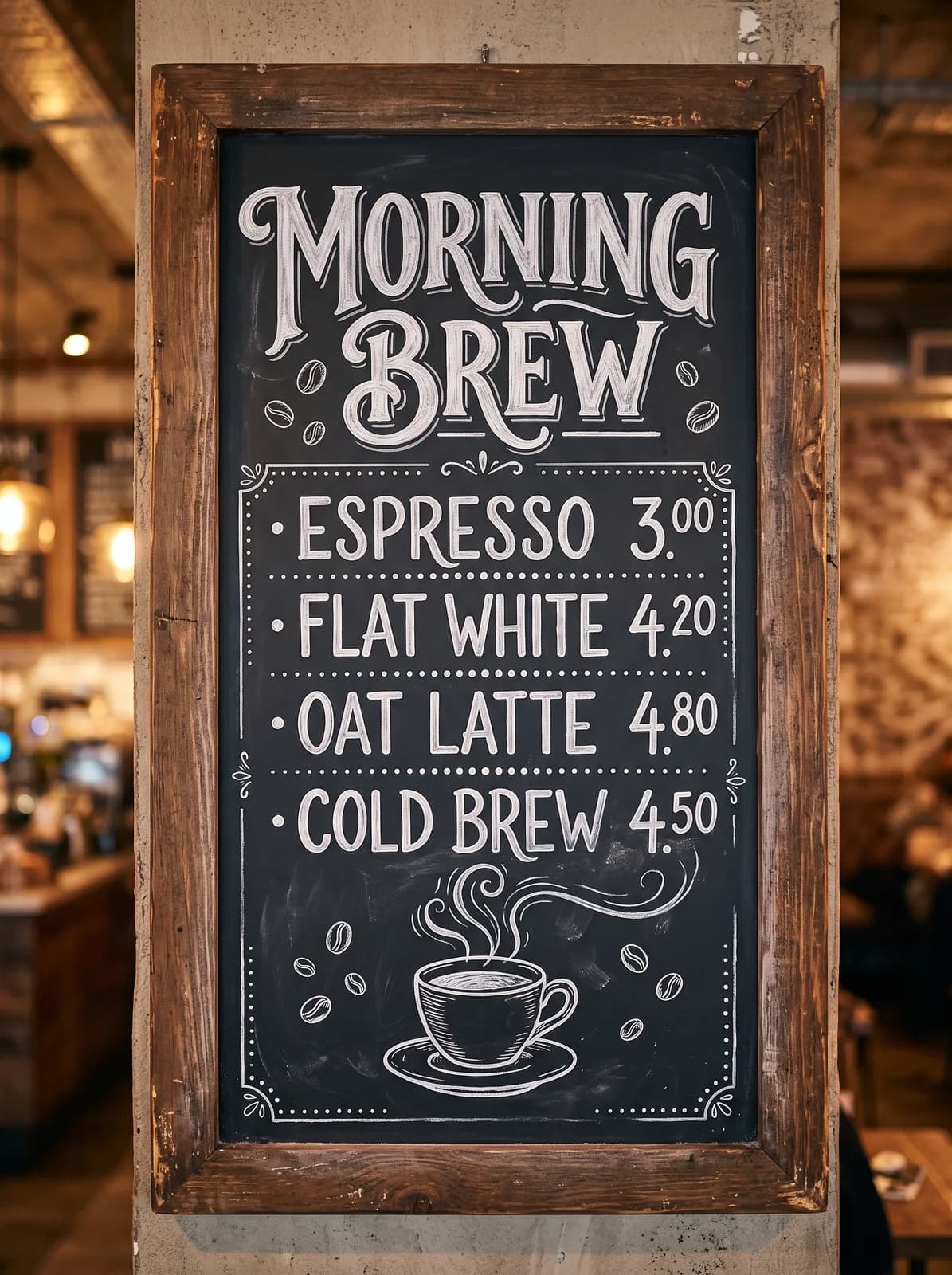
A chalkboard cafe menu on a brick wall, hand-lettered in white chalk. Title at the top: "MORNING BREW". Four lines below, each with a price on the right: "Espresso 3.00", "Flat White 4.20", "Oat Latte 4.80", "Cold Brew 4.50". Small chalk drawings of coffee beans in the corners. No other text.Dense infographic
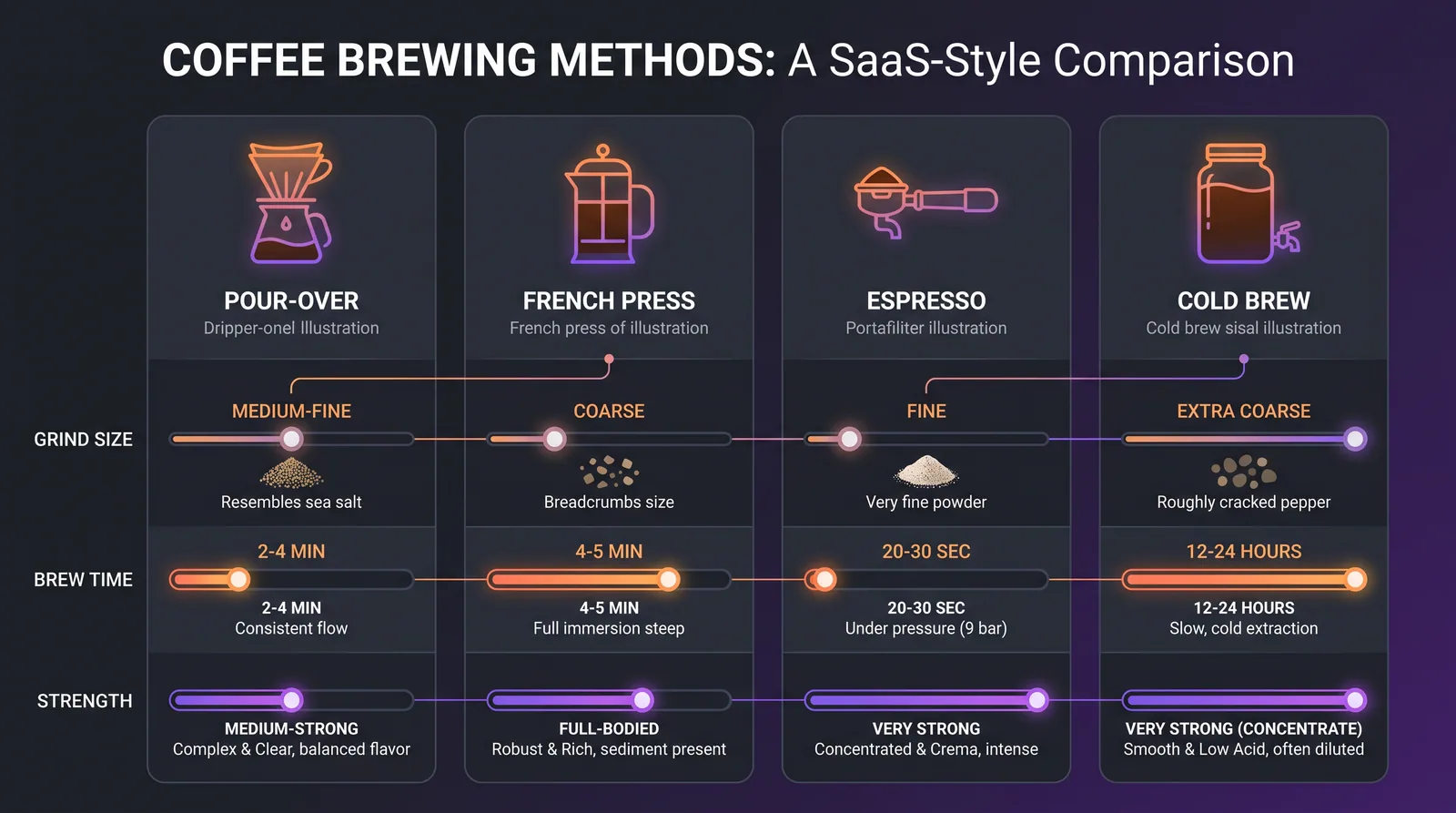
A clean infographic comparing four coffee brewing methods (pour-over, French press, espresso, cold brew) in four columns. Each column has an icon, the method name as a heading, and three short labeled rows: grind size, brew time, taste. Dark background with orange and violet accents, flat vector style.Step 3: Choose the aspect ratio and resolution
- Aspect ratio: auto, or 1:1, 4:3, 3:4, 3:2, 2:3, 16:9, 9:16, 5:4, 4:5 or 21:9 on GPT Image Hub. Pick the shape of where the image will be used.
- Resolution: 1K for drafts, 2K for most finished images, 4K for print and large screens. Nano Banana 2 Lite and the original Nano Banana make 1K images only.
- Speed: Nano Banana 2.1 thinks before it draws, so large images take minutes. In our tests a 2K menu took 284 seconds and a 4K landscape 515 seconds; Nano Banana 2 made a 4K image in 44 seconds and Nano Banana Pro in 68 seconds. GPT Image Hub waits up to 800 seconds for one image.
Step 4: Edit a photo with reference images
Attach the photo you want to change (up to 14 images on Nano Banana 2.1, Nano Banana Pro and Nano Banana 2) and write the edit in two parts: what must stay exactly the same, then what should change. Google says Nano Banana 2.1 keeps up to four characters consistent across references, which helps for a series.
New background, same product
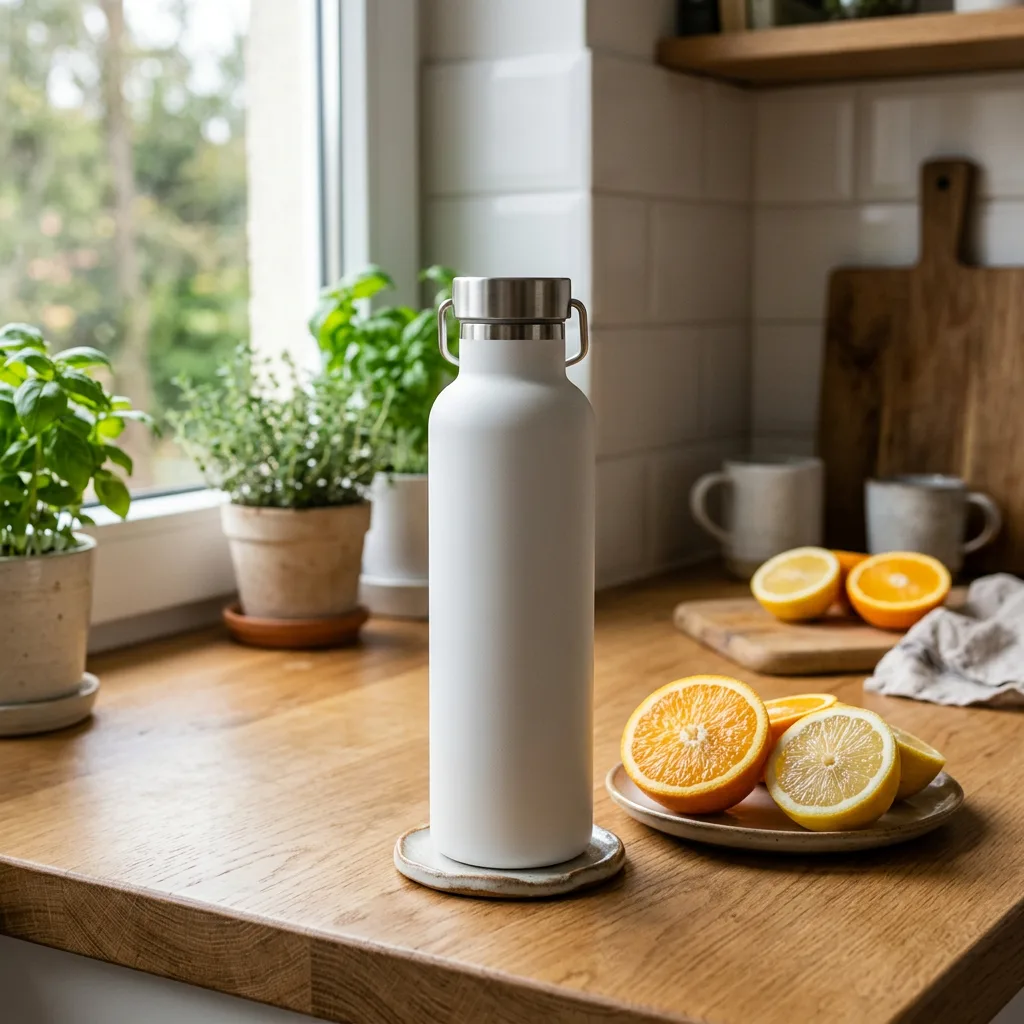
Keep the bottle exactly as it is: its shape, color, label and position. Replace the kitchen background with a pale yellow seamless studio backdrop, remove the fruit, and add a soft shadow under the bottle. No other changes.Concept sheet to sticker
Take the middle mascot from the reference sheet and turn it into a single die-cut sticker. Keep its shape, colors and face. Add a thick white border and a soft drop shadow, on a plain light gray background.Two before-and-after edits from our own tests (the prompts above are written for you to reuse, not copied from these runs):
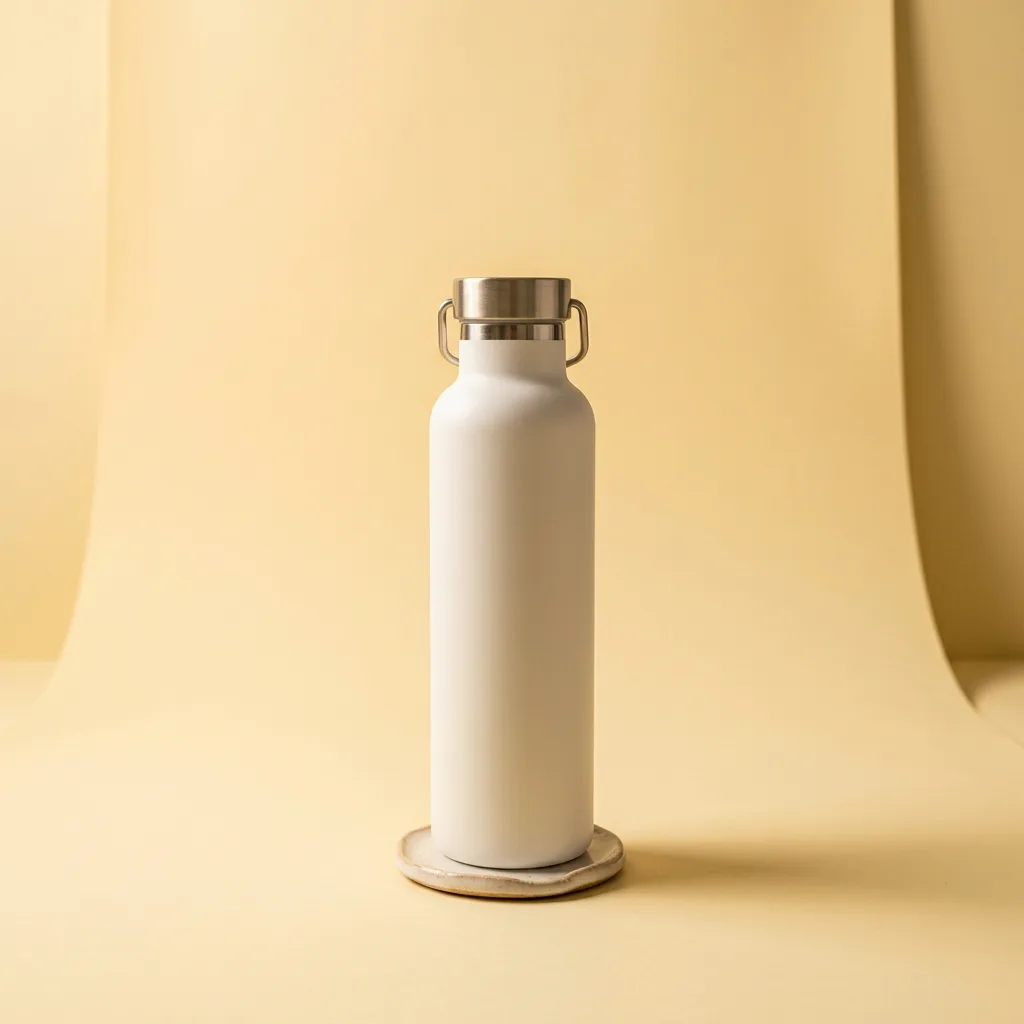

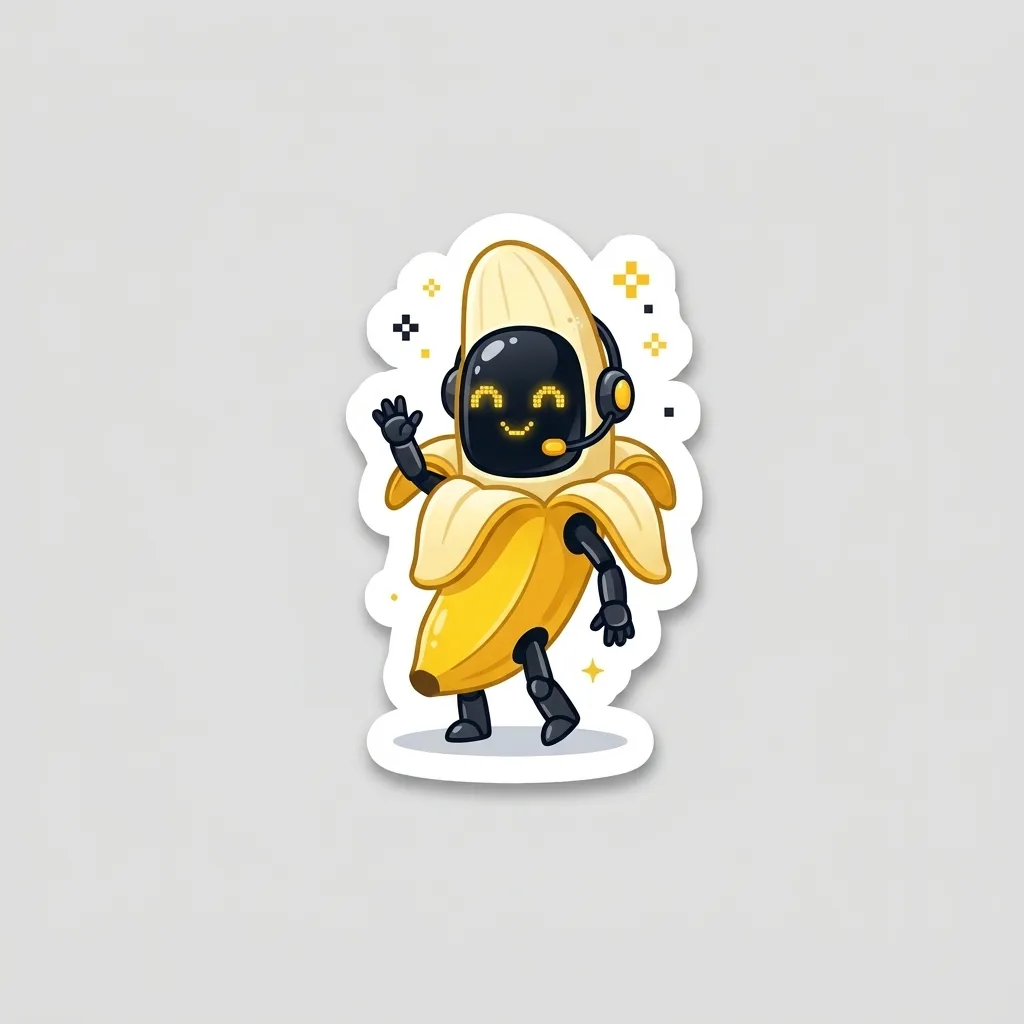
Only edit photos of yourself, or of people who agreed to it.
Nano Banana prompt tips
- Put every word that should appear in the image in quotes, and keep each line short. For menus, labels and posters use Nano Banana 2.1 or Pro, then proofread.
- For edits, list what must not change before you describe the change.
- Fix one thing per attempt. In the Gemini app you can reply in the same chat; on GPT Image Hub, attach the last image as a reference and describe the one change.
- Name the light and the camera ("soft window light from the left, eye-level close-up") instead of adding words like "8k, masterpiece".
- Draft at 1K, then rerun the prompt you like at 2K or 4K.
For ready-made prompts, browse our Nano Banana prompts; every one shows the image it made. The same writing rules apply to GPT Image: see how to use GPT Image 2.
Can you use Nano Banana for free?
- In the Gemini app, Google offers Nano Banana for free with usage limits; the limits depend on your plan and Google does not publish a fixed number.
- On GPT Image Hub, new accounts get 25 free credits: enough for one 1K image with Nano Banana 2.1, Nano Banana 2 Lite or the original Nano Banana. See Nano Banana 2 free for what the free credits cover.
Nano Banana FAQ
What is Nano Banana?
Nano Banana is Google's name for its Gemini image models, which generate images from text and edit photos you attach. The current versions are Nano Banana 2.1, Nano Banana 2, Nano Banana Pro, Nano Banana 2 Lite and the original Nano Banana.
Which Nano Banana is best?
Nano Banana 2.1 for most work: Google recommends it for new projects and it renders text well. Nano Banana Pro for dense layouts and the most detail, Nano Banana 2 when you need a faster 2K or 4K image, and Nano Banana 2 Lite for cheap 1K drafts.
How do I use Nano Banana Pro?
In the Gemini app, paid Google AI plans can regenerate an image with Pro from the three-dot menu ("Redo with Pro"). On GPT Image Hub, choose Nano Banana Pro in the model picker; it costs 108 credits at 1K and 2K and 193 at 4K.
How do I use Nano Banana 2?
Choose Nano Banana 2 in the model picker on GPT Image Hub, or call gemini-3.1-flash-image-preview through the Gemini API. Prompt it the same way as the other versions: plain sentences, quoted text, and references for edits.
Can Nano Banana edit my photos?
Yes. Attach the photo (up to 14 references on Nano Banana 2.1, Nano Banana Pro and Nano Banana 2), say what must stay the same and what should change. Only edit photos of yourself or of people who agreed to it.
How long does a Nano Banana image take?
In GPT Image Hub's tests, Nano Banana 2 took 20 seconds at 1K and 44 seconds at 4K, Nano Banana Pro 68 seconds at 4K, and Nano Banana 2.1 284 seconds at 2K and 515 seconds at 4K. Drafting at 1K is much faster.
Sources
Model names, IDs and Gemini app details are from Google's pages, checked on 8 November 2026. Prices, timings and images are from GPT Image Hub's generator.
Keep exploring