地標技術註釋資訊導覽
資訊圖與教育

地標技術註釋資訊導覽

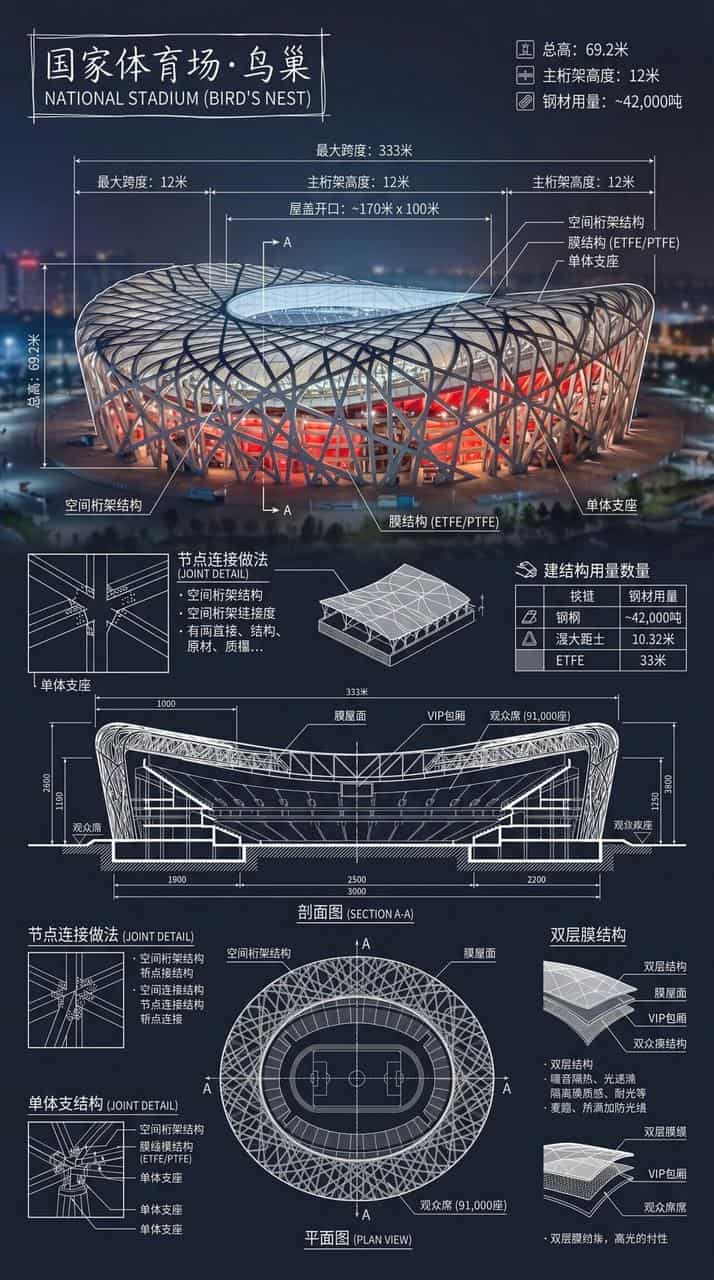
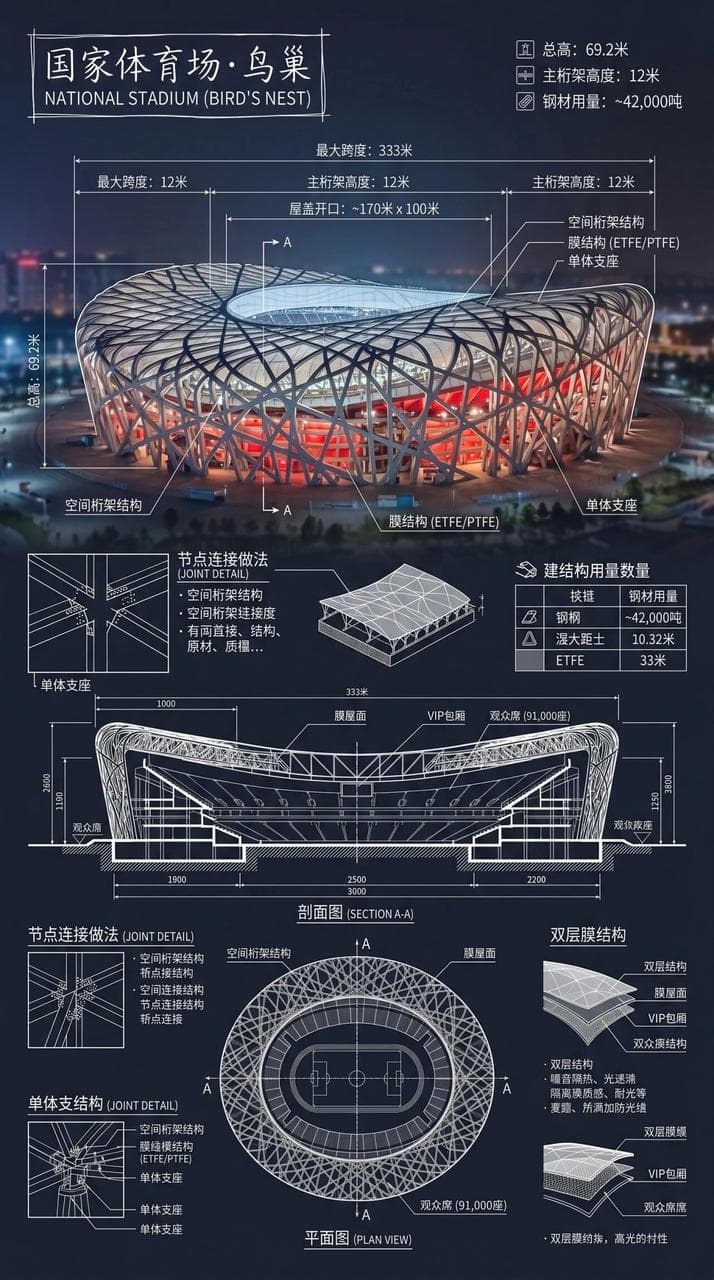
製作一張國家體育場·鳥巢的資訊圖。結合地標真實照片與白色技術註釋疊加,在角落手繪方框中寫建築名稱。畫面疊加複雜而清晰的白色技術標註,展示關鍵結構資料、重要測量、材料數量、細部做法,幷包含剖面圖、平面圖以及顯著建築與工程特徵,並整合成一張完整總覽長圖。白線細緻清晰,真實環境可見,豎向構圖,專業、理性、可讀性強。

提示詞

製作一張國家體育場·鳥巢的資訊圖。結合地標真實照片與白色技術註釋疊加,在角落手繪方框中寫建築名稱。畫面疊加複雜而清晰的白色技術標註,展示關鍵結構資料、重要測量、材料數量、細部做法,幷包含剖面圖、平面圖以及顯著建築與工程特徵,並整合成一張完整總覽長圖。白線細緻清晰,真實環境可見,豎向構圖,專業、理性、可讀性強。

How to use this prompt

1
Review the full prompt

Read the complete 地標技術註釋資訊導覽 prompt and identify the subject, style, camera, lighting, and composition requirements before generating.

2
Customize variables

Replace bracketed or argument-style placeholders with your product, character, brand, scene, color palette, or aspect ratio requirements.

3
Generate and iterate

Open https://www.gptimagehub.com/zh-TW/generate?promptId=cmogxnc4y00nrxt5gzz39lgk6, generate the image, then refine the prompt with more specific subject, text, layout, or negative constraints if needed.

Prompt FAQ

What is the 地標技術註釋資訊導覽 prompt best used for?

This prompt is best used for 資訊圖與教育 images where you want a reusable structure, detailed visual direction, and consistent output quality.

Can I edit the prompt before generating?

Yes. The full prompt text is visible on this page so you can change subjects, product names, colors, composition, camera terms, aspect ratio, and style notes before generation.

Which model should I use with this prompt?

Use the model shown in the prompt metadata as the default starting point. If another image model supports the same aspect ratio and instruction style, you can adapt the prompt and compare results.

其他模板