
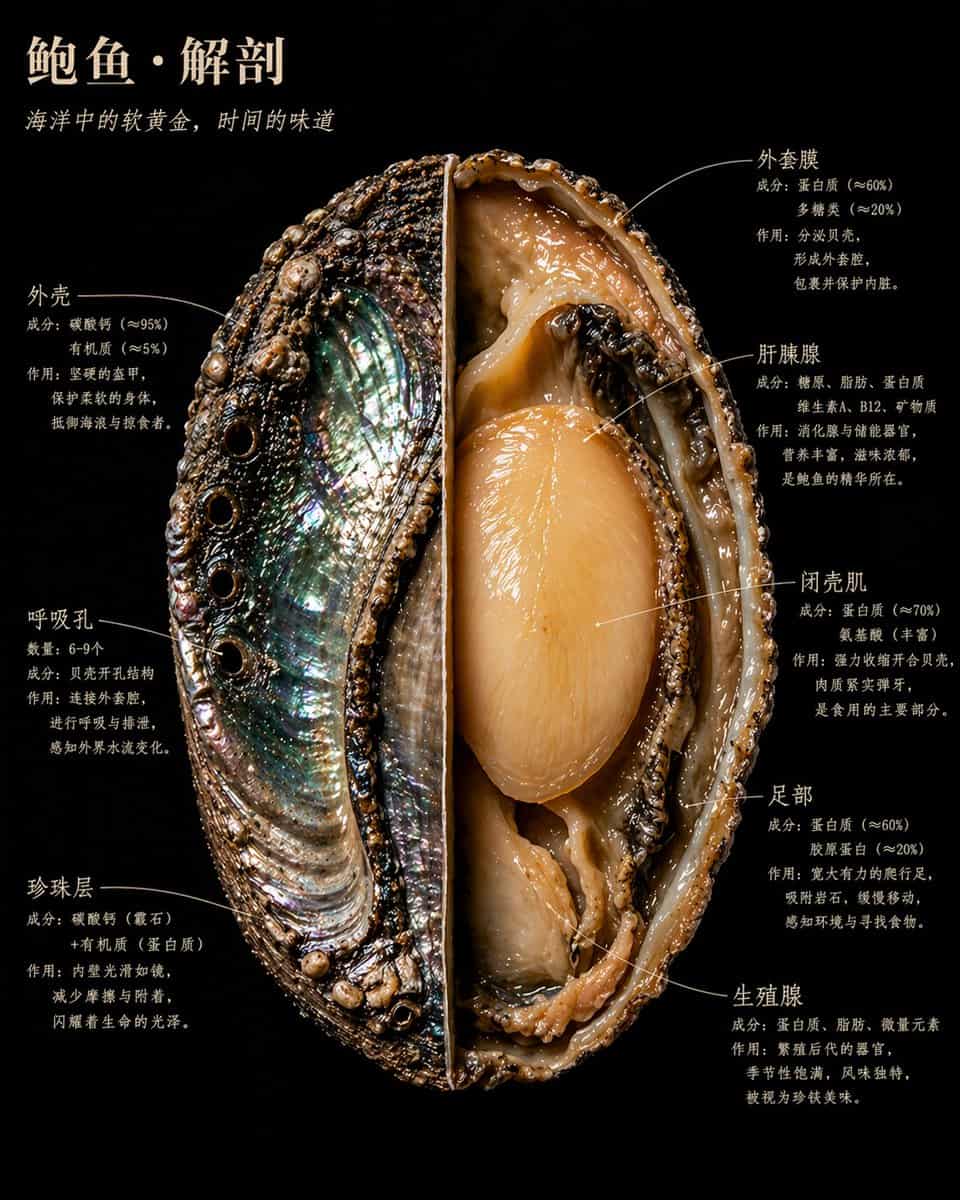
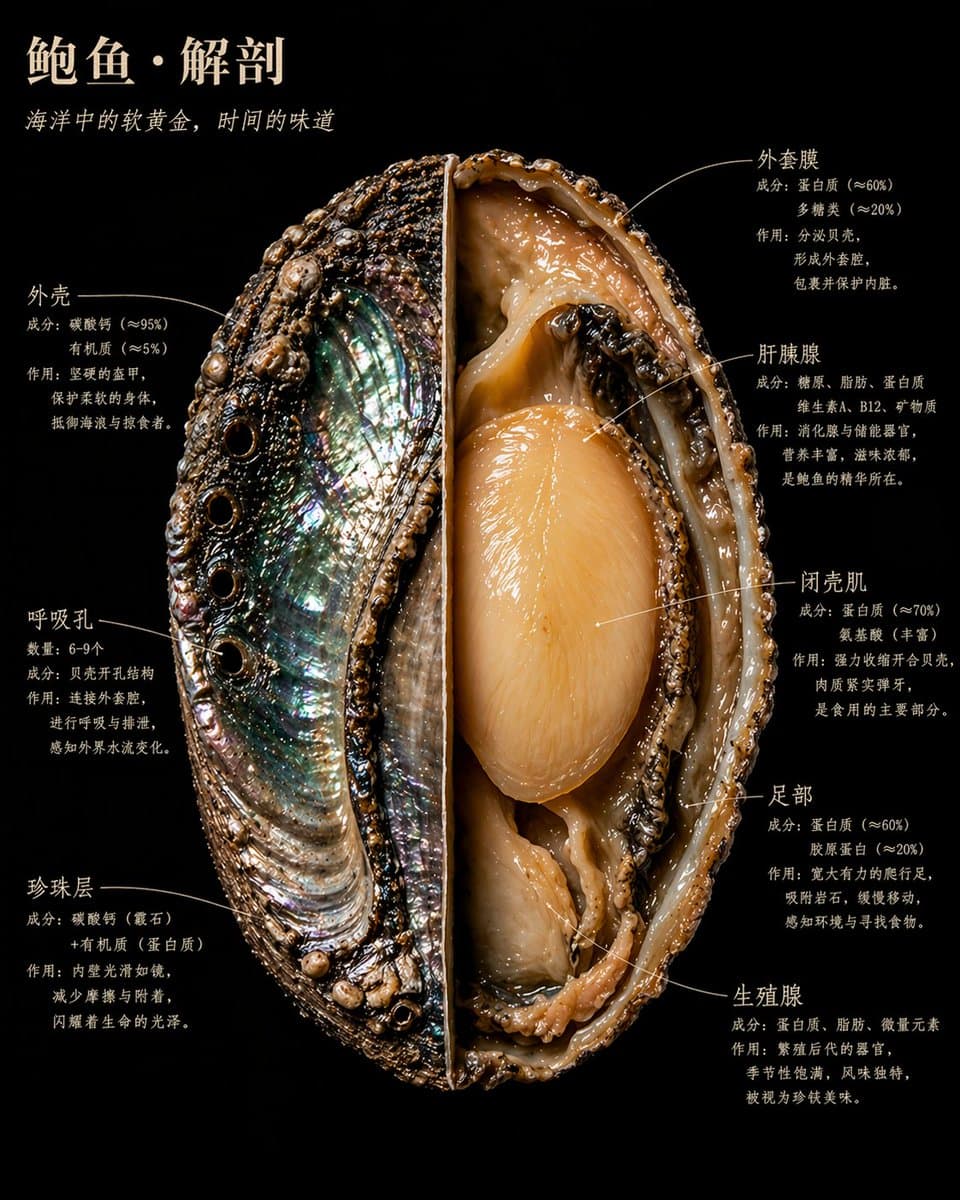
Naturalist-Style Food Specimen Cross-Section
一顆/一塊/一枚【食物名稱】,以博物學大師發現野外標本的方式解剖。 剖開、展開、固定——如同博物館的珍貴藏品, 卻以卡拉瓦喬為《國家地理》掌鏡時的光線照亮。 每一個內部結構都以自身的材質真相發光。 截面鋒利得近乎暴力。內部美麗得近乎神聖。 畫面中呈現完整標本: 一半保持原狀,展示【外表面描述:質感/顏色/紋理】; 另一半剖開至核心,【內部核心結構描述:最重要的1—2個內部視覺特徵】清晰可見。 【補充1—2句該食物最具視覺張力的橫截面細…
提示詞
一顆/一塊/一枚【食物名稱】,以博物學大師發現野外標本的方式解剖。 剖開、展開、固定——如同博物館的珍貴藏品, 卻以卡拉瓦喬為《國家地理》掌鏡時的光線照亮。 每一個內部結構都以自身的材質真相發光。 截面鋒利得近乎暴力。內部美麗得近乎神聖。 畫面中呈現完整標本: 一半保持原狀,展示【外表面描述:質感/顏色/紋理】; 另一半剖開至核心,【內部核心結構描述:最重要的1—2個內部視覺特徵】清晰可見。 【補充1—2句該食物最具視覺張力的橫截面細節描述】 背景:純粹的黑絲絨。 【食物名稱】懸浮其中,如同某件珍貴而危險的事物。 標註文字緊貼結構邊緣,手寫感襯線字型,絕不懸空飄浮。 畫面包含以下標註,每處標註三行:第一行結構名稱,第二行成分資料,第三行一句人話: 【結構01名稱】 【成分/資料說明】 【這個結構在做什麼,為什麼重要】 【結構02名稱】 【成分/資料說明】 【這個結構在做什麼,為什麼重要】 【結構03名稱】 【成分/資料說明】 【這個結構在做什麼,為什麼重要】 【結構04名稱】 【成分/資料說明】 【這個結構在做什麼,為什麼重要】 【結構05名稱】 【成分/資料說明】 【這個結構在做什麼,為什麼重要】 【結構06名稱】 【成分/資料說明】 【這個結構在做什麼,為什麼重要】 省略其他如果有繼續保持這個格式 主標題,左上角,暖象牙白大寫字型: 【食物名稱】·解剖 斜體副標題緊隨其下: 【一句揭示這種食物本質的話,不超過15字】 整體氣質:奧杜邦博物插畫×卡拉瓦喬光影×有史以來最美的科學攝影。 4K精度,標本照明,極致內部細節。 沒有任何臨床感,一切都鮮活。 寫實風格,非示意圖,非卡通,非簡化圖解。 每一種材質都有真實的物理質感: 粗糙的、光滑的、溼潤的、乾燥的、緻密的、疏鬆的。
如何使用此提示
在生成之前閱讀完整的 Naturalist-Style Food Specimen Cross-Section 提示並確定主題、風格、相機、燈光和構圖要求。
將括號或參數式佔位符替換為您的產品、角色、品牌、場景、調色板或寬高比要求。
開啟 https://www.gptimagehub.com/zh-TW/generate?promptId=cmogwxky60097zpdyblp57rh0,產生圖像,然後根據需要使用更具體的主題、文字、佈局或負面約束來最佳化提示。
提示常見問題解答
Naturalist-Style Food Specimen Cross-Section 提示符號最適合用來做什麼?
此提示最適用於您需要可重複使用結構、詳細視覺方向和一致輸出品質的 ui / ux 設計 影像。
我可以在生成之前編輯提示嗎?
是的。完整的提示文字在此頁面上可見,因此您可以在生成之前更改主題、產品名稱、顏色、構圖、相機術語、長寬比和樣式註釋。
出現此提示時我應該使用哪種型號?
使用提示元資料中顯示的模型作為預設起點。如果另一個影像模型支援相同的寬高比和指令風格,您可以調整提示並比較結果。