
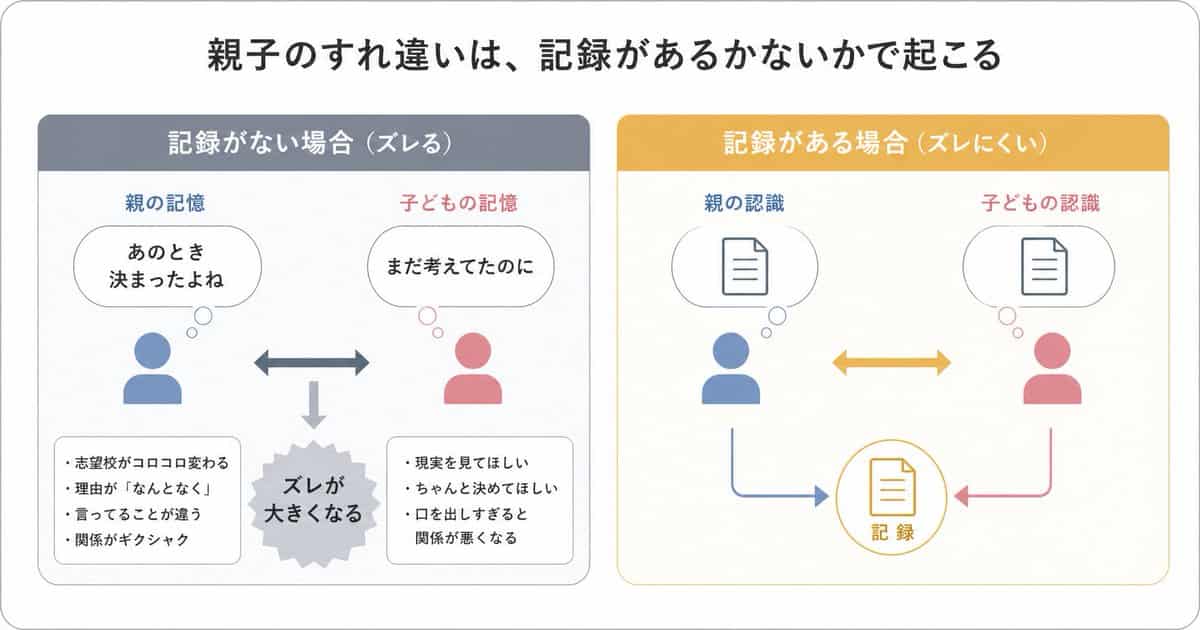
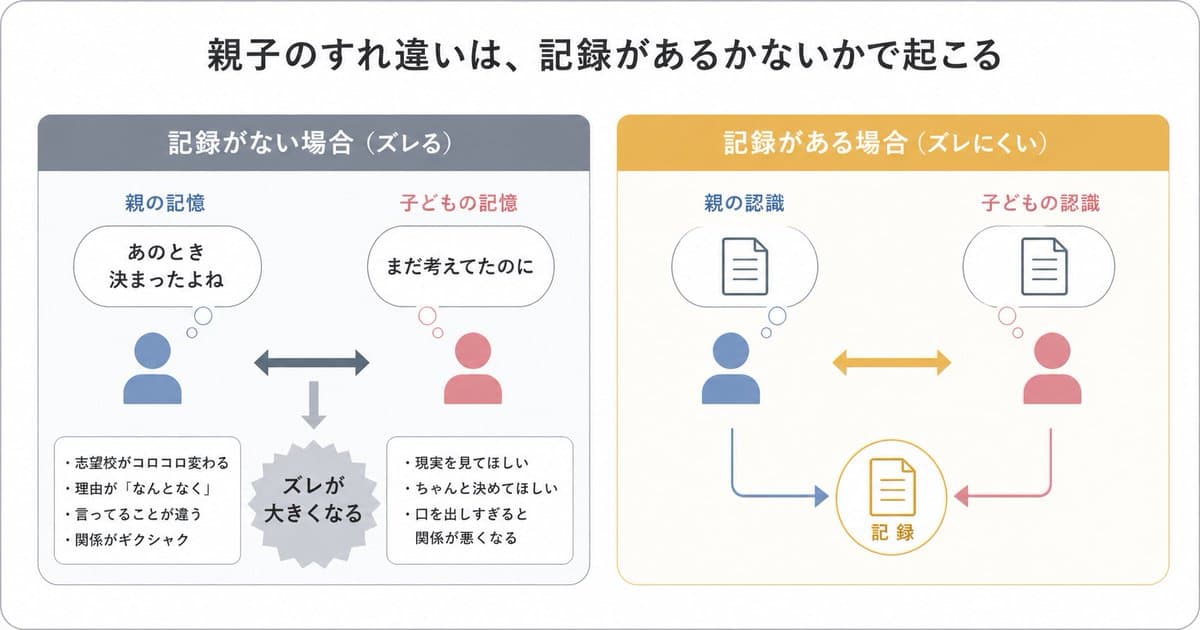
親子溝通錯位資訊圖
{"type":"日文資訊圖","style":"簡單易懂的扁平向量圖,乾淨白色背景,圓角淺灰外框,極簡粉彩配色,演示幻燈片設計,層級清晰,大量留白,現代無襯線日文字型","canvas":{"aspect_ratio":"16:9"},"headline":{"text":"{argument name="headline text" default="親子のすれ違いは、記録があるかないかで起こる"}","position":"頂部…
提示詞
{"type":"日文資訊圖","style":"簡單易懂的扁平向量圖,乾淨白色背景,圓角淺灰外框,極簡粉彩配色,演示幻燈片設計,層級清晰,大量留白,現代無襯線日文字型","canvas":{"aspect_ratio":"16:9"},"headline":{"text":"{argument name="headline text" default="親子のすれ違いは、記録があるかないかで起こる"}","position":"頂部居中","size":"大號粗體黑字"},"layout":{"structure":"標題下方兩個並排圓角面板","sections":[{"title":"記録がない場合(ズレる)","position":"左側","count":8,"header_color":"柔和藍灰","panel_border":"淺灰","labels":["親の記憶","子どもの記憶","あのとき決まったよね","まだ考えてたのに","ズレが大きくなる","志望校がコロコロ変わる","理由が『なんとなく』","言ってることが違う","関係がギクシャク","現実を見てほしい","ちゃんと決めてほしい","口を出しすぎると関係が悪くなる"],"contents":{"top_left":{"type":"帶思考氣泡的家長圖示","icon_color":"藍色","caption":"親の記憶","bubble_text":"あのとき 決まったよね"},"top_right":{"type":"帶思考氣泡的孩子圖示","icon_color":"粉色","caption":"子どもの記憶","bubble_text":"まだ考えてたのに"},"center":{"type":"水平雙向箭頭","color":"藍灰"},"bottom_center":{"type":"向下箭頭連線到爆炸形狀","color":"淺灰","burst_text":"ズレが 大きくなる"},"bottom_left":{"type":"圓角筆記框","bullet_count":4,"bullets":["志望校がコロコロ変わる","理由が『なんとなく』","言ってることが違う","関係がギクシャク"]},"bottom_right":{"type":"圓角筆記框","bullet_count":3,"bullets":["現実を見てほしい","ちゃんと決めてほしい","口を出しすぎると関係が悪くなる"]}}},{"title":"記録がある場合(ズレにくい)","position":"右側","count":7,"header_color":"芥末黃","panel_border":"淺黃","labels":["親の認識","子どもの認識","記録"],"contents":{"top_left":{"type":"帶文件符號思考氣泡的家長圖示","icon_color":"藍色","caption":"親の認識"},"top_right":{"type":"帶文件符號思考氣泡的孩子圖示","icon_color":"粉色","caption":"子どもの認識"},"center":{"type":"水平雙向箭頭","color":"芥末黃"},"bottom_center":{"type":"帶文件符號的圓形記錄圖示","outline_color":"芥末黃","text":"記録"},"bottom_left_connector":{"type":"從家長到記錄的弧形箭頭","color":"藍色"},"bottom_right_connector":{"type":"從孩子到記錄的弧形箭頭","color":"粉色"}}}],"spacing":"平衡、對稱"},"visual_language":{"icons":"通用人物半身圖示和簡單文件線性圖示","emphasis":"對比左側的誤解與右側的共享記錄","mood":"教育性、平靜、實用"},"text_language":"Japanese","render_quality":"清晰向量邊緣,適合社交媒體教育帖的資訊圖"}
如何使用此提示
在生成之前閱讀完整的 親子溝通錯位資訊圖 提示並確定主題、風格、相機、燈光和構圖要求。
將括號或參數式佔位符替換為您的產品、角色、品牌、場景、調色板或寬高比要求。
開啟 https://www.gptimagehub.com/zh-TW/generate?promptId=cmogx0u6y00brzpdyozkbe80s,產生圖像,然後根據需要使用更具體的主題、文字、佈局或負面約束來最佳化提示。
提示常見問題解答
親子溝通錯位資訊圖 提示符號最適合用來做什麼?
此提示最適用於您需要可重複使用結構、詳細視覺方向和一致輸出品質的 logo 與品牌 影像。
我可以在生成之前編輯提示嗎?
是的。完整的提示文字在此頁面上可見,因此您可以在生成之前更改主題、產品名稱、顏色、構圖、相機術語、長寬比和樣式註釋。
出現此提示時我應該使用哪種型號?
使用提示元資料中顯示的模型作為預設起點。如果另一個影像模型支援相同的寬高比和指令風格,您可以調整提示並比較結果。