
提示詞
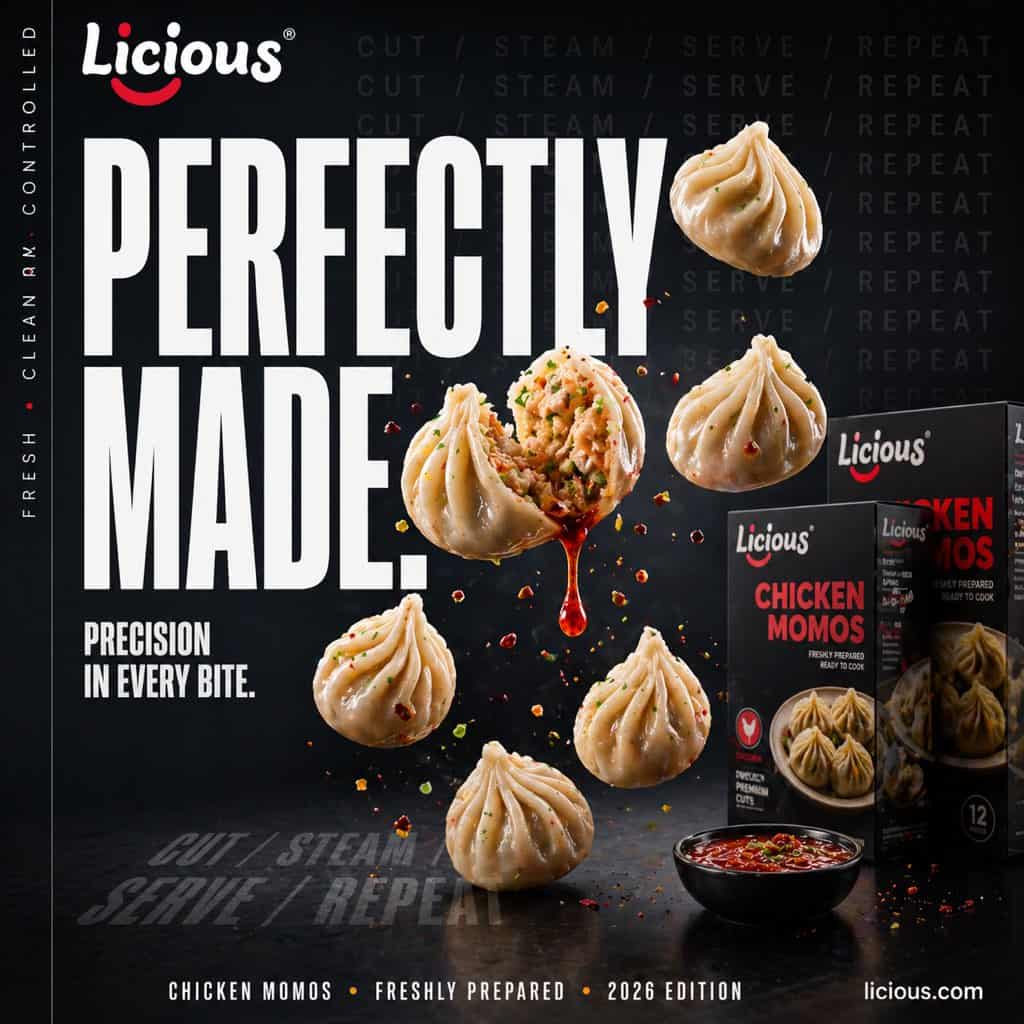
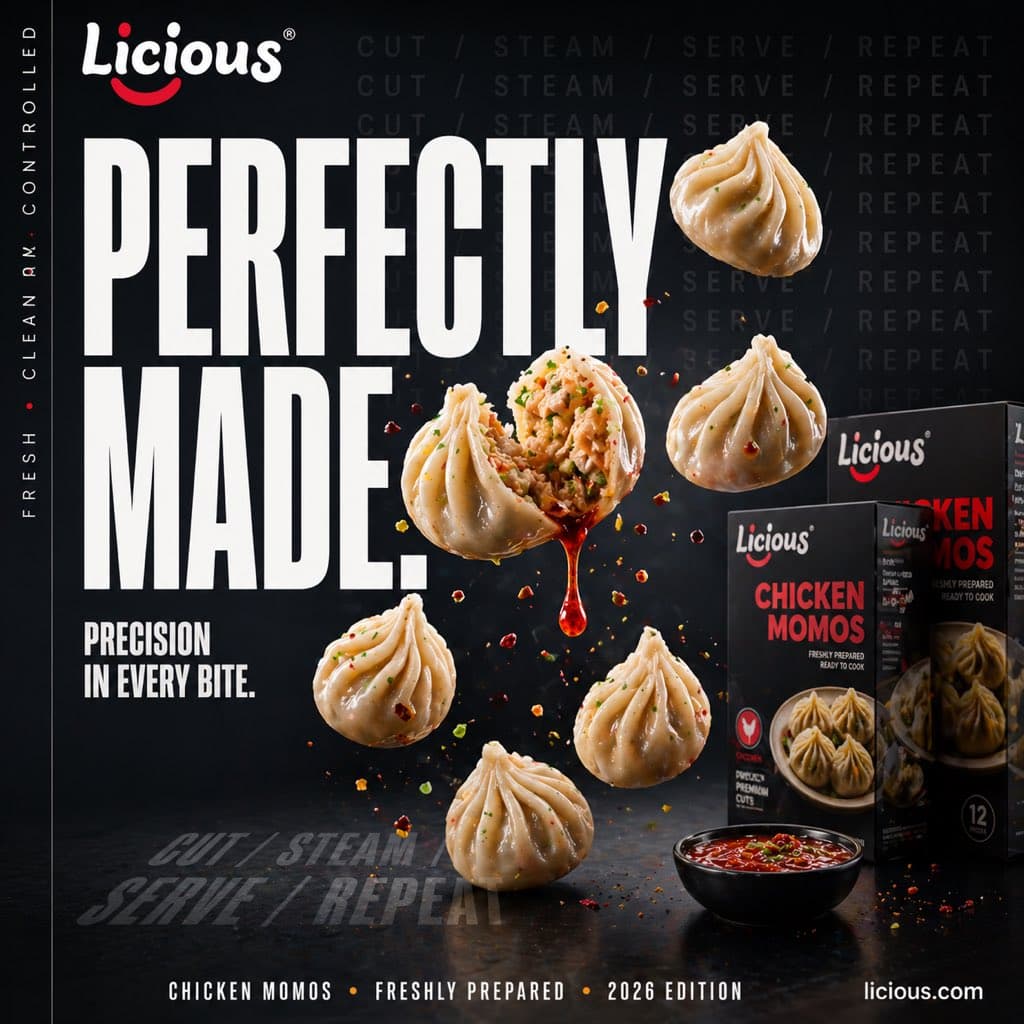
一張超寫實電影感街頭美食廣告海報,為 {argument name="brand name" default="Licious"} 冷凍 {argument name="product name" default="Chicken Momos"} 製作。場景在深色高階影棚中,戲劇性情緒燈光,深海軍藍黑色背景,亮面黑色桌面,高對比商業食品攝影造型。構圖為方形社交媒體廣告版式,左側有超大粗體壓縮白色無襯線標題文字 {argument name="headline text" default="PERFECTLY MADE."},分兩行堆疊,下方有較小白色副標題 {argument name="tagline text" default="PRECISION IN EVERY BITE."}。最左邊緣加入細豎排小型大寫文字 “FRESH • CLEAN • CONTROLLED”。右上背景中以細微深灰圖案重複短語 “CUT / STEAM / SERVE / REPEAT”,並在左下地面區域以透視文字再次淡淡重複 “CUT / STEAM / SERVE / REPEAT”。畫面準確包含 6 個 momos:5 個完整蒸雞肉 momos 漂浮並動態排列在中心和右側,1 個在中心切開,露出多汁橙棕色雞肉餡和香草,從開口餃子處有一滴亮澤紅橙色醬汁向下滴落。周圍懸浮散落小辣椒片、香草碎和調味顆粒,形成爆炸式動感。右側準確放置 3 個零售產品盒,前後錯落,黑色包裝,帶 {argument name="brand name" default="Licious"} logo 和紅色產品標題 “CHICKEN MOMOS”,盒子正面包含餃子食品攝影。右下前景放 1 個小黑碗,裝滿明亮紅色蘸醬。底部新增一行細小白色頁尾文字:“CHICKEN MOMOS • FRESHLY PREPARED • 2026 EDITION”,並在右下角放置 “licious.com”。使用高階廣告設計、超細緻食物紋理、餃子亮澤高光、細微蒸汽光澤、清晰排版、淺景深和精緻高階商業廣告美學。
如何使用此提示
在生成之前閱讀完整的 電影感雞肉 Momos 廣告海報 提示並確定主題、風格、相機、燈光和構圖要求。
將括號或參數式佔位符替換為您的產品、角色、品牌、場景、調色板或寬高比要求。
開啟 https://www.gptimagehub.com/zh-TW/generate?promptId=cmogx0p6v00bnzpdyvd1fya8i,產生圖像,然後根據需要使用更具體的主題、文字、佈局或負面約束來最佳化提示。
提示常見問題解答
電影感雞肉 Momos 廣告海報 提示符號最適合用來做什麼?
此提示最適用於您需要可重複使用結構、詳細視覺方向和一致輸出品質的 社群媒體 影像。
我可以在生成之前編輯提示嗎?
是的。完整的提示文字在此頁面上可見,因此您可以在生成之前更改主題、產品名稱、顏色、構圖、相機術語、長寬比和樣式註釋。
出現此提示時我應該使用哪種型號?
使用提示元資料中顯示的模型作為預設起點。如果另一個影像模型支援相同的寬高比和指令風格,您可以調整提示並比較結果。