
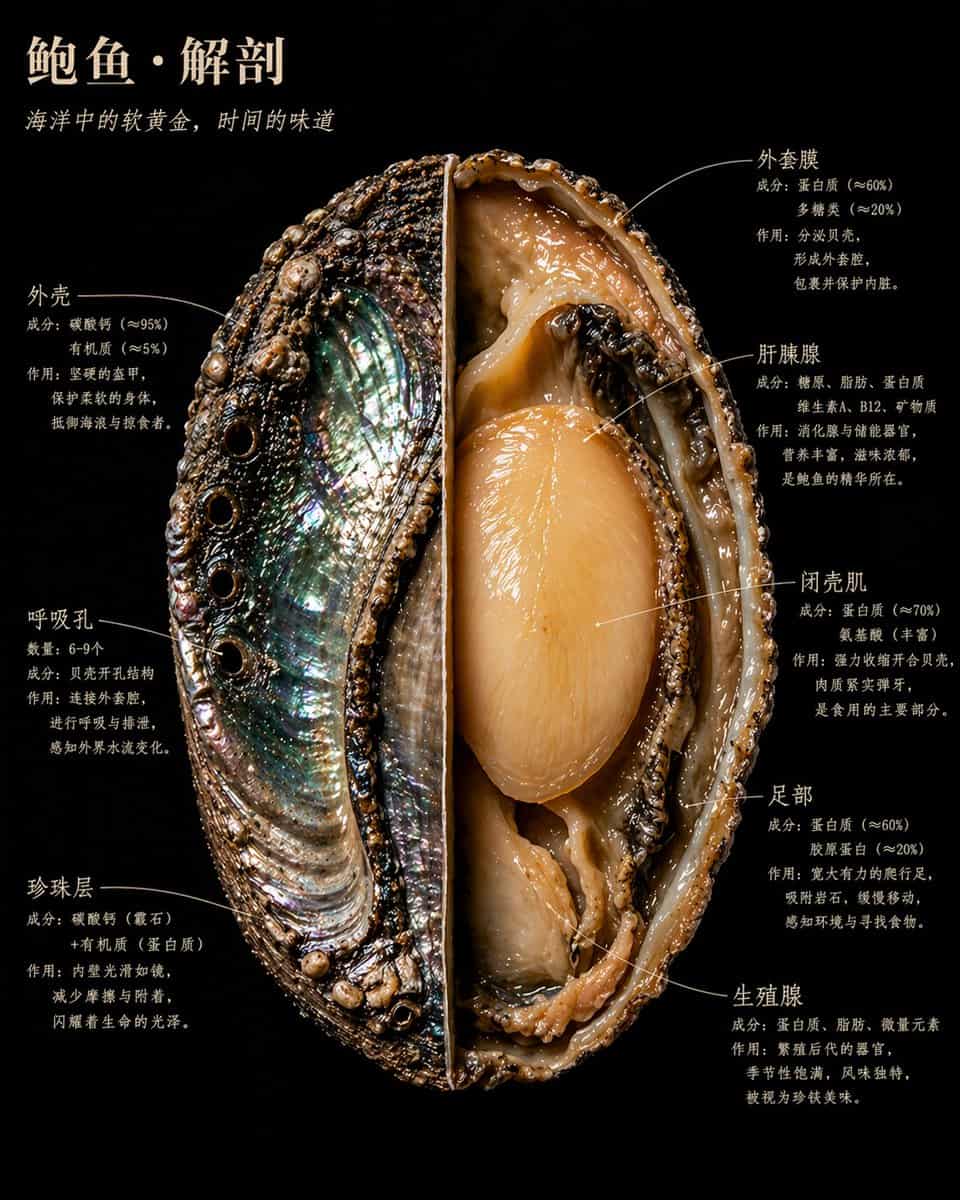
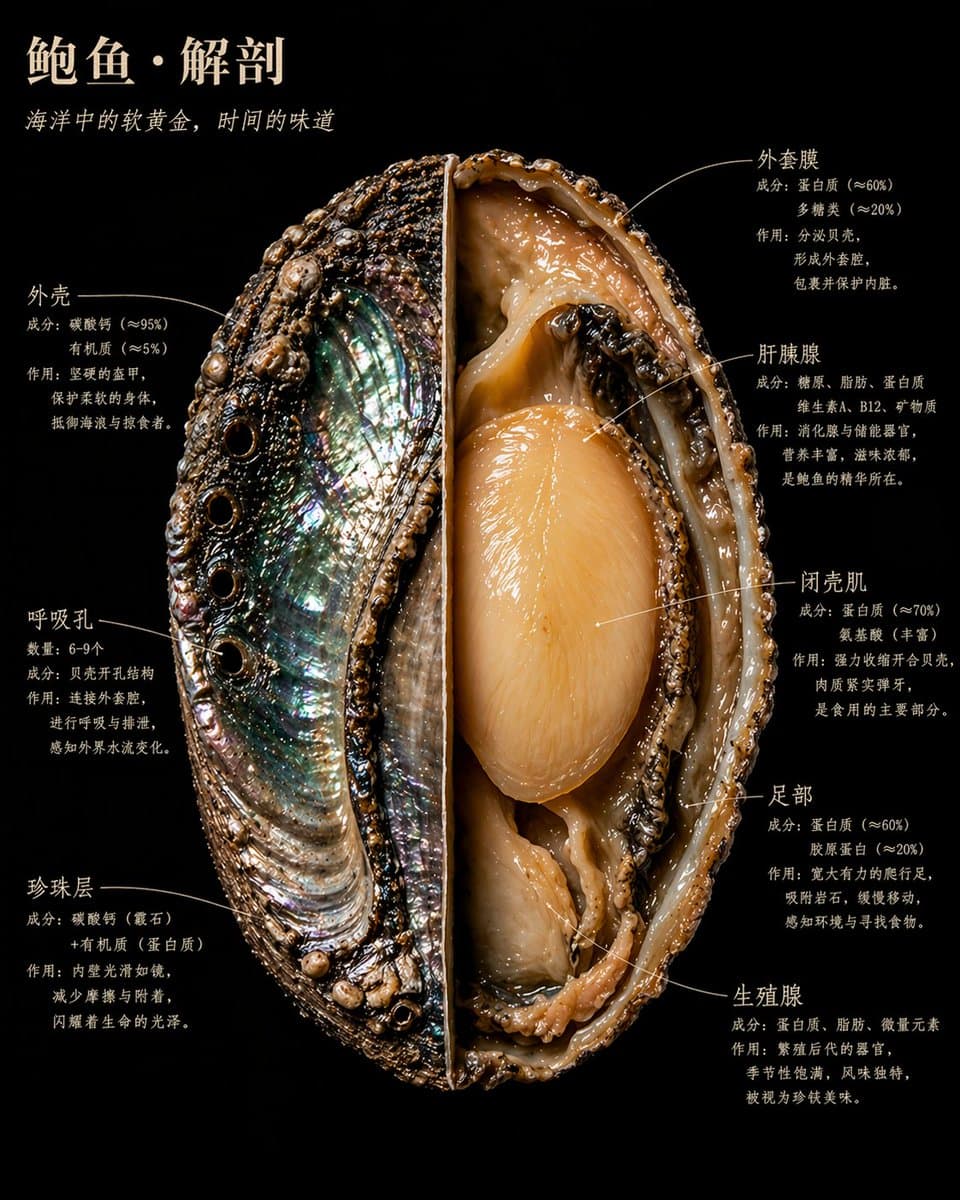
Naturalist-Style Food Specimen Cross-Section
一颗/一块/一枚【食物名称】,以博物学大师发现野外标本的方式解剖。 剖开、展开、固定——如同博物馆的珍贵藏品, 却以卡拉瓦乔为《国家地理》掌镜时的光线照亮。 每一个内部结构都以自身的材质真相发光。 截面锋利得近乎暴力。内部美丽得近乎神圣。 画面中呈现完整标本: 一半保持原状,展示【外表面描述:质感/颜色/纹理】; 另一半剖开至核心,【内部核心结构描述:最重要的1—2个内部视觉特征】清晰可见。 【补充1—2句该食物最具视觉张力的横截面细…
提示词
一颗/一块/一枚【食物名称】,以博物学大师发现野外标本的方式解剖。 剖开、展开、固定——如同博物馆的珍贵藏品, 却以卡拉瓦乔为《国家地理》掌镜时的光线照亮。 每一个内部结构都以自身的材质真相发光。 截面锋利得近乎暴力。内部美丽得近乎神圣。 画面中呈现完整标本: 一半保持原状,展示【外表面描述:质感/颜色/纹理】; 另一半剖开至核心,【内部核心结构描述:最重要的1—2个内部视觉特征】清晰可见。 【补充1—2句该食物最具视觉张力的横截面细节描述】 背景:纯粹的黑丝绒。 【食物名称】悬浮其中,如同某件珍贵而危险的事物。 标注文字紧贴结构边缘,手写感衬线字体,绝不悬空飘浮。 画面包含以下标注,每处标注三行:第一行结构名称,第二行成分数据,第三行一句人话: 【结构01名称】 【成分/数据说明】 【这个结构在做什么,为什么重要】 【结构02名称】 【成分/数据说明】 【这个结构在做什么,为什么重要】 【结构03名称】 【成分/数据说明】 【这个结构在做什么,为什么重要】 【结构04名称】 【成分/数据说明】 【这个结构在做什么,为什么重要】 【结构05名称】 【成分/数据说明】 【这个结构在做什么,为什么重要】 【结构06名称】 【成分/数据说明】 【这个结构在做什么,为什么重要】 省略其他如果有继续保持这个格式 主标题,左上角,暖象牙白大写字体: 【食物名称】·解剖 斜体副标题紧随其下: 【一句揭示这种食物本质的话,不超过15字】 整体气质:奥杜邦博物插画×卡拉瓦乔光影×有史以来最美的科学摄影。 4K精度,标本照明,极致内部细节。 没有任何临床感,一切都鲜活。 写实风格,非示意图,非卡通,非简化图解。 每一种材质都有真实的物理质感: 粗糙的、光滑的、湿润的、干燥的、致密的、疏松的。
如何使用此提示
在生成之前阅读完整的 Naturalist-Style Food Specimen Cross-Section 提示并确定主题、风格、相机、灯光和构图要求。
将括号或参数式占位符替换为您的产品、角色、品牌、场景、调色板或宽高比要求。
打开 https://www.gptimagehub.com/zh-CN/generate?promptId=cmogwxky60097zpdyblp57rh0,生成图像,然后根据需要使用更具体的主题、文本、布局或负面约束来优化提示。
提示常见问题解答
Naturalist-Style Food Specimen Cross-Section 提示符最适合用来做什么?
此提示最适用于您需要可重用结构、详细视觉方向和一致输出质量的 ui / ux 设计 图像。
我可以在生成之前编辑提示吗?
是的。完整的提示文本在此页面上可见,因此您可以在生成之前更改主题、产品名称、颜色、构图、相机术语、长宽比和样式注释。
出现此提示时我应该使用哪种型号?
使用提示元数据中显示的模型作为默认起点。如果另一个图像模型支持相同的宽高比和指令风格,您可以调整提示并比较结果。