其他

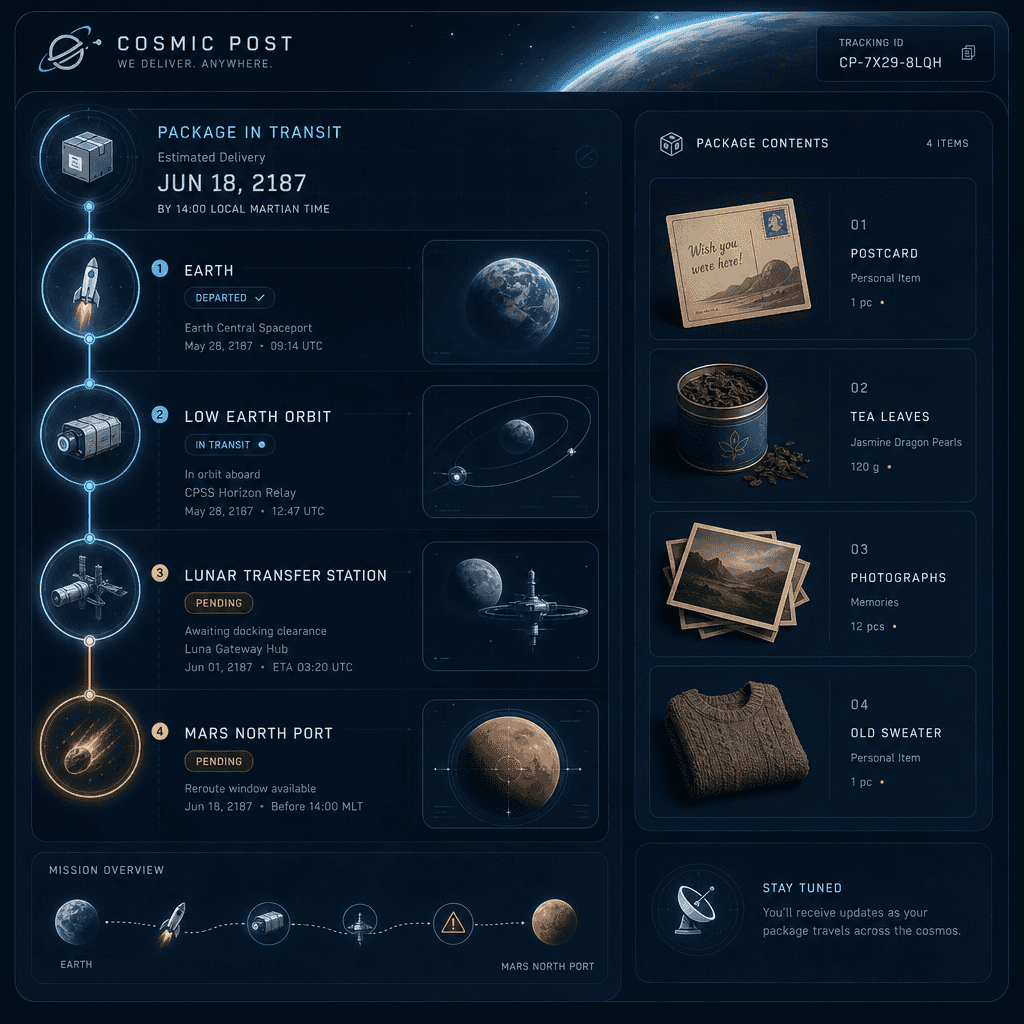
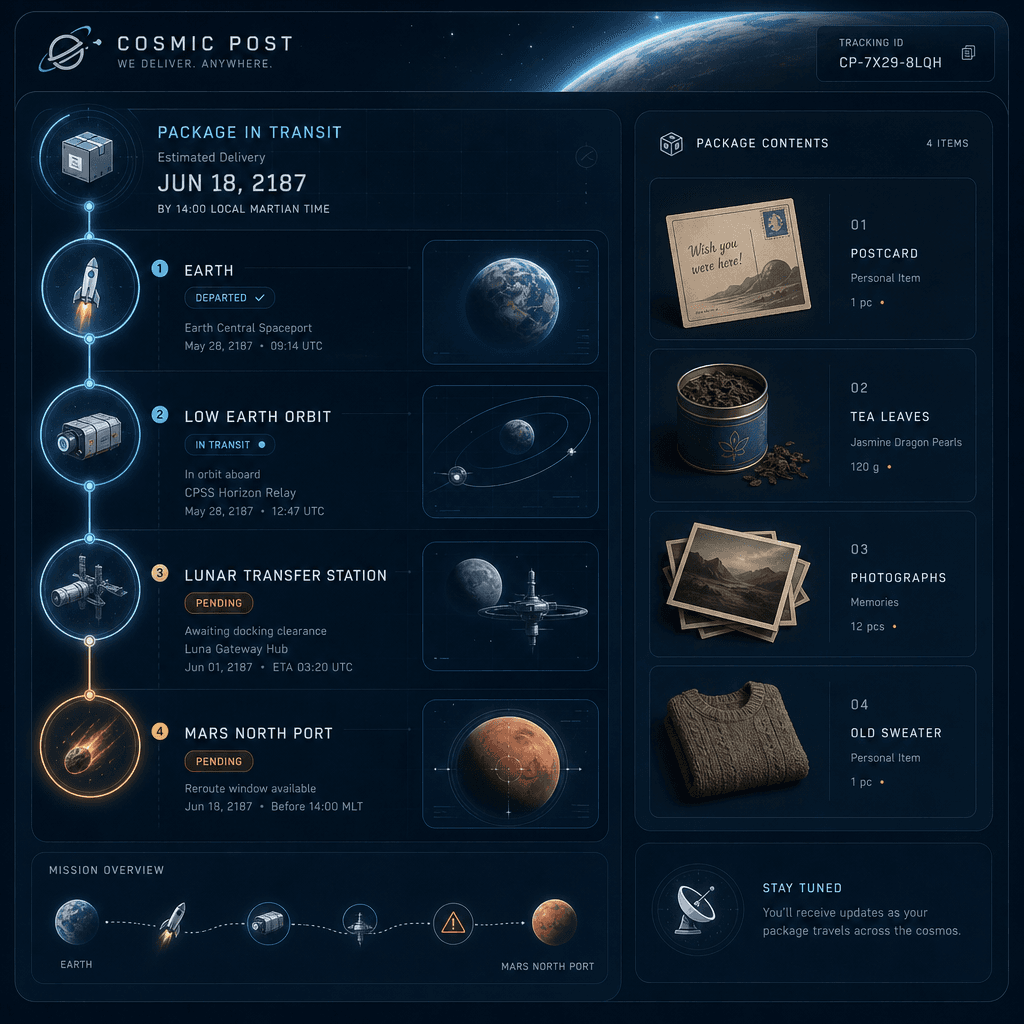
“宇宙邮局的包裹追踪页面”

“宇宙邮局的包裹追踪页面”,物流系统 UI 与科幻世界观融合,画面是一张包裹追踪详情页,路线从“地球-近地轨道-月球中转站-火星北港”逐段显示,节点图标设计成小火箭、货运舱、太空海关、陨石预警区,右侧是包裹物品清单:明信片、茶叶、照片、旧毛衣,整体冷静理性却暗含人情味,比例 9:16。

提示词

“宇宙邮局的包裹追踪页面”,物流系统 UI 与科幻世界观融合,画面是一张包裹追踪详情页,路线从“地球-近地轨道-月球中转站-火星北港”逐段显示,节点图标设计成小火箭、货运舱、太空海关、陨石预警区,右侧是包裹物品清单:明信片、茶叶、照片、旧毛衣,整体冷静理性却暗含人情味,比例 9:16。

How to use this prompt

1
Review the full prompt

Read the complete “宇宙邮局的包裹追踪页面” prompt and identify the subject, style, camera, lighting, and composition requirements before generating.

2
Customize variables

Replace bracketed or argument-style placeholders with your product, character, brand, scene, color palette, or aspect ratio requirements.

3
Generate and iterate

Open https://www.gptimagehub.com/zh-CN/generate?promptId=cmogxkpqe00ilxt5goqdsmehd, generate the image, then refine the prompt with more specific subject, text, layout, or negative constraints if needed.

Prompt FAQ

What is the “宇宙邮局的包裹追踪页面” prompt best used for?

This prompt is best used for 其他 images where you want a reusable structure, detailed visual direction, and consistent output quality.

Can I edit the prompt before generating?

Yes. The full prompt text is visible on this page so you can change subjects, product names, colors, composition, camera terms, aspect ratio, and style notes before generation.

Which model should I use with this prompt?

Use the model shown in the prompt metadata as the default starting point. If another image model supports the same aspect ratio and instruction style, you can adapt the prompt and compare results.

其他模板