
提示词
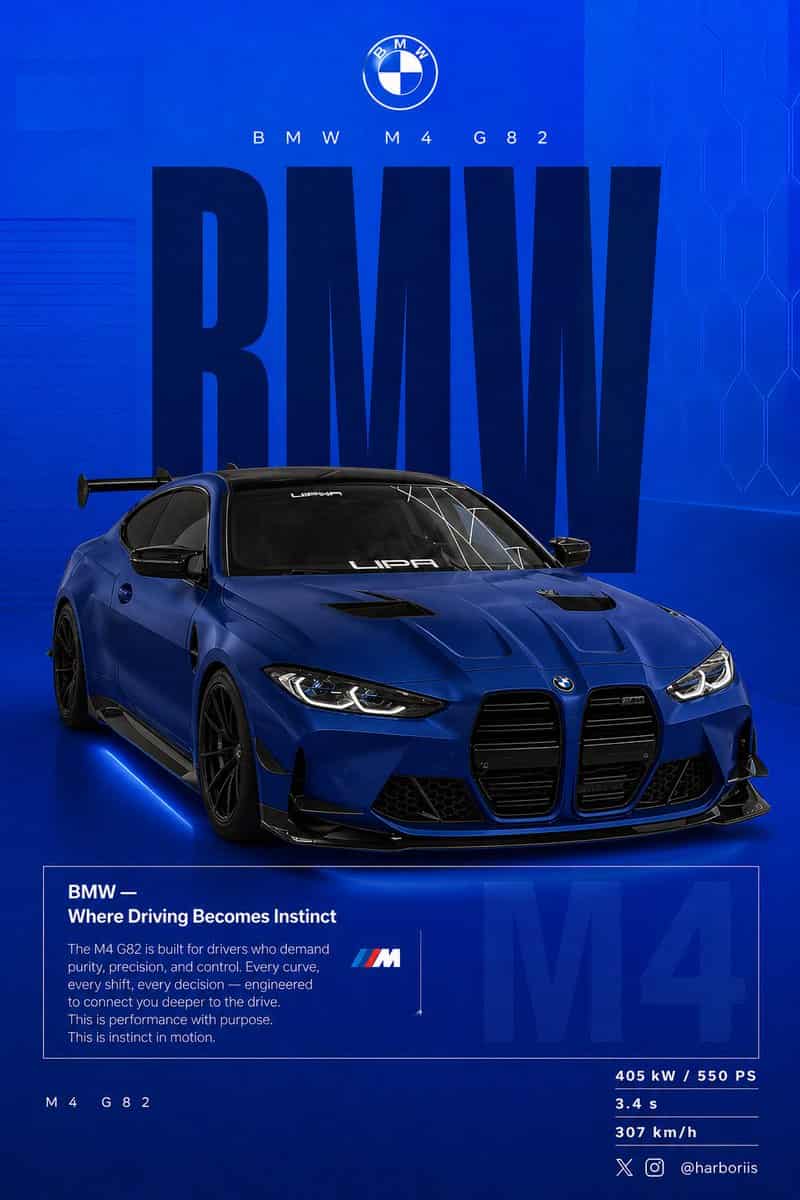
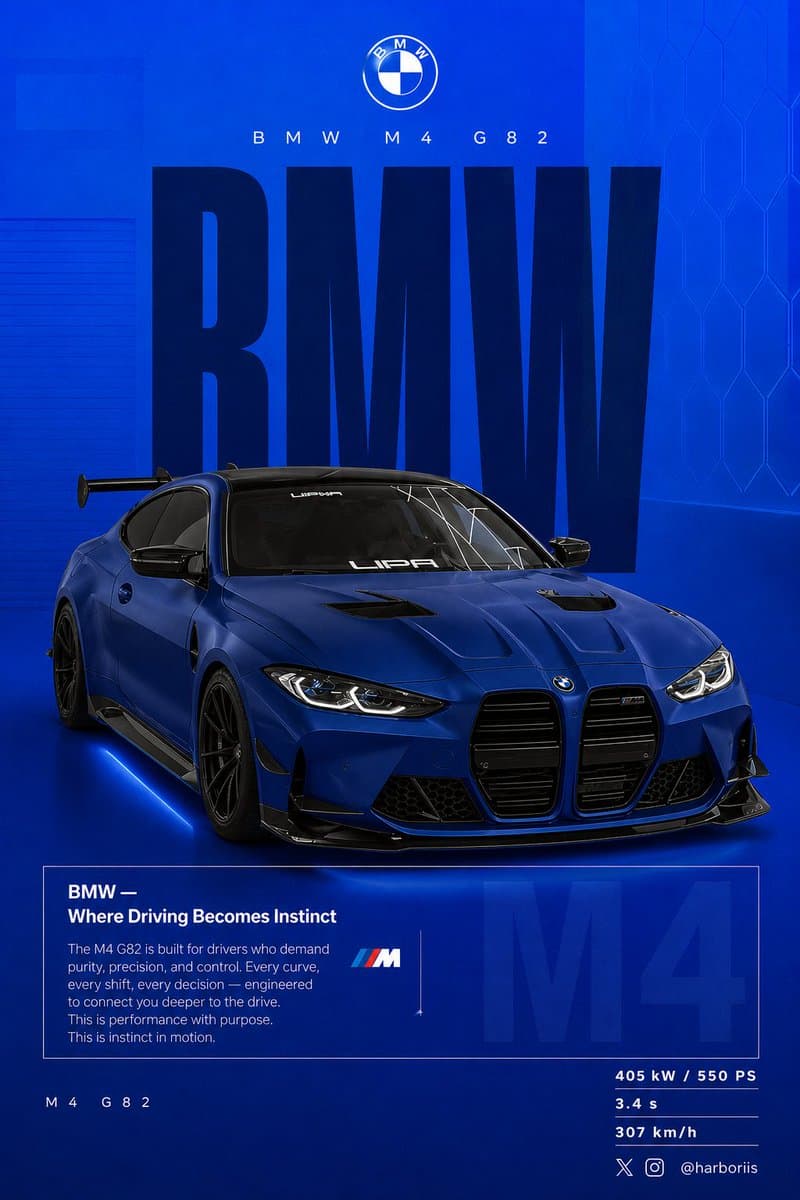
创建一张 4:5 竖版社交海报,超高分辨率,8K 印刷级锐度。使用参考图中的 {argument name="car model" default="BMW car"} 作为主体,并沿用参考图的背景结构/构图,但转换为 BMW 主题设计。将所有黑色调替换为纯平 {argument name="background color" default="high-saturation BMW blue"} 背景。保持参考图相同的布局、间距、视觉平衡和海报构图。背景应从顶部略浅的电光蓝平滑渐变到底部深海军蓝。添加细微颗粒纹理(2 到 3%)和淡淡矩形叠层(2 到 4% 不透明度)。保持干净、图形化、高级、非写实。车下添加柔和接触阴影。使用参考图中同一辆 BMW,只改变 {argument name="paint finish" default="matte frozen blue"} 或深金属海军蓝车漆。保持参考图原始车身形状、轮毂、姿态和设计细节。展示车辆后 3/4 视角,角度必须与参考图完全一致。使用略微升高的相机角度。将车辆放在画面略偏右位置。包含可见碳纤维车顶、激进后扩散器、锐利可控反射和细微刹车细节。构图与参考图一致:顶部:品牌;中部:巨大文字;中心:汽车与文字重叠;底部:编辑说明块和规格。排版:主文字:“BMW”,超窄粗体无衬线,像参考海报一样高比例竖向拉伸。颜色深海军蓝或近黑。静态文字,无变形,作为结构性背景。副标题:“BMW M4 G82”,细字体,宽字距。Logo 区域:BMW 圆标居中置上。编辑说明块:标题:“BMW — Where Driving Becomes Instinct”。正文聚焦:驾驶者连接、控制、性能、精准。使用与参考图相同的盒状编辑版式。背景淡字:“M4” 大比例,3 到 5% 不透明度,位于盒子后方。左下:“M4 G82”。右下规格:405 kW / 550 PS,3.4 s,307 km/h。灯光为干净影棚光,锐利但可控的高光。调色使用深蓝、高对比、干净黑色。相机镜头:50mm,略微升高的后 3/4 角度。氛围:性能、精准、驾驶者专注。右下角添加水印:harboriis,带小 x 和 Instagram logo。
如何使用此提示
在生成之前阅读完整的 BMW 性能社交海报 提示并确定主题、风格、相机、灯光和构图要求。
将括号或参数式占位符替换为您的产品、角色、品牌、场景、调色板或宽高比要求。
打开 https://www.gptimagehub.com/zh-CN/generate?promptId=cmogx0n0v00blzpdykn7geqno,生成图像,然后根据需要使用更具体的主题、文本、布局或负面约束来优化提示。
提示常见问题解答
BMW 性能社交海报 提示符最适合用来做什么?
此提示最适用于您需要可重用结构、详细视觉方向和一致输出质量的 社交媒体 图像。
我可以在生成之前编辑提示吗?
是的。完整的提示文本在此页面上可见,因此您可以在生成之前更改主题、产品名称、颜色、构图、相机术语、长宽比和样式注释。
出现此提示时我应该使用哪种型号?
使用提示元数据中显示的模型作为默认起点。如果另一个图像模型支持相同的宽高比和指令风格,您可以调整提示并比较结果。