
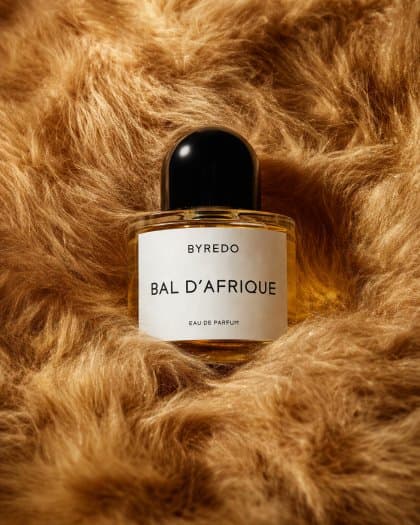
Editorial Perfume Bottle in Golden Fur
Create an editorial perfume bottle nestled in warm golden fur with customizable label text, designed for fragrance ads, web banners, and social media.
Prompt
A luxurious editorial product photograph of a single perfume bottle nestled into dense, plush faux fur in rich golden caramel and honey-brown tones. Center the composition on one clear oval glass bottle filled with warm amber liquid, with a glossy rounded black cap and a clean white rectangular label. The label text should read {argument name="brand name" default="BYREDO"} at the top, {argument name="product name" default="BAL D’AFRIQUE"} large in the middle, and {argument name="product type" default="EAU DE PARFUM"} in small text near the bottom. Shoot it as a close-up still life with soft studio lighting, subtle highlights on the glass and cap, gentle shadows in the folds of the fur, and a warm cinematic color palette. The bottle should sit slightly embedded in the fur so the surrounding texture frames it from all sides, creating a premium fashion editorial mood, minimal composition, shallow depth of field, crisp focus on the label, and a high-end beauty campaign aesthetic.
Prompt details
- Category
- Product & E-commerce
- Model
- GPT IMAGE 2
- Cost per image
- 1K: 43 credits · 2K: 86 credits · 4K: 143 credits
- Aspect ratio
- 1:1
- Creator
- @Salma
- License
- CC BY 4.0
- Added
- Updated