
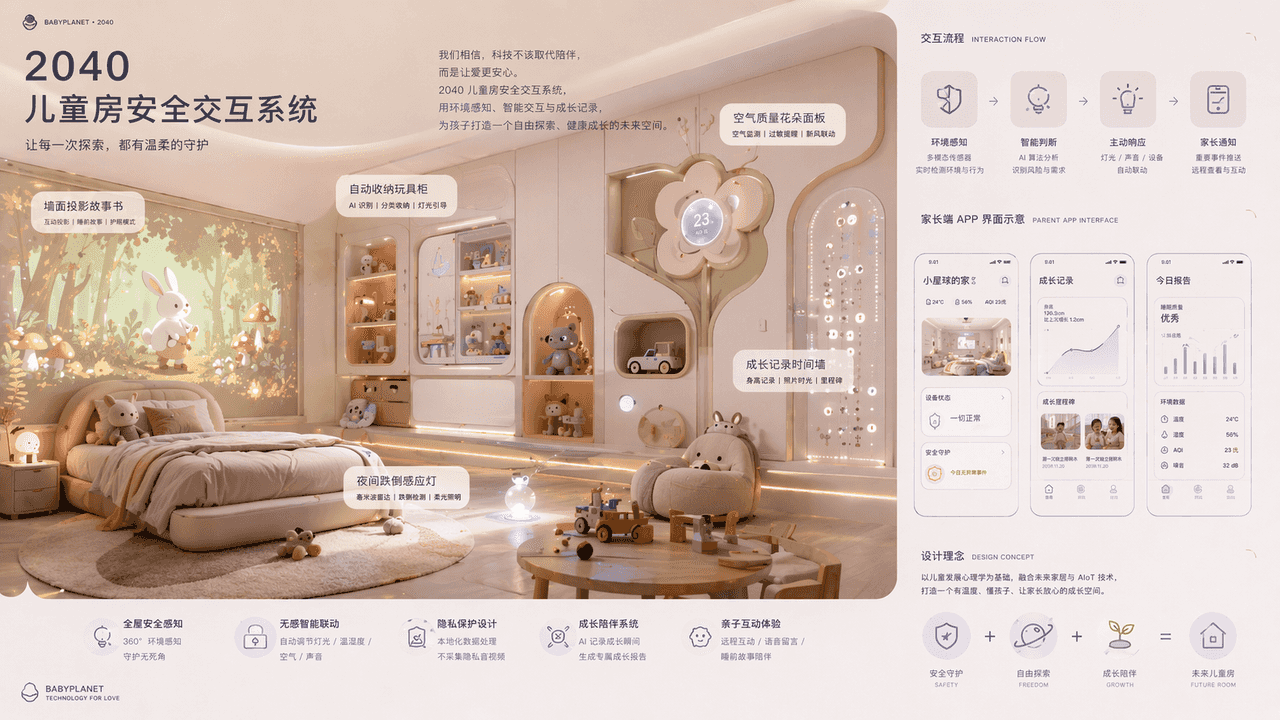
2040年の子供部屋セキュリティ・インタラクションシステム
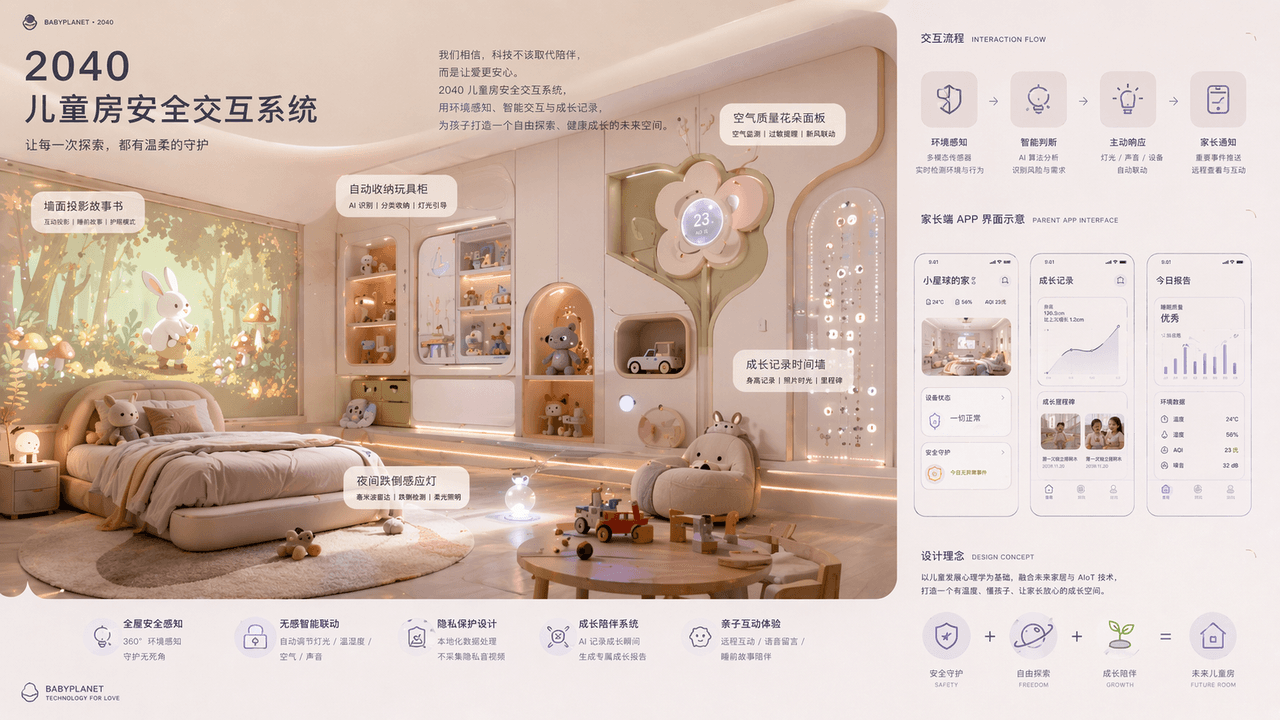
「2040年の子供部屋セキュリティ・インタラクションシステム」、プロダクトコンセプト図と親子ライフスタイルポスターの結合。メインビジュアルは未来の子供部屋の空間パース:壁面投影絵本、自動収納するおもちゃ棚、夜間転倒感知ライト、空気質の花型パネル、成長記録時間壁。右側にインタラクションフローと保護者側Appインターフェース図示。配色は柔らかく、素材は丸みを帯びたソフトパッド化、レイアウトはマタニティテックブランド新製品発表会のよう。比率…
プロンプト
「2040年の子供部屋セキュリティ・インタラクションシステム」、プロダクトコンセプト図と親子ライフスタイルポスターの結合。メインビジュアルは未来の子供部屋の空間パース:壁面投影絵本、自動収納するおもちゃ棚、夜間転倒感知ライト、空気質の花型パネル、成長記録時間壁。右側にインタラクションフローと保護者側Appインターフェース図示。配色は柔らかく、素材は丸みを帯びたソフトパッド化、レイアウトはマタニティテックブランド新製品発表会のよう。比率16:9。
このプロンプトの使用方法
生成する前に、完全な 2040年の子供部屋セキュリティ・インタラクションシステム プロンプトを読み、主題、スタイル、カメラ、照明、構成の要件を特定してください。
括弧で囲まれたプレースホルダーまたは引数スタイルのプレースホルダーを、製品、キャラクター、ブランド、シーン、カラーパレット、またはアスペクト比の要件に置き換えます。
https://www.gptimagehub.com/ja/generate?promptId=cmogxjkah00hhxt5g9fgqnjic を開いて画像を生成し、必要に応じてより具体的な件名、テキスト、レイアウト、または否定的な制約を使用してプロンプトを調整します。
プロンプトFAQ
2040年の子供部屋セキュリティ・インタラクションシステム プロンプトは何に最適ですか?
このプロンプトは、再利用可能な構造、詳細な視覚的方向性、一貫した出力品質が必要な その他 画像に最適です。
生成する前にプロンプトを編集できますか?
はい。このページには完全なプロンプト テキストが表示されるため、生成前に件名、製品名、色、構成、カメラ用語、アスペクト比、スタイル メモを変更できます。
このプロンプトではどのモデルを使用すればよいですか?
プロンプトのメタデータに示されているモデルをデフォルトの開始点として使用します。別の画像モデルが同じアスペクト比と指示スタイルをサポートしている場合は、プロンプトを調整して結果を比較できます。