
魔法学院新入生入学パック
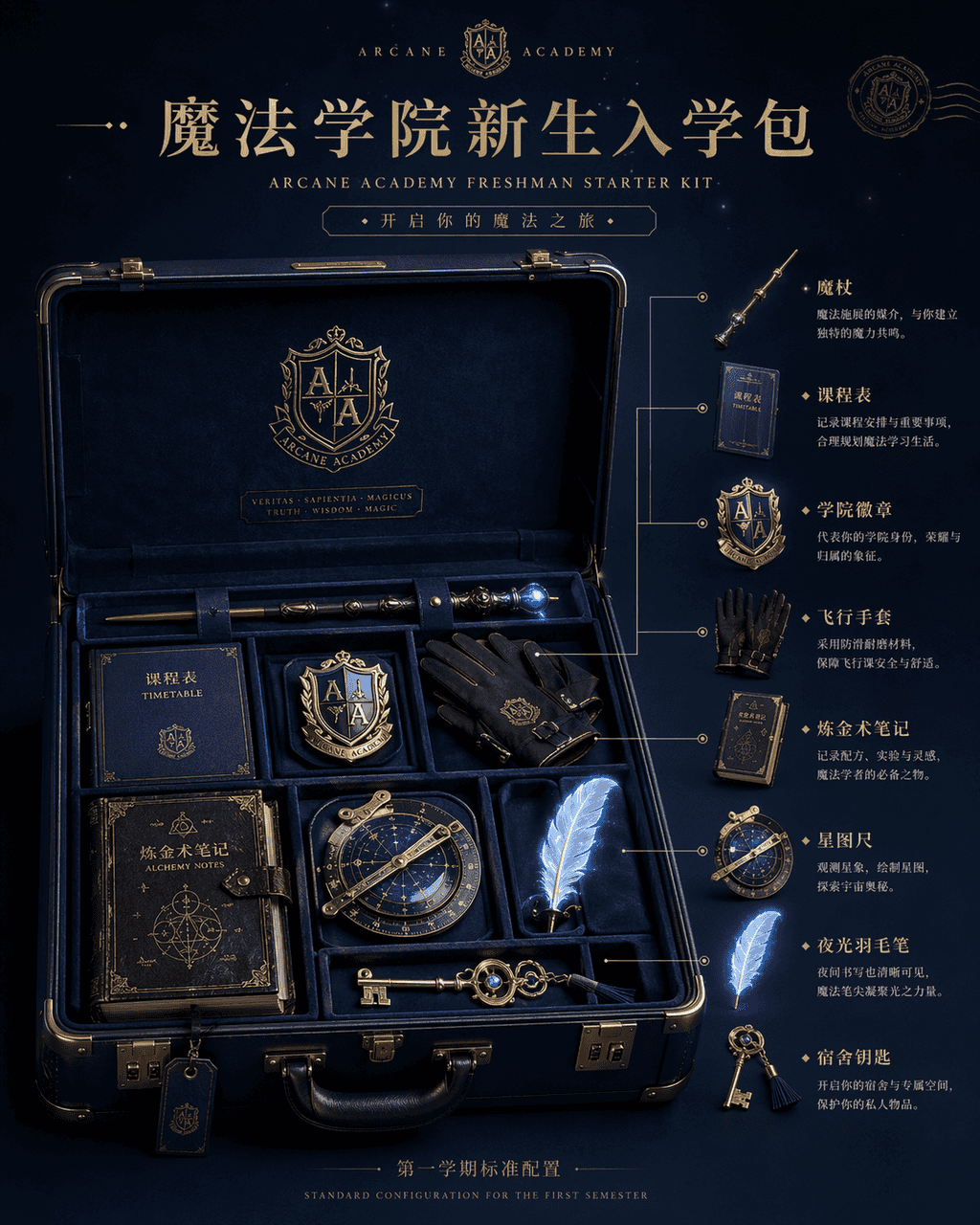
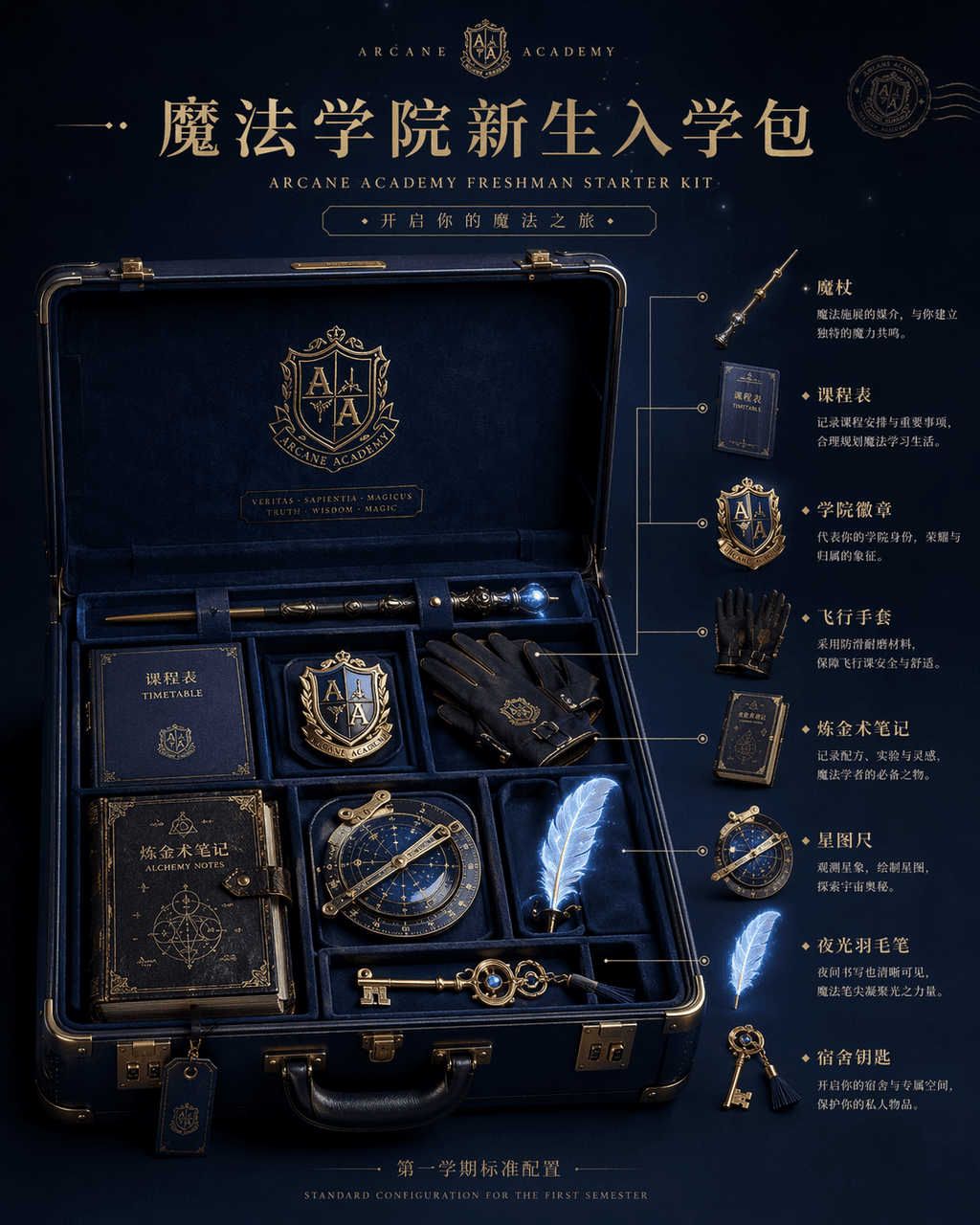
「魔法学院新入生入学パック」プロダクト紹介画像、ECメイン画像とファンタジー世界観設定を融合。画面中央に開かれた濃紺ハードシェルスーツケース、内部に魔法の杖、時間割、学院バッジ、飛行手袋、錬金術ノート、星図定規、夜光羽根ペン、寮の鍵が整然と配置。右側に各オブジェクトの分解図と用途説明。上部のタイトルはハイブランドの新作発表ページ風、底部小文字に「第1学期標準装備」。光線はスタジオ撮影級のソフトライトながら各オブジェクトに淡い魔法の輝き…
プロンプト
「魔法学院新入生入学パック」プロダクト紹介画像、ECメイン画像とファンタジー世界観設定を融合。画面中央に開かれた濃紺ハードシェルスーツケース、内部に魔法の杖、時間割、学院バッジ、飛行手袋、錬金術ノート、星図定規、夜光羽根ペン、寮の鍵が整然と配置。右側に各オブジェクトの分解図と用途説明。上部のタイトルはハイブランドの新作発表ページ風、底部小文字に「第1学期標準装備」。光線はスタジオ撮影級のソフトライトながら各オブジェクトに淡い魔法の輝き。素材ディテール豊か。高級トラベルブランドと魔法IPコラボレーションマテリアルのよう。比率4:5。
このプロンプトの使用方法
生成する前に、完全な 魔法学院新入生入学パック プロンプトを読み、主題、スタイル、カメラ、照明、構成の要件を特定してください。
括弧で囲まれたプレースホルダーまたは引数スタイルのプレースホルダーを、製品、キャラクター、ブランド、シーン、カラーパレット、またはアスペクト比の要件に置き換えます。
https://www.gptimagehub.com/ja/generate?promptId=cmogxi9wd00gpxt5gxj310gqt を開いて画像を生成し、必要に応じてより具体的な件名、テキスト、レイアウト、または否定的な制約を使用してプロンプトを調整します。
プロンプトFAQ
魔法学院新入生入学パック プロンプトは何に最適ですか?
このプロンプトは、再利用可能な構造、詳細な視覚的方向性、一貫した出力品質が必要な その他 画像に最適です。
生成する前にプロンプトを編集できますか?
はい。このページには完全なプロンプト テキストが表示されるため、生成前に件名、製品名、色、構成、カメラ用語、アスペクト比、スタイル メモを変更できます。
このプロンプトではどのモデルを使用すればよいですか?
プロンプトのメタデータに示されているモデルをデフォルトの開始点として使用します。別の画像モデルが同じアスペクト比と指示スタイルをサポートしている場合は、プロンプトを調整して結果を比較できます。