
ソーシャルスクリーンショット #19
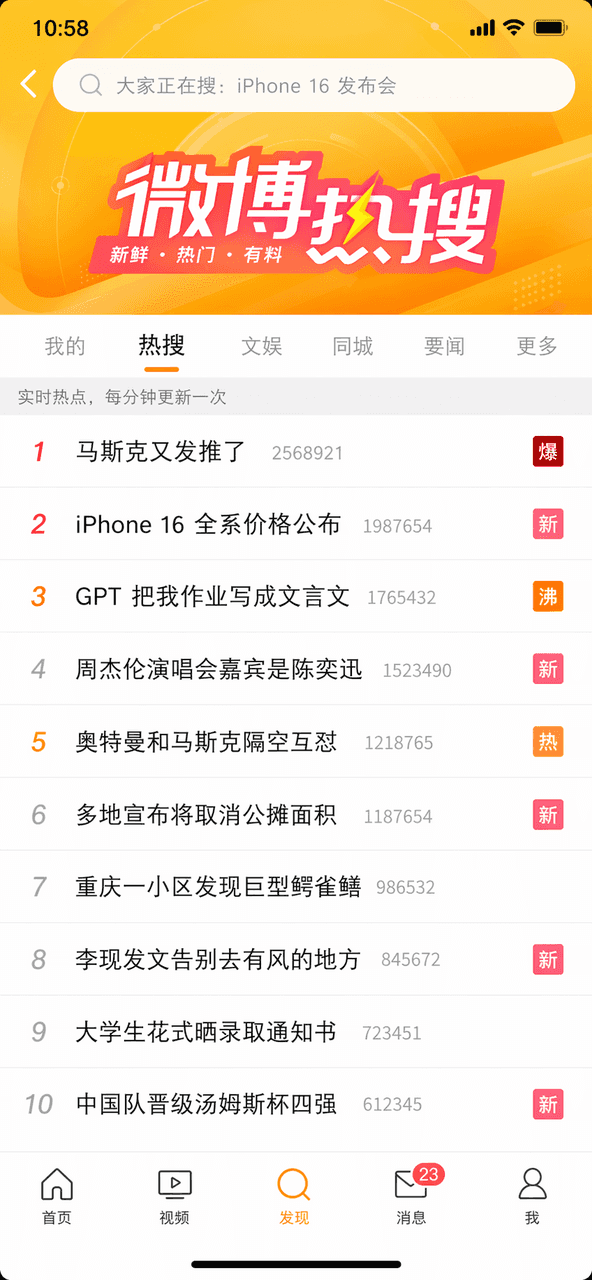
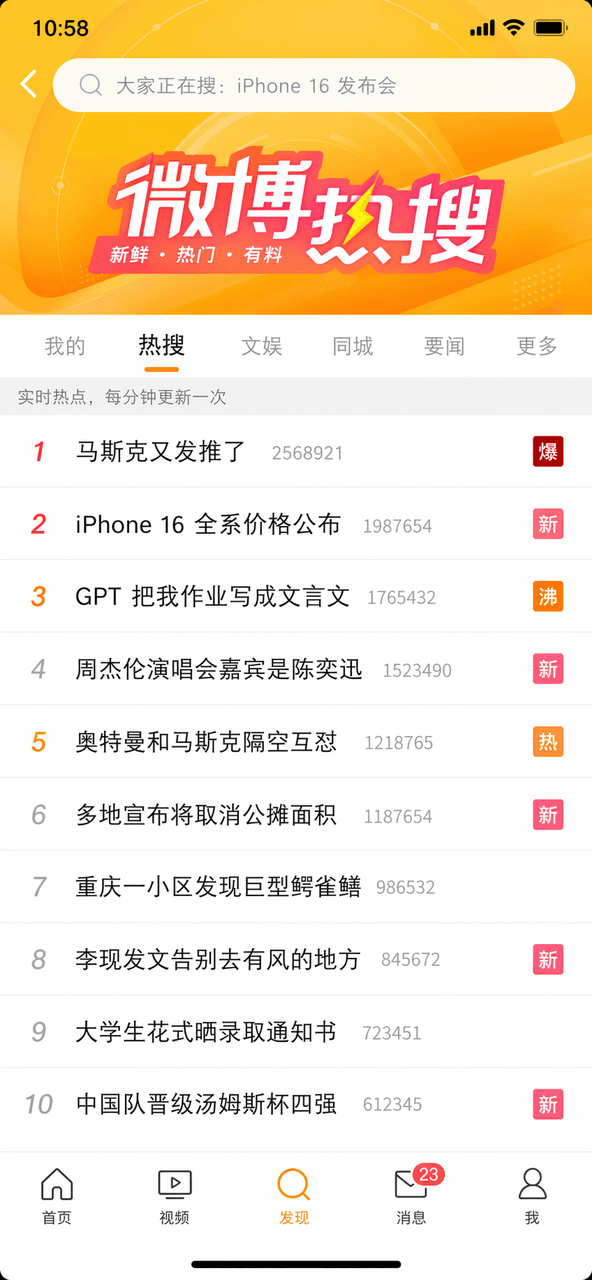
プロンプト:微博ホット検索ランキングのスクリーンショットを描く、上位10件のホット検索。1位は「マスクがまたツイートした」に「爆」マーク、3位は「GPTが宿題を文言文にした」に「沸」マーク、5位は「アルトマンとマスクの遠距離舌戦」に「熱」マーク、上部の検索ボックスと下部のナビゲーションバー完備。
プロンプト
プロンプト:微博ホット検索ランキングのスクリーンショットを描く、上位10件のホット検索。1位は「マスクがまたツイートした」に「爆」マーク、3位は「GPTが宿題を文言文にした」に「沸」マーク、5位は「アルトマンとマスクの遠距離舌戦」に「熱」マーク、上部の検索ボックスと下部のナビゲーションバー完備。
このプロンプトの使用方法
生成する前に、完全な ソーシャルスクリーンショット #19 プロンプトを読み、主題、スタイル、カメラ、照明、構成の要件を特定してください。
括弧で囲まれたプレースホルダーまたは引数スタイルのプレースホルダーを、製品、キャラクター、ブランド、シーン、カラーパレット、またはアスペクト比の要件に置き換えます。
https://www.gptimagehub.com/ja/generate?promptId=cmogxopbm00otxt5gpn0talrm を開いて画像を生成し、必要に応じてより具体的な件名、テキスト、レイアウト、または否定的な制約を使用してプロンプトを調整します。
プロンプトFAQ
ソーシャルスクリーンショット #19 プロンプトは何に最適ですか?
このプロンプトは、再利用可能な構造、詳細な視覚的方向性、一貫した出力品質が必要な ソーシャルメディア 画像に最適です。
生成する前にプロンプトを編集できますか?
はい。このページには完全なプロンプト テキストが表示されるため、生成前に件名、製品名、色、構成、カメラ用語、アスペクト比、スタイル メモを変更できます。
このプロンプトではどのモデルを使用すればよいですか?
プロンプトのメタデータに示されているモデルをデフォルトの開始点として使用します。別の画像モデルが同じアスペクト比と指示スタイルをサポートしている場合は、プロンプトを調整して結果を比較できます。